Refill the tasks
Status: Open · Asked by vivekpathak2025 on · 0 views
Hello Pabbly Team,
I am currently subscribed to the Pabbly Unlimited Plan. Our available tasks are about to be exhausted, which may impact the smooth execution of our workflows.
Kindly assist us by refilling our tasks or guiding us on the process to get the tasks refilled so that we can continue using our automation flows without interruption.
our email id is: [email][email hidden][/email]
Looking forward to your support.
Best Regards
Vivek Pathak.
Hi @vivekpathak2025,
As per your request, we have reset your tasks.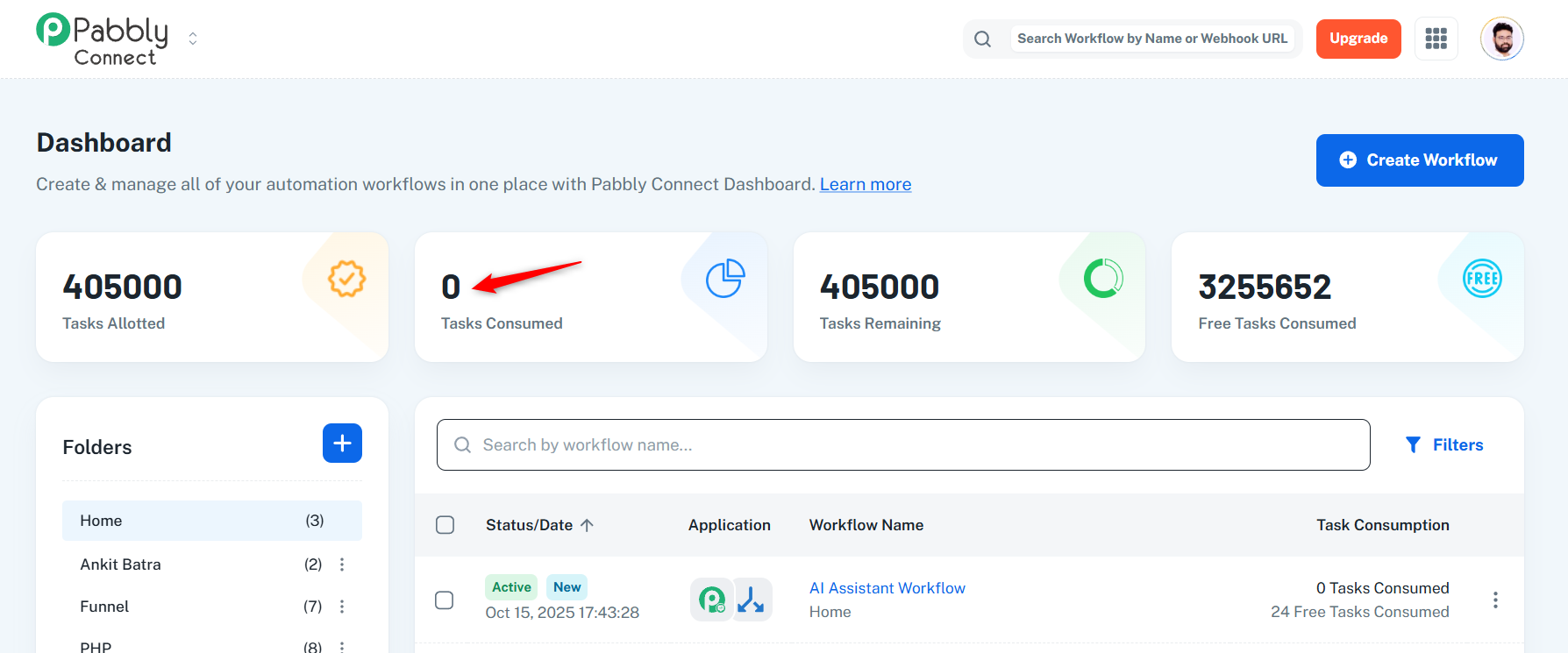
You can do the same from your end as well once 80% of your allotted tasks are consumed.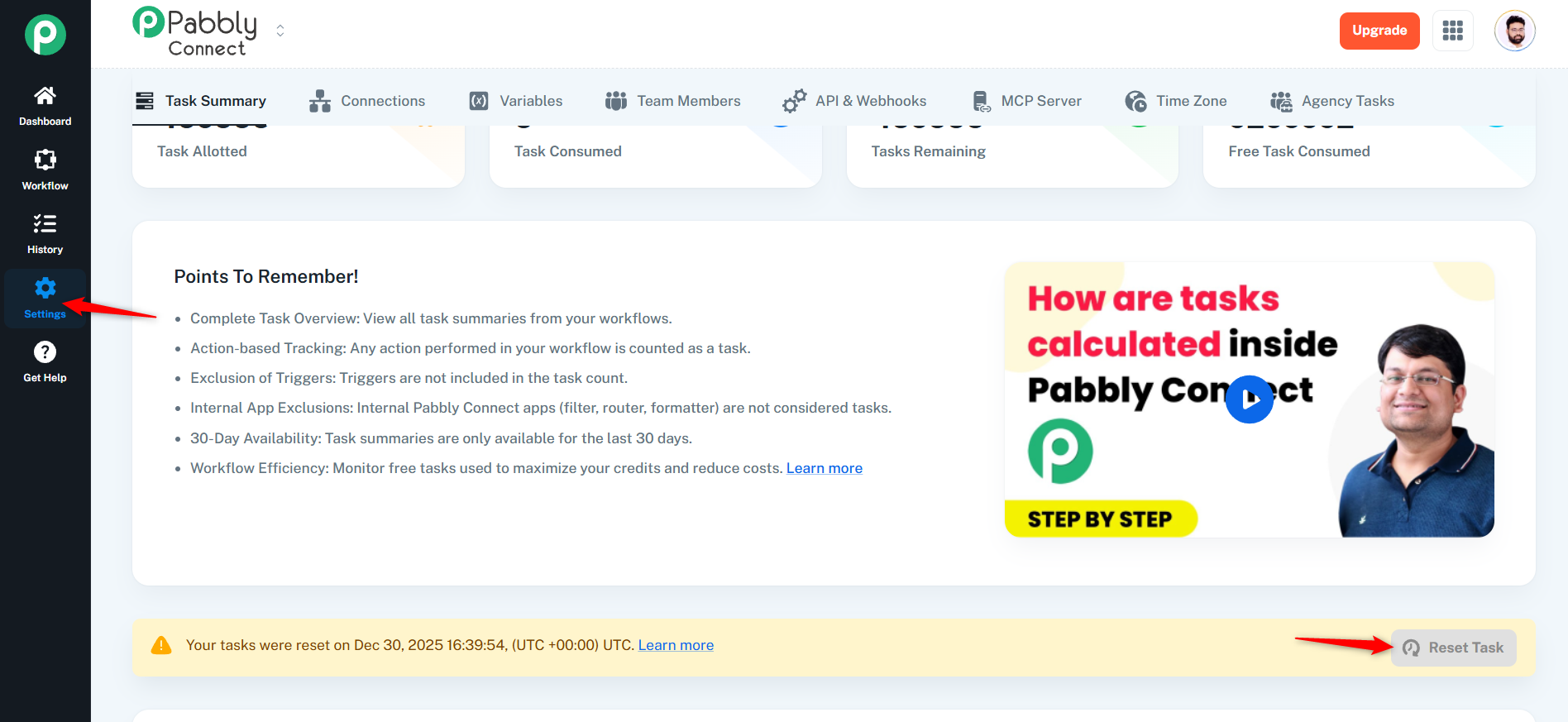
Thanks & Regards,
Arshil Ahmad
Customer Support Associate
? Pabbly.com
?Rate your support
okk thanks for this update.
Hi @vivekpathak2025,
Glad to be of help!
As your issue has been resolved, we’d appreciate it if you could share quick feedback on the support received:
https://forms.gle/GAjS4wdPYKuhnEYV9
Thank you for your time.
PS: We are closing this thread as the issue is resolved. Please feel free to reach out to us if you face any issues in the future.
Hello @Preeti Paryani
Please refill the tasks.
Hi @vivekpathak2025,
We have reset the tasks in your account for now. Going forward, you can reset the tasks yourself by navigating to the Settings section and clicking on the Reset Task button, as shown in the attached images.
Please note that once 80% of your allotted tasks are consumed, you can use the Reset Task option once per day.
For more details, please refer to the following documentation:
https://forum.pabbly.com/threads/pabbly-connect-task-reset-policy-when-does-my-task-count-reset.17614/