Regex in Text Formatter - Extract Pattern
Status: Open · Asked by Franzo on · 0 views
There's no way to make a regex rule work with the "Text Formatter" module and the "extract pattern" mode.
I've tried tons of regex rules, and it always returns an error.
I have to insert special characters for the rule to be recognized, or something I haven't thought of.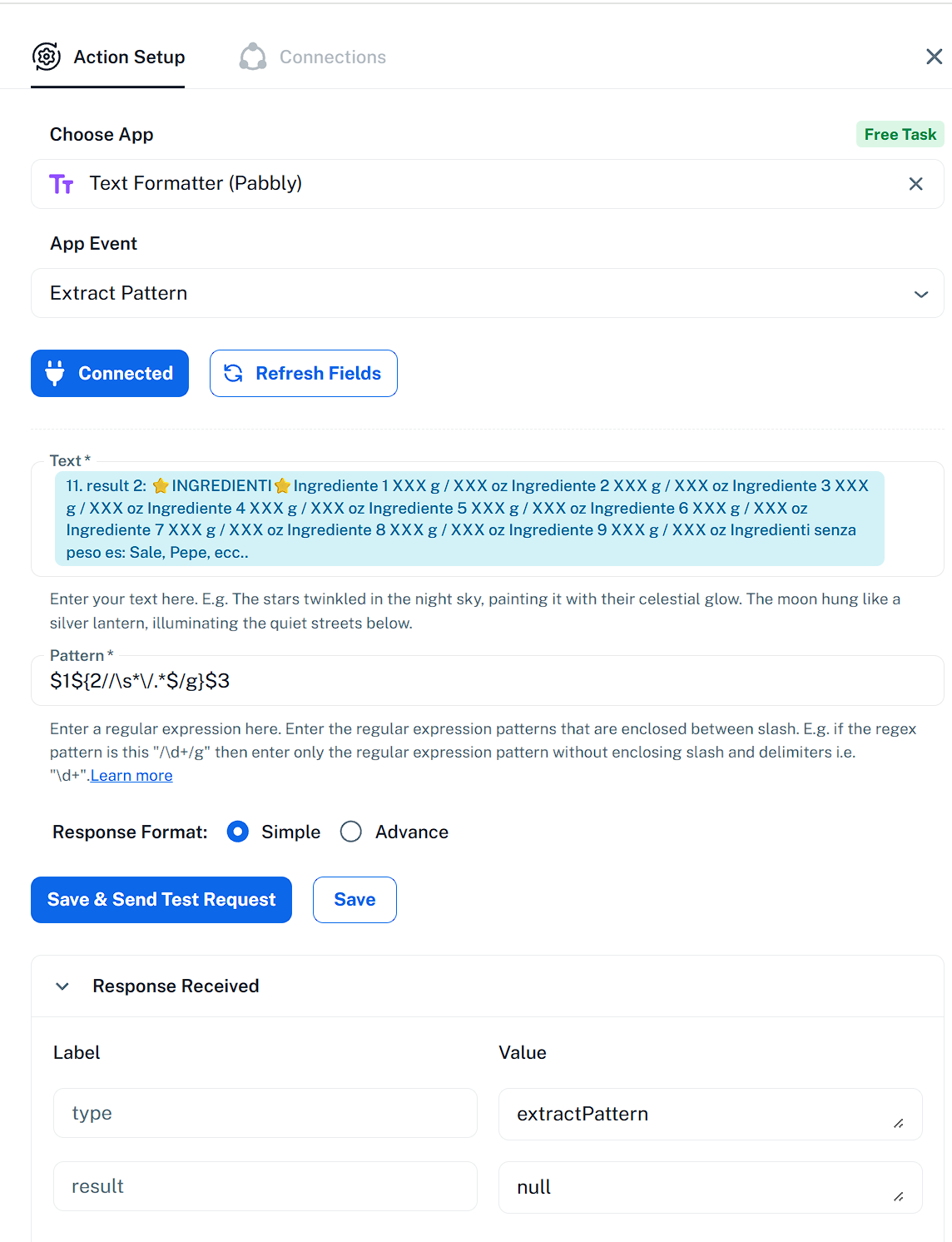
all the regex more or less 10 i have tried, cames from Google AI or Chat GPT
Could you please share the workflow URL where you tried this? Also, could you elaborate a bit more on the data you’re looking to extract using a regex pattern so we can provide you with a suitable suggestion?
Thanks & Regards,
Arshil Ahmad
Customer Support Associate
? Pabbly.com
?Rate your support
THe workFlow URL: https://connect.pabbly.com/v2/app/workflow/mapping/IjU3NjcwNTZmMDYzMTA0MzY1MjZhNTUzMjUxMzEi_pc
given this template:
⭐INGREDIENTI⭐
Ingrediente 1 XXX g / XXX oz
Ingrediente 2 XXX g / XXX oz
Ingrediente 3 XXX g / XXX oz
Ingrediente 4 XXX g / XXX oz
Ingrediente 5 XXX g / XXX oz
Ingrediente 6 XXX g / XXX oz
Ingrediente 7 XXX g / XXX oz
Ingrediente 8 XXX g / XXX oz
Ingrediente 9 XXX g / XXX oz
Ingredienti senza peso es: Sale, Pepe, ecc..
I want to:
1) doesn't touch the first line and keep it
2) doesn't touch the last line and keep it
3) for each of all the other lines keeps the text, whatever it is up to the "g"
I use this regex formula from Chat Gpt:
(^[^\n]*\n)|(\n[^\n]*$)|(^.*?\bg\b).*
it returns only the firts line, and it stops
it takes only the first part of the regex
Hey @Franzo,
Could you kindly share a sample input along with the exact output you expect from that specific data? This will help us understand your requirement better and assist you with the correct regex accordingly.
Input:
⭐INGREDIENTI⭐
Ingrediente 1 XXX g / XXX oz
Ingrediente 2 XXX g / XXX oz
Ingrediente 3 XXX g / XXX oz
Ingrediente 4 XXX g / XXX oz
Ingrediente 5 XXX g / XXX oz
Ingrediente 6 XXX g / XXX oz
Ingrediente 7 XXX g / XXX oz
Ingrediente 8 XXX g / XXX oz
Ingrediente 9 XXX g / XXX oz
Ingredienti senza peso es: Sale, Pepe, ecc..
Expected Output:
⭐INGREDIENTI⭐
Ingrediente 1 XXX g
Ingrediente 2 XXX g
Ingrediente 3 XXX g
Ingrediente 4 XXX g
Ingrediente 5 XXX g
Ingrediente 6 XXX g
Ingrediente 7 XXX g
Ingrediente 8 XXX g
Ingrediente 9 XXX g
Ingredienti senza peso es: Sale, Pepe, ecc..
Hey @Franzo,
Thanks for sharing the details.
We understand you’ve tried multiple regex combinations; however, due to the presence of special characters like \ in the text, the regex is not working as expected in this case.
We also attempted using the Code step, but it did not yield reliable results here.
As a workaround, you can use Text Formatter → Replace Text in two steps:
- First, remove the \ character from the text
- Then, remove the unwanted portion (i.e., XXX oz part)
This approach should give you the expected output.
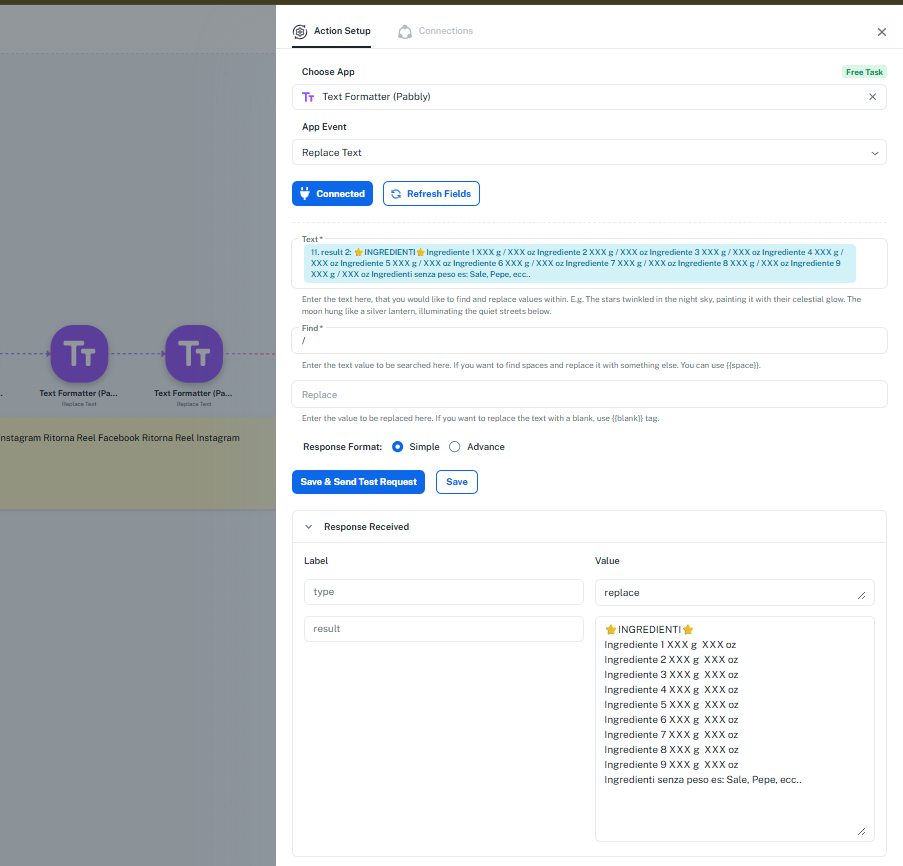 .
.
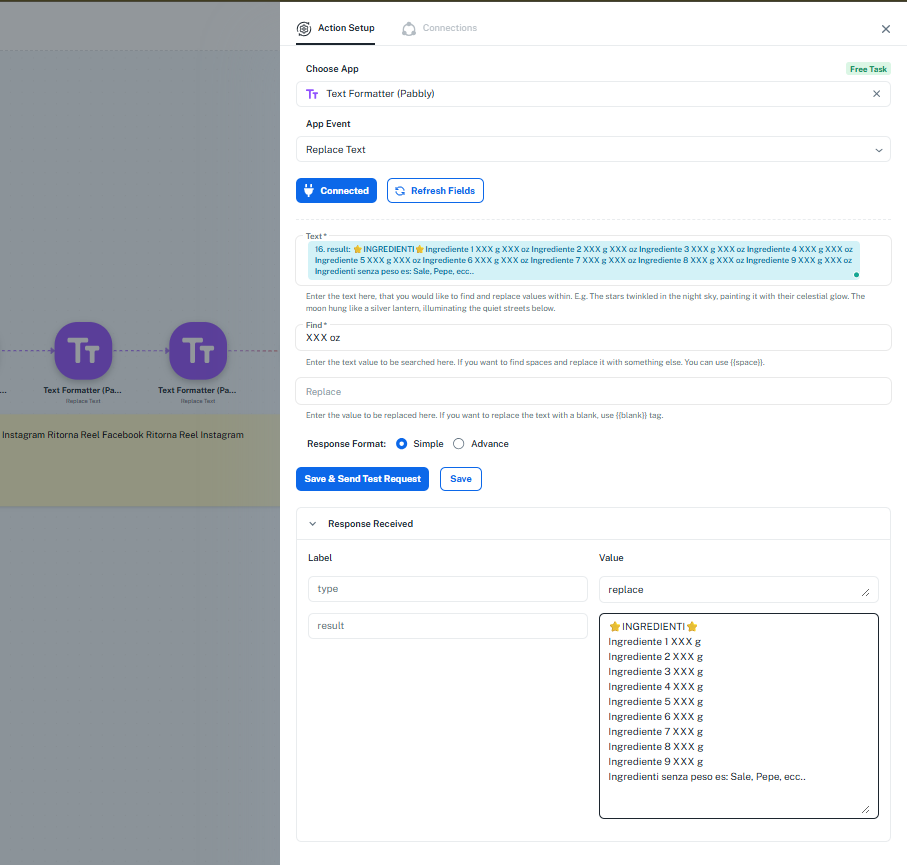
Please refer to the attached images for a better understanding of the configuration.
i can change the "/" with a "-"
The problem is that instead of the "xxx" after the "/" there will be an arbitrary number like this:
Input:
⭐INGREDIENTI⭐
Ingrediente 1 50 g / 1,8 oz
Ingrediente 2 150 g / 2,4 oz
Ingrediente 3 300 g / 4,8 oz
Ingrediente 4 500 g / 6,2 oz
Ingrediente 5 1000 g / 12,5 oz
Ingrediente 6 1200 g / 14 oz
Ingrediente 7 1500 g / 16 oz
Ingrediente 8 2000 g / 20 oz
Ingrediente 9 2200 g / 22 oz
Ingredienti senza peso es: Sale, Pepe, ecc..
OutPut:
⭐INGREDIENTI⭐
Ingrediente 1 50 g
Ingrediente 2 150 g
Ingrediente 3 300 g
Ingrediente 4 500 g
Ingrediente 5 1000 g
Ingrediente 6 1200 g
Ingrediente 7 1500 g
Ingrediente 8 2000 g
Ingrediente 9 2200 g
Ingredienti senza peso es: Sale, Pepe, ecc..
that's why I thought to a regex rule thats work with the "Text Formatter" module and the "extract pattern" mode.
Any idea how to do this? I also tried with a "Code Pabbly" module in javascript, but unfortunately the bold unicode characters and emojis cause the code to always return errors, also in python
We have removed the ⭐ from the response using the Text Formatter and used a JavaScript code to get the desired output in your workflow. Please test it at your end.
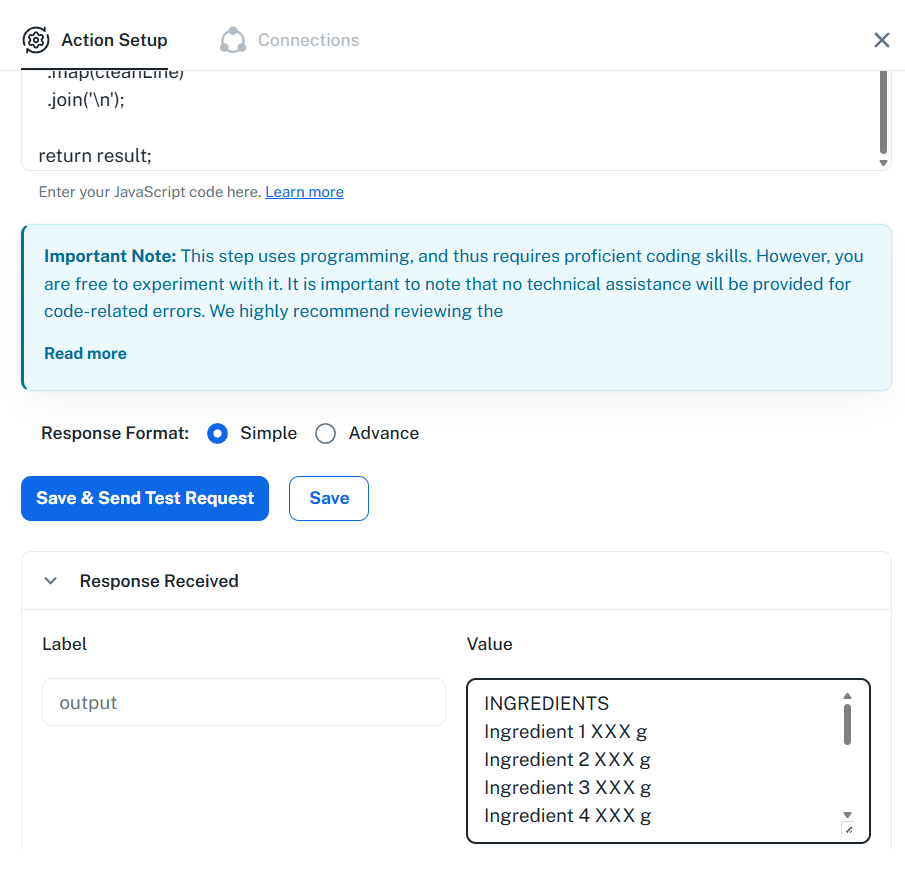
const inputText = `INGREDIENTS
Ingredient 1 XXX g / XXX oz
Ingredient 2 XXX g / XXX oz
Ingredient 3 XXX g / XXX oz
Ingredient 4 XXX g / XXX oz
Ingredient 5 XXX g / XXX oz
Ingredient 6 XXX g / XXX oz
Ingredient 7 XXX g / XXX oz
Ingredient 8 XXX g / XXX oz
Ingredient 9 XXX g / XXX oz
Weightless ingredients e.g.: Salt, Pepper, etc..
`;// Function to clean each line
function cleanLine(line) {
// Keep anything ending with 'g' and remove everything after '/'
return line.replace(/(.+?\bg)\s*\/.*/, '$1');
}// Process all lines
const output = inputText
.split('\n')
.map(cleanLine)
.join('\n');
console.log(output);
Thanks & Regards,
Arshil Ahmad
Customer Support Associate
? Pabbly.com
?Rate your support