remove member when member joint channel 7 days
Status: Closed · Asked by Pittayathon Rinkaewngam on · 0 views
I see this video
youtube.com/watch?v=YBnsT_V7WO0
I have a questionin Column C I fill Expiry Date of member
[TABLE]
[TR]
[TD]name[/TD]
[TD]ID[/TD]
[TD]Expiry Date[/TD]
[/TR]
[TR]
[TD]a[/TD]
[TD]1[/TD]
[TD]2024-10-07[/TD]
[/TR]
[TR]
[TD]s[/TD]
[TD]2[/TD]
[TD]2024-10-15[/TD]
[/TR]
[TR]
[TD]d[/TD]
[TD]3[/TD]
[TD]2024-10-30[/TD]
[/TR]
[TR]
[TD]f[/TD]
[TD]4[/TD]
[TD]2025-01-01[/TD]
[/TR]
[/TABLE]
how to use Pabbly to solve it?
Hello @manerayugi
Can you please whether you want to remove a user from the Telegram Group as per the Expiry date on Google Sheets
Hello @manerayugiCan you please whether you want to remove a user from the Telegram Group as per the Expiry date on Google Sheets?
yes.
Ex. id 1 kick from telegram channel in 2024-10-07
Hey @manerayugi
Your use case seems possible. We have a video on our YouTube Channel where it is demonstrated how you can search a date from Google Sheets and put a Delay until that day to execute the further step. Kindly refer to this video below
youtube.com/watch?v=RscF09iSEtI
For the last step, you can use telegram "Kick a Chat Member".
Let us know if it works for you.
Hey @manerayugiYour use case seems possible. We have a video on our YouTube Channel where it is demonstrated how you can search a date from Google Sheets and put a Delay until that day to execute the further step. Kindly refer to this video below
youtube.com/watch?v=RscF09iSEtI
For the last step, you can use telegram "Kick a Chat Member".
Let us know if it works for you.
It's not work. if data > 1 row
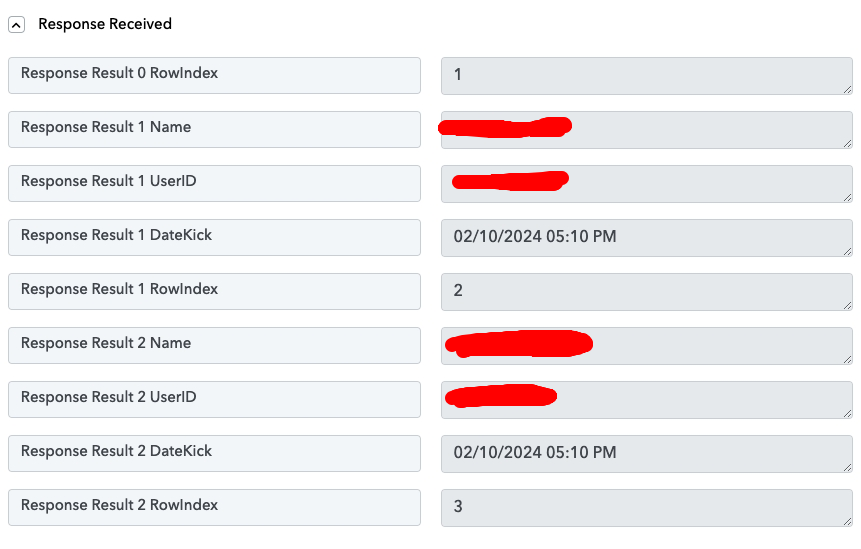
program will kick only first row
You would need to set up two separate workflows to achieve this use case. Please try setting up your workflow in this exact manner and see if this gives you the desired result.
https://connect.pabbly.com/workflow/mapping/IjU3NjYwNTZkMDYzMTA0M2Q1MjY5NTUzNzUxMzIi_pc
https://connect.pabbly.com/workflow/mapping/IjU3NjYwNTZkMDYzMTA0M2Q1MjY5NTUzMTUxMzci_pc
You would need to set up two separate workflows to achieve this use case. Please try setting up your workflow in this exact manner and see if this gives you the desired result.https://connect.pabbly.com/workflow/mapping/IjU3NjYwNTZkMDYzMTA0M2Q1MjY5NTUzNzUxMzIi_pc
https://connect.pabbly.com/workflow/mapping/IjU3NjYwNTZkMDYzMTA0M2Q1MjY5NTUzMTUxMzci_pc
It's not work
in Part 1 Error at this step
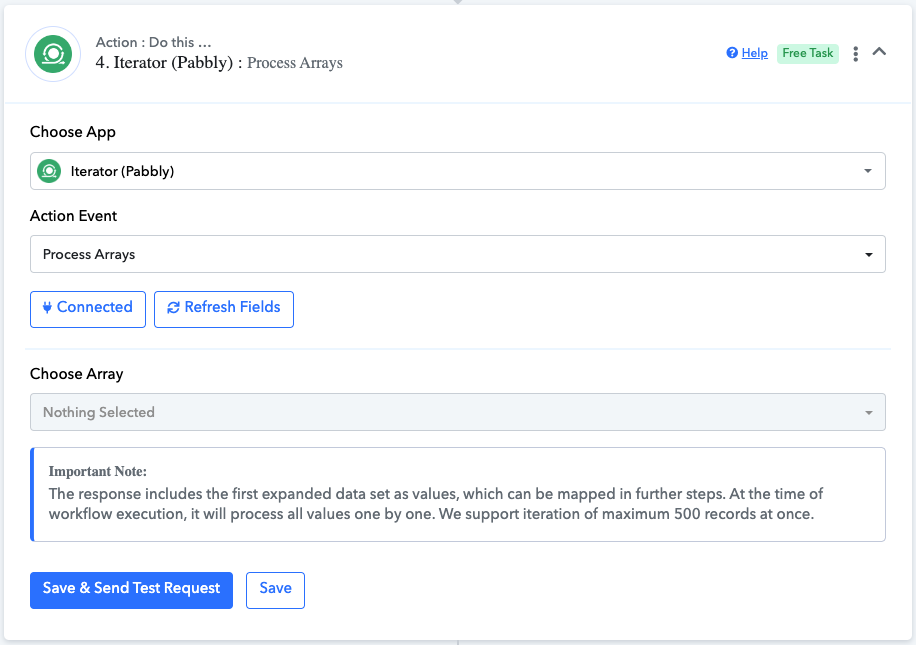
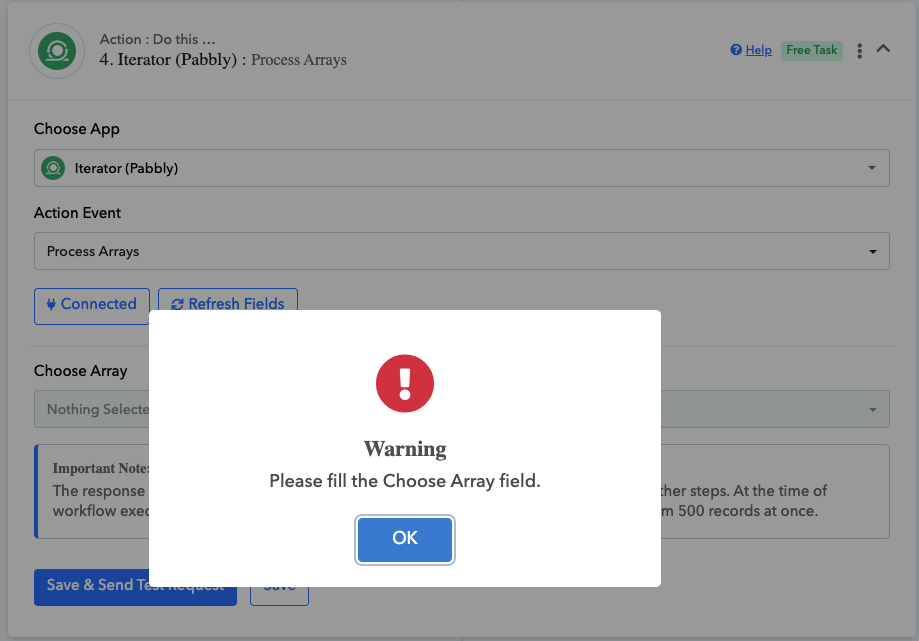
Can you create video how to setup step-by-step for help me?
Hello @manerayugi
The warning you are facing is because the choose array field in the iterator step is empty.
Please capture the response from the "Google Sheets: Lookup Spreadsheet Rows V1" step in advance format and map the array response in the iterator step. Please refer to the attached screenshot for more info.
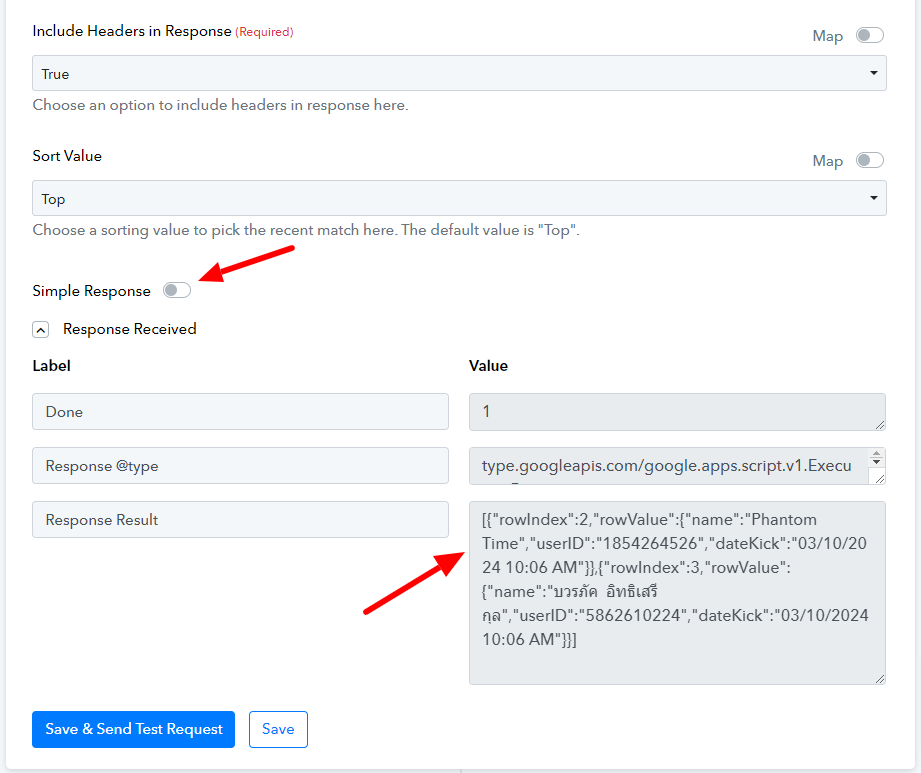
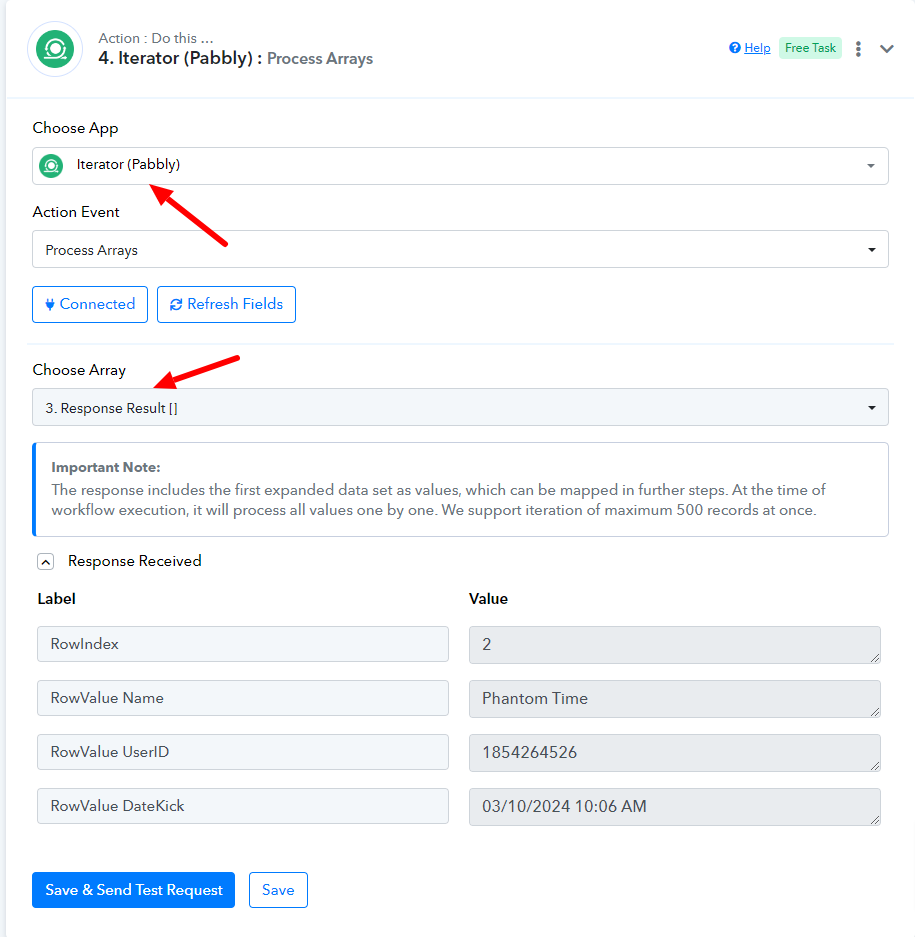
If you still face issues while setting up the workflow please let us know.
Hello @manerayugiThe warning you are facing is because the choose array field in the iterator step is empty.
Please capture the response from the "Google Sheets: Lookup Spreadsheet Rows V1" step in advance format and map the array response in the iterator step. Please refer to the attached screenshot for more info.
If you still face issues while setting up the workflow please let us know.
It's Work!. But work only first row. I'll try setting it to auto and see how it goes. If you have another way to kick more than one person out of a group at once, please let me know.
Hello @manerayugi
Ok sure, please try this at your end and if we have any further workarounds we will let you know.
Hello @manerayugiOk sure, please try this at your end and if we have any further workarounds we will let you know.
It's Work!!! Thank you.
Hello @manerayugi
Thanks for the update, we'd love to hear your thoughts! If you have a moment, please rate us on Google. Your feedback helps us improve.