removing html code from the html body of an email.
Status: Open · Asked by Mike McGregor on · 0 views
I have set up a workflow where I have email parser setup as the trigger. After the response is captured I have text formatter setup to remove a piece of code from the HTML body of the email. After it is supposed to remove that section of code it will delay 2 minutes before sending it to pdf.co to convert it to a pdf. When I am in the workflow and click save and send a test request it will remove the code, but when I test it by firing off the trigger it will not remove the section of code. Any ideas on how I can fix this?
Hi @thedrainpros,
'Text Formatter: Replace Text' action step checks for specific text in the content you provide. If the content contains that text, it removes the specified text, replace it with something else and returns the replaced content. Based on your Task History, we can see that during automation you are not receiving the text specified in your workflow setup, which is why it is not being replaced with a blank.
https://drive.google.com/file/d/1VwnPDUKyM25QaFu2q2HpPp_igeEgXrMa/view?usp=sharing
Why does it remove it some of the time ? Should I put a delay before the text formatter step?
Could you please share the Task History ID where the text got removed?
does text parser not remove text from an HTML file?
It does remove the text from the HTML content. As mentioned earlier, the HTML content you were passing to the Text Formatter did not contain the text that was supposed to be removed, which is why nothing was removed. Please check the video we have shared above.
It did. This one had the same text and didn't remove it. IjU3NjUwNTZkMDYzNDA0M2M1MjY0NTUzZDUxM2E1MTZhNTQzMjBmMzQi_pc
Hello @thedrainpros
As we have checked the shared task history ID it seems some changes were made in the Replace text step (step2).
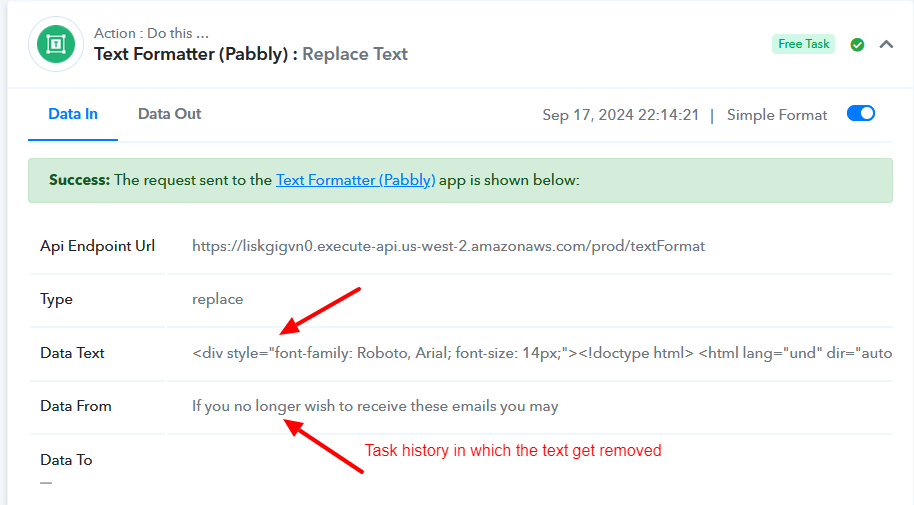
1. In the task history where the text gets replaced, the text to be replaced is in plain text.
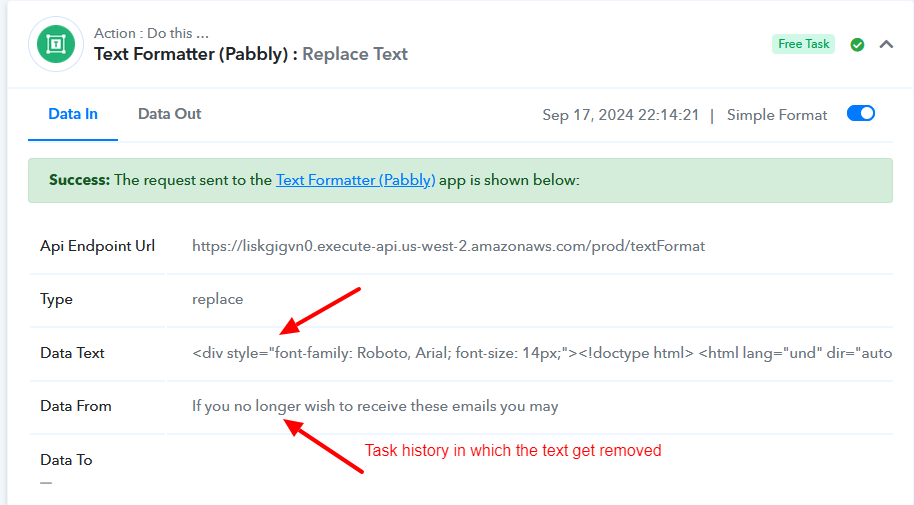
2. While in the failed the context from is in plain text and the text to be replaced is in HTML format which results in the text not being removed.
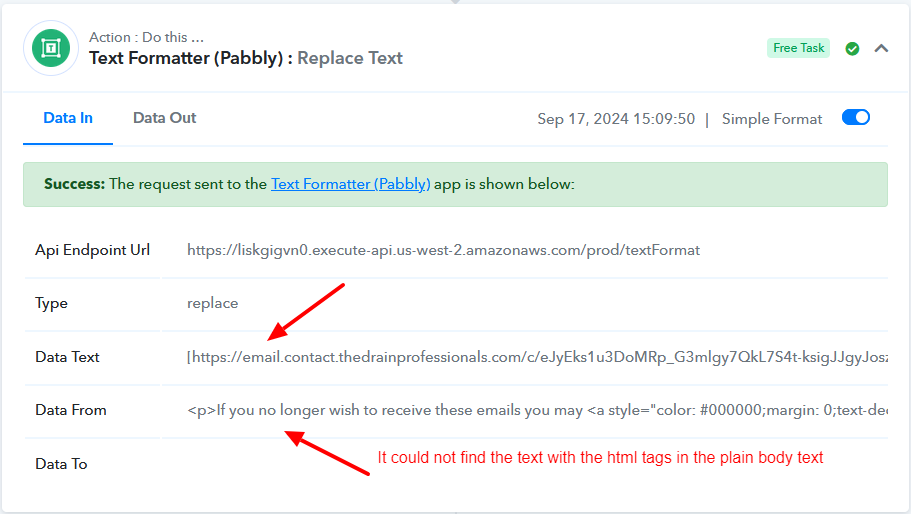
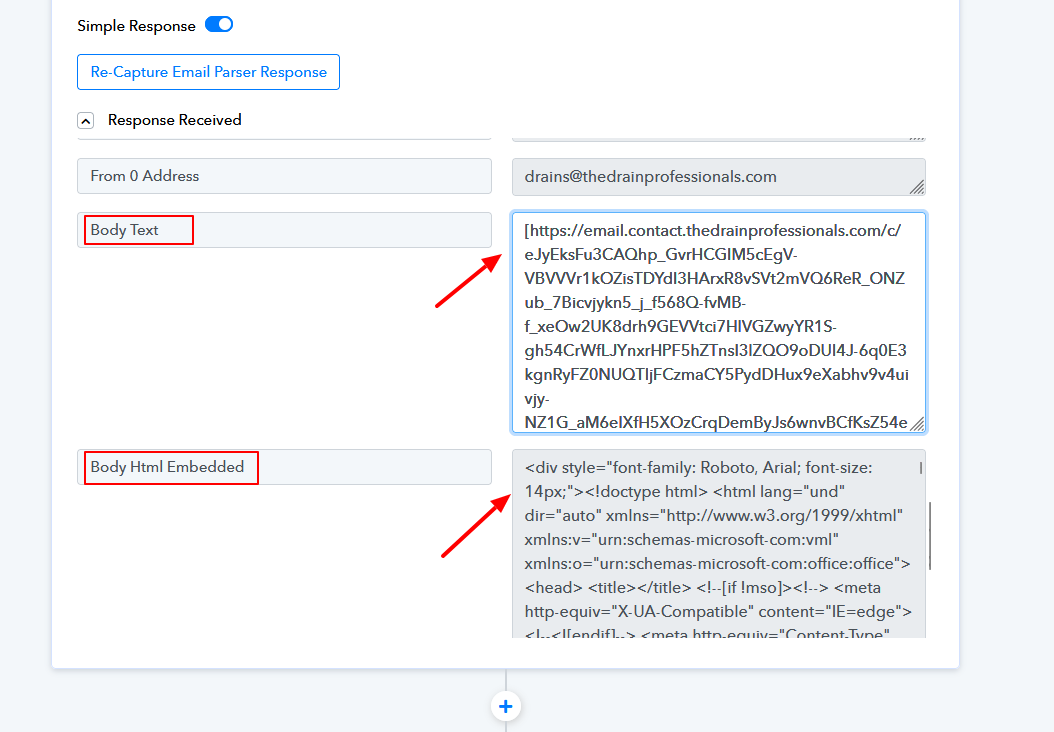
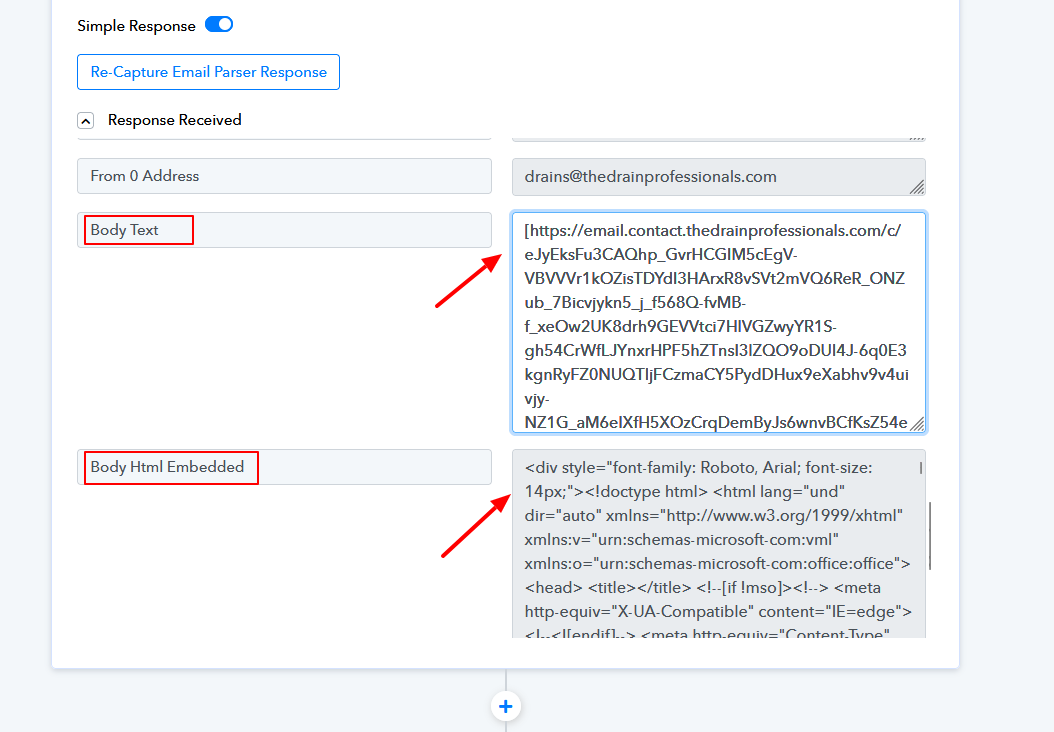
3. Please make sure the field is mapped with the correct data also enter the text to be replaced accordingly to prevent failure.
Attachments
I figured it out on my own how to do it. Thanks