Renaming steps in new layout lost and not visible in history
Status: Open · Asked by Fanny Opti-Biz on · 0 views
Hi Team,
I am working on a workflow using the new layout, great feature to visualize the different routes !
However, although I have several times renamed the steps, they keep on being reset with default app names, which makes it very difficult to build the workflows.
In the execution history, same problem, the steps name were replaced by default app names, and it makes it cumbersome to understand which step failed.
Here is the workflow reference:
https://connect.pabbly.com/v2/app/workflow/mapping/IjU3NjYwNTZhMDYzMjA0MzI1MjZkNTUzMjUxMzci_pc
Thank you in advance !
Fanny
Hi Fanny,
Thanks for bringing this to our attention.
Could you please try renaming the step once again after clearing your browser cache, and then monitor if the renamed titles remain and are also visible in the task history? If the issue still persists, we’d request you to share a short screen recording of the process so our team can review it further.
Looking forward to your update.
Hello,
I have a recent example, and it seems the problem is broader than just only the name.
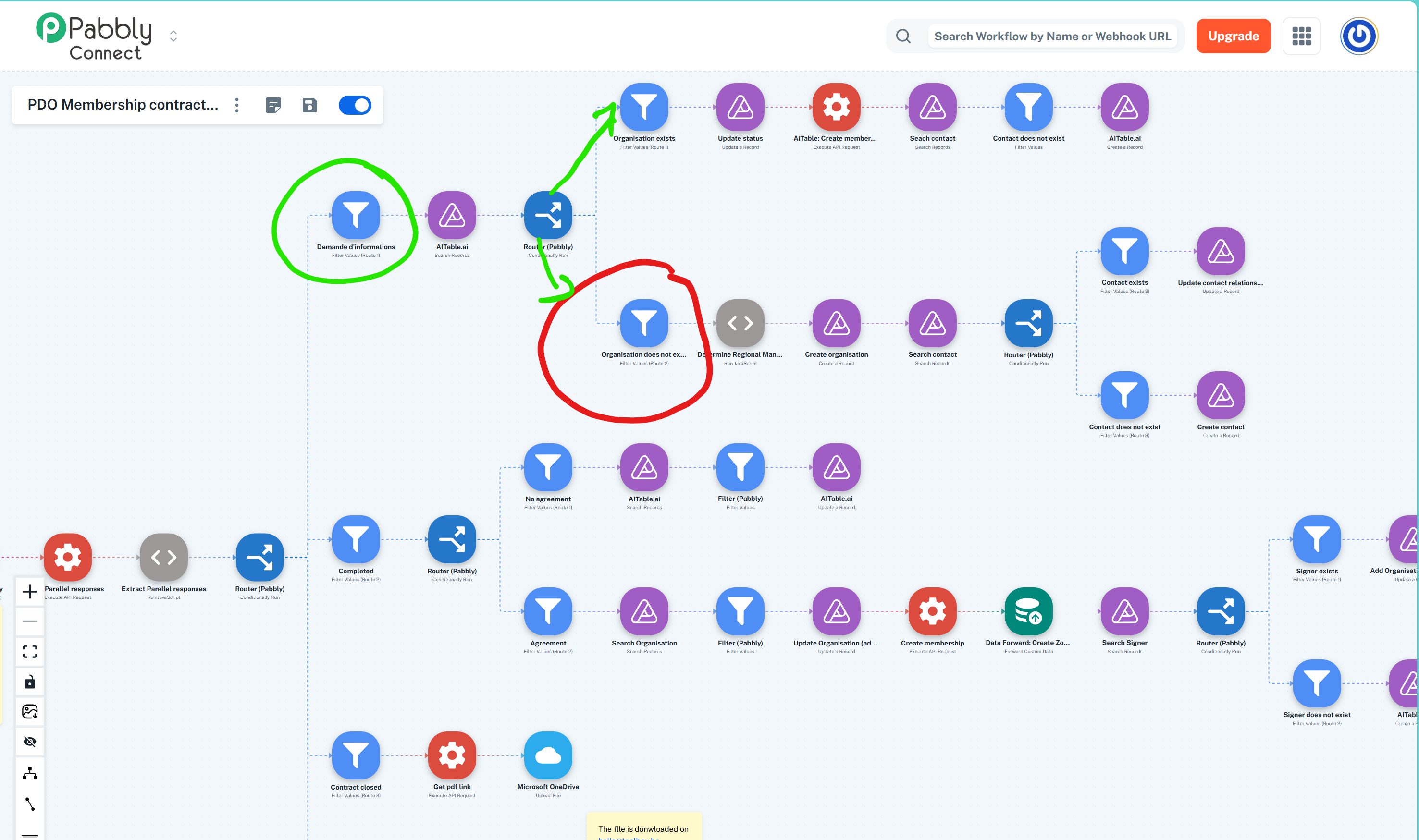
In my workflow (IjU3NjYwNTZhMDYzMjA0MzI1MjZkNTUzMjUxMzci_pc), I have successive routers and filters.
After the first route, named "Demande d'informations", I have another router and 2 routes:
1. "Organisation exists"
2. "Organisation does not exist"
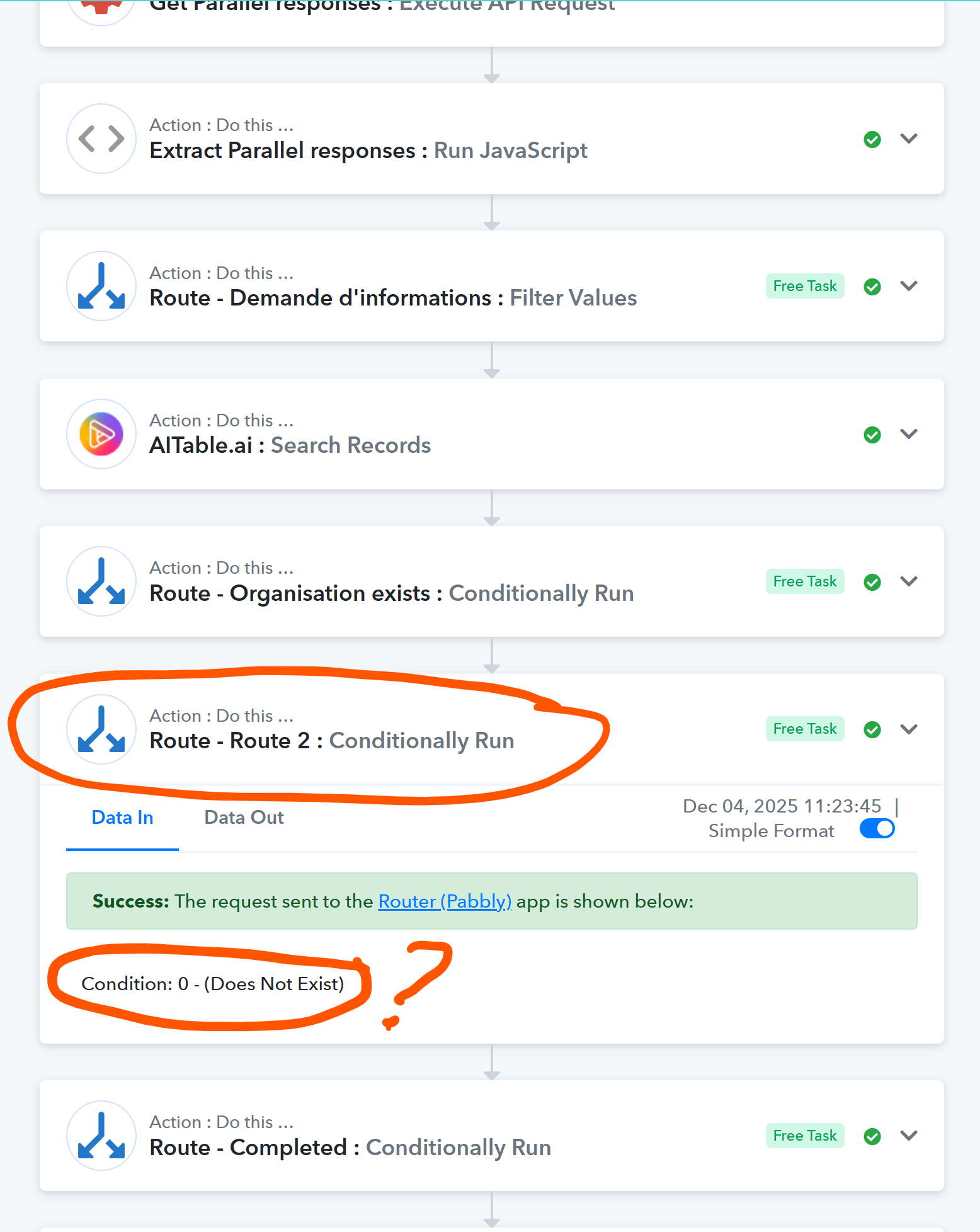
In workflow history, the 2nd route does not have the appropriate name, it still shows "Route 2", and also, the filter inside it does not seem to correspond to what is actually configured.
Consequently, my automation never goes beyond this router / filter ...
Can you please help ?
Hello @opti-biz,
We have escalated this concern to our technical team for further review. Please allow us some time; we will update you as soon as we receive any information from their end.
Hello @opti-biz,
Our team has applied some updates related to the issue you reported. Kindly run a test in your workflow and review the task history to confirm whether the correct name and condition are now appearing as configured. Please let us know how it goes.
Hello @opti-biz,
Our team has applied some updates related to the issue you reported. Kindly run a test in your workflow and review the task history to confirm whether the correct name and condition are now appearing as configured. Please let us know how it goes.
hello everyone...!
Hello,
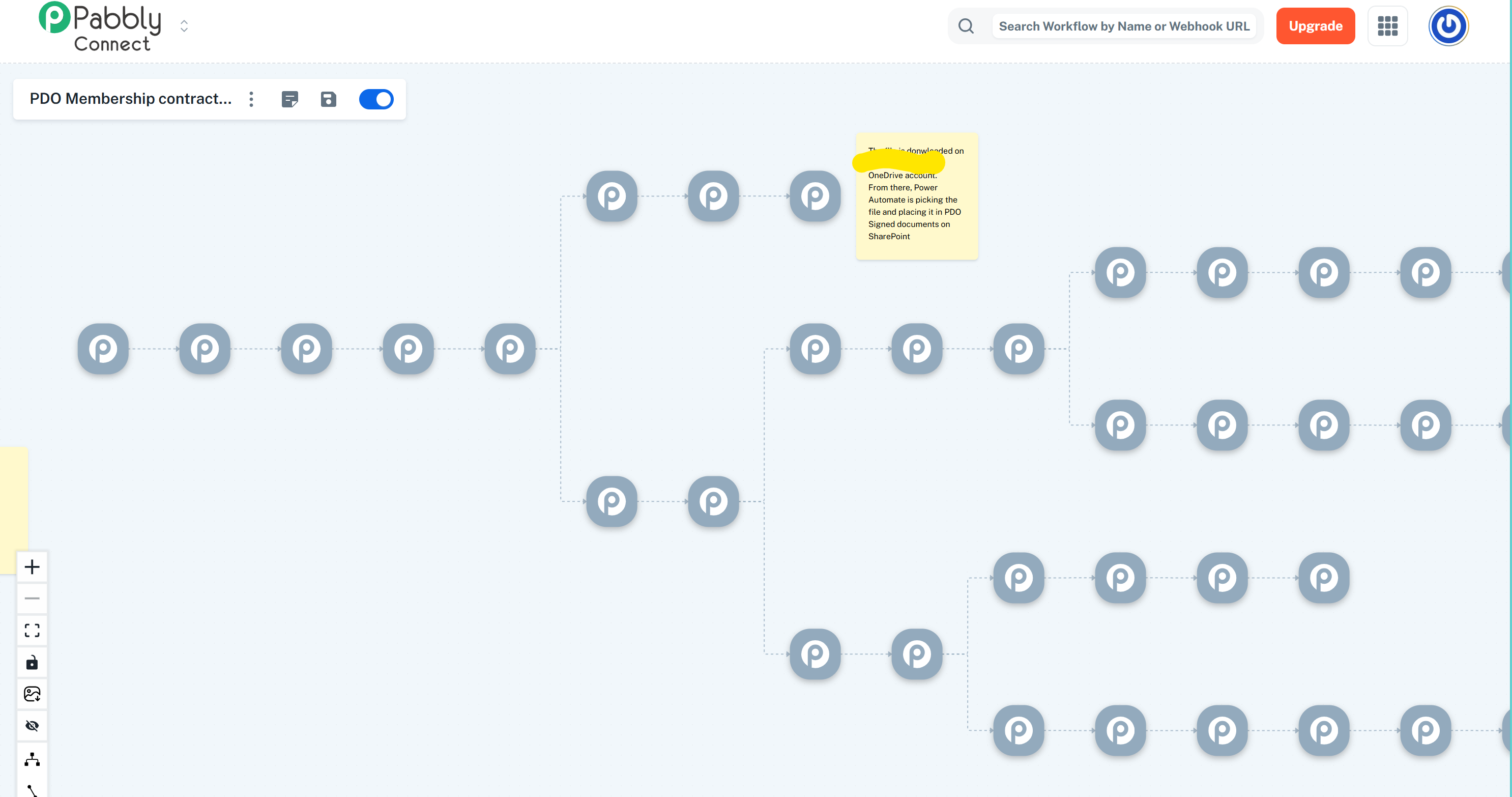
unfortunately, I am not able to retest anything since I believe your updates have completely damaged this workflow.
https://forum.pabbly.com/threads/lost-all-configurations-of-workflow-steps.33931/
Hello @opti-biz,
To resolve the issue, changes were made. Once the workflow is converted, we will let you know.