Request for Solution: How to check duplicate with previously collected email data ?
Status: Open · Asked by Pabbly.User on · 0 views
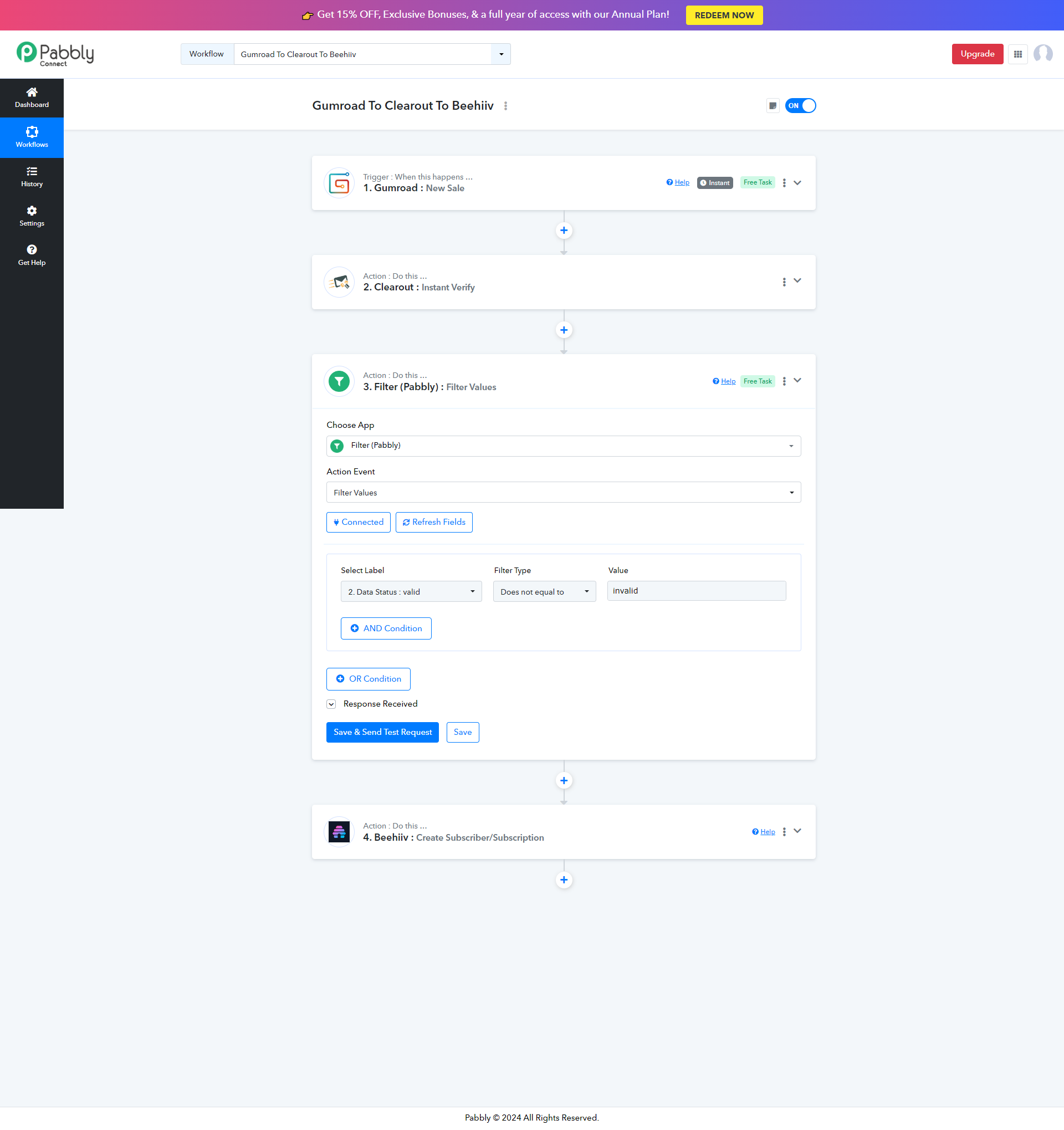
I am doing a 3 step automation: from Gumroad Sales To Clearout Email Verification To Beehiiv Subscriber.
But many user are purchasing 5 to 10 products at a time from my Gumroad and Pabbly is sending the same email 5 to 10 times for Clearout Email Verification and consuming extra credits on both Pabbly and Clearout.
Is there any Pabbly filter option where I can check the email with a previously collected email address before sending it to Clearout Email Verification ?
I think I can cross check for duplicate if I collect the email on a google sheet before sending to Clearout Email Verification but this way it will consume more credits on Pabbly, I am actually looking to save my credits with the free Pabbly filter option.
Is there any solution for that ?
Hi @Pabbly.User,
Could you please share the Workflow URL in which you have this concern?
Hi @Pabbly.User,Could you please share the Workflow URL in which you have this concern?
Thanks for your comment on this. I have added the screenshot of the whole workflow
Hi @Pabbly.User,Could you please share the Workflow URL in which you have this concern?
If you still need the Workflow URL, then is there any option to DM you?
Hello @Pabbly.User
The use case you are trying to achieve doesn't seem to be possible as previously processed data can not be saved, due to which to filter on the previous email and current email would not be possible.
Is there any Pabbly filter option where I can check the email with a previously collected email address before sending it to Clearout Email Verification
Hello @Pabbly.UserThe use case you are trying to achieve doesn't seem to be possible as previously processed data can not be saved, due to which to filter on the previous email and current email would not be possible.
Thank you for your comment. I'm still waiting for the team's reply regarding any possibilities.
@Preeti Paryani is a member of the Pabbly Connect team. I’m afraid the use case you're describing is not possible. You can add a 'Google Sheets: Lookup Spreadsheet Rows' action as step 2 and then a filter as step 3 of your workflow, but beyond that, there is no workaround for your use case.