[Resolved] Text formatter not appearing
Status: Closed · Asked by Hareendra Alahakoon on · 0 views
Hi, I want to have the spaces removed or replaced with an _ for the name field coming from a google sheet. I added a text formatter in to the middle of the flow but the text formatter is not appearing on the Insert data from previous step drop down.
I got it resolved. Please delete this thread. Thanks!
Hi @Hareendra,
You can use the Text Formatter: Replace Text action step to remove the space between the first and last name.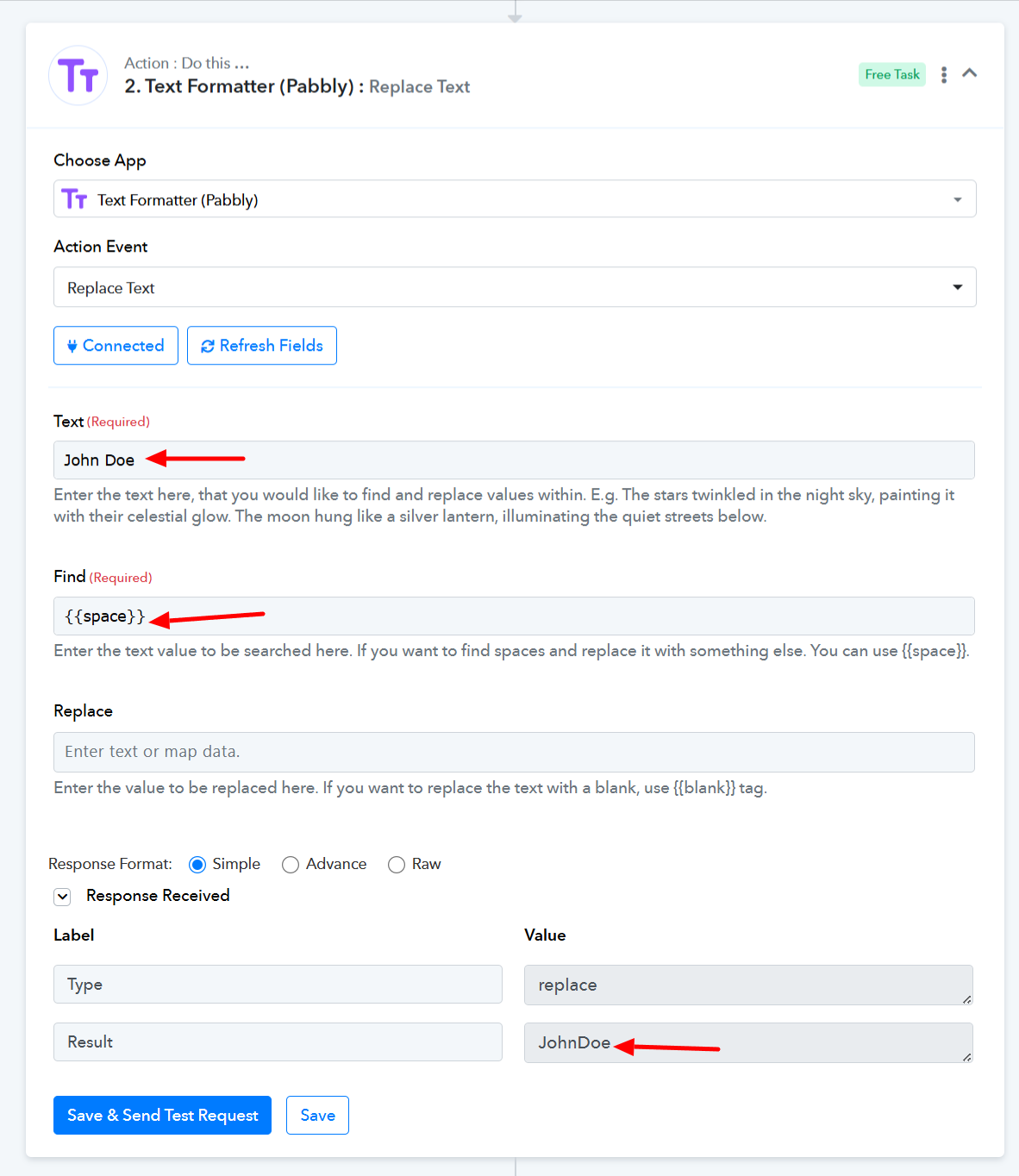
Thanks & Regards,
Arshil Ahmad
Customer Support Associate
? Pabbly.com
?Rate your support
I got it resolved. Please delete this thread. Thanks!
Thank you for the update. We are closing this thread now.
Thanks & Regards,
Arshil Ahmad
Customer Support Associate
? Pabbly.com
?Rate your support