Response Received but unable to write in Gsheet
Status: Open · Asked by Aariembroideryn Designers on · 0 views
So i want to make a connection from one gsheet to another , i want records to be stored in the 2nd gsheet , when data is captured in 1st gsheet from gform. So i put the webhook in the 1st gsheet , fill the form and the response is captured and also shows that it is captured by the flow , but it isnt written or stored in the 2nd gsheet , i do not know why ?
Hi @Aariembroideryn Designers,
Could you please share the workflow URL with us so that we can review the configuration and identify why the data is not being written to the second Google Sheet?
Once we have these details, we'll be happy to investigate further and assist you.
this is the workflow URL
Hey @Aariembroideryn Designers,
We checked the task history of your workflow and, based on the execution logs, it appears that the data is being transmitted successfully from the source Google Sheet to the destination Google Sheet.
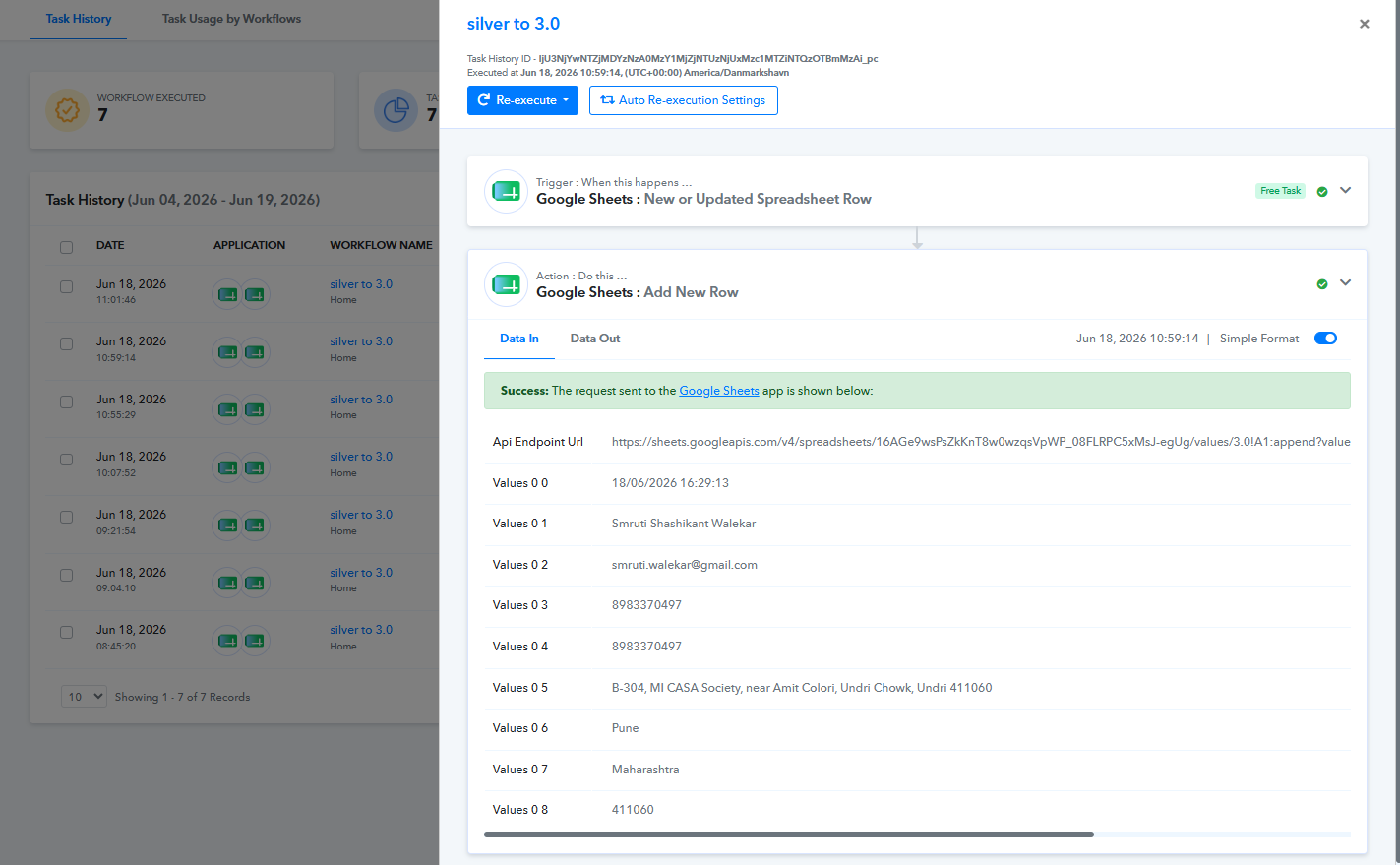
Could you please confirm whether there are any rows that were added to the source sheet after this execution that were not transferred to the destination sheet?
If possible, kindly share access to both the source and destination Google Sheets with the following email addresses:
- [EMAIL][email protected][/EMAIL]
- [EMAIL][email protected][/EMAIL]
Please make sure to provide Editor access so that we can review the sheet configuration, trigger setup, and related settings in detail.
Once we have access, we will be in a better position to investigate why the issue is occurring and assist you further.
so now it is working i dont know how , but now the records are being written in the sheet , i will reach out again if it does not work , Thank you very much
Hi @Aariembroideryn Designers,
That's great to hear!
Thank you for the update. We're glad to know that the records are now being written to the destination Google Sheet successfully.
If you face the issue again or notice any inconsistencies in the future, please feel free to reach out to us with the details, and we'll be happy to investigate further.
Have a great day ahead!