Router Step Error
Status: Open · Asked by worldmasterclass on · 0 views
Im currently having issue when I wanna add a third layer of router, it would give me this error. How should I resolve this? 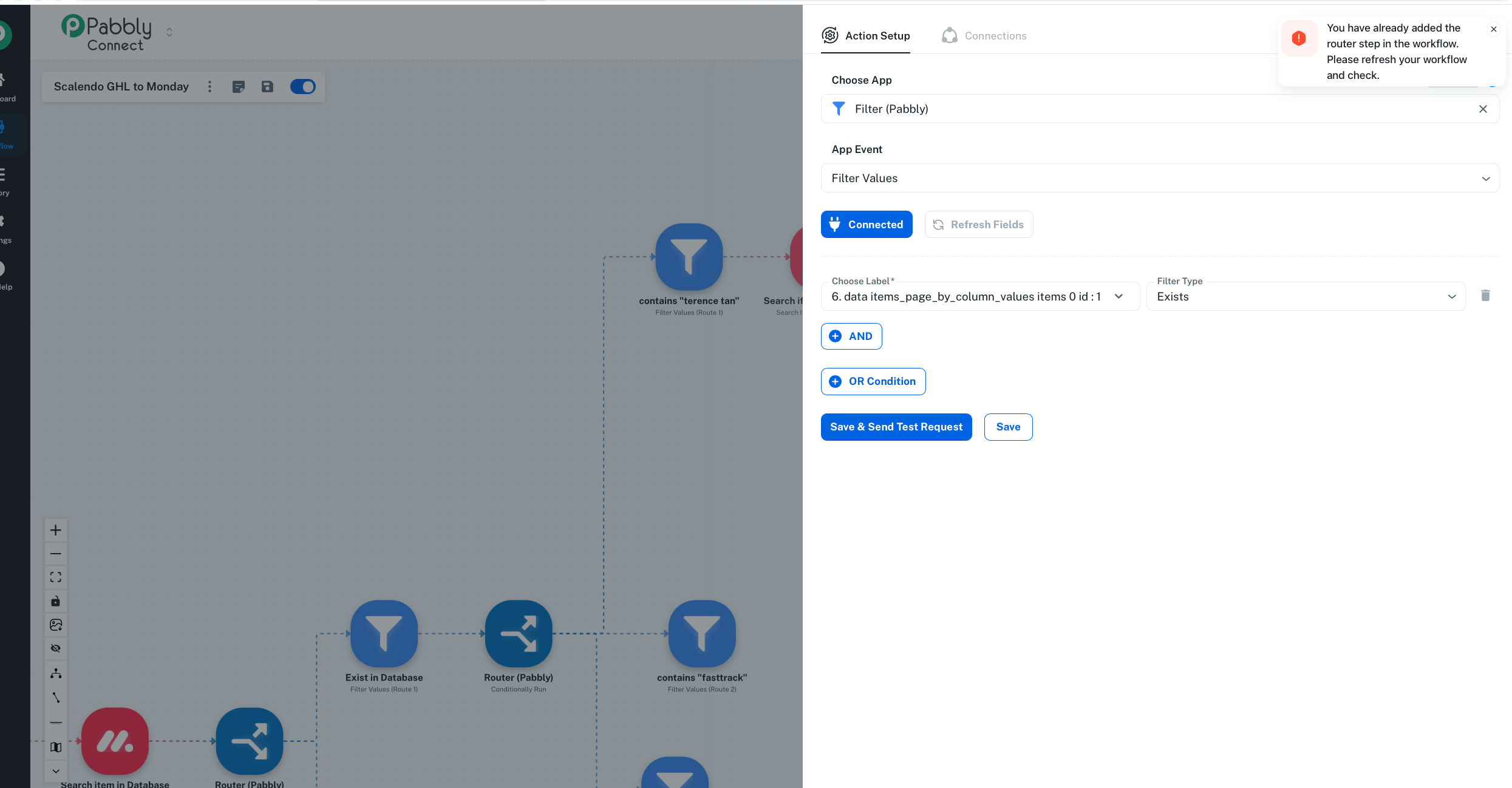
Hello @worldmasterclass,
We have escalated this concern to our technical team for further review. In the meantime, you may use the Classic Workflow Builder to set up this workflow, as it should work without the issue you are currently facing.
Hi @Preeti Paryani, can I know if there's any update of the cause of this issue? And will it be resolved. I would like to use the new beta workflow instead of classic workflow as my workflow requires a lot of branches. hence using the new workflow will be easier to view the workflow
Hello @worldmasterclass,
We haven’t received any update regarding the resolution yet. However, we have followed up with our internal team, and as soon as we receive an update, we will get back to you promptly.
Hello @worldmasterclass,
Thank you for your patience. After discussing this with our team, we recommend removing the second-level router from your workflow and adding it again. Once re-added, please configure the required steps under that router and then proceed to add the third-level router.
Kindly check if this resolves the issue with adding the next router level. If you encounter any further difficulties, please feel free to update us, and we will be glad to assist.
Hello @worldmasterclass,
I wanted to check in regarding the steps shared earlier. Were you able to remove and re-add the second-level router, configure the steps, and then add the third-level router?
Please let me know how it goes. If the issue persists, I will be happy to assist further.
Hello @worldmasterclass,
The reported issue has been fixed by our team. Please try adding a route and let us know if you face any issues.