Save images from a list of urls to google drive?
Status: Open · Asked by searchdusoleil on · 0 views
I have a list of urls that are logo images - in png and jpeg formats. Can pabbly connect via google sheets (or another service?) save these files in a google drive folder?
Hi @searchdusoleil,
Please check out the video shared below and see if it helps you with the desired use case.
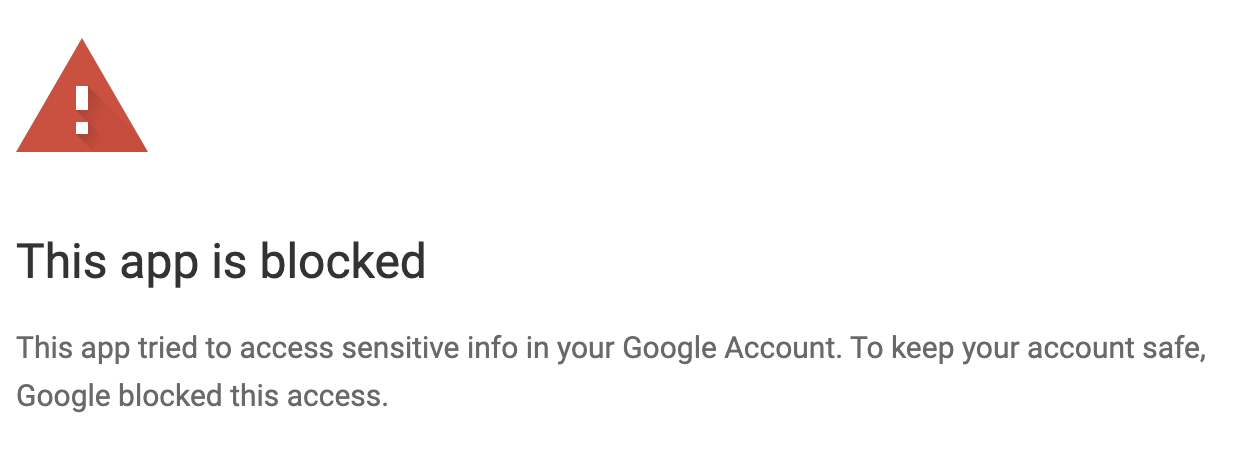
When I try to install the add-on, Google blocks it. ?
It has been classified as a less secure app and Google have blocked it, even though I allow from the admin of Google workspace.
Please watch the video shared below, which explains how to upload files from Google Sheets to OneDrive. You can set up Google Sheets as your trigger step by following the steps in the video (which uses a different plugin). Simply replace the OneDrive action step with Google Drive.
Thanks for the video here, but there is an issue, as seen in the video - the resultant file doesn't get uploaded as a pdf, and so is not usable. I have the same issue with png and jpg logo files. How do I ensure that the file gets uploaded with the correct file extension?
Hello @searchdusoleil,
Could you please provide us with the workflow URL where you tried the first suggestion? Additionally, could you elaborate on the exact use case you’re trying to achieve? This will help us assist you more effectively.
Hello @searchdusoleil,
Upon reviewing the error message in the upload action step, we found that the issue is caused by special characters in the file name. Please try renaming the file to remove any special characters and ensure that the URL also reflects the same name.
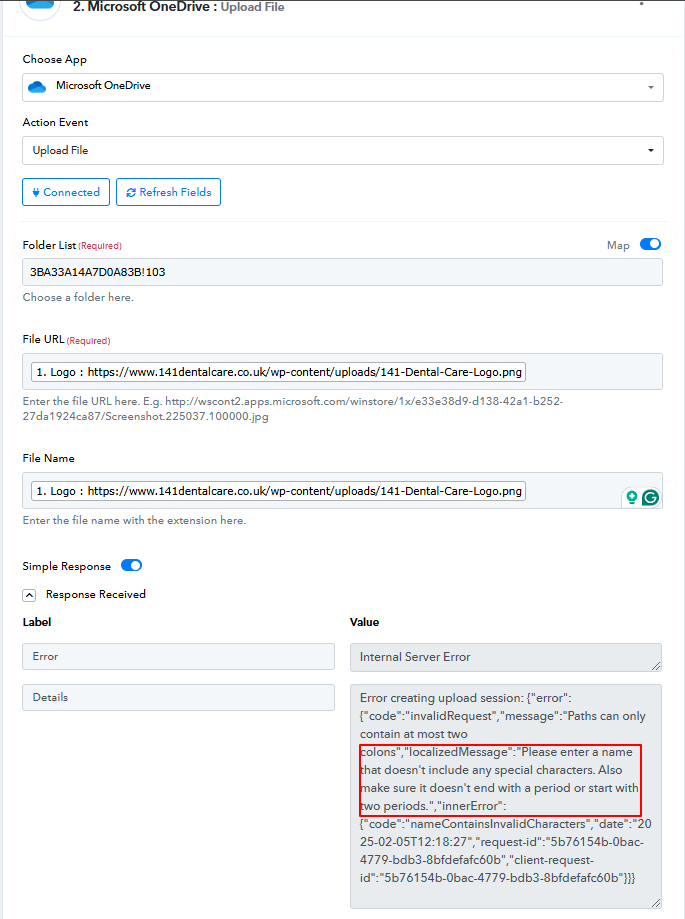
Let us know if this resolves the issue.