scheduled weekly GBP or FB post from gsheet approved/disapproved column once per week, if disapproved move to next until reach approved and post.
Status: Closed · Asked by Jason Ozier on · 0 views
Hello, I'm trying to get the workflow to post a weekly approved social media post from google sheet. Currently it keeps repeating the same approved post. How do I get it to advance rows one by one... AND if a row is disapproved... how do I get it to move forward until it hits an approved row, only publish that row until the following week?
please see the video for clarity. thank you for your help!
workflow is currently...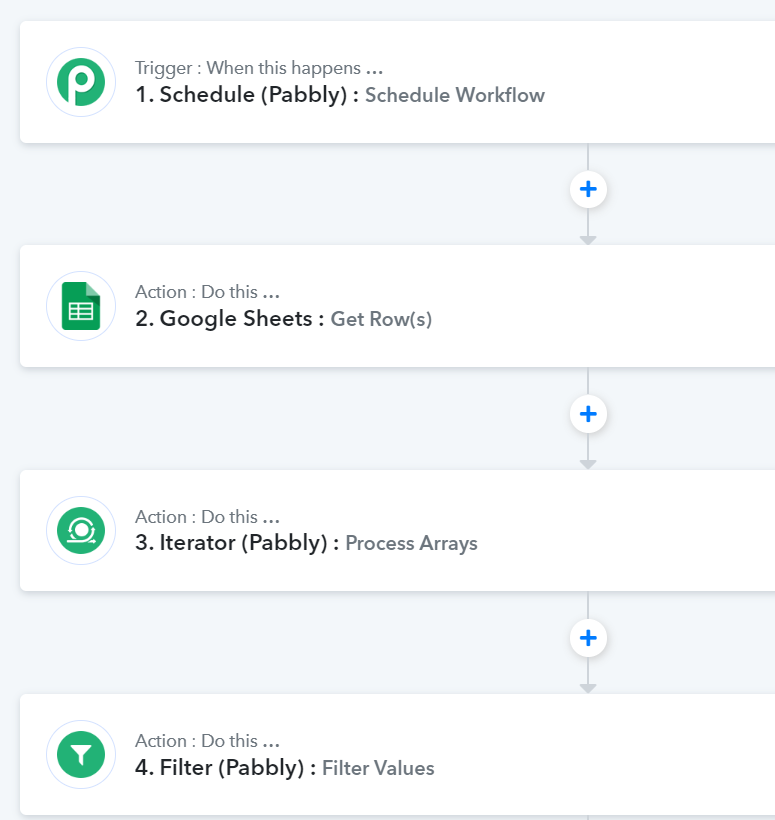
the filter is for approved or disapproved.
not shown is the next step which is the posting step.
https://www.loom.com/share/cd6295e9a04c4070885da9eeeda0e693?sid=701a794a-67cb-4467-b626-b02303b2e259
Hi @Joz,
You can try setting up your workflow in this manner to achieve your use case.
https://connect.pabbly.com/workflow/share/CUFZawJVUjFUHgZsVgUCJQEVUFQBWwA5ABkAEgEOAXkHSgVABEUNZ10RUTsFSlMyUBkGbFQLUDQNGQoOUAYJelBeBRddXgJ4VhtVZgJHCjkJV1lxAmM#
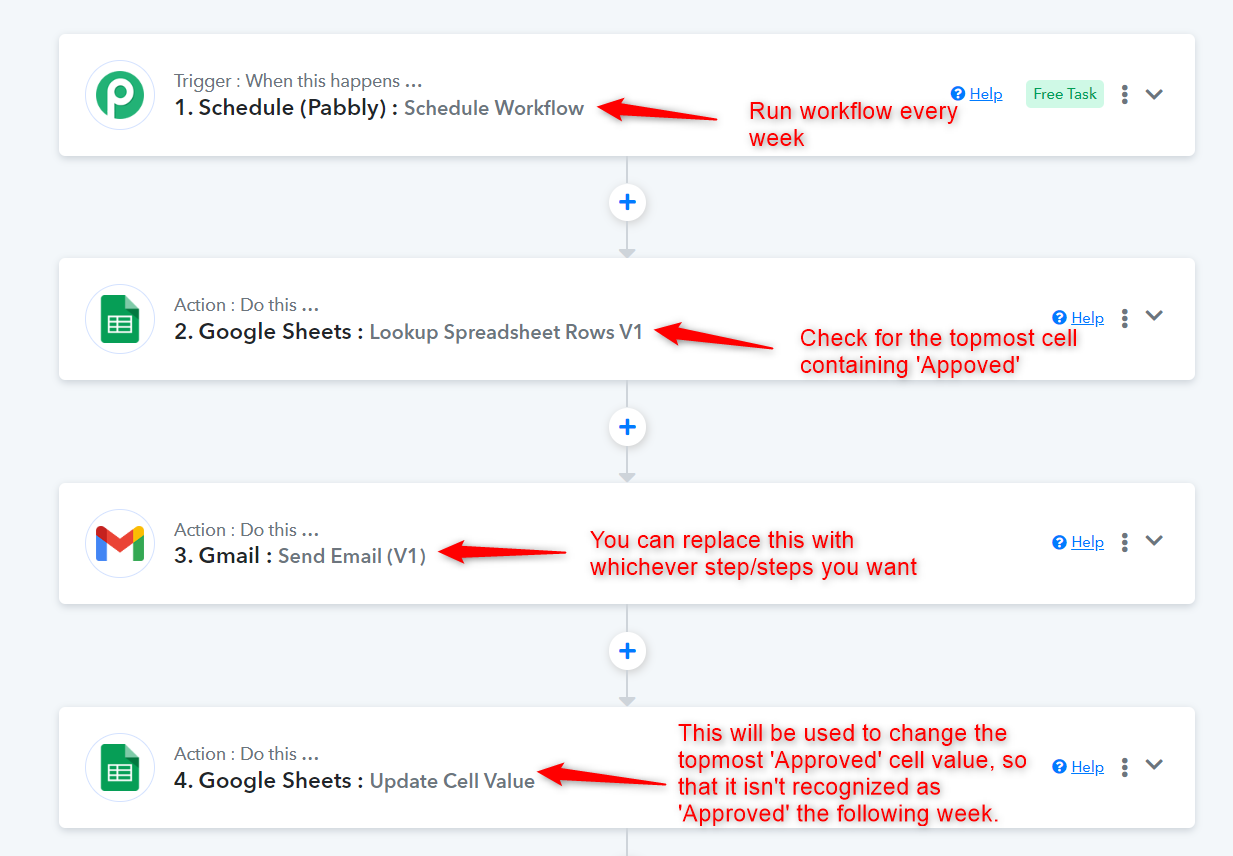
Note: You need to be willing to change the status of your post from 'Approved' to something else once it's posted. If not, then the use case you are trying to achieve is not possible. The 'Update Cell Value' step will be used to change the status from 'Approved' to something else.
For example: In Week 1, Row 3 will be posted, and once it's posted, its status will be changed to something else, so that it isn't recognized in the lookup for the next week.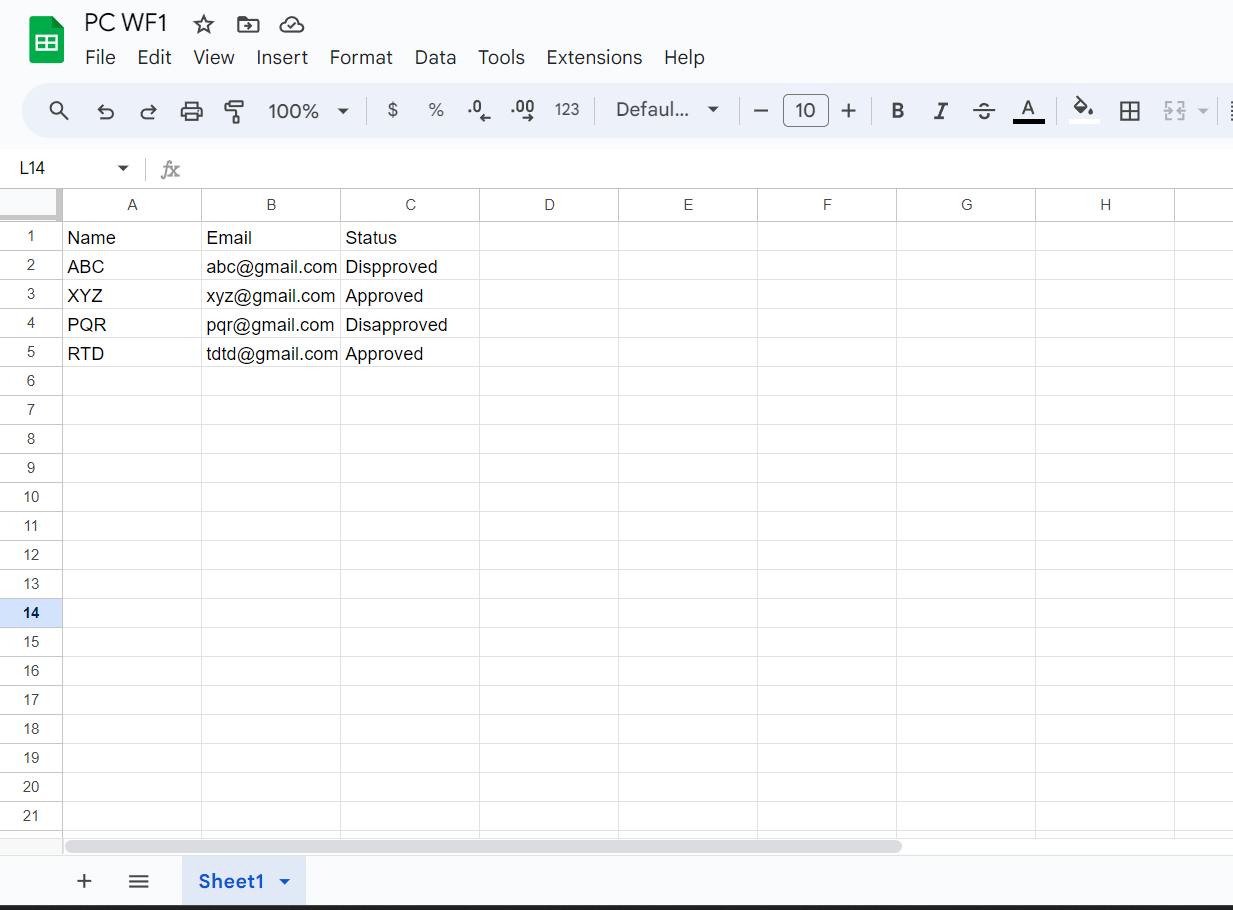
that makes sense... it's a very good idea thank you!
Thank you so much... it works perfect now! :)