Scheduled Workflow not working
Status: Open · Asked by MLS Now on · 0 views
I have a scheduled workflow that is not firing. It is supposed to run every 5 minutes but it stopped at 11:47 AM EST.
Hello @MLS Now,
We sincerely apologize for the inconvenience caused. We experienced a server downtime that affected multiple services.
Downtime (UTC):
• Dec 8, 2025 — 14:58 UTC to Dec 8, 2025 — 23:35 UTC
• Dec 9, 2025 — 02:30 UTC to Dec 9, 2025 — 04:35 UTC
Impacted Services:
• Scheduler
• Polling
• Delay
• Auto-Retry
If your workflow or trigger uses any polling-based application—or depends on the Scheduler or Delay module—it may not have executed during the above windows. All services are now fully restored and functioning normally.
If you still notice issues in any workflow, please share your workflow URL with us and we will review it immediately.
Once again, we are truly sorry for the disruption caused. Everything should now operate as expected.
Hello @MLS Now,We sincerely apologize for the inconvenience caused. We experienced a server downtime that affected multiple services.
Downtime (UTC):
• Dec 8, 2025 — 14:58 UTC to Dec 8, 2025 — 23:35 UTC
• Dec 9, 2025 — 02:30 UTC to Dec 9, 2025 — 04:35 UTCImpacted Services:
• Scheduler
• Polling
• Delay
• Auto-RetryIf your workflow or trigger uses any polling-based application—or depends on the Scheduler or Delay module—it may not have executed during the above windows. All services are now fully restored and functioning normally.
If you still notice issues in any workflow, please share your workflow URL with us and we will review it immediately.
Once again, we are truly sorry for the disruption caused. Everything should now operate as expected.
All my workflows stopped working and haven't resumed. How do I share the workflow URLs with you?
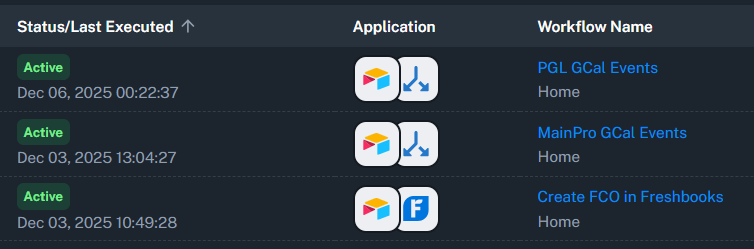
You can go to the individual workflows and share their URLs.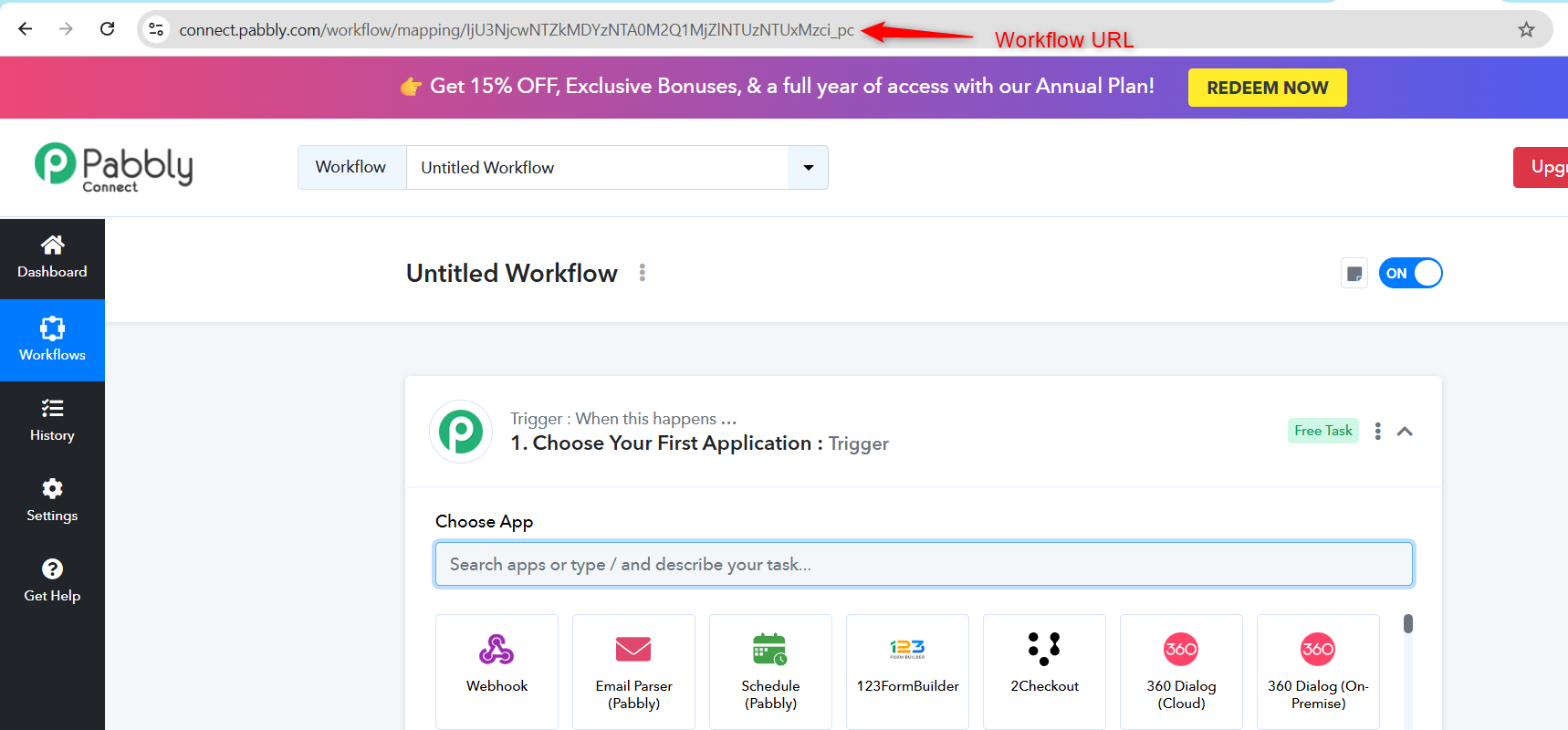
https://connect.pabbly.com/workflow/mapping/IjU3NjYwNTZiMDYzMzA0Mzc1MjZiNTUzMDUxMzUi_pc
Based on the screenshot you shared, it appears you are referring to this workflow and two other workflows. We suggest you create a new connection with your Airtable account and check if that resolves the issue.
If it does, use the same connection in the other workflows as well.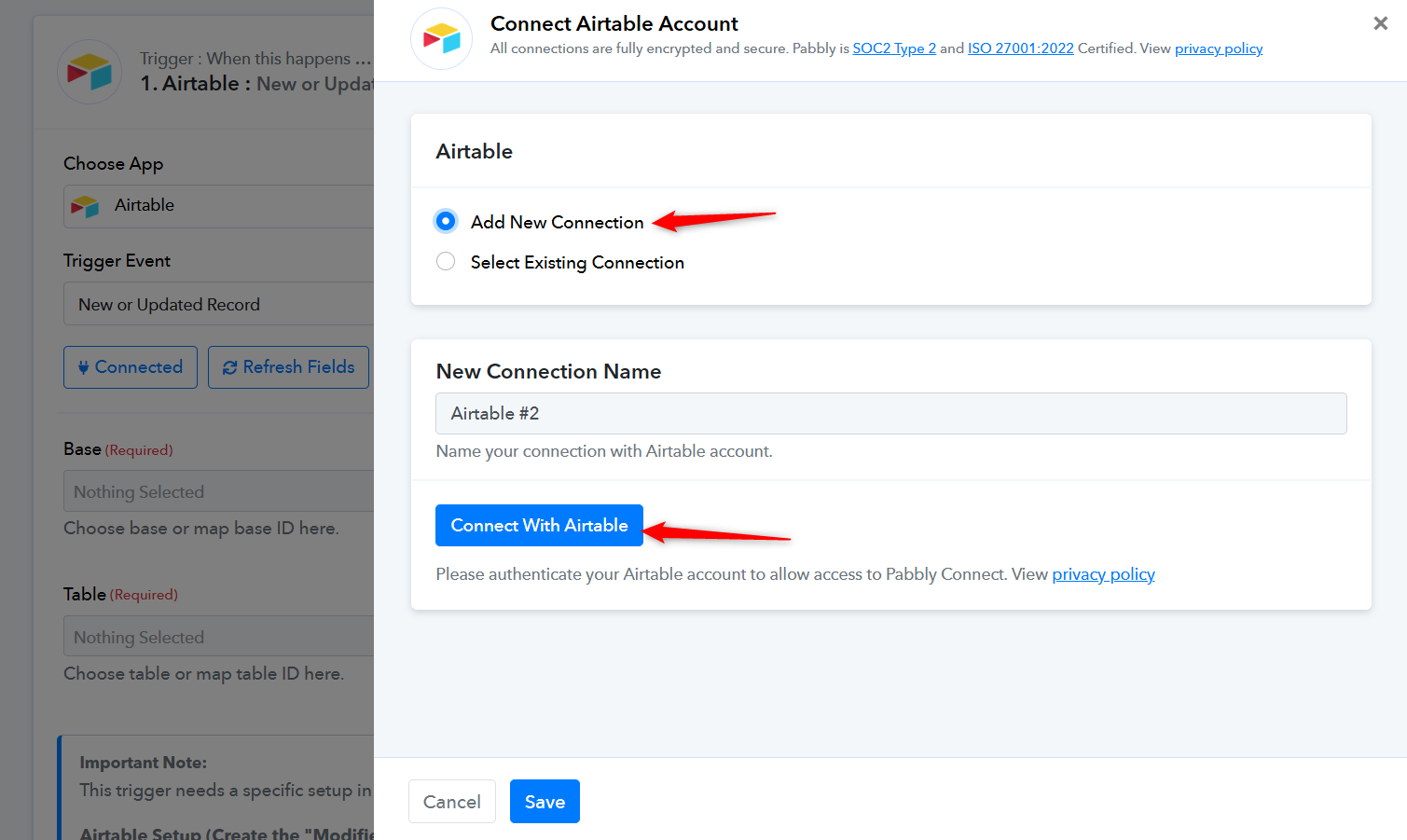
Thanks & Regards,
Arshil Ahmad
Customer Support Associate
? Pabbly.com
?Rate your support