Search Infinity and Update from Google Contact
Status: Open · Asked by LeonKoh on · 0 views
Hi Experts,
Here's what I am trying to do...
1) Search infinity for a contact number.... If contact exist in infinity, update the contact name
2) Search infinity for contact number... If contact doesn't exist, create a record in infinity
Here's the link of the automation, but I don't know how to use the labels. Appreciate your advice
https://connect.pabbly.com/workflow/share/XBRTYVIFVDcASlA6UQINKgoeBwNQCVQ3V05WRFxTUSkHSVM4VhcBa18TACJRBlMyAEkJYwZZVDBaTldTUwUGdVFcAy8BAlYsA04GNQ1ICTpcAlN7UjM#
Hey @LeonKoh
Please begin by searching for the phone number using your Infinity Search Item action step that exists in your account. Then, retrieve the data in the response and use it in the Filter action step. If it exists, please choose the 'Contains' filter type.
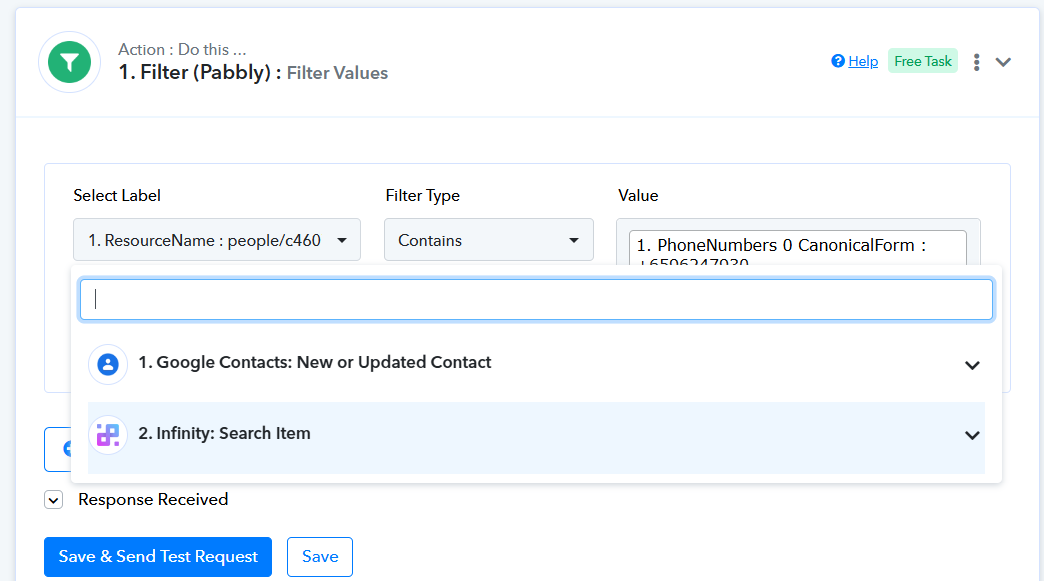
If it doesn't exist, then you can use 'Does Not Contain'.
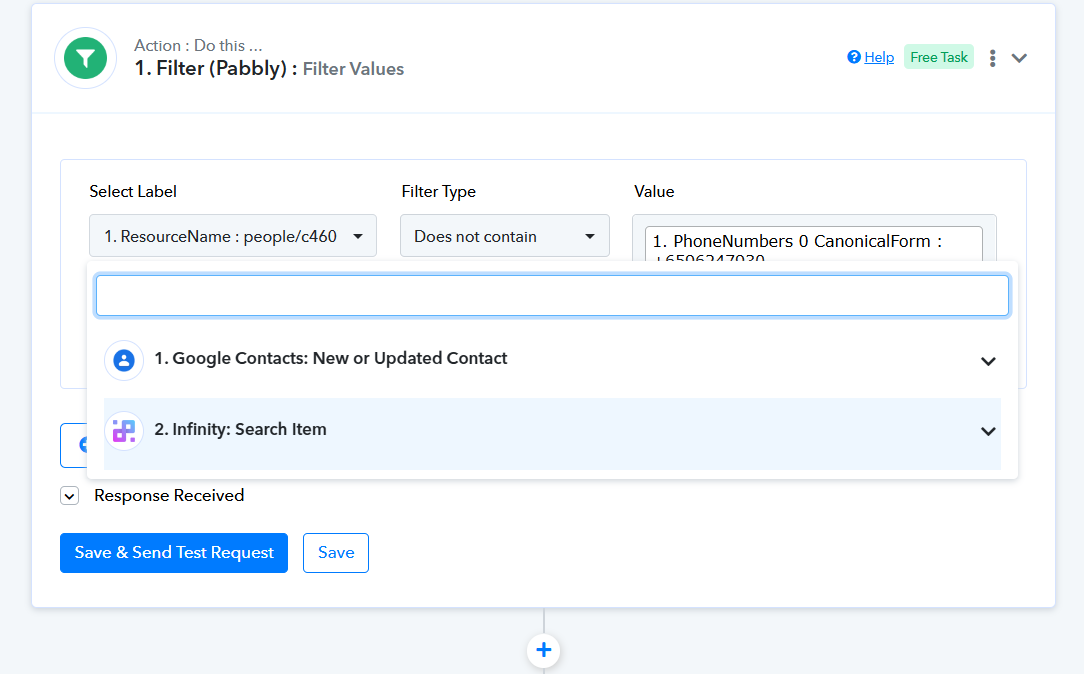
Thank you @Supreme , unfortunately, I don't seem to get what you have in your screenshot.
Further,
Do I after new or updated google contact, as an action step search item in infinity, or directly router step and check mobile number as exist in infinity search item?
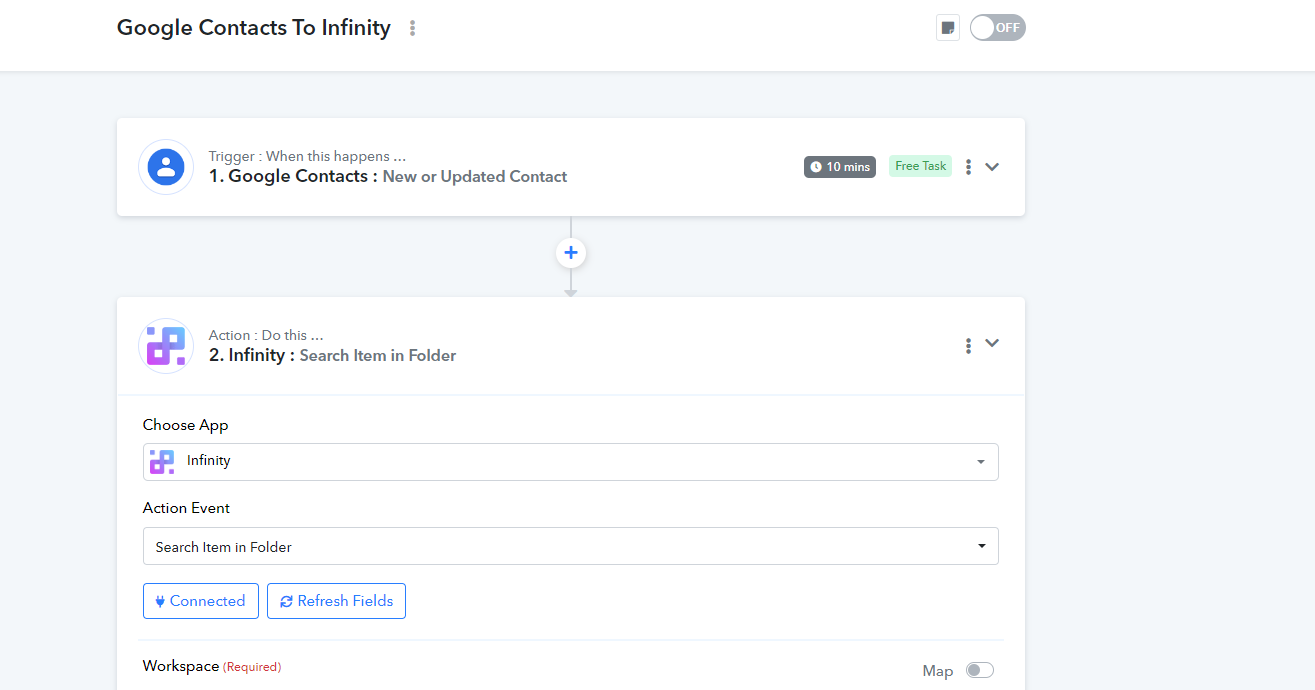
Cos' the only response i get is just 2. Has More, 2.Before, 2, After.
No other attributes
Thank you @Supreme , unfortunately, I don't seem to get what you have in your screenshot.
Further,
Do I after new or updated google contact, as an action step search item in infinity, or directly router step and check mobile number as exist in infinity search item?
Cos' the only response i get is just 2. Has More, 2.Before, 2, After.
No other attributes
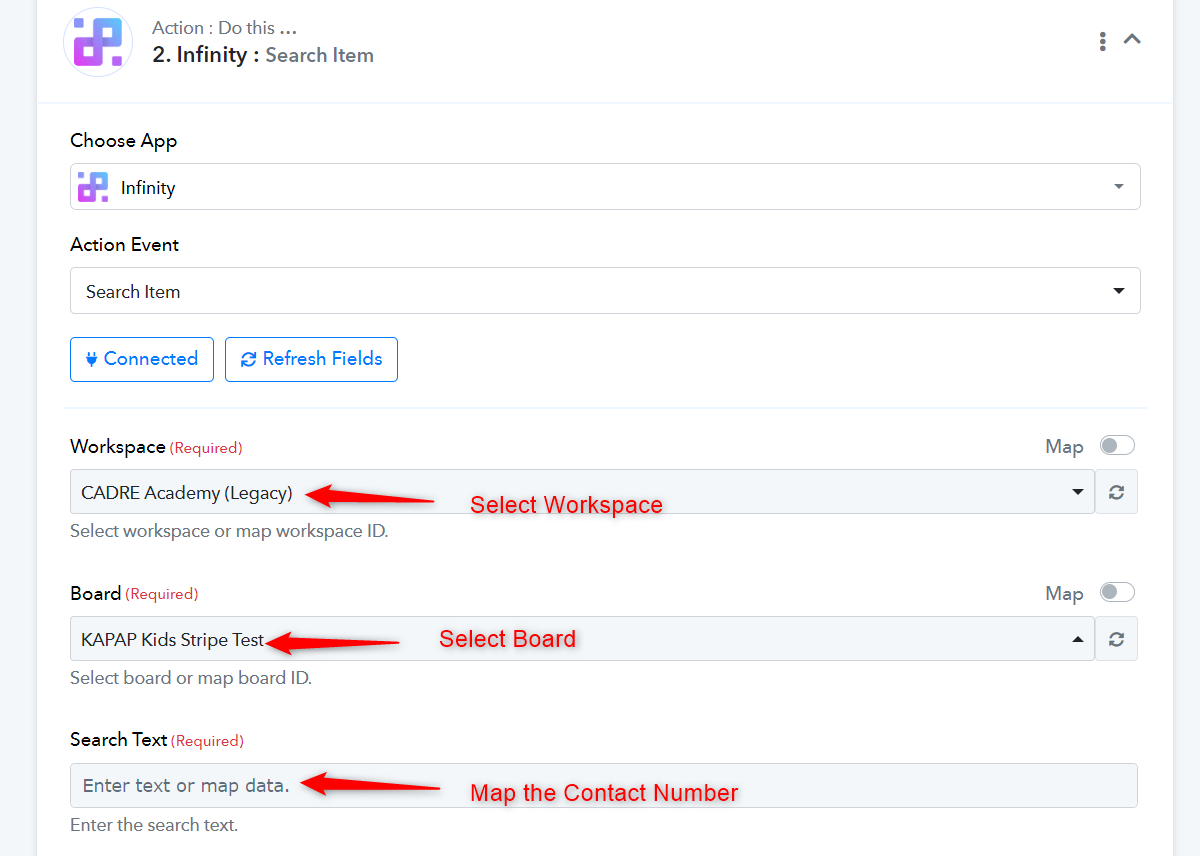
Please use the ‘Search Item’ action event and select the ‘Workspace’ and ‘Board’ where you want to search for the item. Then, map the contact number from your trigger step to search for that item in your Infinity account. Ensure that an item associated with that contact number exists in your Infinity account. Once you have done so, please let us know.
Hi @ArshilAhmad , thank you for your help.
HEre's what I got and don't know how to proceed.
Advice really appreciated.
Leon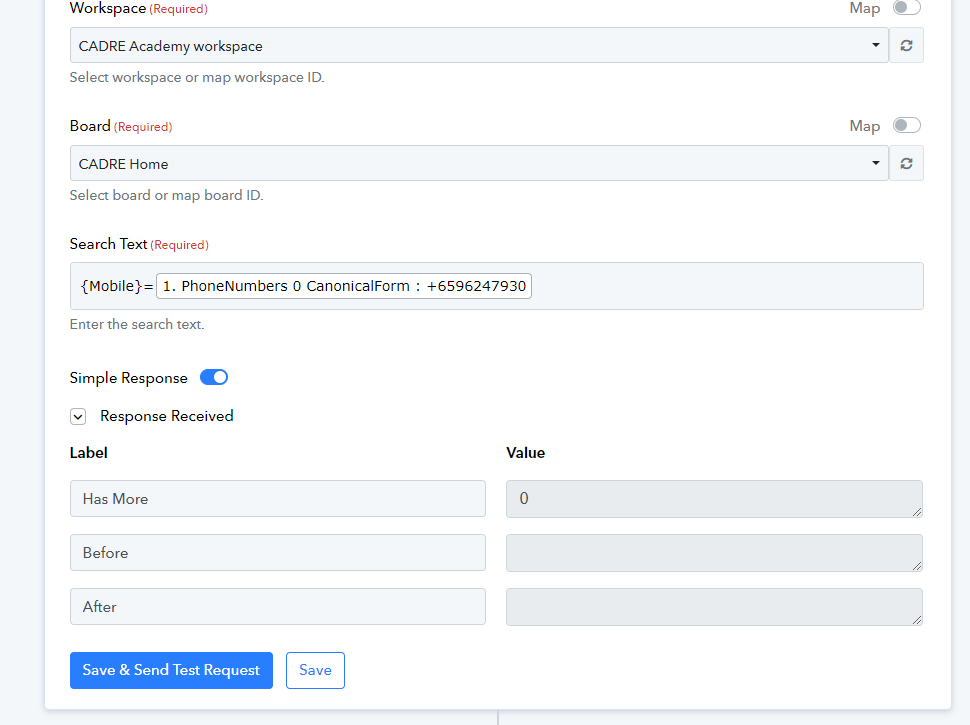
Hey @LeonKoh
Please search for the phone number that exists on your respective board and table. Once the action step locates the data in the API response, you can then configure the subsequent Router step accordingly.

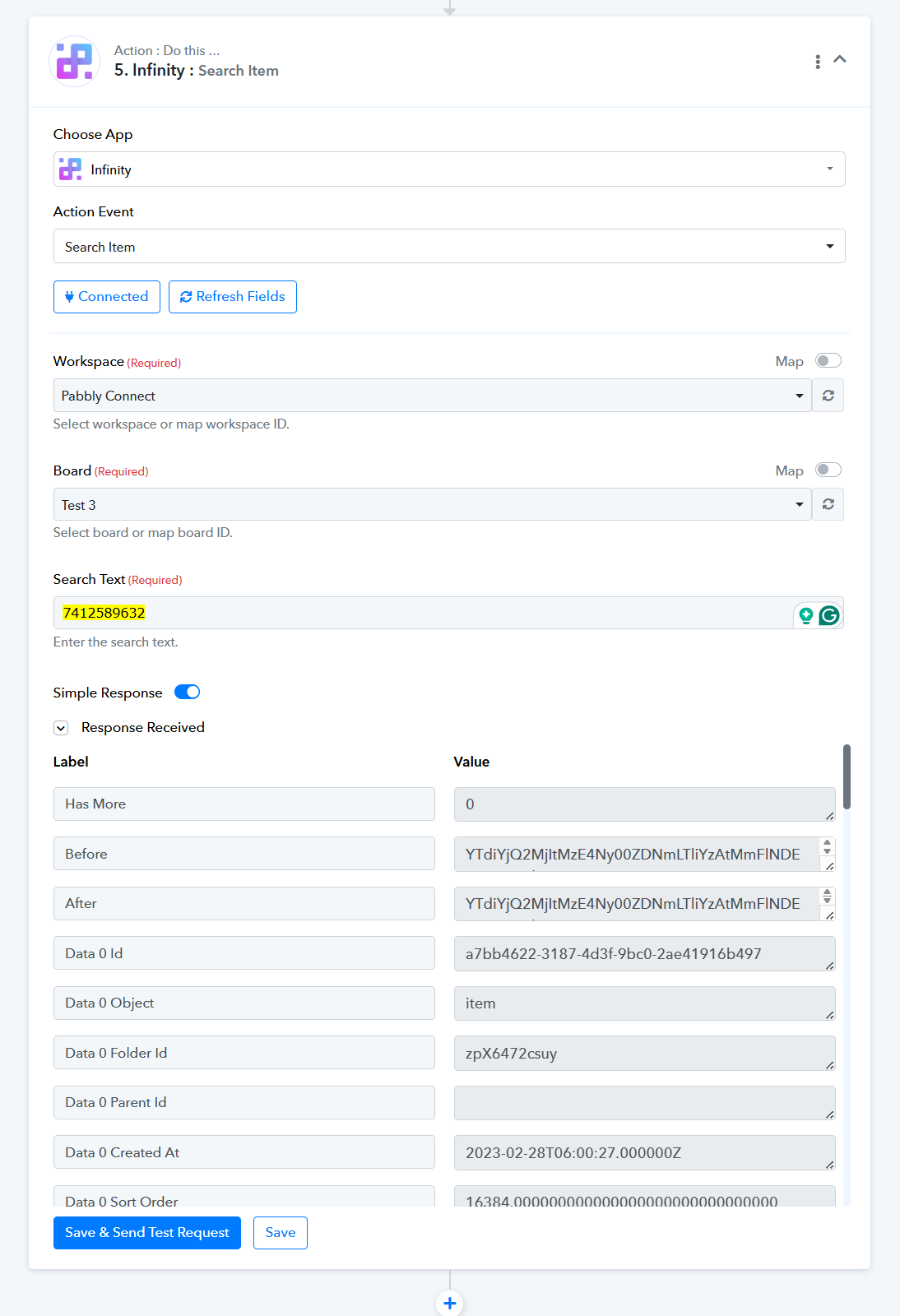
Hi @Supreme, thank you for the answer so far,
Here's the scenario I am dealing with...
1) I create google contacts which needs to be created in Infinity if the mobile number doesn't exist
Scenario 1:
Mobile number not found in infinity-> it should create a new record in a folder infinity
Scenario 2:
Mobile number found in infinity -but the Contact name in record is different from the contact name in the google contact, , Need to update the infinity record.
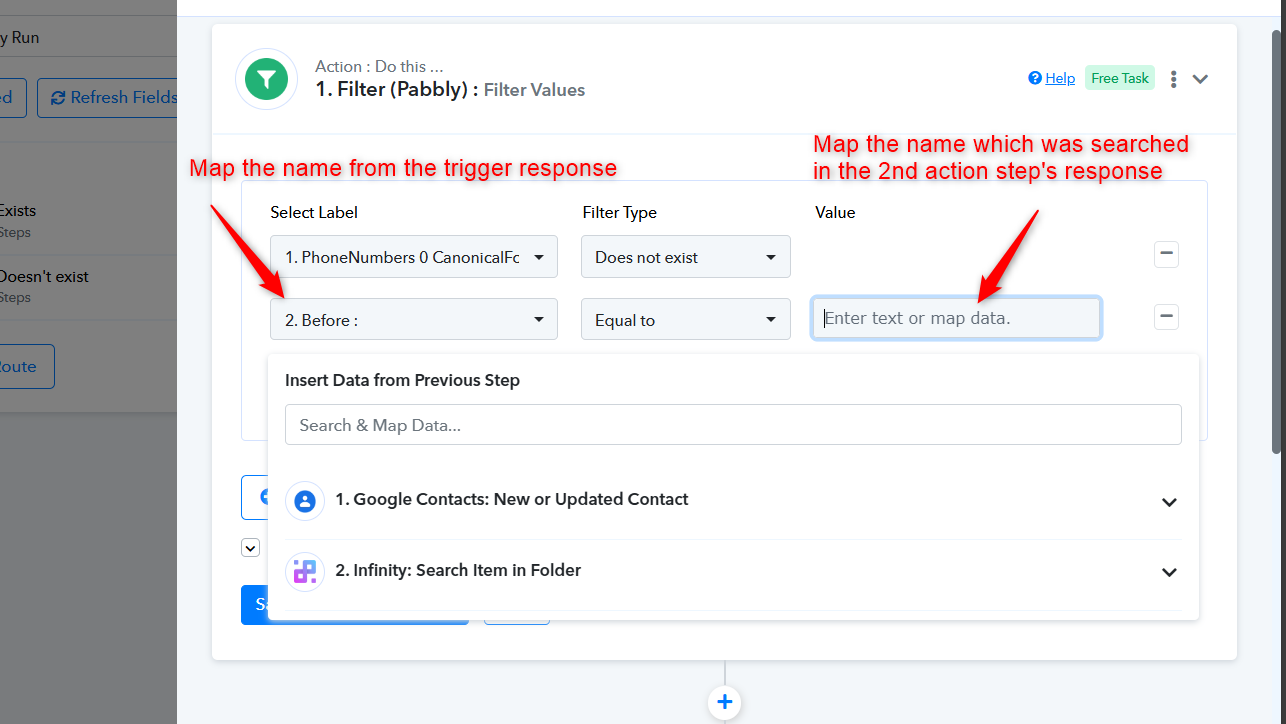
Currently I can find the mobile number, but it seem that i cannot find the attribute Contact name in infinity when I use the "save and send test response". (i.e.. It doesn't return all the responses from the infinity folder)
Am I missing something?
Is there anywhere I can read about how the passing of records are done to know actually what to look for?
Thank you in advance.
Scenario 2:
Mobile number found in infinity -but the Contact name in record is different from the contact name in the google contact, , Need to update the infinity record.Currently I can find the mobile number, but it seem that i cannot find the attribute Contact name in infinity when I use the "save and send test response". (i.e.. It doesn't return all the responses from the infinity folder)
Regarding your concern about achieving the desired filter condition, please use the following filter condition combined with AND.