Select Spreadsheet is Required
Status: Open · Asked by kontakt on · 0 views
Hi, im trying to update some row values.. But the mapping doesnt work.. It seems that the system think the field is empty: 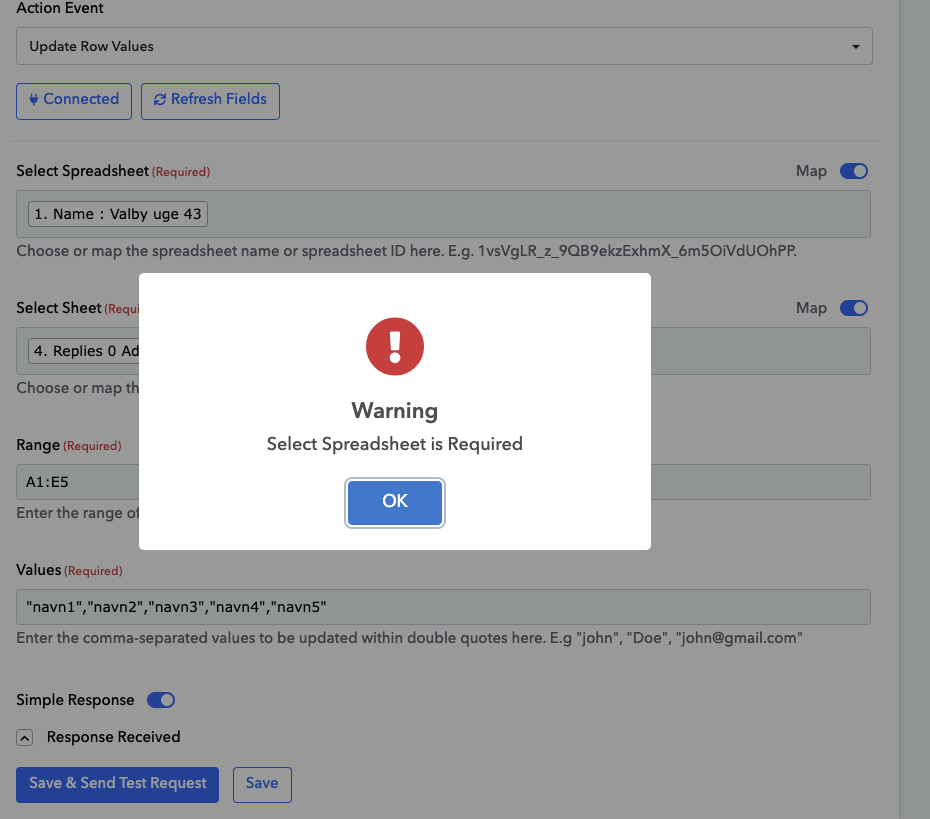
what can I do??
In the 'Select Spreadsheet' field, you need to map the ID associated with the spreadsheet, not its name. This will resolve the issue you are encountering.
https://drive.google.com/file/d/1Jl8pvmAQcUKf1JBfkGGkqG23_hxsPDwQ/view?usp=sharing
Thanks, but I have tried that.. Doesnt work:
We have set up the 'Update Row Values' action step on your behalf. Please check it now.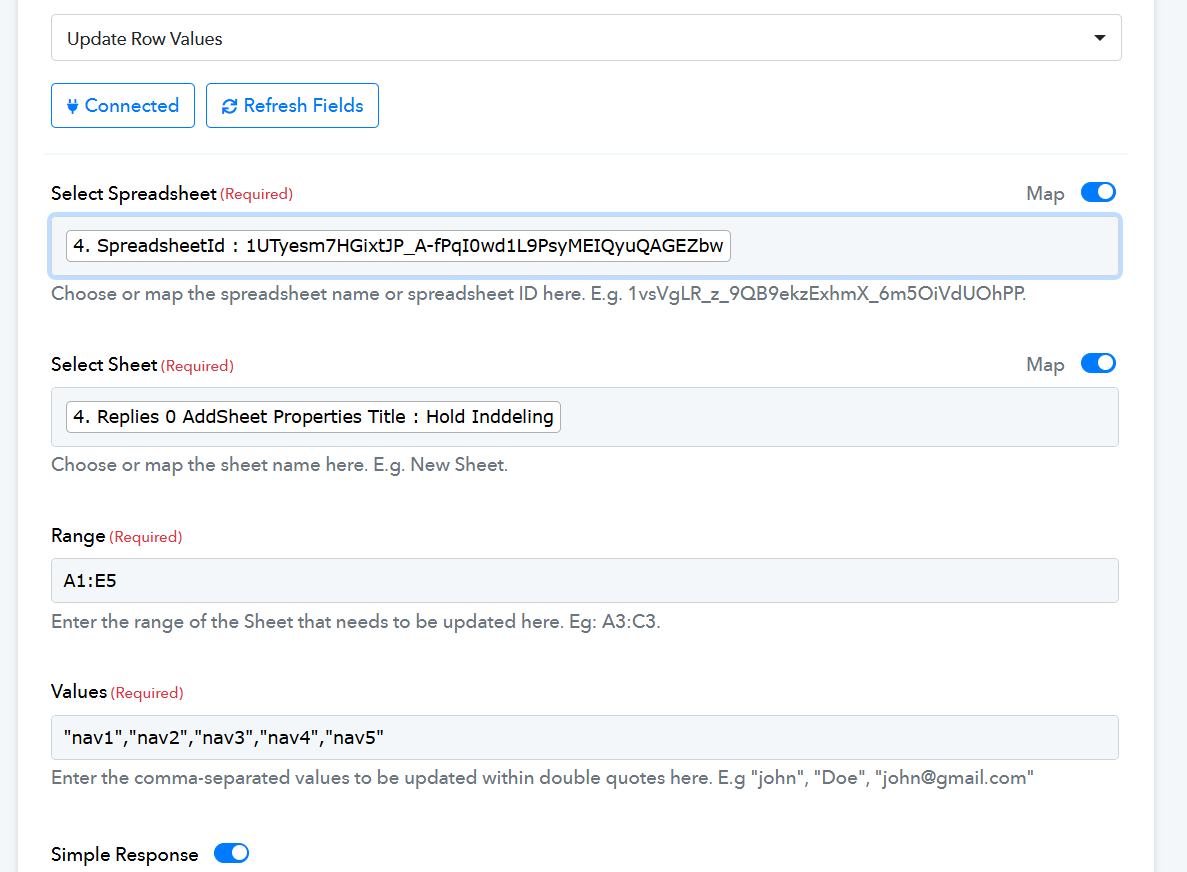
What was wrong with what I dit? And of course a massive thanks ☺️
Hello @webmandk,
It looks like you've mapped the spreadsheet name instead of the spreadsheet ID in the Select Spreadsheet field, due to which the action wasn't working fine.
IN answer #3 I have tried the spreadsheet id, but it did not work? ☺️
Hello @webmandk,
For that instance, it seems the action step was either not properly saved, not correctly mapped, or encountered another issue. However, the action is currently working fine.