Send email to recipients in Google sheet?
Status: Open · Asked by Lars on · 0 views
I know this is doable and have searched for the correct steps but haven't found anything. What's the "recipe"?
What I want to achieve is to send personal emails via the SMTP mailer - unless there's a simpler option - using a list of recipients in a Google sheet.
TIA,
Lars.
Hi @Lars,
Yes, this is definitely possible.
You can set up the workflow as follows:
- Use Scheduler as the trigger (or any trigger as per your use case).
- Add Google Sheets → Get Rows to fetch the list of recipients.
- Set the response format to Advanced and click “Save & Send Test Request” to get the data in array format.
- Add an Iterator to process each row individually.
- After the iterator, add the SMTP action (or Gmail/any email service) and map the email fields to send emails to each recipient.
This setup will send personalized emails to all recipients listed in your Google Sheet.
Please try this and let us know if you face any issues.
Thanks! Use Scheduler as trigger in sheet or as a step in the automation? I'm thinking that it might be just as easy to select the Send All Data option?
Use Scheduler as trigger in sheet or as a step in the automation?
Preeti was referring to Schedule (Pabbly) trigger step.
I'm thinking that it might be just as easy to select the Send All Data option?
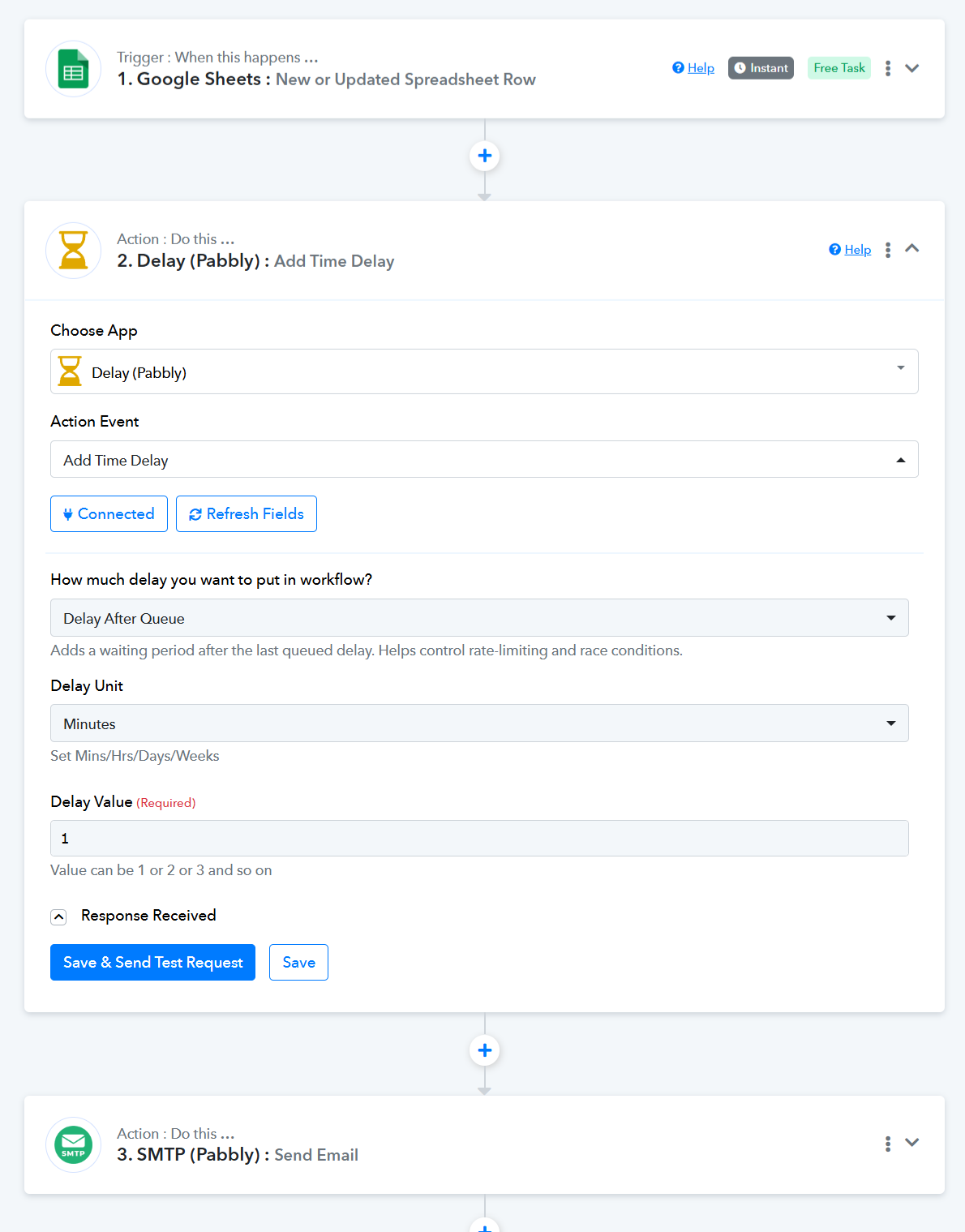
Using the “Send All Data” option in your spreadsheet will also work for your use case. You can set up Google Sheets as your trigger step, then add a “Delay After Queue” step as step 2 of your workflow (to avoid encountering rate limits).
You can then add an SMTP (Pabbly) action step as step 3 of the workflow to send the emails.
Thanks & Regards,
Arshil Ahmad
Customer Support Associate
? Pabbly.com
?Rate your support