Service invoked too many times for one day: email.
Status: Open · Asked by IChild Company on · 0 views
Dear Support,
Why are we getting this response for the past 2 days? Please check on the
Task ID: IjU3NjUwNTZlMDYzNjA0MzA1MjY1NTUzNDUxMzY1MTZhNTQzODBmMzIi_pc
Task Name: Send Candidate PIA Email
The last email send out successfully was 25 Feb 1326hrs (SG Time)
Dear Support,
Why are we getting this response for the past 2 days? Please check on the
Task ID: IjU3NjUwNTZlMDYzNjA0MzA1MjY1NTUzNDUxMzY1MTZhNTQzODBmMzIi_pc
Task Name: Send Candidate PIA Email
The last email send out successfully was 25 Feb 1326hrs (SG Time)
Hello @ichilddev,
It appears that your account quota has expired, which is likely causing this issue. Please refer to the attached documentation for more details: Google Apps Script Quotas. Let us know if you need further assistance.
Hi Support. We have been through this before. Check your records.
We have restricted to 50 emails address per email. What could still be the cause?
2 days we have refined from sending using Pabbly work task, but sending directly from Gmail. AFter 2 days on the first attempt, there's only 600 email address, split 50 email address each.
If you check this Task ID: IjU3NjUwNTZmMDYzZjA0M2Q1MjZjNTUzNjUxMzc1MTZiNTQzNjBmMzIi_pc, clearly there's only 356 email, and we have split the task into 20 sets.
We also have a Google Workspace account: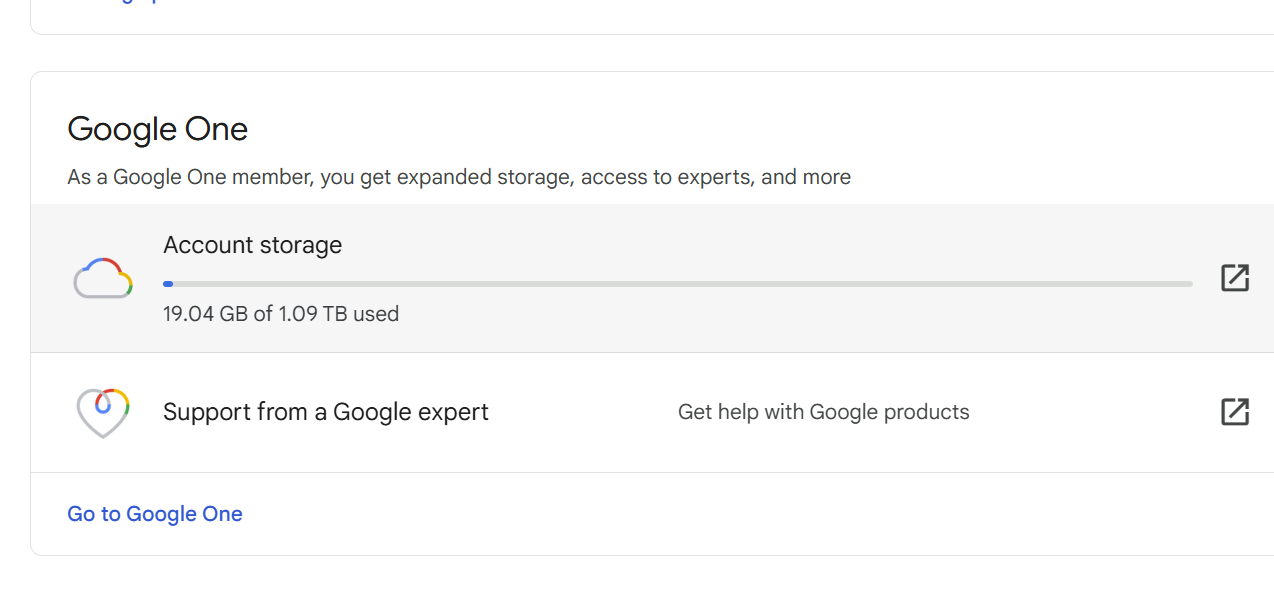
Kindly advise?
Dear Support,
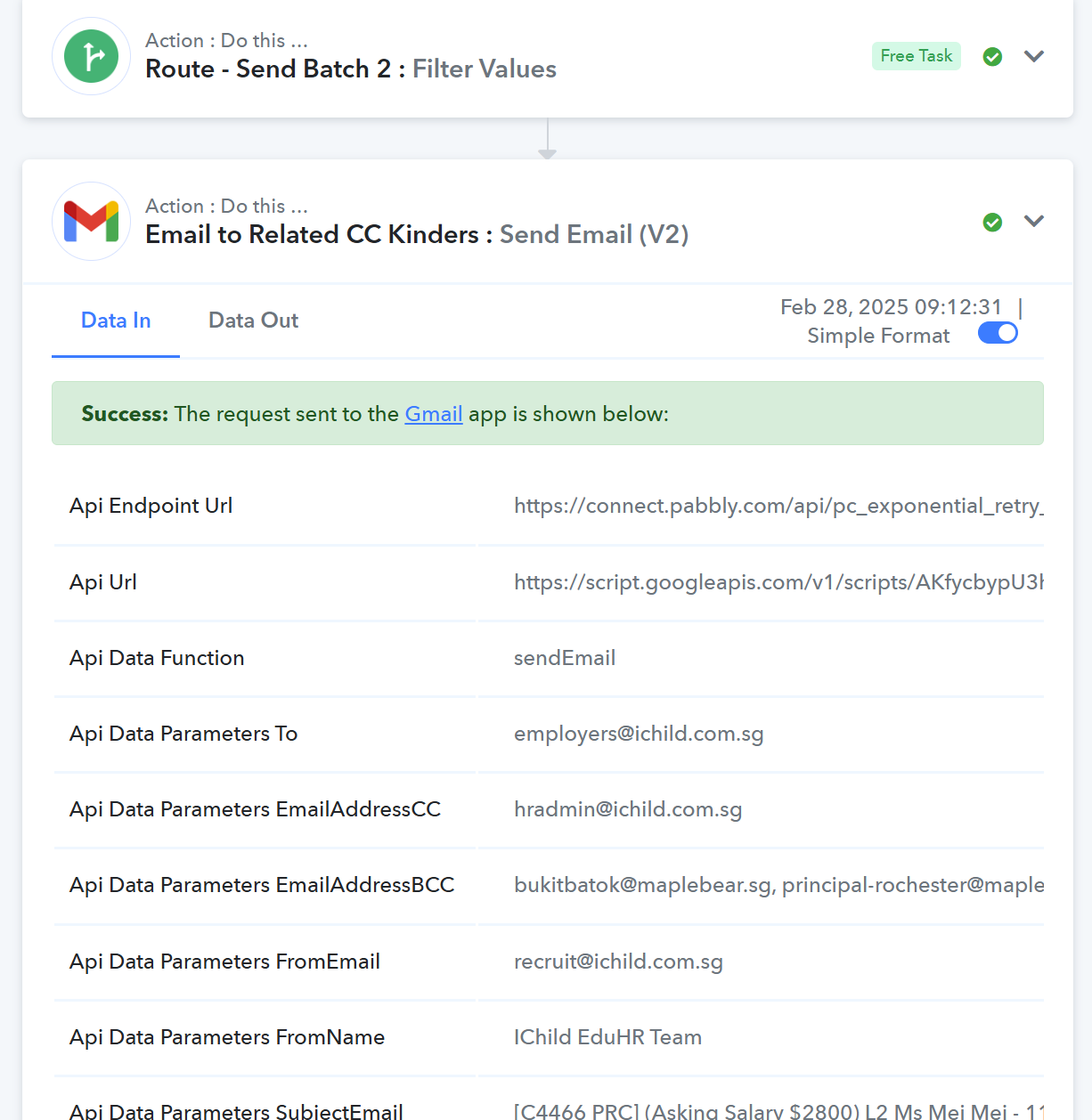
Further to the above, we have tried this morning at 920am Singapore time.
Refer to Task History ID - IjU3NjUwNTZlMDYzNjA0MzI1MjZhNTUzNzUxMzQ1MTYyNTQzNzBmMzEi_pc
The first 50 emails was sent out. Subsequently error.
Hello @ichilddev,
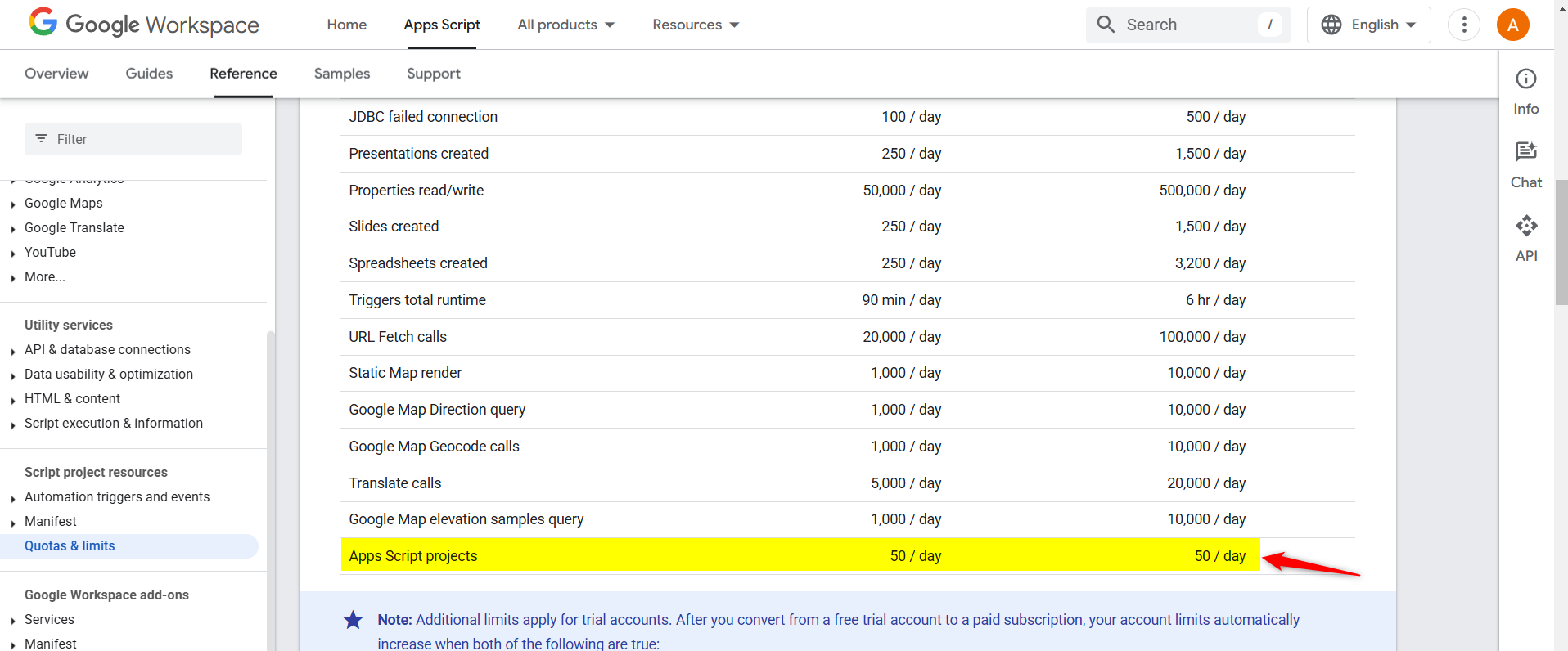
It appears that Gmail has recently updated its quota and sending limits. As per the latest changes, the sending limit for App Script-based projects has been reduced to 50 emails per day. Due to this restriction, you may only be able to send the first few emails successfully before reaching the limit.
Hi. How do i increase this allowance?
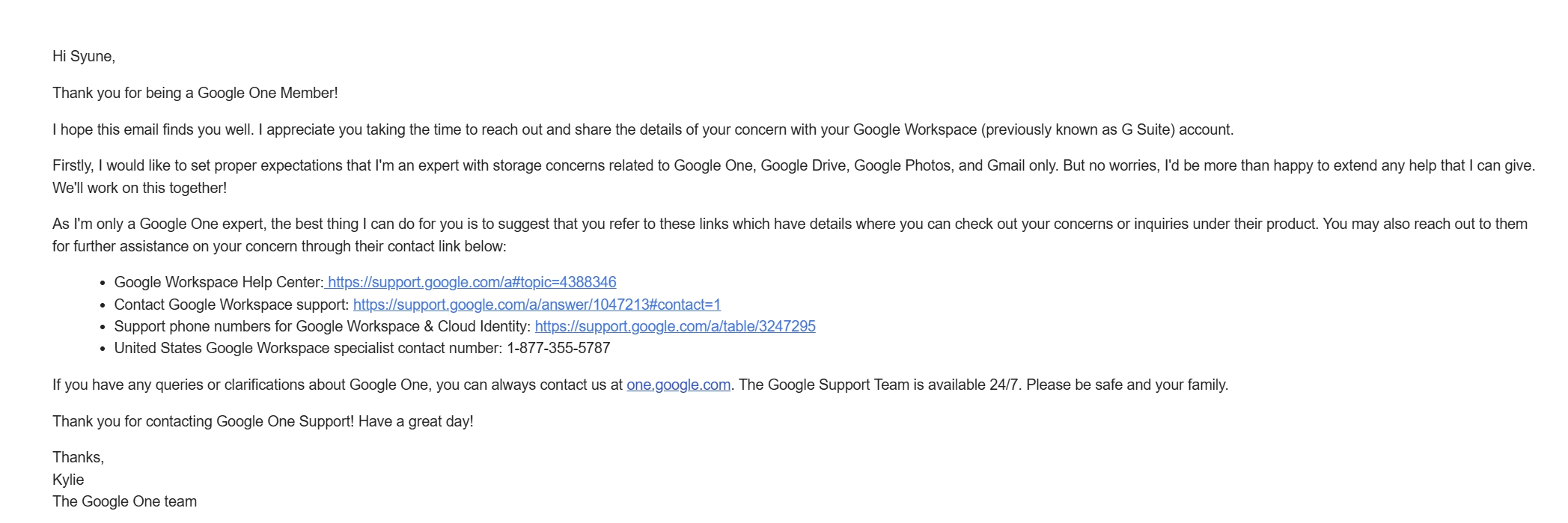
I have checked with google one customer service, Not sure what to ask them.
How do I:
1. Increase in the Sending Limit for App SCript-based projects?
2. This Sending Limit is based on my google account that connect to the google api in the Pabbly API task?
Hello @ichilddev,It appears that Gmail has recently updated its quota and sending limits. As per the latest changes, the sending limit for App Script-based projects has been reduced to 50 emails per day. Due to this restriction, you may only be able to send the first few emails successfully before reaching the limit.
Are you able to direct me to the page you saw this update so that i can check with google support.
Appreciate.
Hi. How do i increase this allowance?
I have checked with google one customer service, Not sure what to ask them.
How do I:
1. Increase in the Sending Limit for App SCript-based projects?
You will need to contact Google's support team regarding this concern.
2. This Sending Limit is based on my google account that connect to the google api in the Pabbly API task?
Yes, the sending limit is specific to each Google account.
Are you able to direct me to the page you saw this update so that i can check with google support.Appreciate.
You can find the quota limit here on this page.
https://developers.google.com/apps-script/guides/services/quotas
Hello @ichilddev,It appears that Gmail has recently updated its quota and sending limits. As per the latest changes, the sending limit for App Script-based projects has been reduced to 50 emails per day. Due to this restriction, you may only be able to send the first few emails successfully before reaching the limit.
50 scripts a day = 50 emails a day?
Yes, the sending limit is specific to each Google account.You can find the quota limit here on this page.
https://developers.google.com/apps-script/guides/services/quotas
50 scripts a day = 50 emails a day?
Please take a SERIOUS look at the task error ID. The task ONLY send 1 email with 50 email recipients (which is allowed in the quota limit) using 1 script call (1 task per call right? )
Hello @ichilddev,
As per the quota limit, you can only send emails to 50 recipients per day. Even if you are sending one email with multiple recipients, the total recipient count still applies to the daily limit.
Let us know if you need further clarification.
Hello @ichilddev,As per the quota limit, you can only send emails to 50 recipients per day. Even if you are sending one email with multiple recipients, the total recipient count still applies to the daily limit.
Let us know if you need further clarification.
On the same page : https://developers.google.com/apps-script/guides/services/quotas
The recipients per day with Google WorkSpace is 1500 recipients per day.
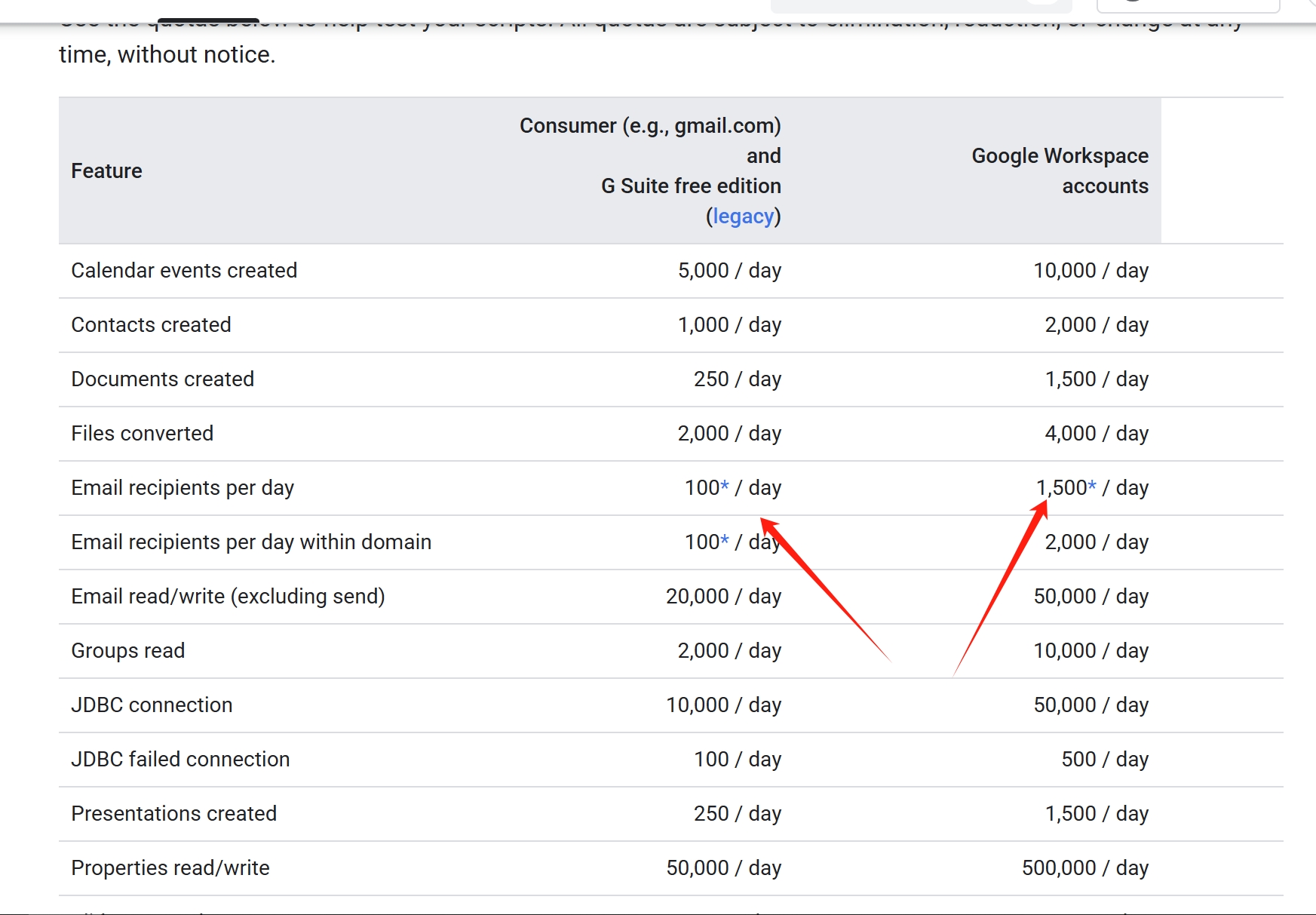
Aside to your explanation, do you mean whenever we use Pabbly Google Send Email V2, each recipients will invoke 1 SCript Call? It does not make sense!
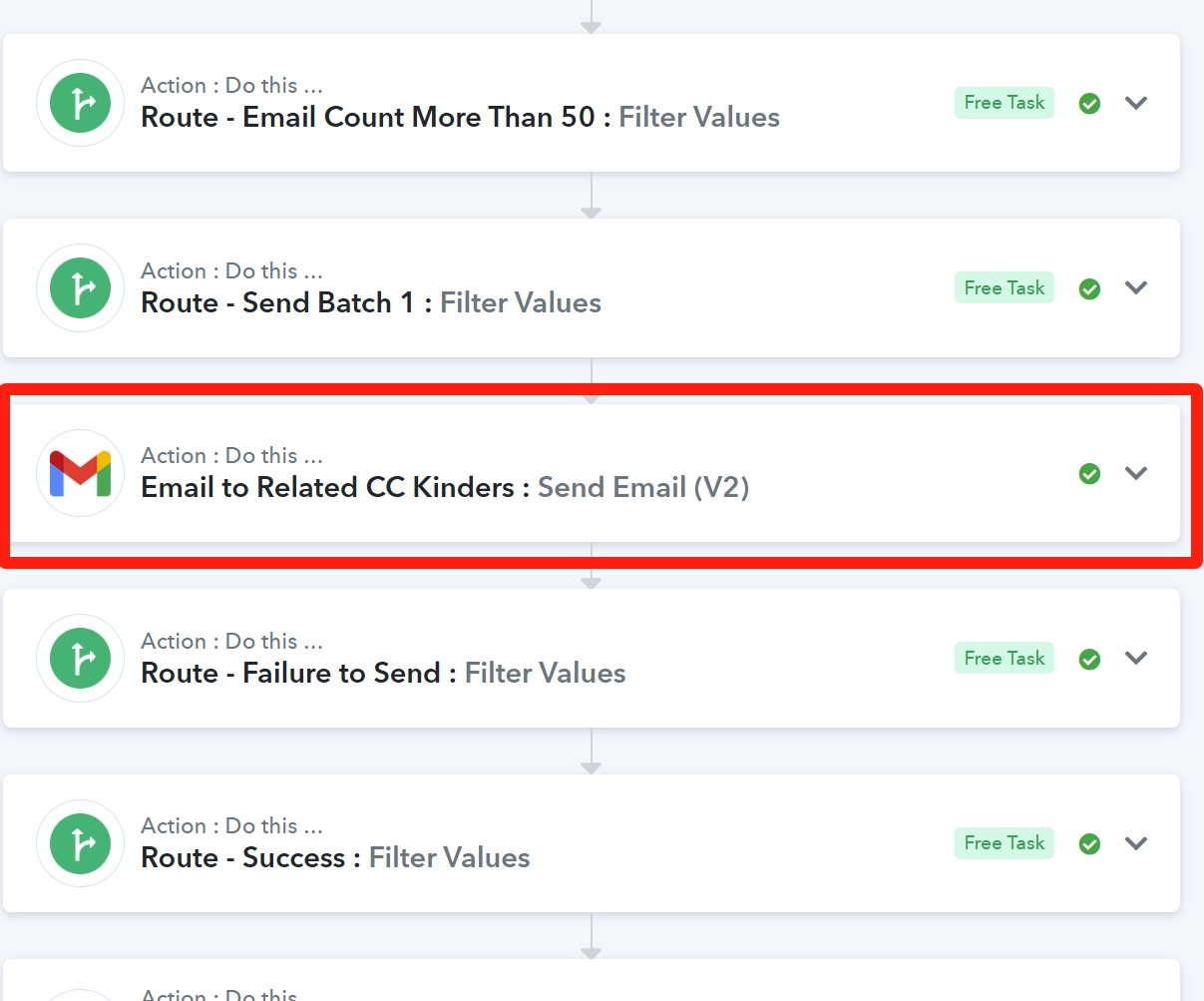
One task equivalent to 50 scripts call???
I have asked Grok 3.0 the following and the response:
https://x.com/i/grok/share/gIUtZq5BOXvNtvBfas5yrwao3
Please keep this conversation open as I am sharing this conversation with the Google Workspace Support team. Don't wish to reiterate the whole issue again.
On the same page : https://developers.google.com/apps-script/guides/services/quotas
The recipients per day with Google WorkSpace is 1500 recipients per day.
Aside to your explanation, do you mean whenever we use Pabbly Google Send Email V2, each recipients will invoke 1 SCript Call? It does not make sense!
One task equivalent to 50 scripts call???
Hi any updates on this?
Any suggestion if Pabbly SMTP email has been upgraded?
Dear @ichilddev,
At the moment, no upgrades have been made under SMTP by Pabbly.
Please let us know if you need any further information.
Dear support.
We actually have a email gateway runs on SMTP. But so far your SMTP kept rejecting our gateway variables. Is there any other SMTP gateways you can suggest to be workable?
Hello @ichilddev,
Our team is currently investigating the issue related to SMTP by Pabbly. At the moment, we do not have any alternative SMTP recommendations. Please allow us some time, and we will get back to you with an update soon.
Hello @ichilddev,
Please try whitelisting the below IP address for your SMTP server and let us know if it helps resolve the issue with SMTP by Pabbly.
IP Address - 44.224.102.169
Noted with thanks.
Checking with the service vendor.
Hello @ichilddev,Please try whitelisting the below IP address for your SMTP server and let us know if it helps resolve the issue with SMTP by Pabbly.
IP Address - 44.224.102.169
Hi
The reply from our service vendor:
No, that is not possible. This is because there isn't an IP blocking system on your eBlaster to begin with, so we can't whitelist something when there's no system that is blacklisting their IP. I've read the link you've provided and a check on our logs shows the following:
2025-03-10 15:55:57 [533] SMTP connection from [44.224.102.169]:41046 I=[203.175.169.103]:25 (TCP/IP connection count = 6)
2025-03-10 15:55:58 [22827] TLS error on connection from ec2-44-224-102-169.us-west-2.compute.amazonaws.com (connect.pabbly.com) [44.224.102.169]:41046 I=[203.175.169.103]:25 (SSL_accept): error:1408F10B:SSL routines:SSL3_GET_RECORD:wrong version number
2025-03-10 16:00:29 [533] SMTP connection from [44.224.102.169]:46086 I=[203.175.169.103]:25 (TCP/IP connection count = 8)
2025-03-10 16:00:30 [22916] TLS error on connection from ec2-44-224-102-169.us-west-2.compute.amazonaws.com (connect.pabbly.com) [44.224.102.169]:46086 I=[203.175.169.103]:25 (SSL_accept): error:1408F10B:SSL routines:SSL3_GET_RECORD:wrong version number
2025-03-10 16:00:58 [22827] SMTP command timeout on connection from ec2-44-224-102-169.us-west-2.compute.amazonaws.com (connect.pabbly.com) [44.224.102.169]:41046 I=[203.175.169.103]:25
2025-03-10 16:05:30 [22916] SMTP command timeout on connection from ec2-44-224-102-169.us-west-2.compute.amazonaws.com (connect.pabbly.com) [44.224.102.169]:46086 I=[203.175.169.103]:25
2025-03-10 18:23:33 [533] SMTP connection from [44.224.102.169]:37598 I=[203.175.169.103]:25 (TCP/IP connection count = 7)
2025-03-10 18:23:34 [26210] TLS error on connection from ec2-44-224-102-169.us-west-2.compute.amazonaws.com (connect.pabbly.com) [44.224.102.169]:37598 I=[203.175.169.103]:25 (SSL_accept): error:1408F10B:SSL routines:SSL3_GET_RECORD:wrong version number
2025-03-10 18:24:11 [533] SMTP connection from [44.224.102.169]:46038 I=[203.175.169.103]:25 (TCP/IP connection count = 7)
2025-03-10 18:24:11 [26222] TLS error on connection from ec2-44-224-102-169.us-west-2.compute.amazonaws.com (connect.pabbly.com) [44.224.102.169]:46038 I=[203.175.169.103]:25 (SSL_accept): error:1408F10B:SSL routines:SSL3_GET_RECORD:wrong version number
2025-03-10 18:28:34 [26210] SMTP command timeout on connection from ec2-44-224-102-169.us-west-2.compute.amazonaws.com (connect.pabbly.com) [44.224.102.169]:37598 I=[203.175.169.103]:25
2025-03-10 18:29:12 [26222] SMTP command timeout on connection from ec2-44-224-102-169.us-west-2.compute.amazonaws.com (connect.pabbly.com) [44.224.102.169]:46038 I=[203.175.169.103]:25
2025-03-10 18:33:44 [533] SMTP connection from [44.224.102.169]:45820 I=[203.175.169.103]:25 (TCP/IP connection count = 6)
2025-03-10 18:33:45 [26399] TLS error on connection from ec2-44-224-102-169.us-west-2.compute.amazonaws.com (connect.pabbly.com) [44.224.102.169]:45820 I=[203.175.169.103]:25 (SSL_accept): error:1408F10B:SSL routines:SSL3_GET_RECORD:wrong version number
2025-03-10 18:38:45 [26399] SMTP command timeout on connection from ec2-44-224-102-169.us-west-2.compute.amazonaws.com (connect.pabbly.com) [44.224.102.169]:45820 I=[203.175.169.103]:25
The SMTP timeouts there are paired with TLS and SSL errors. Please note that your eBlaster service does not support any form of SSL or TLS. I would suggest asking Pabbly to see if they can turn off SSL or TLS when sending through it. If you do need to have SSL or TLS enabled, then I'm afraid you won't be able to use our eBlaster service for this.
Hello @ichilddev,
We have escalated the details to our technical team, they're looking into it. Please allow us some time and we will get back to you as soon as we have further updates.
Hello @ichilddev,
This issue is occurring due to the non-SSL/TLS security of the eBlaster service. Pabbly Connect does not support SMTP services with SSL/TLS disabled, as secure connections are required for email transmission.
To proceed, we recommend requesting your vendor to provide SMTP credentials that support SSL/TLS authentication. This will ensure a secure and successful connection with Pabbly Connect.
Let us know if you need further assistance!
Hello @ichilddev,This issue is occurring due to the non-SSL/TLS security of the eBlaster service. Pabbly Connect does not support SMTP services with SSL/TLS disabled, as secure connections are required for email transmission.
To proceed, we recommend requesting your vendor to provide SMTP credentials that support SSL/TLS authentication. This will ensure a secure and successful connection with Pabbly Connect.
Let us know if you need further assistance!
Is the Pabbly API able to achieve with a SMTP script?
Hello @ichilddev,
This should be possible, and we encourage you to try setting it up on your end. Please feel free to update us on your progress. However, kindly note that assistance with this setup falls outside our support scope.