Set auto-reply on template message's button for Quick reply
Status: Open · Asked by Deepak Dhingra on · 0 views
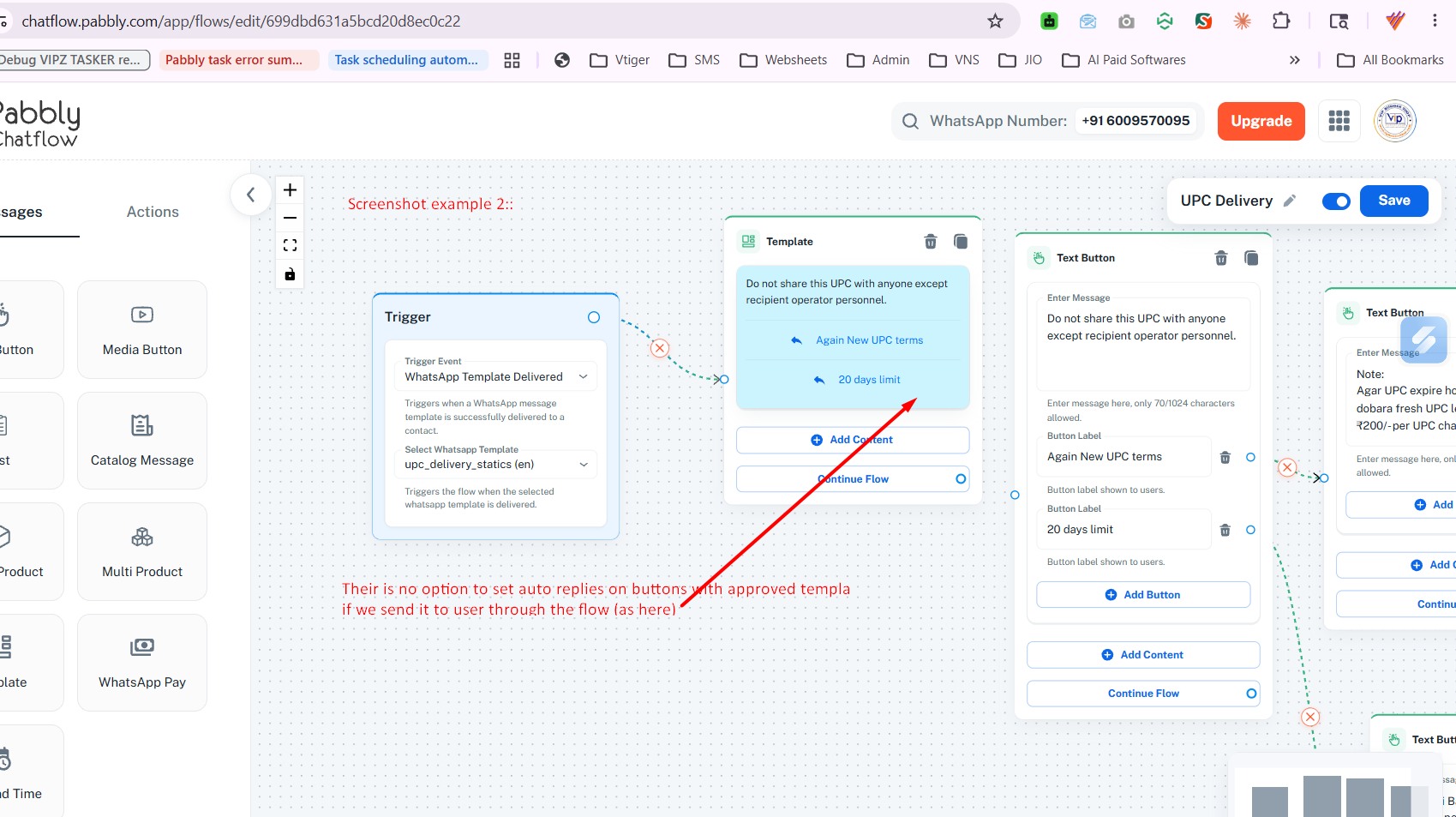
I am unable to set an auto-reply to texts from the "Quick reply" button with a template message.
Steps
---> I sent a template message that contains two quick reply buttons
---> on click by user - I couldn't find any option to set an auto reply.
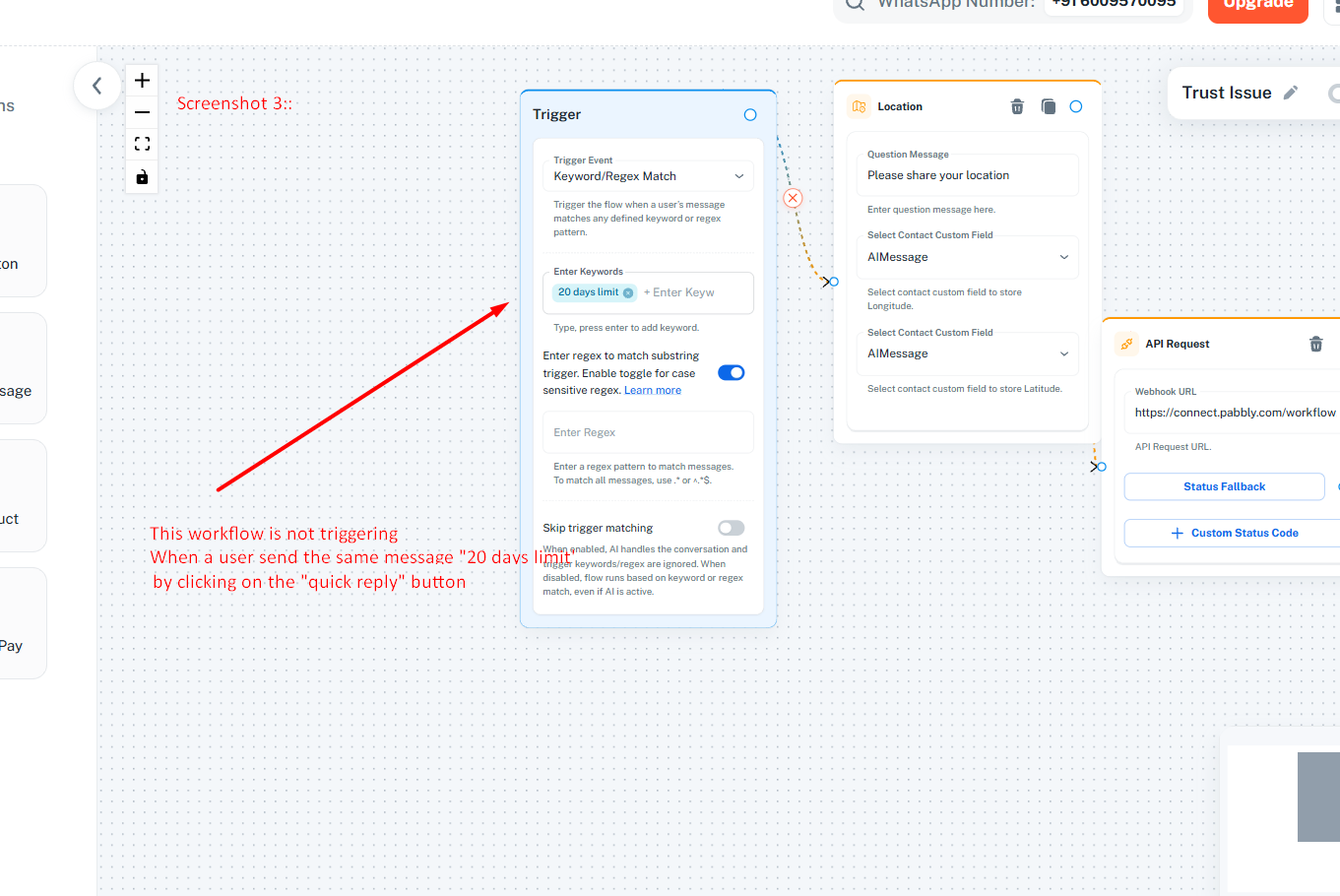
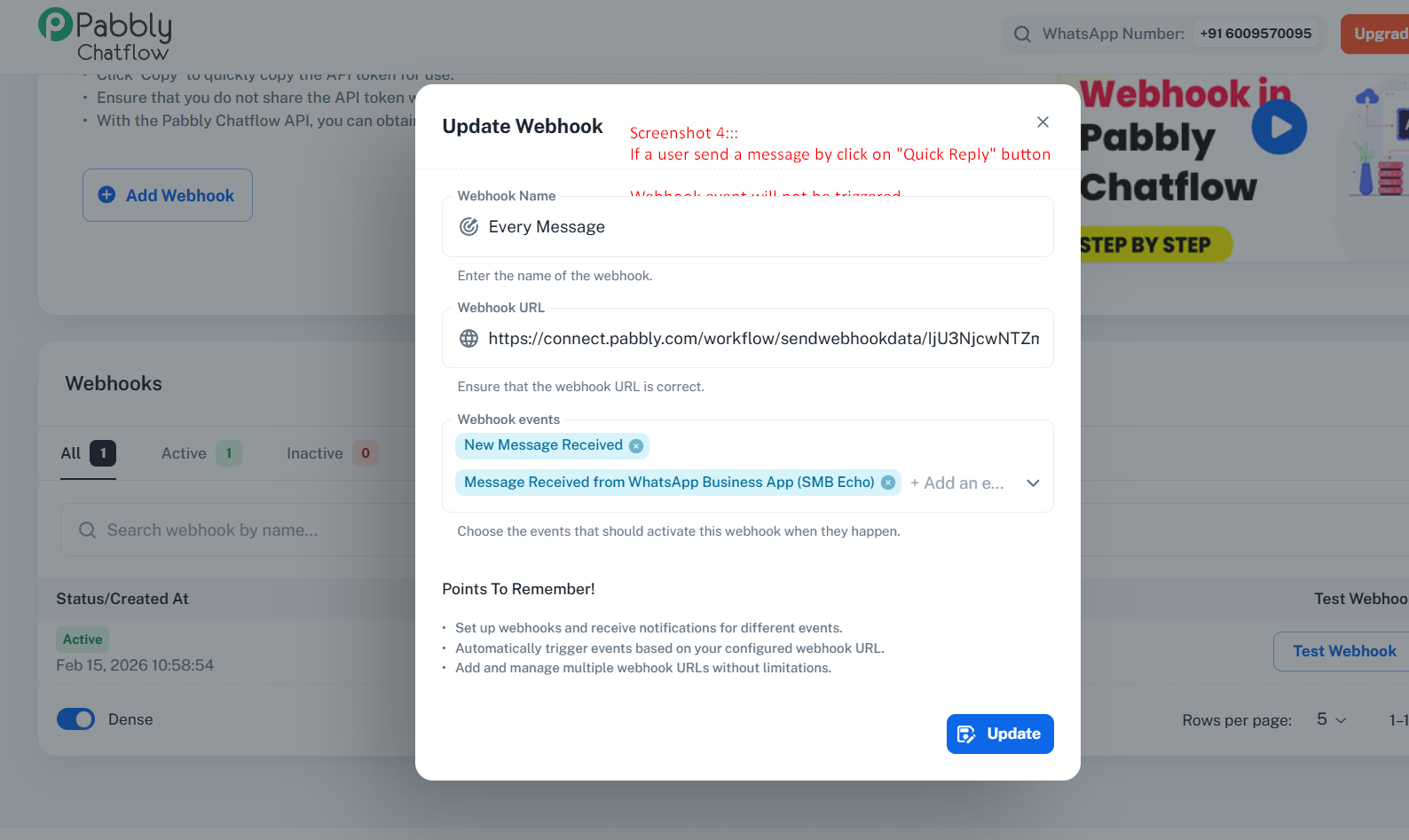
---> Even, Webhook is not triggering the message from quick reply—so, I am also not able to set auto reply through pabbly connect
Hi @deepak9780097800,
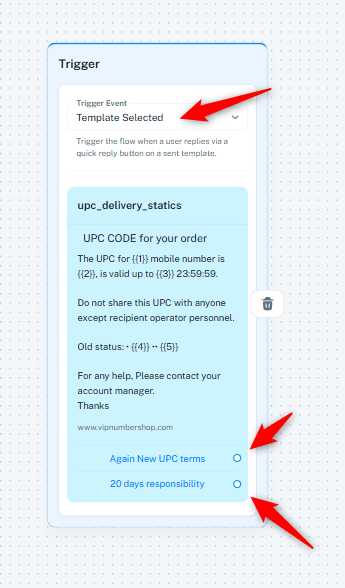
You can create a flow in your Pabbly Chatflow account and set the trigger to “Template Selected”. This will allow your flow to trigger when users reply through the quick reply buttons. However, please note that you would need to send the template message using the Pabbly Chatflow: Send Template Message action step in Pabbly Connect for the flow to get triggered. Otherwise, the flow will not trigger.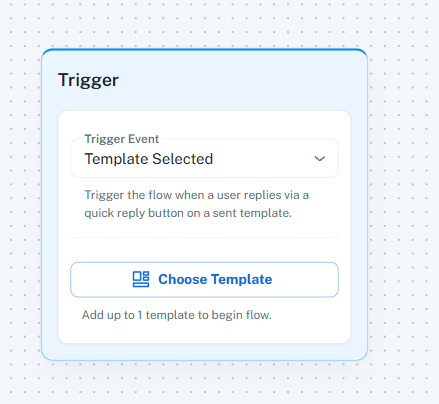
You can then send data to Pabbly Connect using API Request node.
youtube.com/watch?v=TMu35XAOK0A
Thanks & Regards,
Arshil Ahmad
Customer Support Associate
? Pabbly.com
There is an issue with button handling:
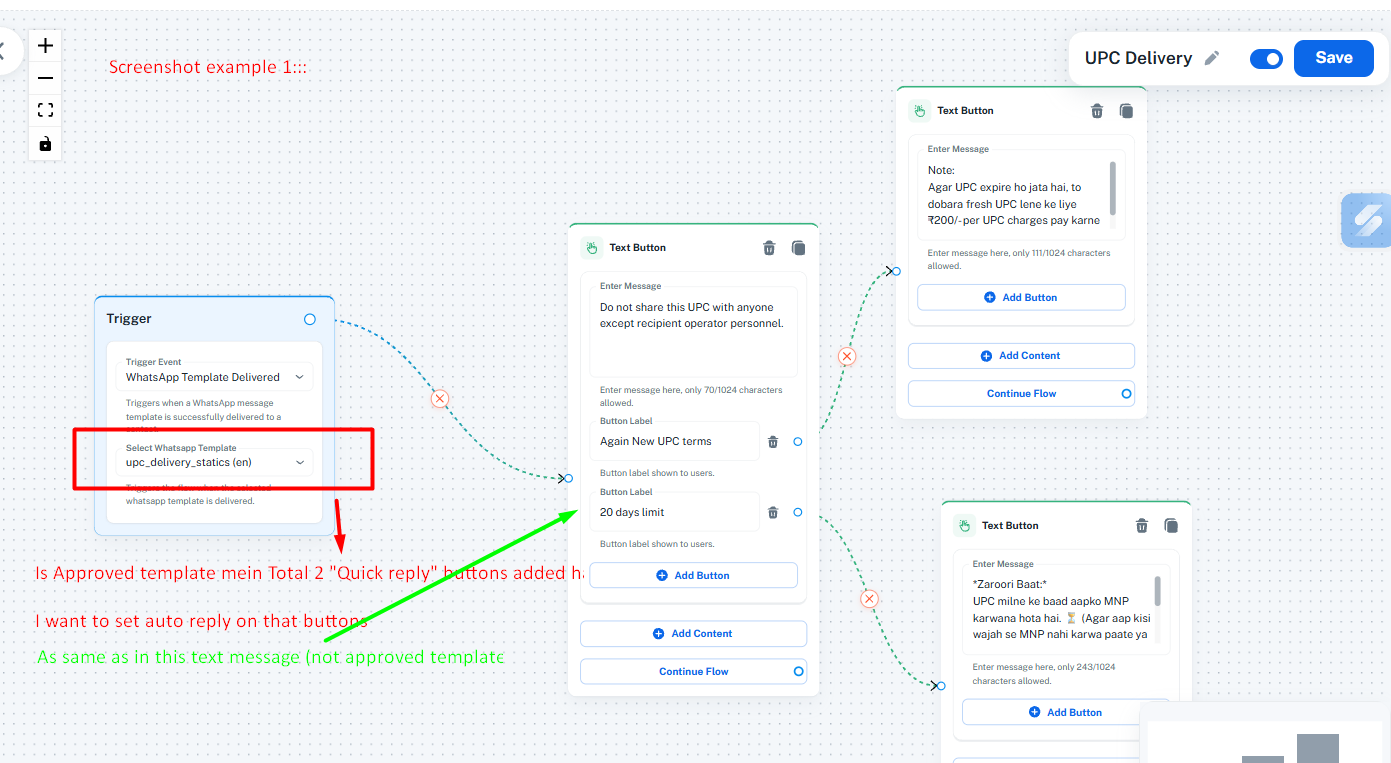
- When triggering a "Text with buttons" message, the option works correctly.
- However, when triggering a "Template message with buttons", no option appears.
- Additionally, any quick reply button clicks are not sending data to the webhook.
Hello @deepak9780097800,
Thank you for sharing the details with us.
However, we are not completely able to understand the exact issue and how the particular messages/flows are being triggered from your end.
Could you please share:
- The flow associated with your query
- A chat screenshot showing the issue
- Or preferably, a short screencast explaining the complete process and the issue you are facing
This will help us better understand the exact behavior and assist you accordingly.
You need to use the "Template Selected" trigger event. It will allow you to set up the flow based on the quick reply button response received from your template.
Thanks & Regards,
Arshil Ahmad
Customer Support Associate
? Pabbly.com
But not the same on my screen
Hello @deepak9780097800,
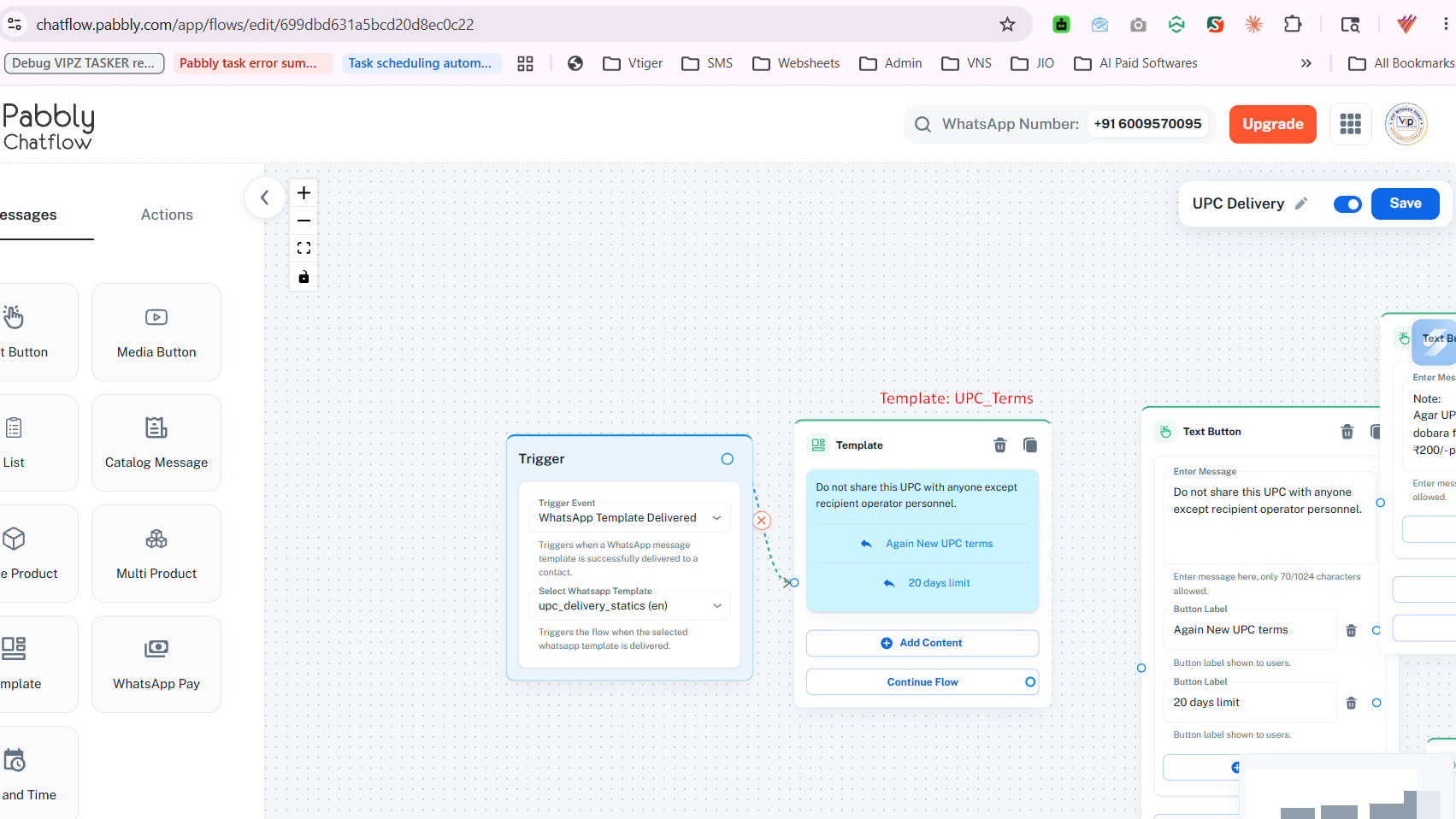
There is a difference between the screenshot shared by our team and the one you shared.
In our screenshot, the selected trigger is “Template Selected”, whereas in your setup, you have selected “WhatsApp Template Delivered” as the trigger.
Kindly change the trigger event to “Template Selected”. Once selected, you will be able to see the quick reply button options and set up the workflow accordingly.
Thanks