Slack Trigger: New User Not Working
Status: Open · Asked by JRF on · 0 views
Hi Team,
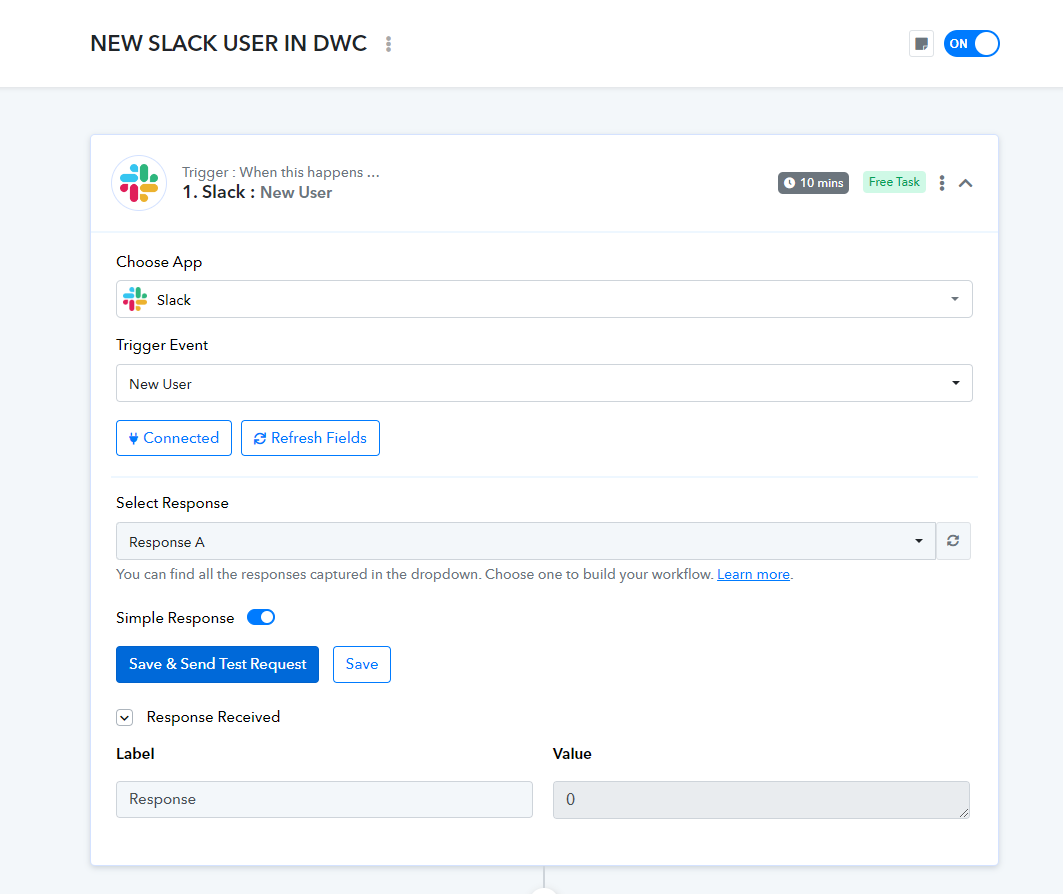
I am having an issue with Slack Trigger: New User, as I cannot fetch data when I Save & Send Test Request. I've watched this video for reference:
youtube.com/watch?v=UK5fv0TsfMk
But I can't continue with the actions due to my issue. I've tried a few things:
1. Connected - Select Existing Connection
2. Connected - Add New Connection as user
3. Connected - Add New Connection as bot
4. Tried Another Trigger: New Message and it works and fetches data accordingly. Meaning I've set up the Slack connection correctly, right?
I am not really sure why NEW USER TRIGGER is not working/fetching as the instructions in the video are fairly simple.
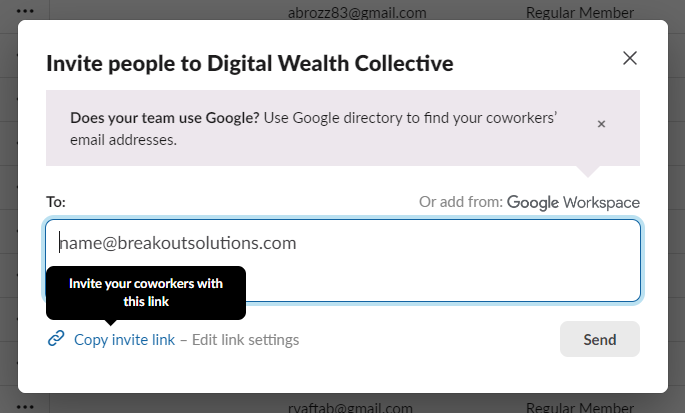
Can you please help me solve my problem? The workflow is relatively simple, when a new user joins our Slack workspace 1 (community) using our invite link (check image 2) that should notify our Slack workspace 2 (internal team) in a particular channel that someone just joins in.
I cannot send any Task History ID as I haven't get pass through the trigger.
Hoping you can help me as this forum is a very good avenue for Pabbly support. I find it very useful when I am stuck with a problem I cannot solve.
Regards,
JR
Hello @JRF
We have escalated your issue to our technical team. Kindly allow us some time, and we will provide you with the updates.
Thank you @Preeti Paryani ! If you need additional information just let me know. Happy to help expedite this process.
Hello @JRF
Sure, if we require any details from your end we will let you know. Please be rest assured we will provide you with the updates as we get some.
Hello @JRF
Our team has added a new trigger named "New User (BETA)" to resolve your issue.
Kindly test it at your end and let us if it works.
You are the best! It's working now. Thanks!
Hello @JRF
Thanks for the update and appreciation.
@Preeti Paryani we just found out that "New User (BETA)" entries have duplicates for this automation, it is supposed to trigger new users but even old user are being carried over to our Slack. I think its just picking up new logins as well even if they're not new users
TASK HISTORY ID: IjU3NjUwNTZjMDYzNTA0MzU1MjZjNTUzMzUxMzU1MTZiNTQzMDBmMzki_pc
Hello @JRF
Yes, you are correct this trigger will capture the new and updated users both.
Thanks for the reply @Preeti Paryani but is there any workaround for it to only show NEW USERS to the Slack workspace? No old, no updated users?
Hello @JRF
The only workaround I can suggest is to maintain a Google Sheet for the users, who has received the Slack Channel message and set up the workflow as per the below attached screensot.
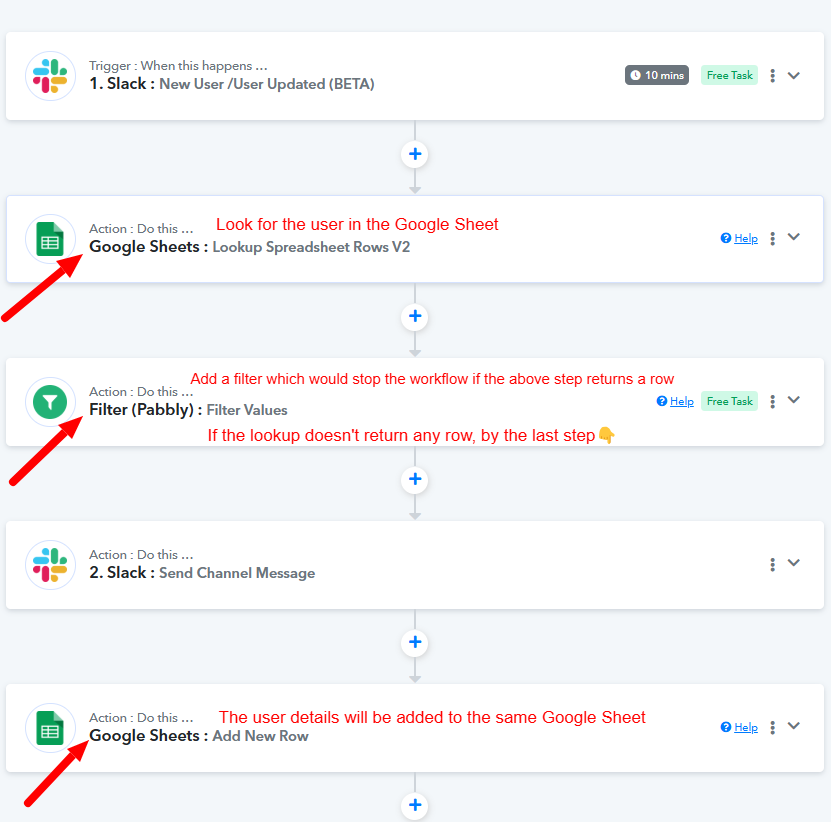
This worksround can help you resolve the issue. Please let us know if you need any further assistance.
Sorry for the late reply but I appreciate the help @Preeti Paryani . I will try it now! Thank you!