SMTP EMAIL ISSUE 2.0
Status: Open · Asked by IChild Company on · 0 views
Dear Support,
Further to the post https://forum.pabbly.com/threads/smtp-email-issue.24685/
Task History ID - IjU3NjUwNTZjMDYzNjA0MzA1MjY4NTUzNzUxMzA1MTYwNTQzMDBmMzci_pc
Task Name: Send Candidate PIA Email.
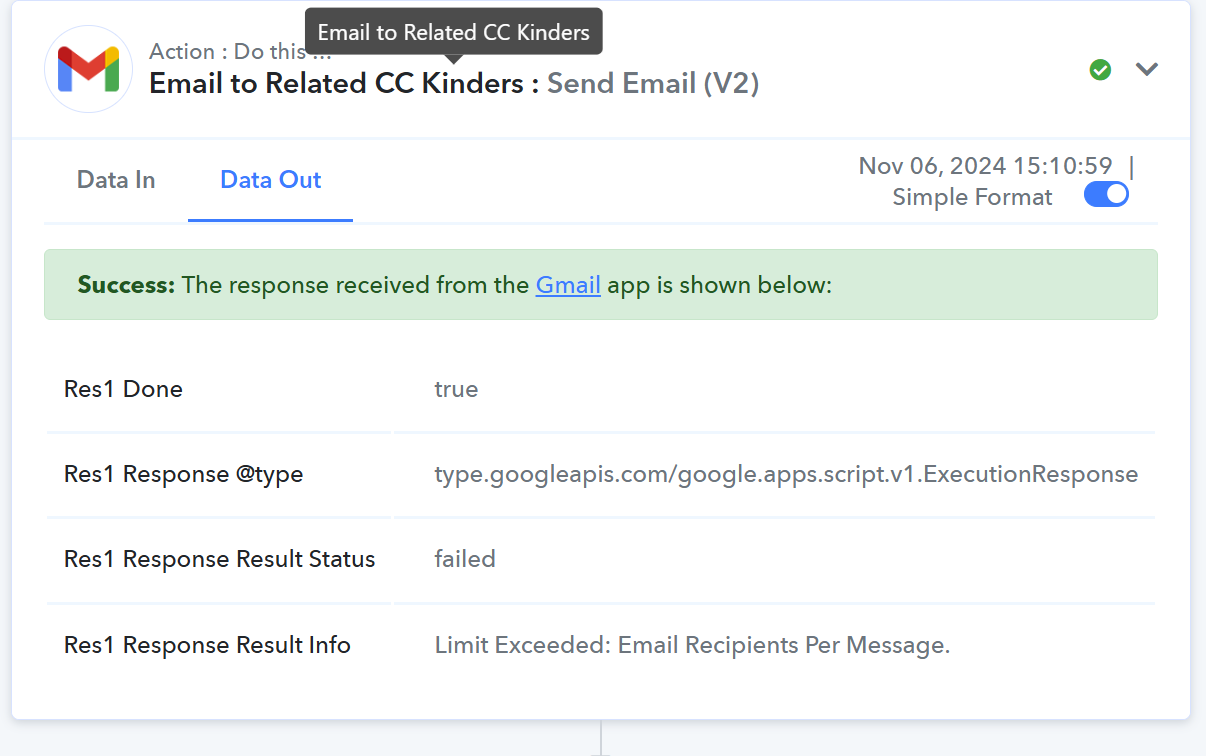
We have once again met the same issue sending error see attached.
Our google account is
1. a paid Workspace account
2. Google email is using a paid email blast service that can send up 1000 recipients per message / email.
Kindly advise
1. Why there is still an issue again using the google mail service?
2. Can we use the bubbly SMTP service instead?
3. What is the max recipient per email for a Paid workspace account under Pabbly - Gmail workflow?
4. Worst case scenario how do we set up a iterator loop to send out the email in batches?
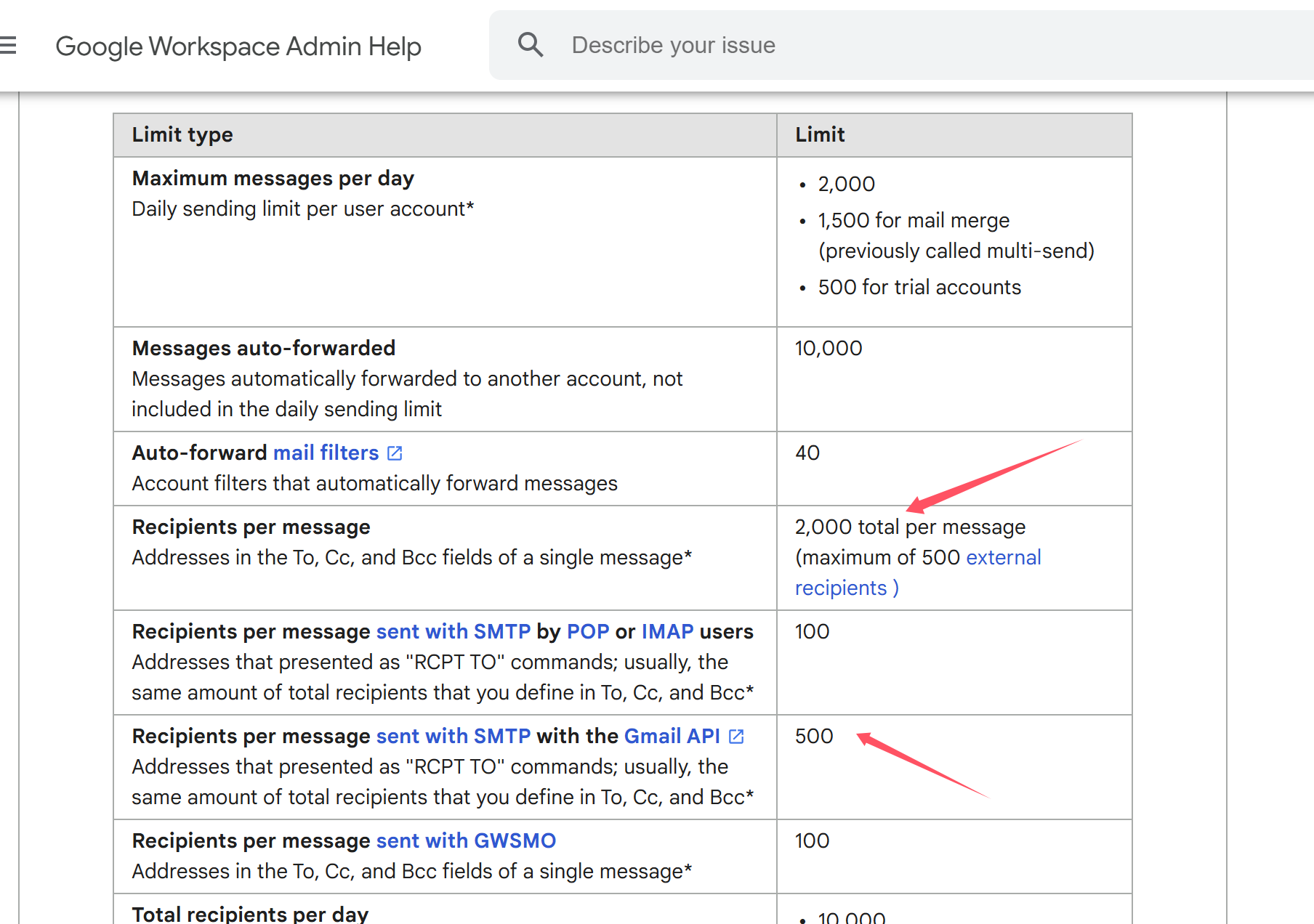
We have also check under Google workspace our limits.
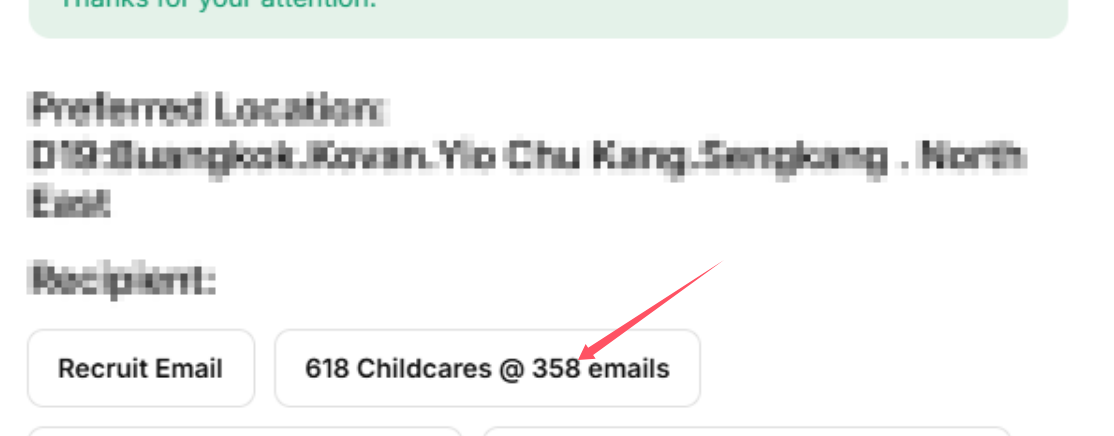
We have also checked the email we are sending out has 358 recipients.
Attachments
Hello @ichilddev
It seems like you may have exceeded the 2,000 recipient limit for sending emails per day in your Google Workspace account.
Google Workspace allows up to 2,000 recipients per day across all emails and a maximum of 2,000 recipients per email. If you have more than this in your current send list or have already sent a large number of emails today, this could be the reason you're encountering the error.
Hello @ichilddevIt seems like you may have exceeded the 2,000 recipient limit for sending emails per day in your Google Workspace account.
Google Workspace allows up to 2,000 recipients per day across all emails and a maximum of 2,000 recipients per email. If you have more than this in your current send list or have already sent a large number of emails today, this could be the reason you're encountering the error.
In fact after we have wrote this post at 330pm, we have sent performed an email with 300 over recipients at 350pm.
Kindly advise?
Hello @ichilddevIt seems like you may have exceeded the 2,000 recipient limit for sending emails per day in your Google Workspace account.
Google Workspace allows up to 2,000 recipients per day across all emails and a maximum of 2,000 recipients per email. If you have more than this in your current send list or have already sent a large number of emails today, this could be the reason you're encountering the error.
Hi Any updates?
Hello @ichilddev
We have escalated your concern to our technical team, they're looking into it. Kindly allow us some time and we will get back you with the updates as we have some.
Hello @ichilddev
Our team has checked for limits related to sending emails to recipients per mail and has found that only 50 emails can be added per mail. This is the reason you were facing the issues.
Although as said you would be able to send 1000 recipients per email, we would recommend you to contact the Google support team to further clarify the limits.
Google email is using a paid email blast service that can send up 1000 recipients per message / email.
Please refer to the docs for more info - https://developers.google.com/apps-script/guides/services/quotas
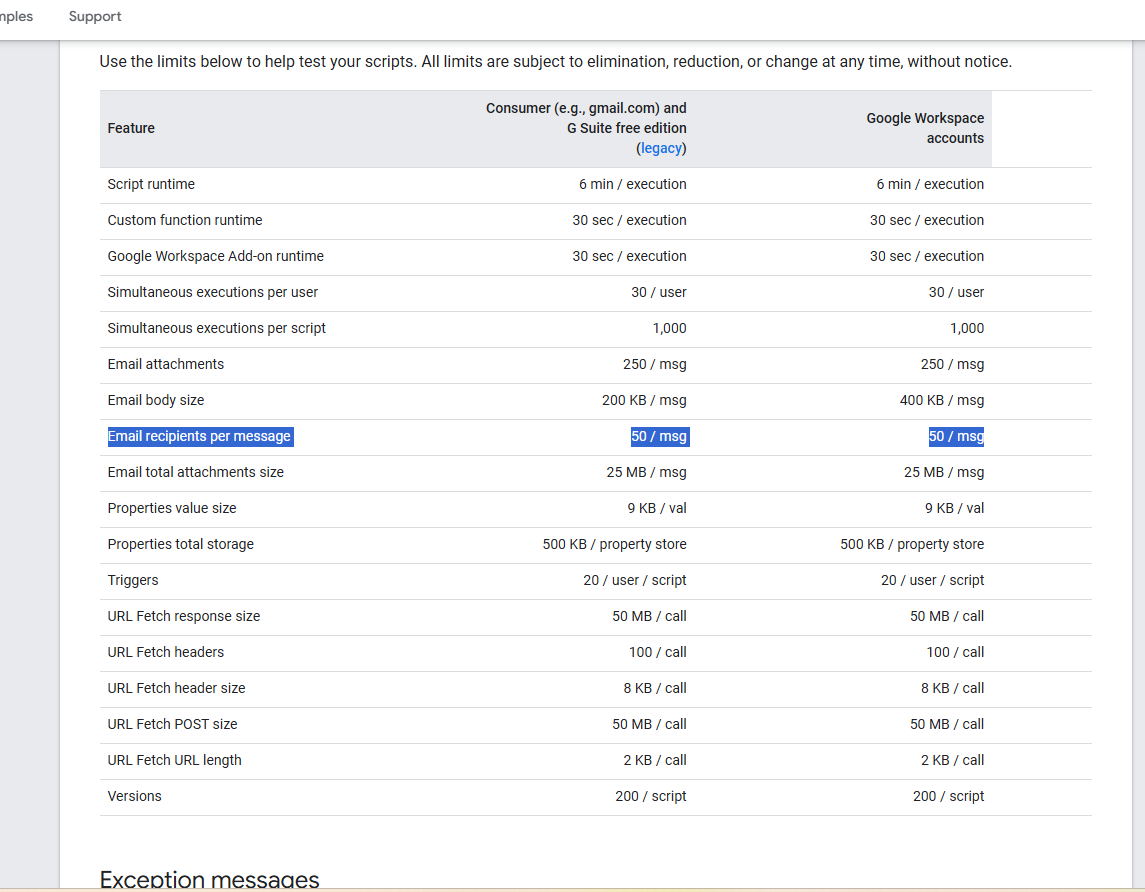
Hello @ichilddevOur team has checked for limits related to sending emails to recipients per mail and has found that only 50 emails can be added per mail. This is the reason you were facing the issues.
Although as said you would be able to send 1000 recipients per email, we would recommend you to contact the Google support team to further clarify the limits.
Please refer to the docs for more info - https://developers.google.com/apps-script/guides/services/quotas
So it is the restriction of the script, and not based on whether our google account is a paid account or not.
Yes, it is based on the script and not on the type of account you have.