SSL Error When Fetching File from Pabbly-Generated URL
Status: Closed · Asked by Archange_Dev on · 0 views
Hello,
I'm encountering an issue when running an automation workflow with Pabbly Connect. A Google Apps Script used in the process attempts to fetch a PDF file from a URL generated by Pabbly, but it fails with the following error:
Exception: SSL Error https://pcmailhook.com/attachments/2025/02/18/1356078067866401151739881986_Receipt-2472-5702.pdf
Technical details:
- Function: uploadToDrive
- Error: ScriptError – SSL Error
- Affected URL: https://pcmailhook.com/attachments/2025/02/18/1356177067866401151739881986_Receipt-2472-5702.pdf
I’ve tested the URL in a browser, and it fails to load there as well. It appears that the SSL certificate for pcmailhook.com is either expired, misconfigured, or invalid.
Could you please investigate and fix this issue on your server?
This SSL problem is currently preventing my automation from functioning correctly.
Thank you in advance for your support.
Best regards,
Hi @Archange_Dev,
Could you please share the Workflow URL where you have this concern?
Here are the error details:
Label: Value
Done: 1
Error Code: 3
Error Message: ScriptError
Details:
@type: type.googleapis.com/google.apps.script.v1.ExecutionError
Function: uploadToDrive
ErrorMessage: Exception: SSL Error https://pcmailhook.com/attachments/2025/02/18/7600776343249326531739881986_Invoice-CC5C616E-0005.pdf
ErrorType: ScriptError
It seems that the issue is related to an SSL error when attempting to download the file from the URL mentioned above. Could you please let me know if this is an issue on Pabbly’s side, or if something needs to be adjusted in the script or the file source?
Workflow URL : https://connect.pabbly.com/workflow/mapping/IjU3NjYwNTZlMDYzMDA0Mzc1MjY0NTUzYzUxMzQi_pc
Hello @Archange_Dev,
Thanks for bringing this to our attention.
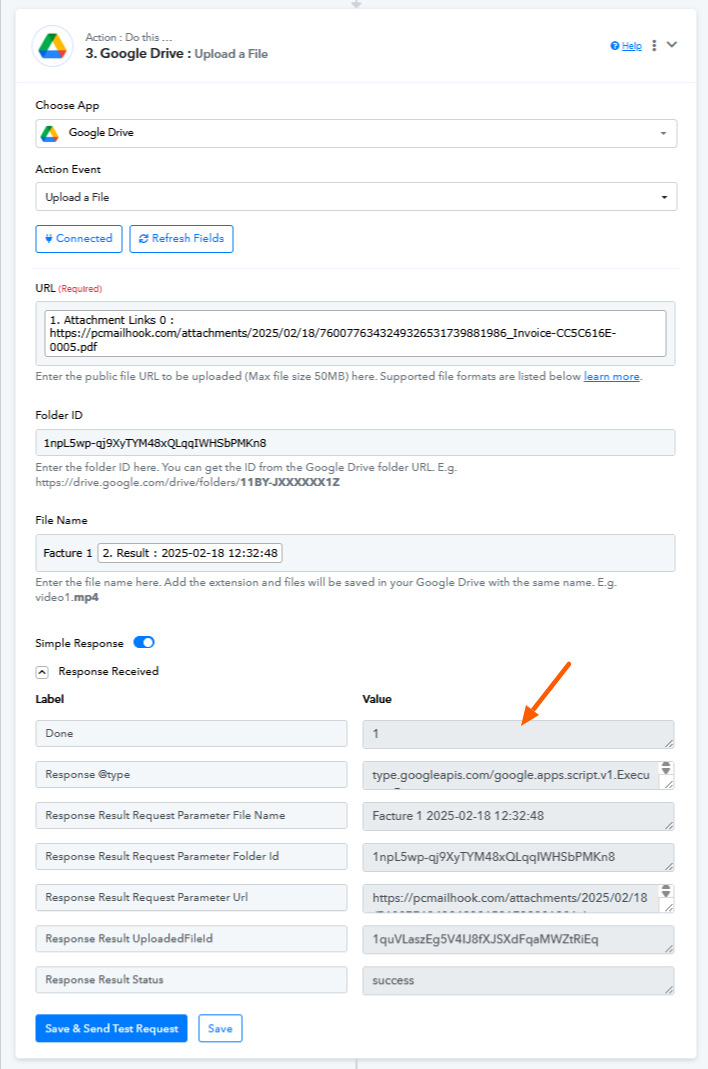
This issue has been resolved, refer to the attached image. Let us know if you have any further concerns.
Hi,
Yes, it's working again now — thank you for the quick fix!
Best regards
Thank you for the update. We are glad its working now.