Syncing Pabbly Chatflow Tags with Zoho CRM Lead Tag
Status: Closed · Asked by Hasan Jubair on · 0 views
Hi,
I'm trying to sync tags between Pabbly Chatflow to Zoho CRM Leads.
However, it only works when I add all tags to the contacts. If I add fewer tags or single tags, it gives me an error.
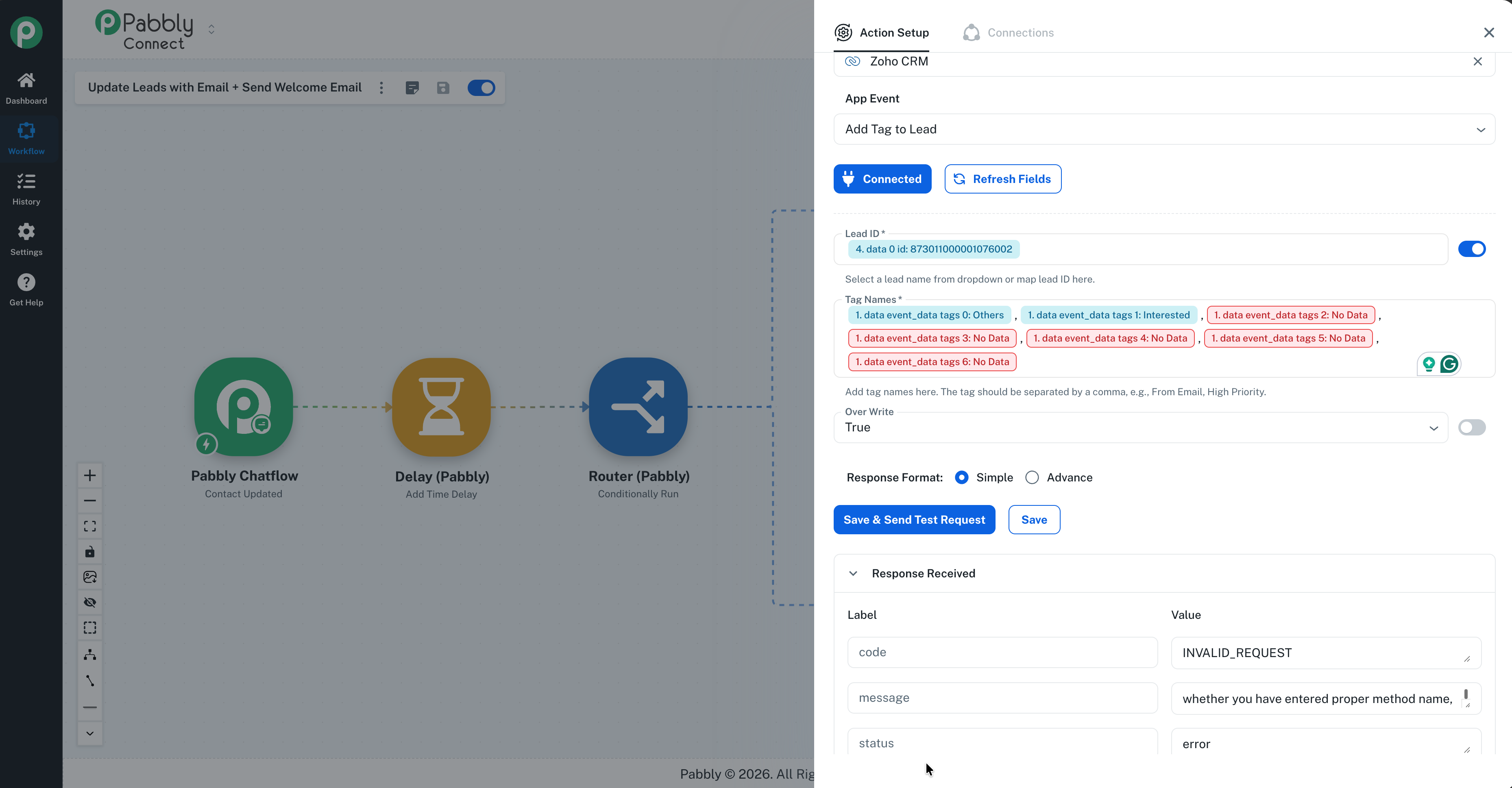
Please help me solve this issue.
Hi @Hasan Jubair,
Thanks for reaching out.
Upon checking the workflow, we noticed that the tags mapped from the trigger are not always present—sometimes they are missing in the trigger response. Due to this missing mapped data, the Add Tag action throws an error.
To resolve this, please:
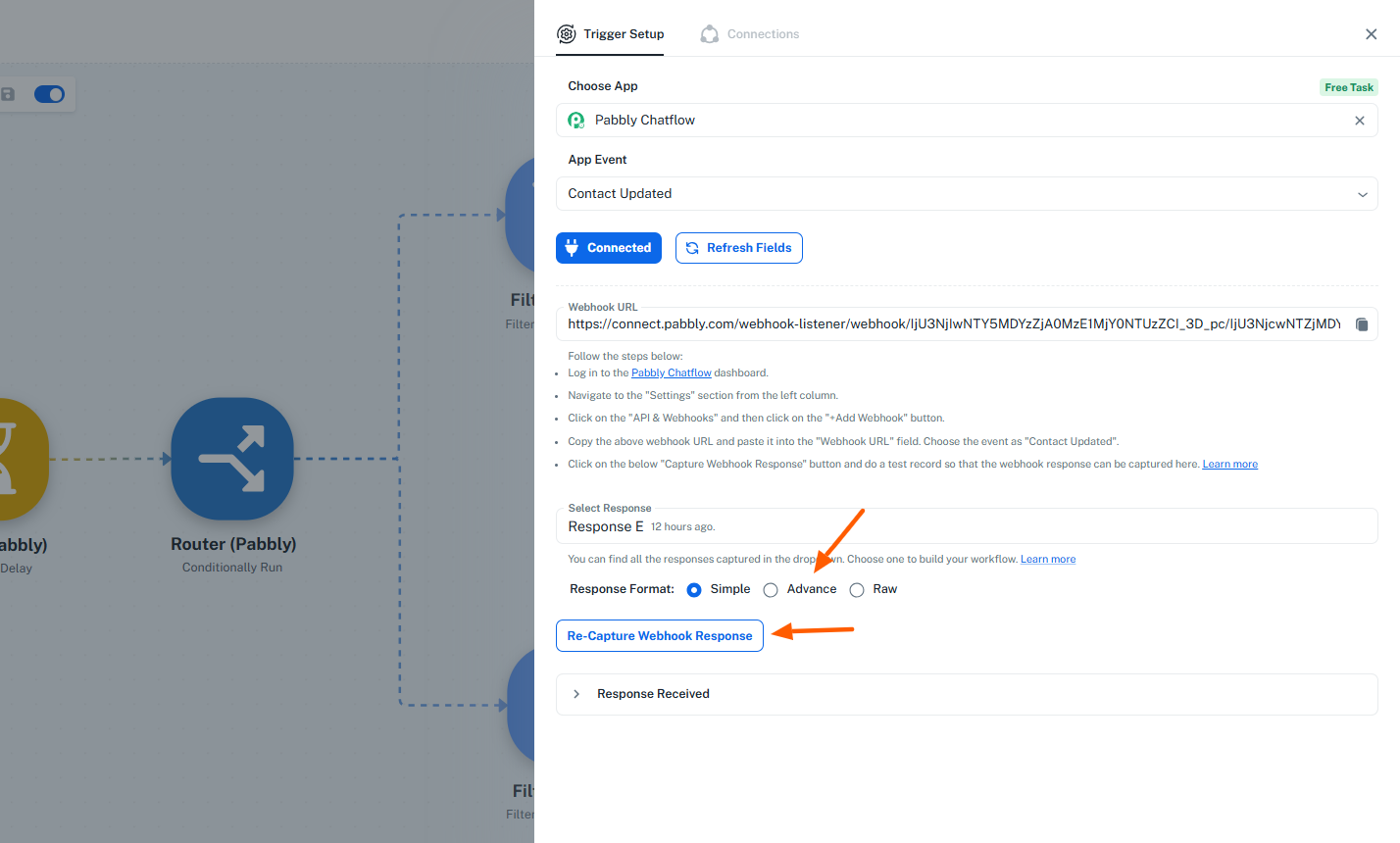
- Open the Pabbly Chatflow trigger.
- Change the Response Format to Advanced.
- Click Re-capture Webhook Response.
- Update a contact that has multiple tags so the complete tag data is captured.
Once done, please let us know. We’ll review the workflow further and suggest the required steps to help you achieve the use case without errors.
I've updated the trigger and response with all tags.
In advance mode, they have double quotation. Which doesn't match with zoho crm tags. See Screenshots:
Hey @Hasan Jubair,
Thanks for sharing the details.
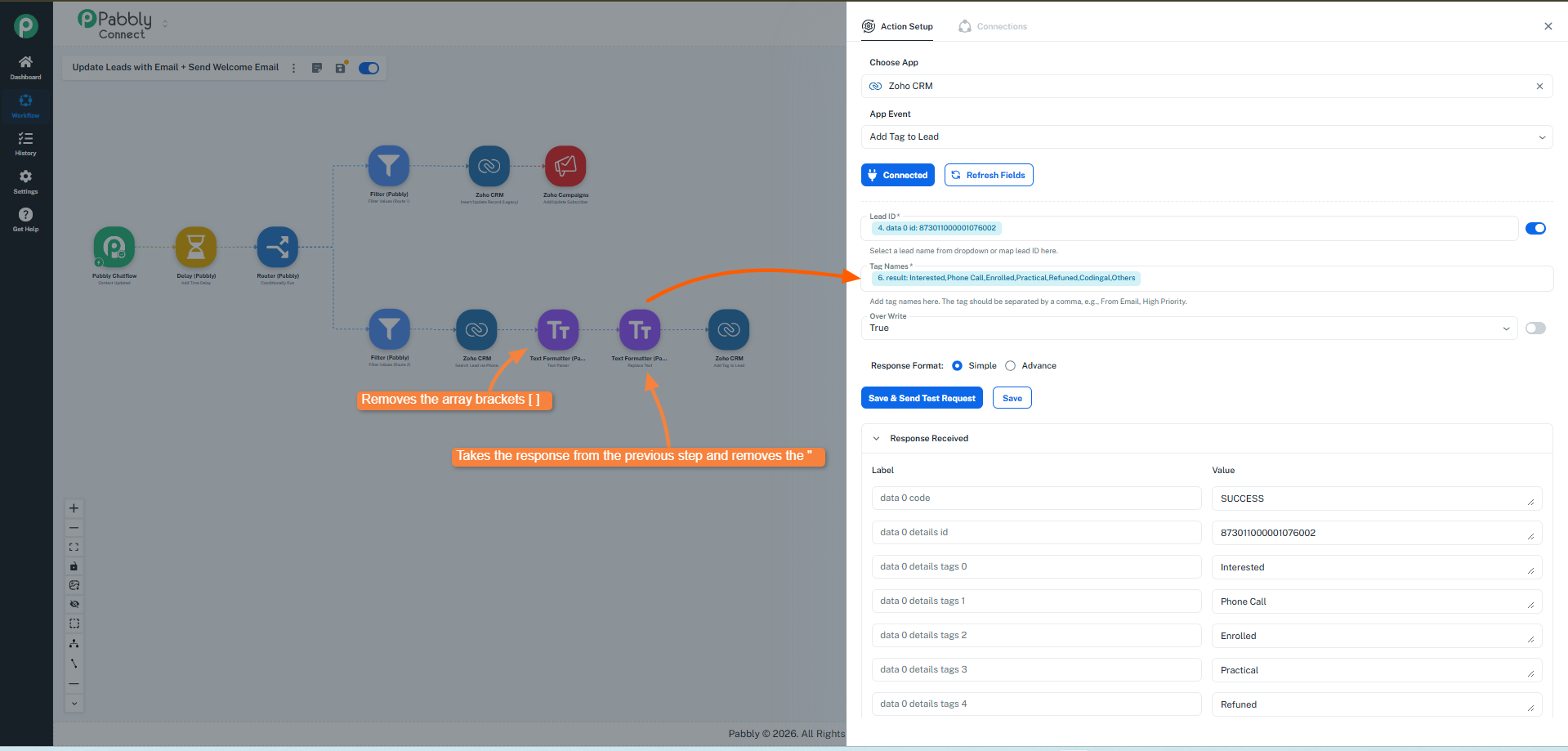
We have added Text Formatter steps in your workflow to remove the extra double quotes and array brackets [] from the tags. After applying these changes, the workflow is now working correctly.
Please refer to the attached image for a better understanding of the setup. Let us know if you need any further assistance.
It's working as expected. Thanks Preeti
Hey @Hasan Jubair,
Glad to know that it's working fine now.
As your issue has been resolved, we’d appreciate it if you could share quick feedback on the support received:
https://forms.gle/GAjS4wdPYKuhnEYV9
Thank you for your time.
PS: We are closing this thread as the issue is resolved. Please feel free to reach out to us if you face any issues in the future.