Tags from Active Campaign are not shown
Status: Open · Asked by Wesley Marques on · 0 views
I'm trying to add an Active Campaign tag to a contact, but when I try to list the tags in "tag id," the list of tags that appears doesn't include all the tags that were created in Active Campaign. I've already clicked "refresh fields," I've tried refreshing the screen, but the problem persists. I've also generated a new API key in Active Campaign and updated the key in Pabbly, but nothing has solved the problem.
Am I making a mistake somewhere in my automation, or is the problem likely with the Active Campaign API?
Hi @wesleymarques,
This appears to be a pagination-related issue. If there are many tags in the ActiveCampaign account, the API may return only a limited batch of tags in the dropdown, which is why some tags may not appear even after refreshing fields or reconnecting the account.
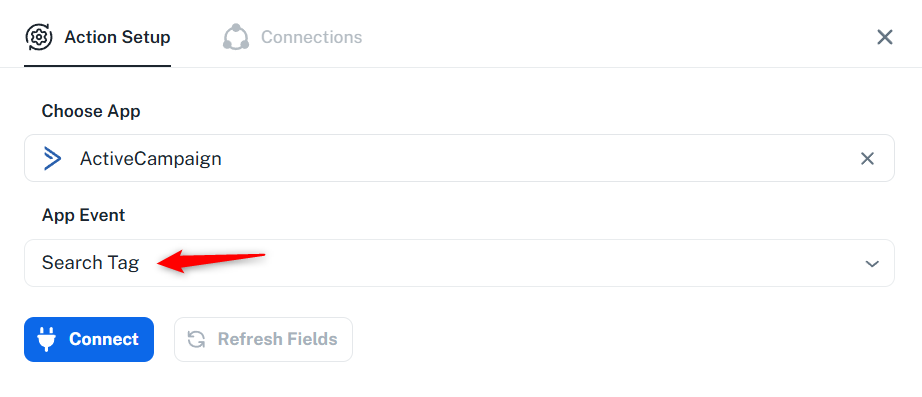
We suggest using the "ActiveCampaign: Search Tag" action step to search for the tag by name. This will provide you with the Tag ID. Copy the Tag ID and then remove the "Search Tag" step from your workflow.
After that, enable mapping in the "ActiveCampaign: Add a Tag to Contact" action step, paste the Tag ID, and click the "Save & Send Test Request" button.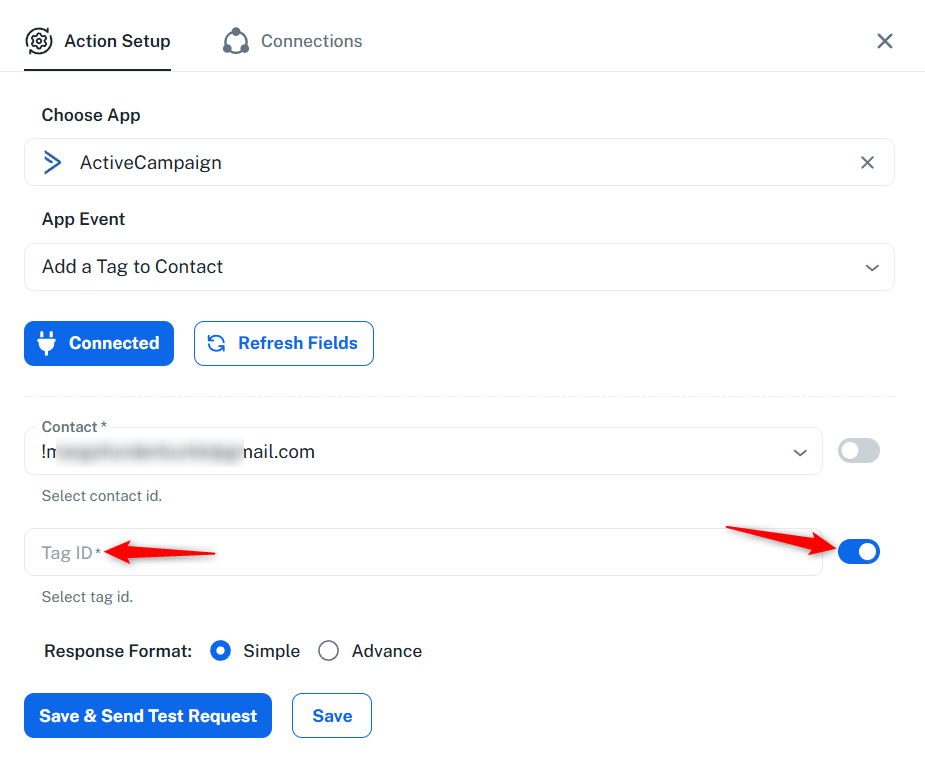
Thanks & Regards,
Arshil Ahmad
Customer Support Associate
? Pabbly.com
Dear Arshil,
Thank you for your prompt response.
We deleted some tags (since the limit for pabbly is 100 tags to be shown) and now it's working fine again.
Best regards,
Wesley
Thank you for the update. We are glad it's working now.
If you need to select a tag in the future that is not being listed and you do not want to delete existing tags, you can follow the steps suggested in the previous message.
Thanks & Regards,
Arshil Ahmad
Customer Support Associate
? Pabbly.com