Teamwork > Team ID Not Assigned/Found When Creating Task
Status: Open · Asked by automa_webmaster on · 0 views
Hello Pabbly Support Team,
I’m facing an issue with task assignment when using Pabbly to create tasks in Teamwork.
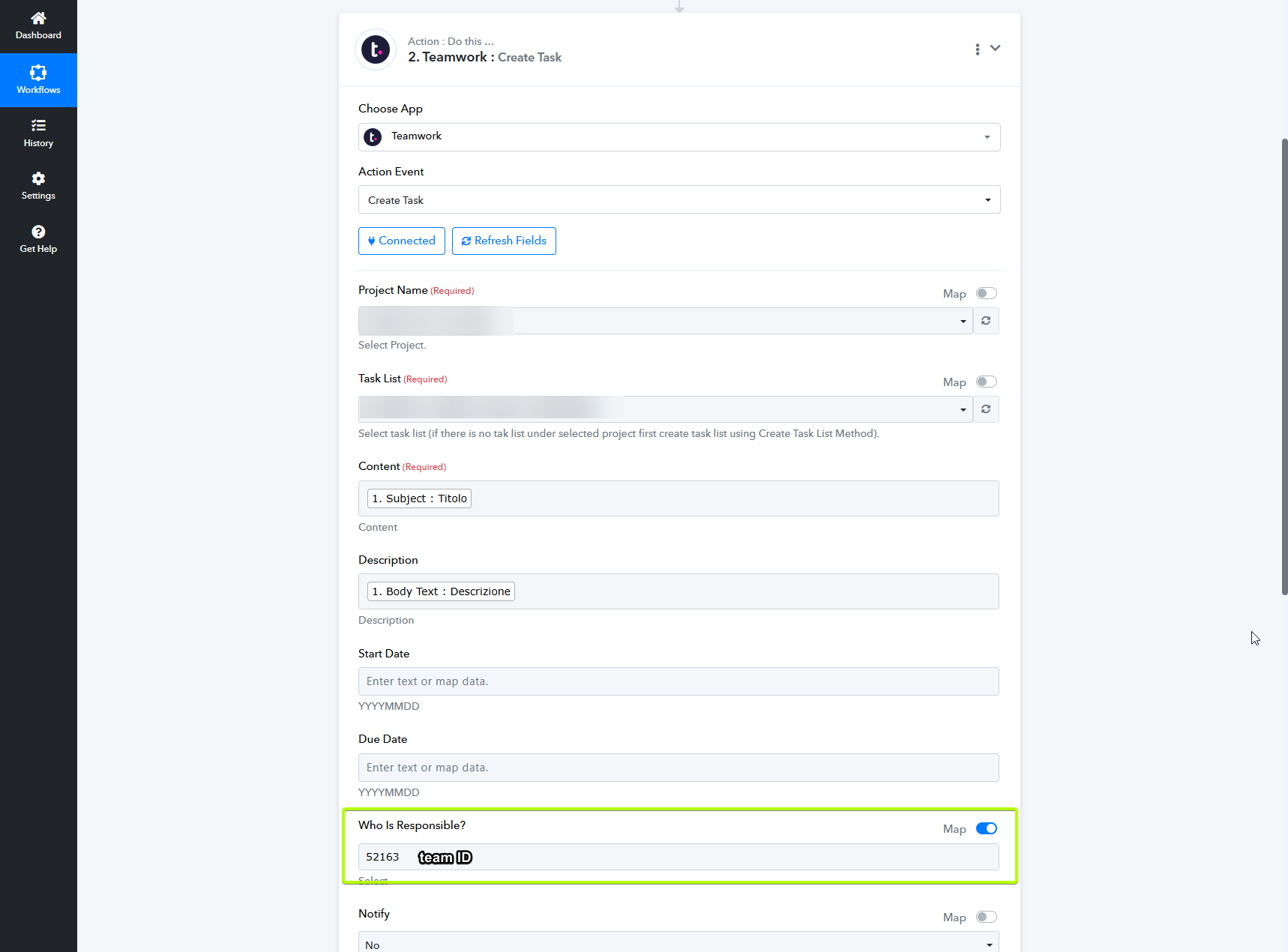
Here is the exact behavior:
- If I provide a Teamwork User ID or I select a user through the list, the task is correctly assigned to that specific user.
- If I provide a Teamwork Team ID, the system does not recognize it and inside Teamwork the task gets assigned to “Anyone” instead.
At the moment, it looks like Team IDs are ignored or not recognized during automated task creation. From what I remember, this used to work correctly in the past when assigning tasks via Team ID.
Is there a correct way to assign the task to a specific team via team ID?
Thank you for your support.
Best regards,
Giulia
Hi Giulia,
Thank you for reaching out.
Upon checking, Teamwork’s API does not support assigning tasks directly to a Team ID. The responsible-party-id field only accepts a User ID, which is why the task gets assigned to “Anyone” when a Team ID is used. We recommend assigning the task using a specific User ID to either the team lead or the concerned team member directly.
Please update your workflow accordingly and let us know if you need further assistance.
Hi Preeti,
Thank you for the feedback.
Is it possible to assign more than one User ID in the responsible-party-id field?
For example: User ID 1, User ID 2, User ID 3
If not, is it possible to suggest it as a feature?
Thanks again!
Hi Giulia,
Thanks for your question.
As per my research, Teamwork doesn't support multiple user IDs under the responsible-party-id field.
Thanks again
Glad to be of help.