Tempate issue
Status: Open · Asked by mexilet.technologies.pvt. on · 0 views
template message not receiving
Hello @mexilet.technologies.pvt.
We have reviewed the task history, and the message status in the WhatsApp Cloud API is showing as "Accepted". Based on this response, the message should have been successfully sent.
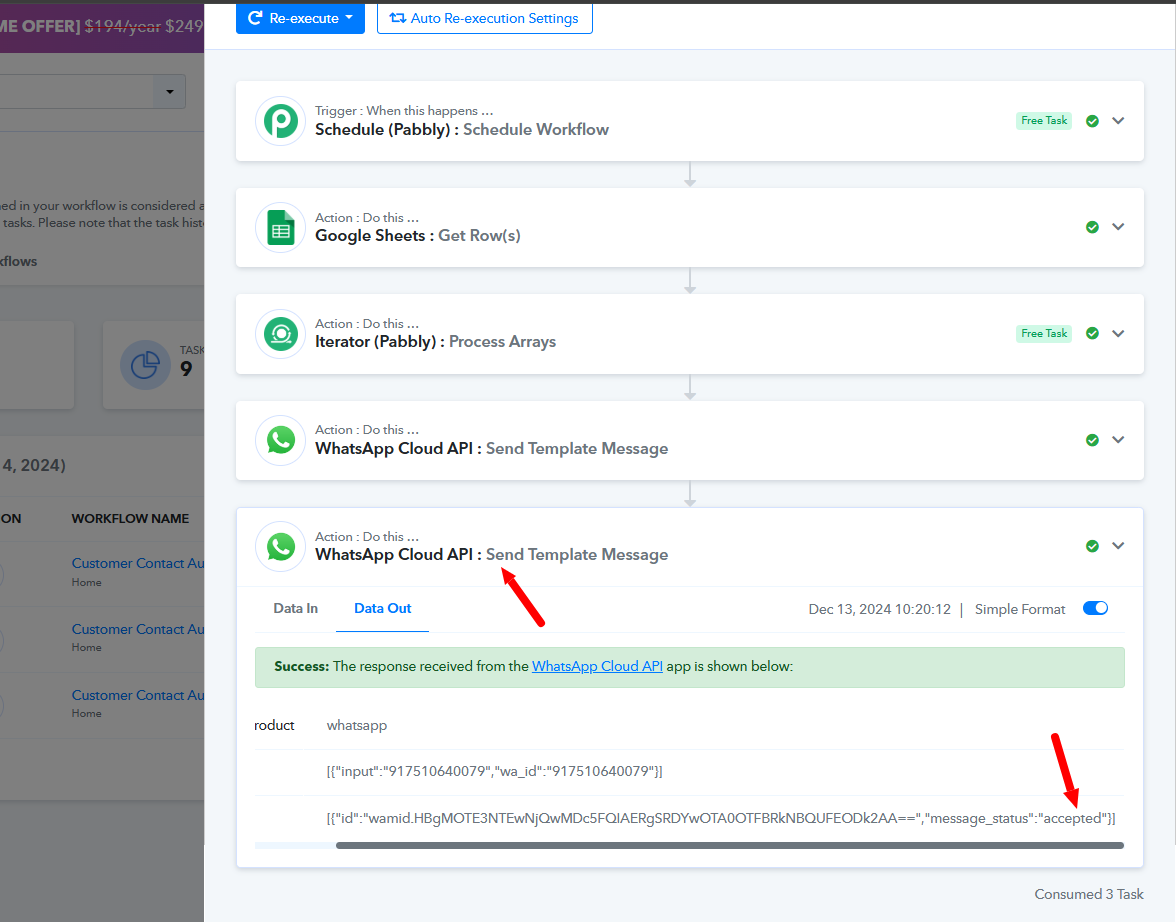
If the recipient is not receiving the messages, we recommend contacting the Meta Support Team directly, as they are better positioned to investigate and assist you further with this issue.
I cant see the recepient phone number field
Hello @mexilet.technologies.pvt,
We have recorded a detailed video to help you. Please refer to it here: Watch the Video.
Watch it and let us know if it works for you.
what is the issue? how to fill this?
Hello @mexilet.technologies.pvt.
We have made a few changes to the action on your behalf. Please refer to the attached image for more details.
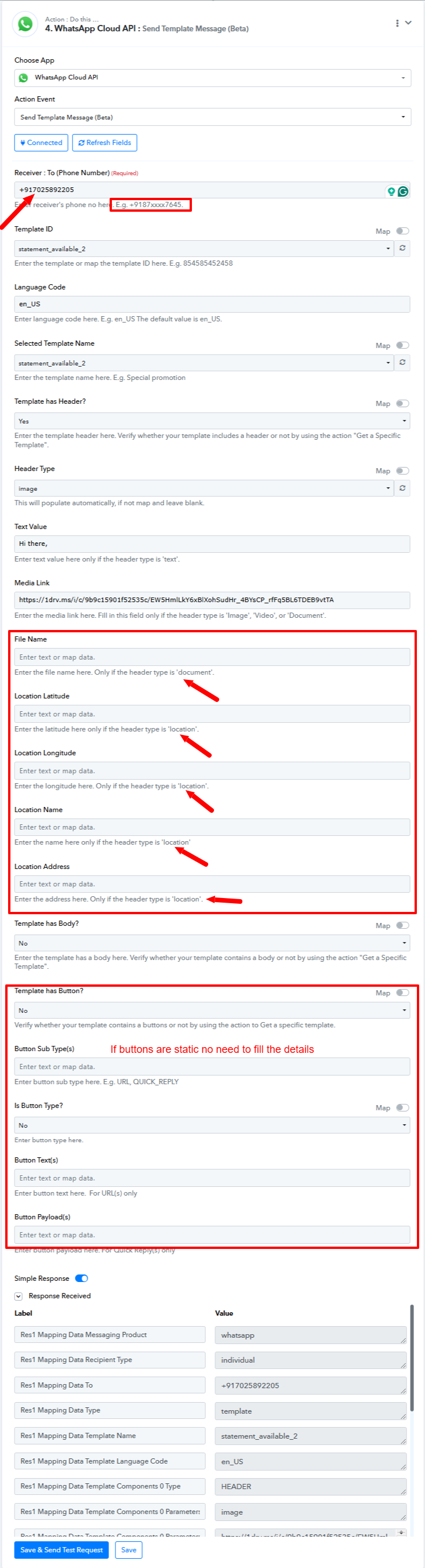
However, we are now receiving the error: "Recipient phone number not in allowed list: Add recipient phone number to recipient list and try again."
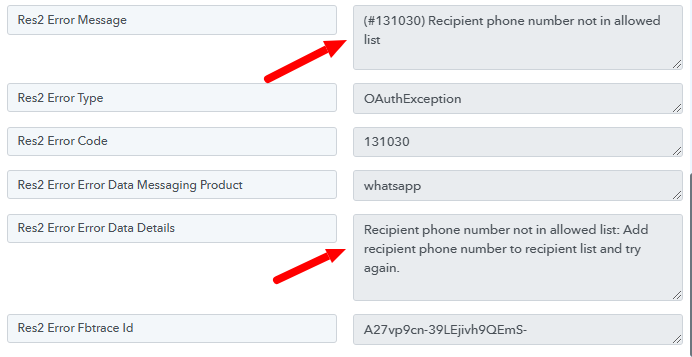
We recommend adding the recipient's phone number to the allowed recipient list. If the issue persists, it may be helpful to contact Meta Support, as this error originates from the WhatsApp Cloud API.
Let us know if you need further assistance!
there is no issue and error then why the template cant receive? pls help me
Hey @mexilet.technologies.pvt.
We have checked your issue and it appears that your template is in a different language. The error says "template name (446452981837497) does not exist in en_us". We would recommend you to contact Meta Support for this issue.
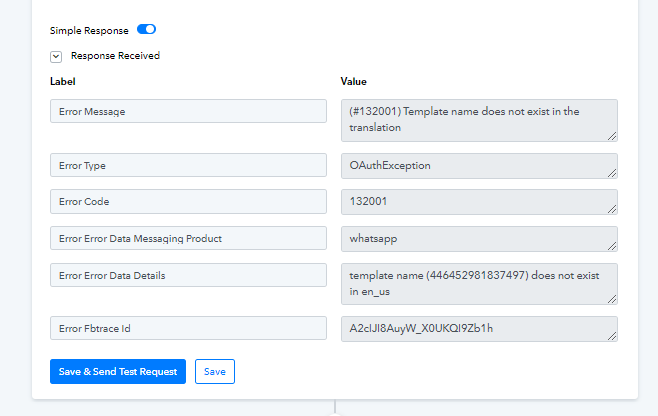
Let us know if you are facing any issues in Pabbly Connect.