Template params does not match the campaign
Status: Open · Asked by Rachnanaishu on · 0 views
I am trying hard resolve this... sharing you the workflow below:
I am trying hard resolve this... sharing you the workflow below:
Hello @Rachnanaishu ,
Check your approved template structure used in campaign. Match your variable count with parameters you've passed in pabbly connect.
FYI I'm not from Pabbly Connect team, just a freelancer who helps other Pabbly users.
Hey @Rachnanaishu,
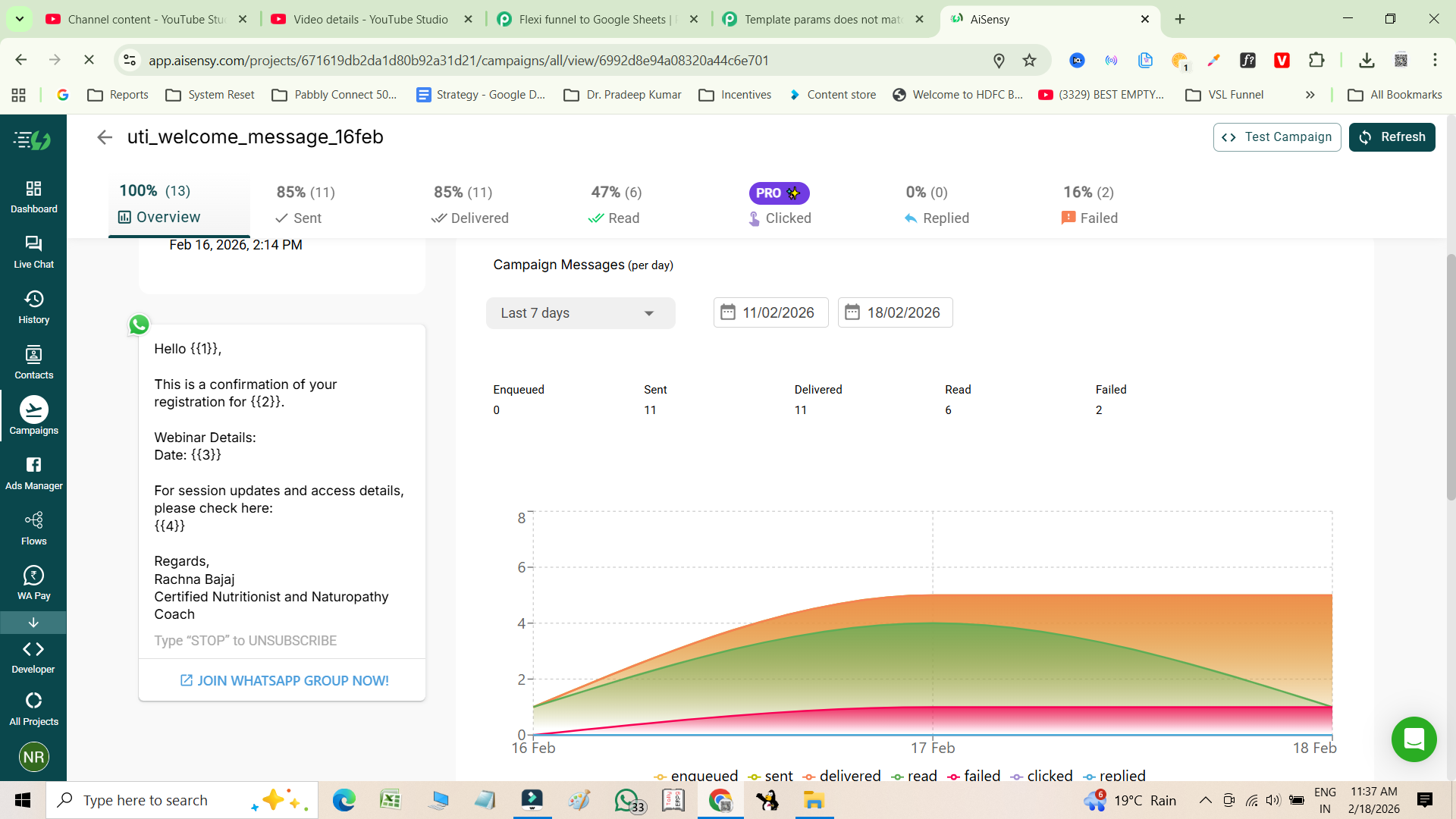
Could you please share a screenshot showing the specific template you're trying to configure in WhatsApp using the AiSensy: Send Template Message action?
Hello @Rachnanaishu ,
Check your approved template structure used in campaign. Match your variable count with parameters you've passed in pabbly connect.FYI I'm not from Pabbly Connect team, just a freelancer who helps other Pabbly users.
Thank you so much for your revert. already checked, see I have done all the things correctly but getting this error
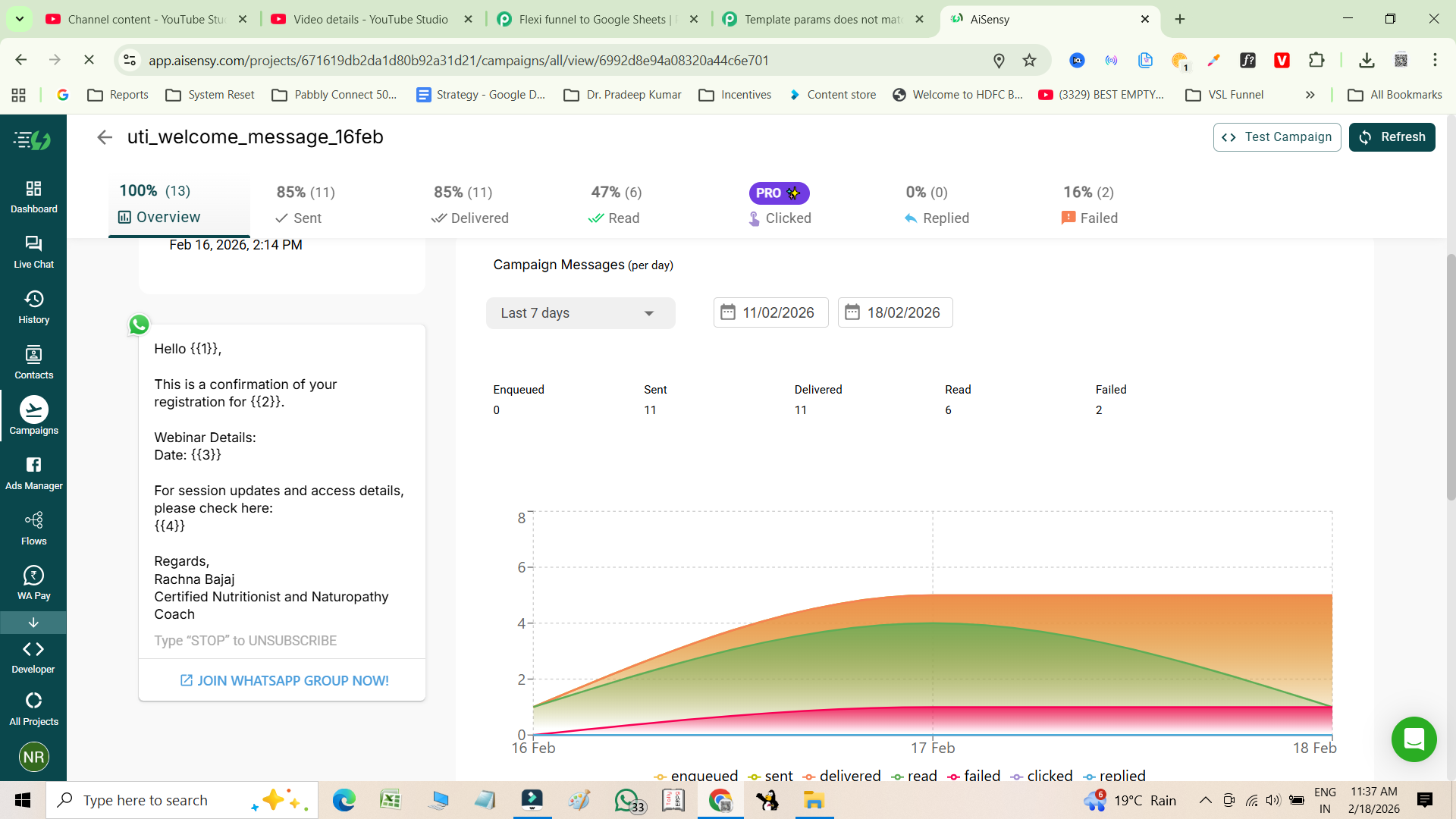
Hey @Rachnanaishu,Could you please share a screenshot showing the specific template you're trying to configure in WhatsApp using the AiSensy: Send Template Message action?
Please reply , its really urgent
Hi @Rachnanaishu,
Apologies for the delayed response.
Upon reviewing your action and mapped parameters, we noticed that an extra comma is being passed in the mapped date field, which is causing the issue.
Please modify the date format before mapping it to AiSensy: Send Template Message by using the action:
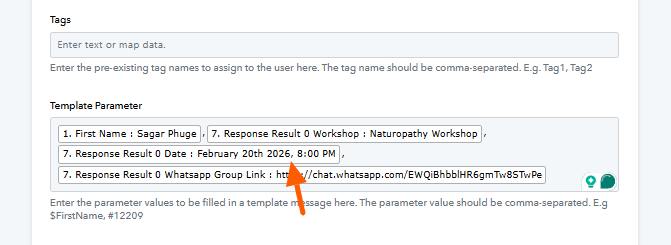
DateTime Formatter (Pabbly) → Format Date Only
This should resolve the error. Let us know once updated.
Thank you so much... issue resolved
Hello @Rachnanaishu,
Glad to be of help.
As your issue has been resolved, we’d appreciate it if you could share quick feedback on the support received:
https://forms.gle/GAjS4wdPYKuhnEYV9
Thank you for your time.
PS: We are closing this thread as the issue is resolved. Please feel free to reach out to us if you face any issues in the future.