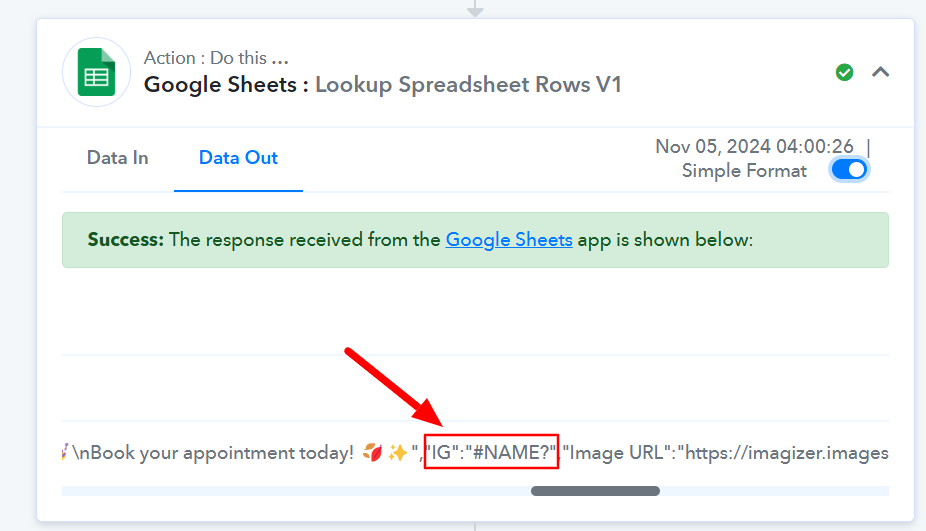
Text structure of Intargram post
Status: Open · Asked by stevenphan on · 0 views
Text structure of Intargram post. T has converted to HTML format. However, some posts are still formatted /Name. Is there any way to handle it?
Link: https://connect.pabbly.com/task/history?filter_status=applied&filter_by_workflow_id=IjU3NjYwNTZjMDYzNzA0Mzc1MjY1NTUzNDUxMzMi_pc#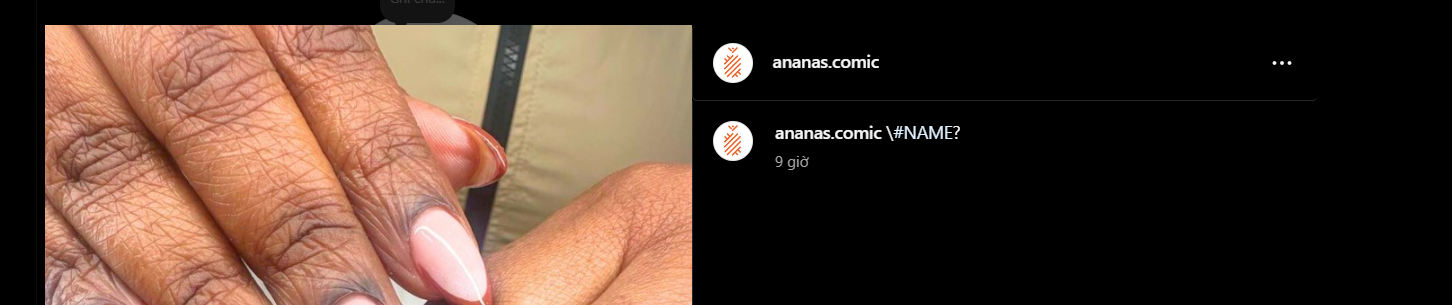
Hi @stevenphan,
Could you please share the specific Task History ID of this workflow execution?
Hi @stevenphan,Could you please share the specific Task History ID of this workflow execution?
https://connect.pabbly.com/task/history?filter_status=applied&filter_by_workflow_id=IjU3NjYwNTZjMDYzNzA0Mzc1MjY1NTUzNDUxMzMi_pc#
Please share the Task History ID of the execution. You can find it in the following way.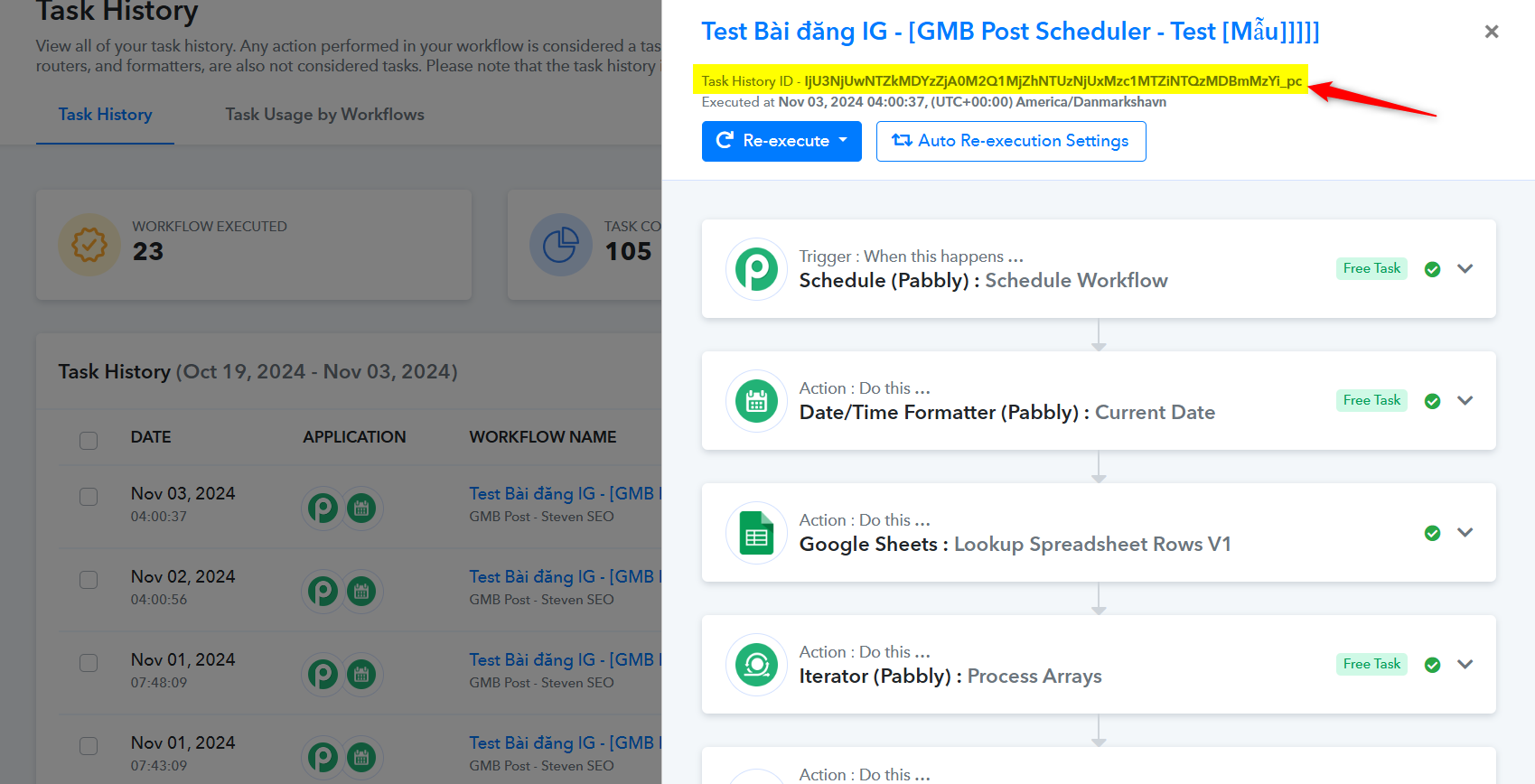
Please share the Task History ID of the execution. You can find it in the following way.
- Task History ID - IjU3NjUwNTZjMDYzNjA0MzY1MjY4NTUzYzUxM2E1MTZhNTQzNDBmMzEi_pc
Everything works fine but when I check my Instagram post I get an error \#NAME?
Hello @stevenphan
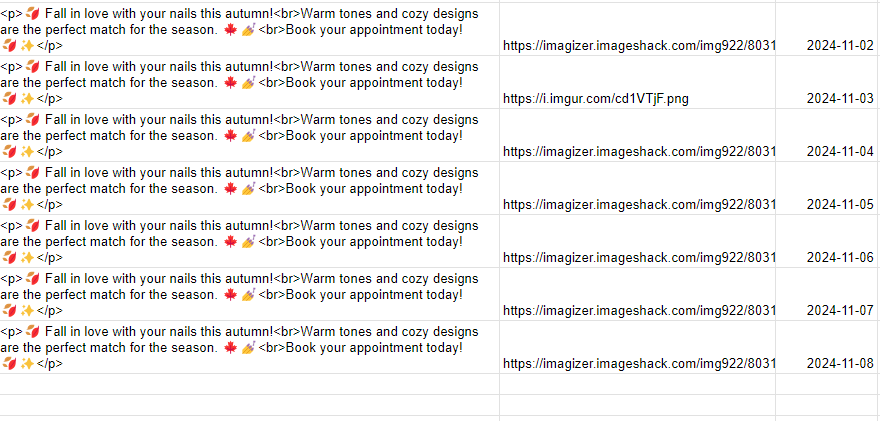
The Response received from the "Google Sheets: Lookup Spreadsheet Rows V1" brings "\#Name " instead of the HTML code, hence you are facing the issue. Kindly check if the Google Sheets has filled with the wrong details and if it is please rectify and then check if the issue persists.
In workflow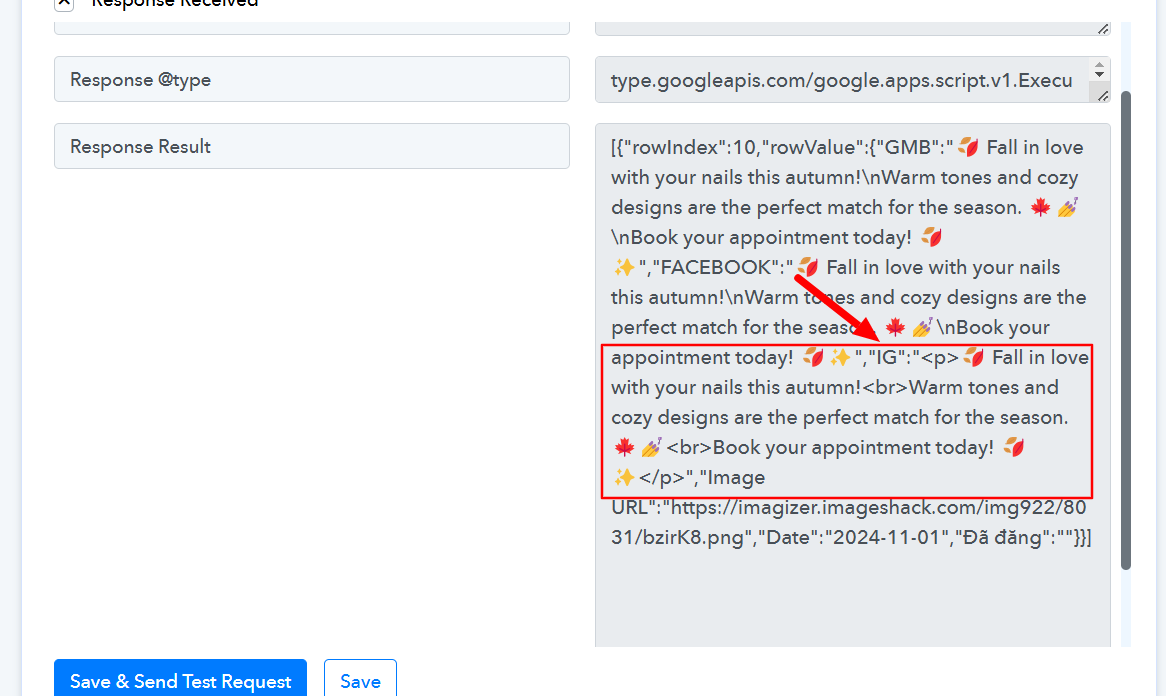
In task history