Texty formatter and date/hours
Status: Open · Asked by MarcB on · 0 views
Hello,
I would like to extract the date and times 'start date and end date) from this string : “The project will start on 10/15/2023, beginning at 9:30 and ending at 15:45”
I don't know which Action Event to use for the Text Formatter app.
Thank you
Marc
Hello @MarcB,
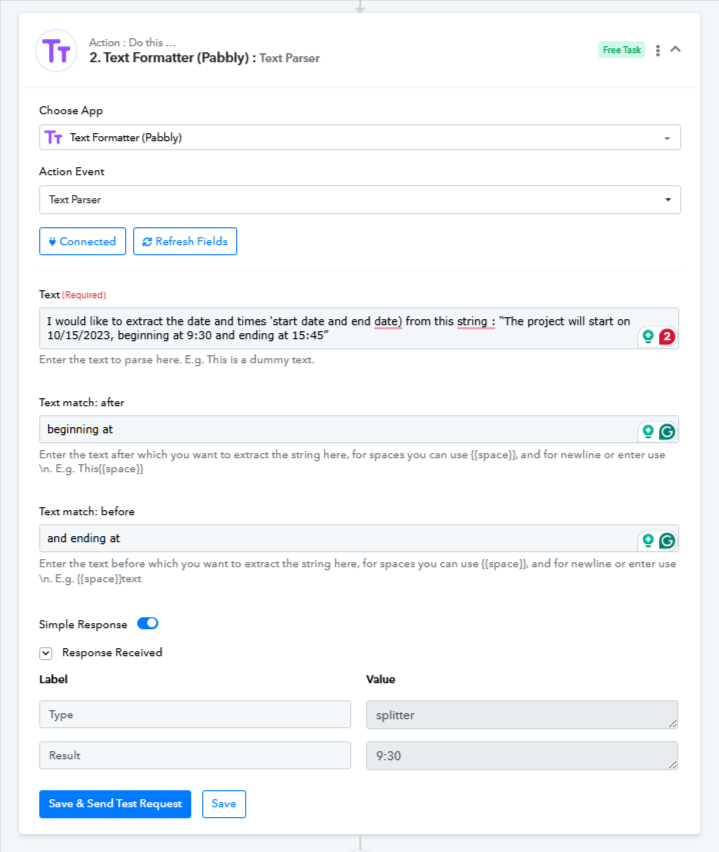
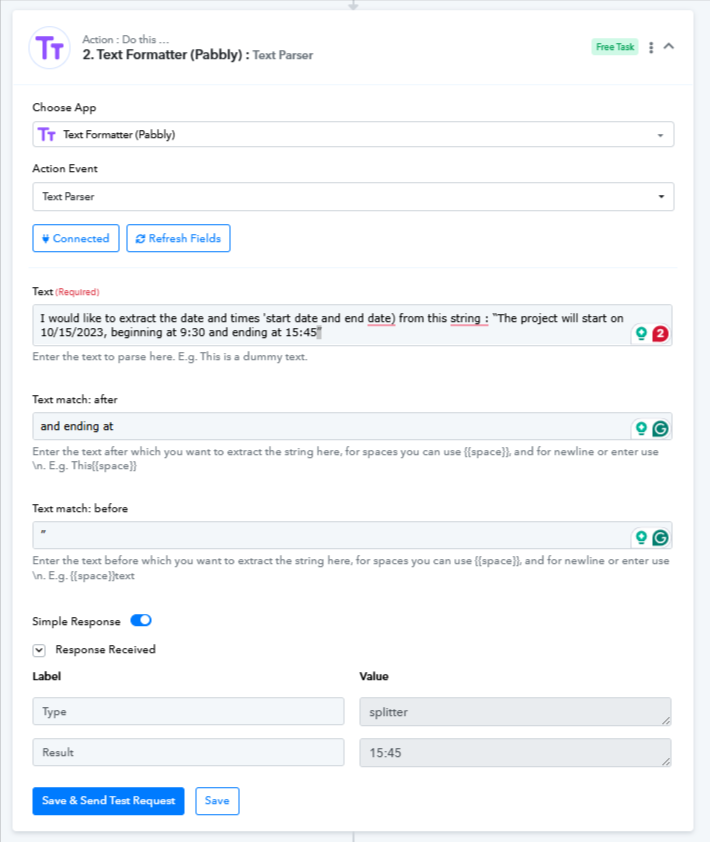
You can extract the time by configuring the text formatter as per the attached image.
Thank you for your efficient support. I didn't express myself clearly. What I would like to do is first extract the date, then the start time, and then the end time of this channel: "Cardio dance - Lundi 22/09/2025 de 20h00 à 21h00"
(this is one of the four classes I mentioned earlier and which appears on the answer sheet).
Desired result for adding the event to Google Calendar:
Start date: 2025-09-16T20:00:00
End date: 2025-09-16T21:00:00
Thank you
Hello @MarcB,
Could you please provide us with the Workflow URL associated with this concern? This will help us assist you effectively.
Hello @MarcB,
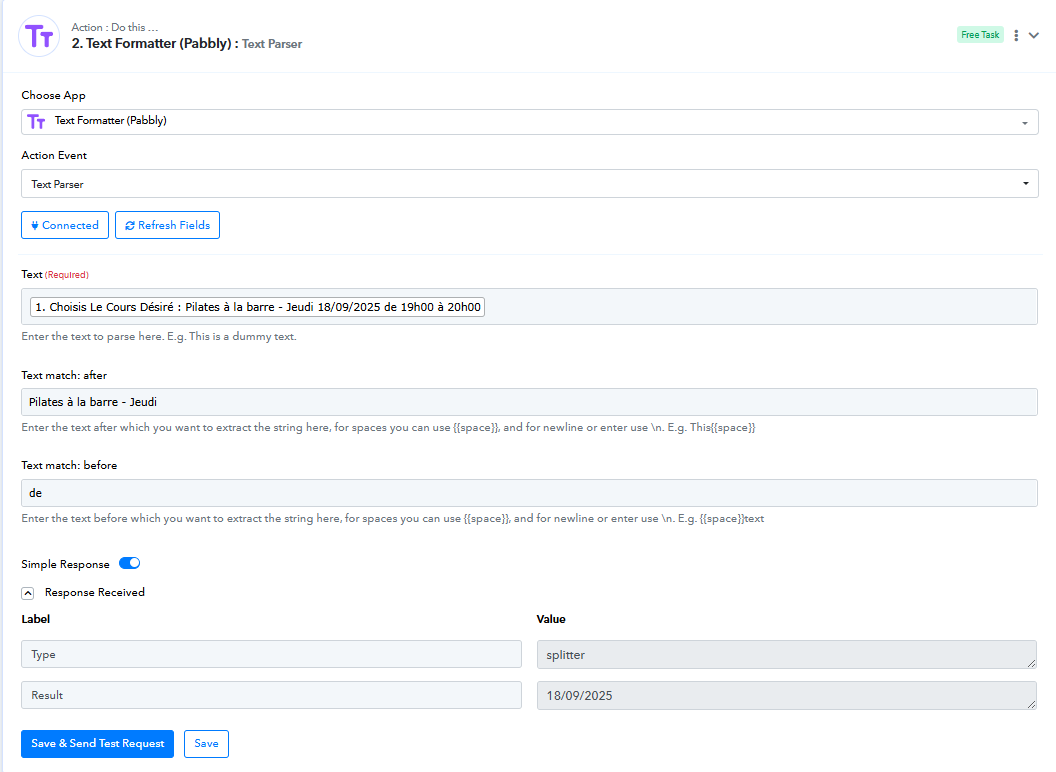
To acheive your use case extract the date as per this image,
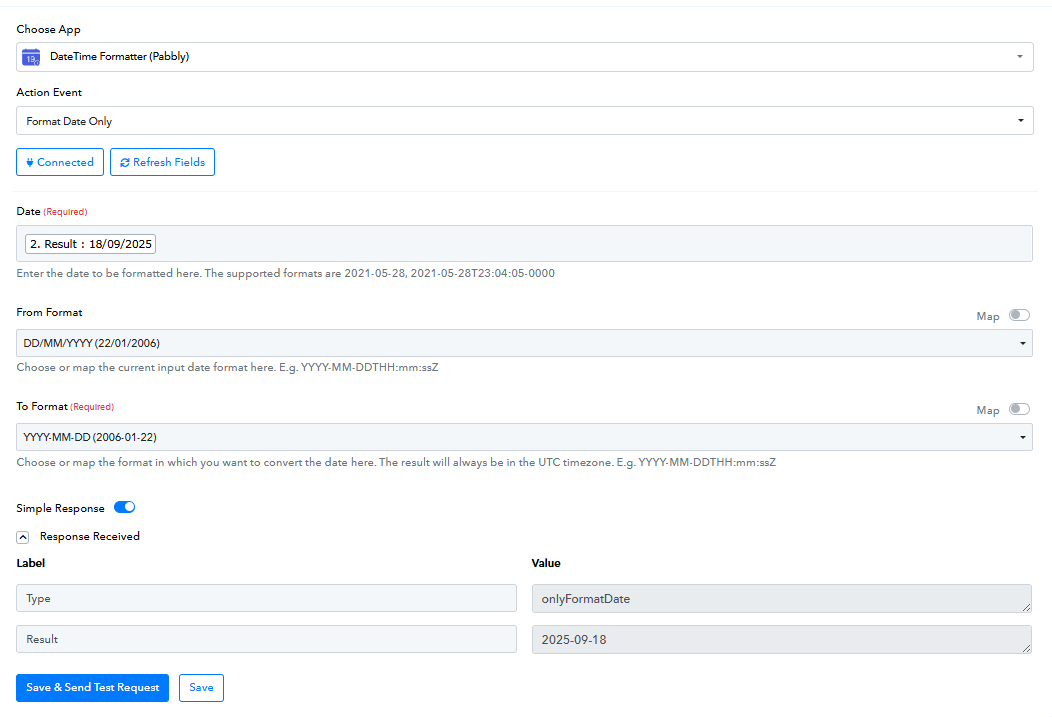
then format it as this,
Extract the time as this,
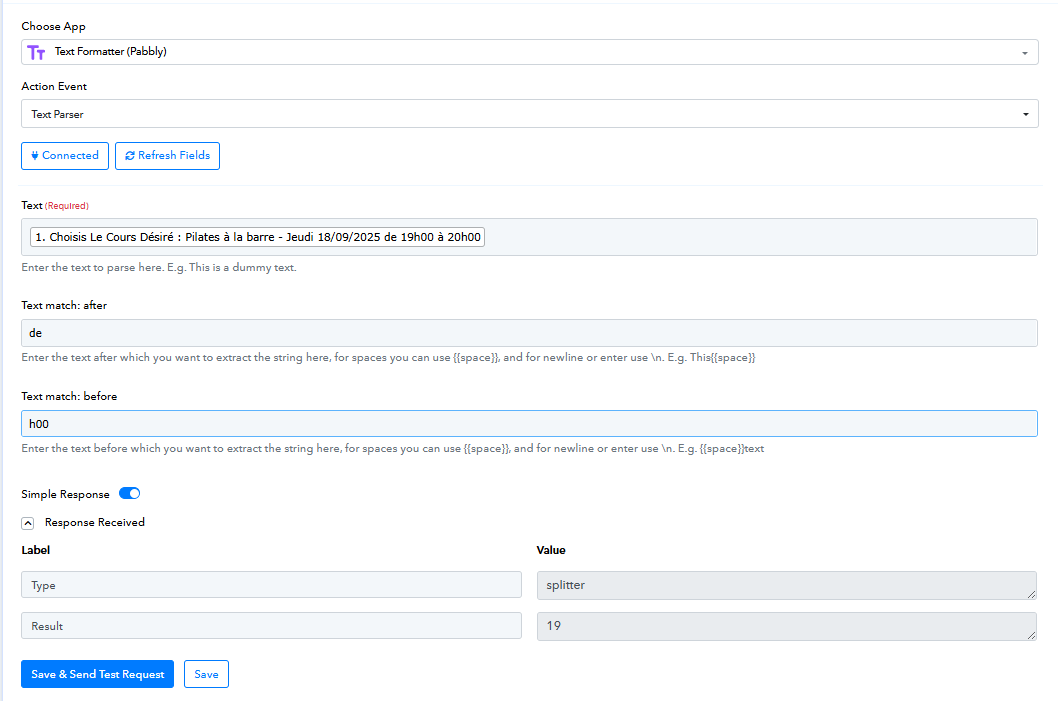
and map it at the required like this
