TG to FB Where do i get that FILE path? I wanna get the photo
Status: Open · Asked by PablyAutoad on · 0 views
Im building a bot that auto posts from Telgram to facebook page, I dont understand where I get the file path I checked on the response there's no file path. this flow worked before and stopped working please help me.
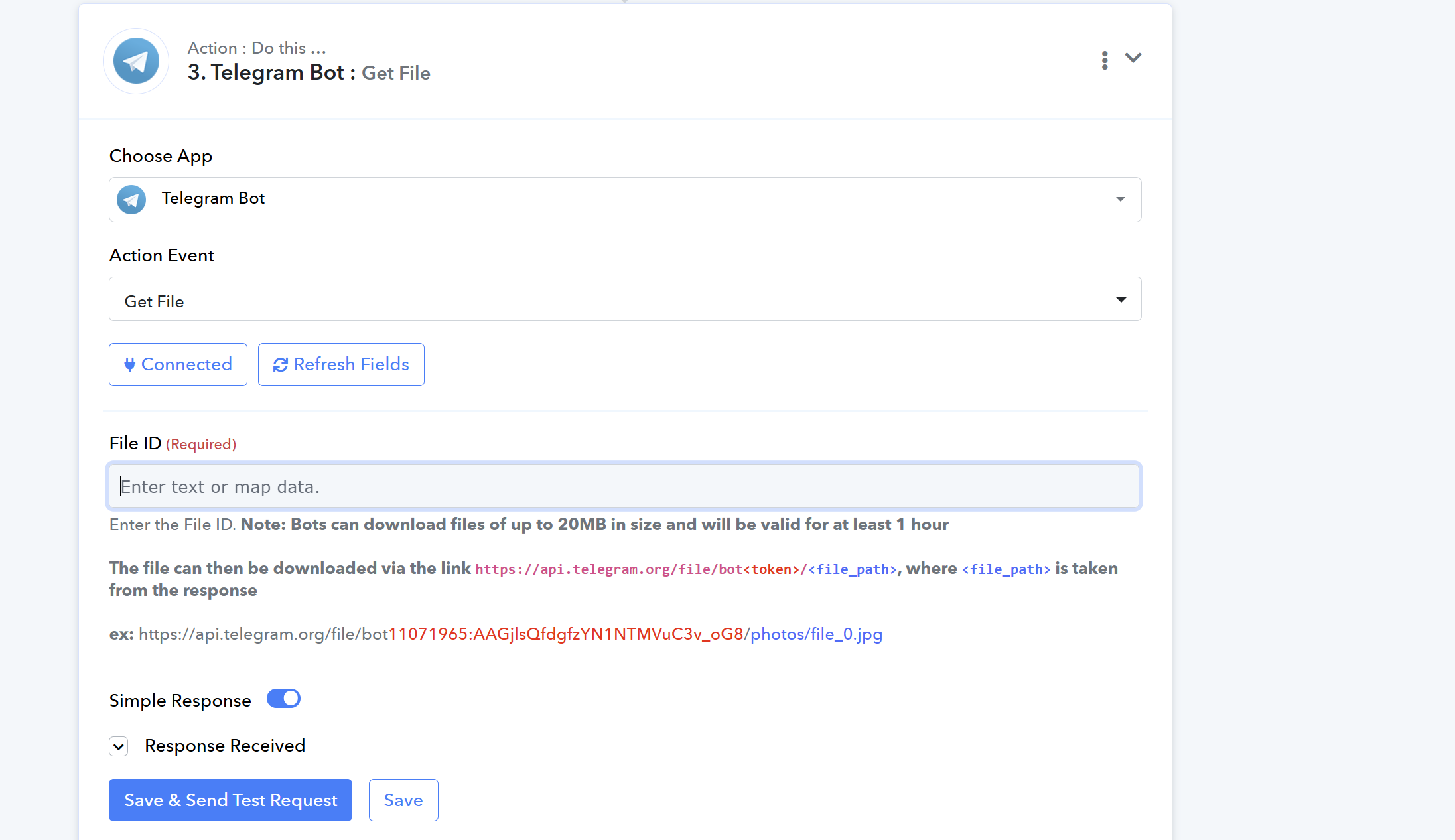
ALSO another question, how can i auto post to telegram group as well?
Hi @PablyAutoad ,
Here’s a helpful video tutorial that explains how to properly configure the Telegram: Get File action — it also shows how to retrieve the file path when posting from Telegram:
How to Post Telegram Video on YouTube | Telegram to YouTube
youtube.com/watch?v=-0U-cwK8RxU
Please follow the same process shown in the video to get the file path, which you can then use for posting to your Facebook page.
Hi @PablyAutoad ,Here’s a helpful video tutorial that explains how to properly configure the Telegram: Get File action — it also shows how to retrieve the file path when posting from Telegram:
How to Post Telegram Video on YouTube | Telegram to YouTube
youtube.com/watch?v=-0U-cwK8RxU
Please follow the same process shown in the video to get the file path, which you can then use for posting to your Facebook page.
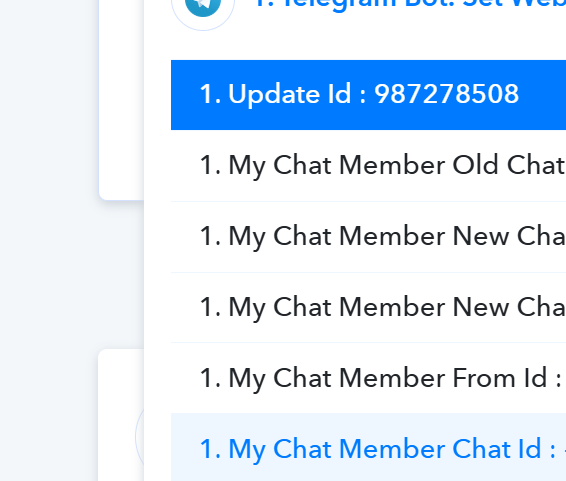
There is NO file ID
Hi @PablyAutoad,
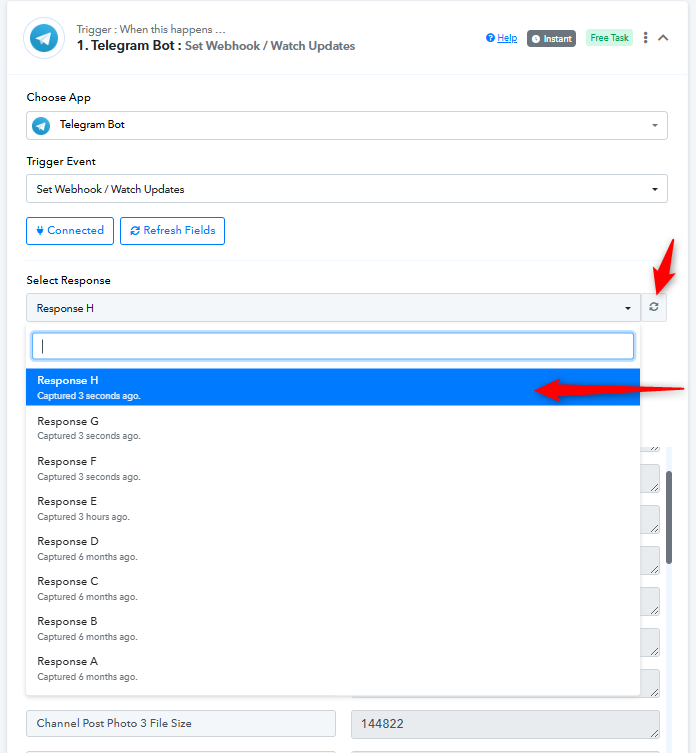
If you’re not seeing a file ID, please try refreshing the response of your Telegram trigger step and select the latest response. The file ID should be available in that latest response.
You can refer to the screenshot below for guidance on where to locate the file ID in the trigger response:
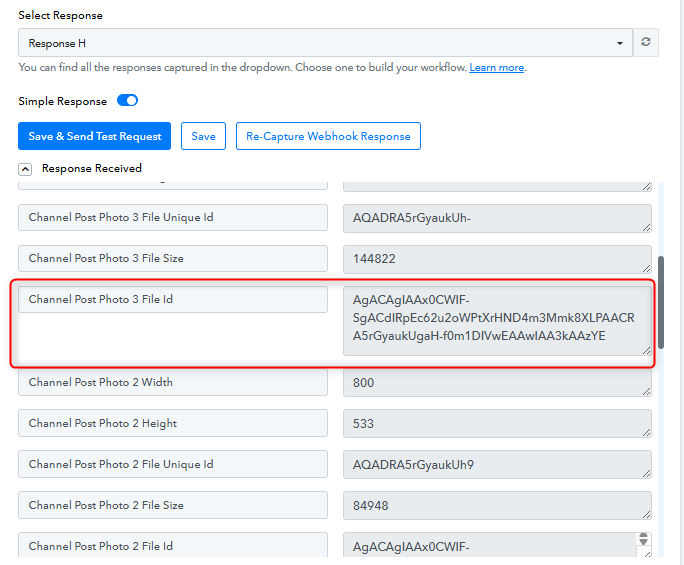
Once you have the file ID, you can proceed with the action step to post it to your Facebook page.
Hi @PablyAutoad,If you’re not seeing a file ID, please try refreshing the response of your Telegram trigger step and select the latest response. The file ID should be available in that latest response.
You can refer to the screenshot below for guidance on where to locate the file ID in the trigger response:
Once you have the file ID, you can proceed with the action step to post it to your Facebook page.
I think I fixed it now, but how can I actually test that its working? I dont see it posts anything to my fb page
Hi @PablyAutoad,
It seems the issue is with your Facebook Pages: Create Page Photo Post action step. The image URL being passed is not valid, which is why nothing is posting to your Facebook page.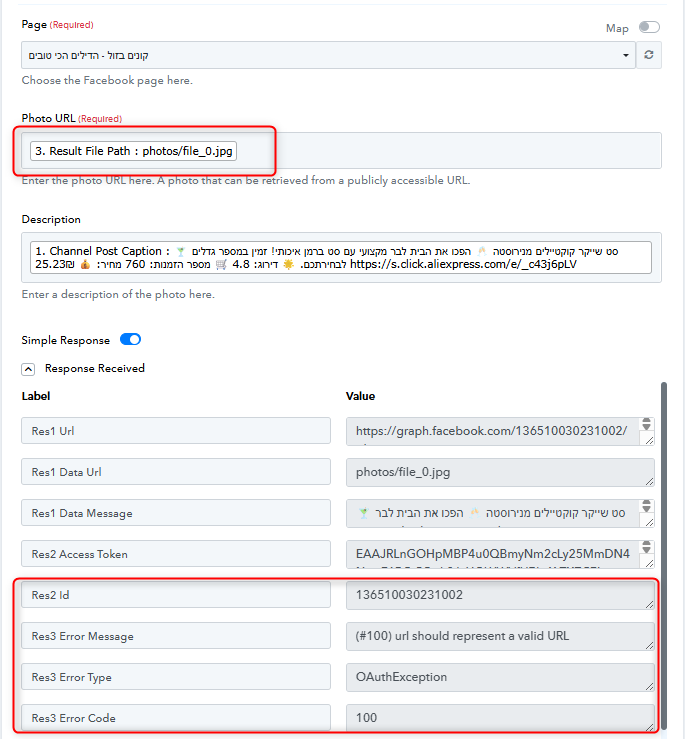
Please make sure to provide a valid URL in the Photo URL field. Once a proper URL is passed, your workflow should post successfully to your page.
Hi @PablyAutoad,It seems the issue is with your Facebook Pages: Create Page Photo Post action step. The image URL being passed is not valid, which is why nothing is posting to your Facebook page.
Please make sure to provide a valid URL in the Photo URL field. Once a proper URL is passed, your workflow should post successfully to your page.
Im a bit lost can u help me fix it? I tried somethings it doesnt work..
It says status successed but i do not see any new posts at all, PLEASe help me
Hi @PablyAutoad,
Upon checking your workflow, it appears that the Get File action of Telegram hasn’t been configured correctly. Please reconfigure it by following the video guide provided previously (or the instructions provided in the attached video). Once set up properly, you should be able to retrieve the file URL and map it in the Facebook: Create Page Photo Post action.
https://www.awesomescreenshot.com/video/46245918?key=f8245c6f741de6c32e2b2134a2d07df5
Let us know how it goes after making the changes.
Hi @PablyAutoad,Upon checking your workflow, it appears that the Get File action of Telegram hasn’t been configured correctly. Please reconfigure it by following the video guide provided previously (or the instructions provided in the attached video). Once set up properly, you should be able to retrieve the file URL and map it in the Facebook: Create Page Photo Post action.
https://www.awesomescreenshot.com/video/46245918?key=f8245c6f741de6c32e2b2134a2d07df5
Let us know how it goes after making the changes.
I tried MULTIPLE times nothing work can u access and try??
Hello @PablyAutoad,
We have reviewed the task history of your workflow “TG to FB” and noticed that the error is coming from the Facebook Pages: Create Page Photo Post step. The issue appears to be related to an authentication error.
To resolve this, please create a new connection between Facebook and Pabbly Connect, then run the workflow again to test it.
Once done, kindly let us know if the issue still persists so we can investigate further.