The application processed the request but returned a blank response. Refer to the HTTP status code above for details. 201 STATUS.
Status: Open · Asked by missmel06 on · 0 views
Hi there,
I'm having some error issues, even though it's retrieving the right content from WordPress. When attempting to post to LinkedIn Business and GBP, it comes up with the above error.
Any help would be great.
Hi @missmel06,
The image URL you are receiving from the WordPress trigger step is not a direct image URL; instead, it redirects to a webpage. This appears to be the reason for the error you are encountering.
https://drive.google.com/file/d/1qLYhXNWLfYOpPxlHIVmlF5xOOu2M3xWO/view?usp=sharing
We suggest adding the “Search a Post by ID” action as Step 2 in your workflow and checking whether it provides the direct image URL.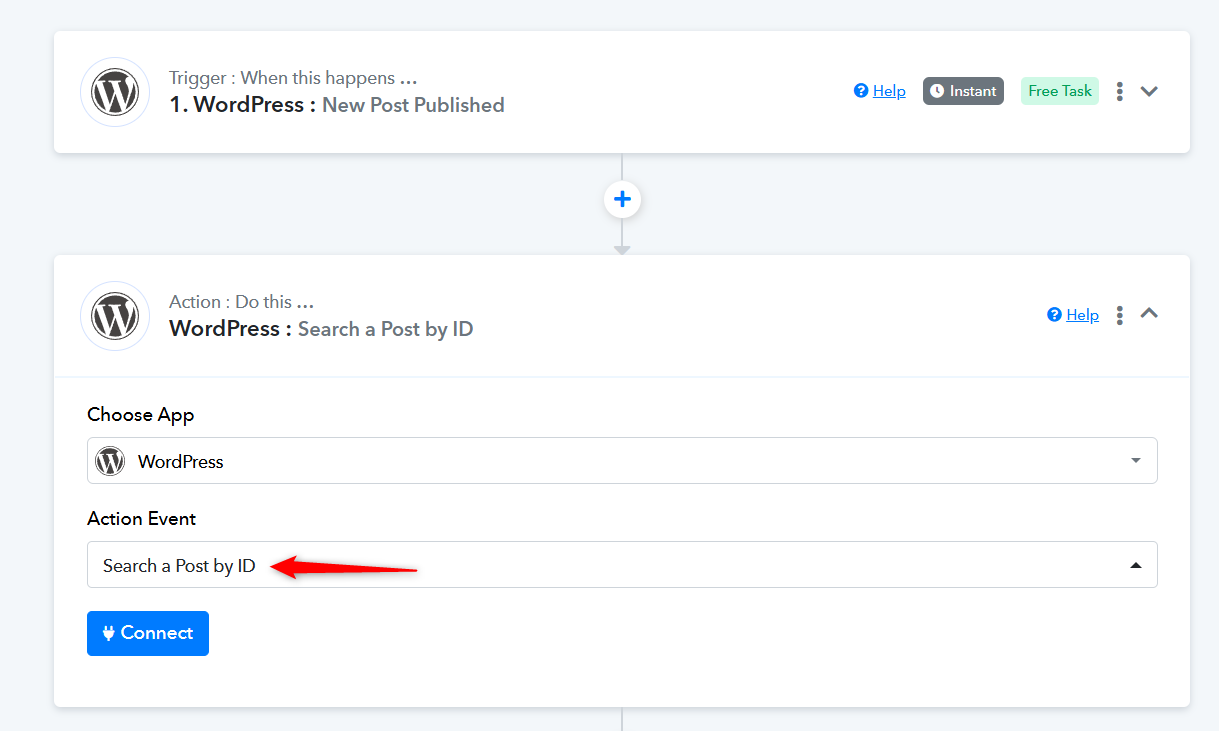
Please watch the video shared below to understand how to establish a new connection with your WordPress account in the action step. You can ignore the action event used in the video, as only the connection setup process is relevant for your use case.
youtube.com/watch?v=GGu82EidSN0:848
Thanks & Regards,
Arshil Ahmad
Customer Support Associate
? Pabbly.com
?Rate your support
Hi slope game,I'm having some error issues, even though it's retrieving the right content from WordPress. When attempting to post to LinkedIn Business and GBP, it comes up with the above error.
Any help would be great.
It looks like the issue is related to the image URL you’re receiving from the WordPress trigger step. It redirects to a webpage instead of providing a direct image URL, which is causing the error.