The application processed the request but returned a blank response. Refer to the HTTP status code above for details.
Status: Closed · Asked by Creditdusters on · 0 views
Hey! I'm trying to work out a connection between Pabbly and CRC with this xml value:
https://app.creditrepaircloud.com/api/lead/insertRecord?apiauthkey=nqCdpqOkzLC/scyun7rMwJ+unw==&secretkey=DAC94D47142E430A0F70117947BCBC6C&xmlData= Client 1. First Name : Vicente 1. Last Name : Lemus
And it's returning this error: The application processed the request but returned a blank response. Refer to the HTTP status code above for details.
I've tried a lot of stuff and it's the same. Is there any guidance on this?
Hi @Creditdusters,
Could you please share the cURL command and the API documentation of the endpoint you are trying to execute? Also, share the Workflow URL where you are experiencing this issue.
Hi @Creditdusters,Could you please share the cURL command and the API documentation of the endpoint you are trying to execute? Also, share the Workflow URL where you are experiencing this issue.
Sure!
Here is the CRC API documentation: https://app.creditrepaircloud.com/webapi/examples
The one we are trying to use is the number 1. Insert record.
Here is the workflow URL https://connect.pabbly.com/workflow/mapping/IjU3NjYwNTY5MDYzNzA0MzE1MjZlNTUzNTUxM2Ii_pc
Hello @Creditdusters,
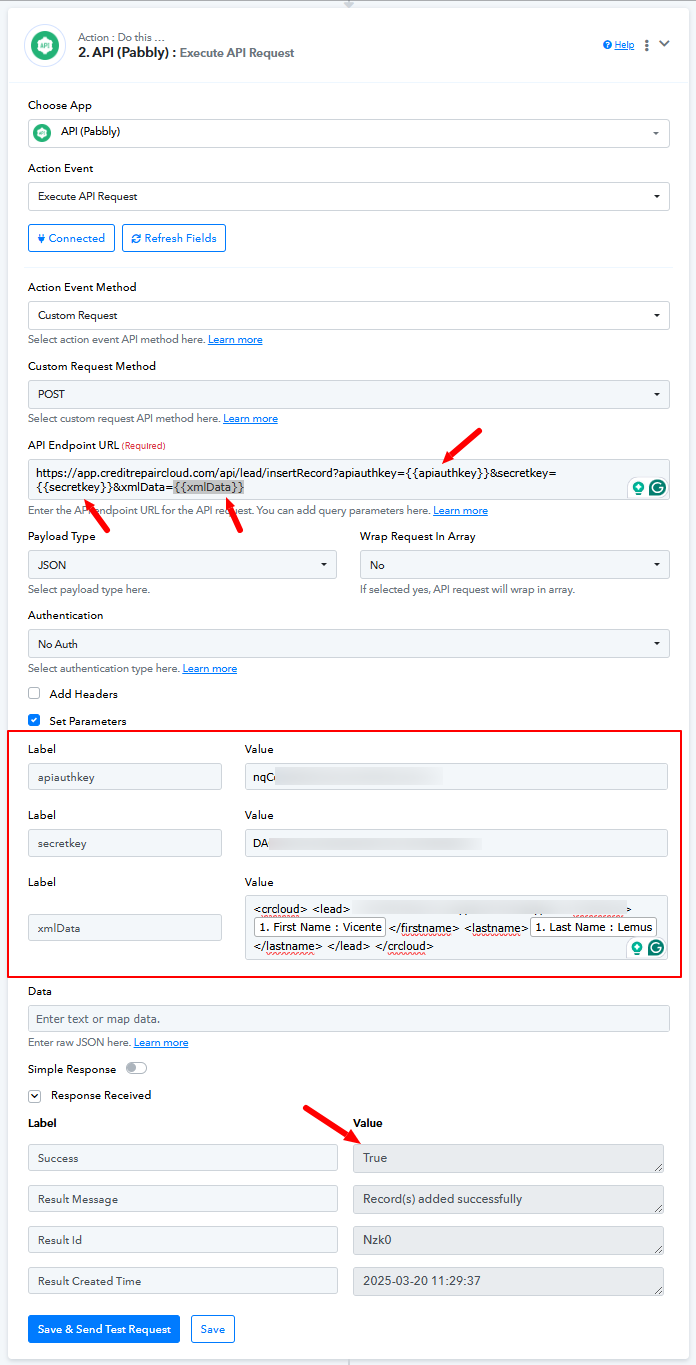
We have made a few changes to your API by Pabbly action and it seems to be working fine now, refer to the attached image for more info. You can add the XMLdata fields if required.
Thank you! This worked on test mode and that's awesome but now we are getting this error with live contacts
Based on your Task History, we can see that the key associated with the postal code received in your trigger step has changed from 'Postal Code' to 'Location PostalCode', which is why it is not being mapped to the API (Pabbly) action step, resulting in this error.
https://drive.google.com/file/d/1q8Yl3VXm_cd_Y7V5R8wP9Nk3C--t76FB/view?usp=sharing
To fix this issue, please click on the 'Re-Capture Webhook Response' button in your trigger step and wait for a live contact to be captured. This will provide the key 'Location PostalCode' in your trigger step. You can then map this key to the API (Pabbly) action step, to ensure it is recognized when the automation runs.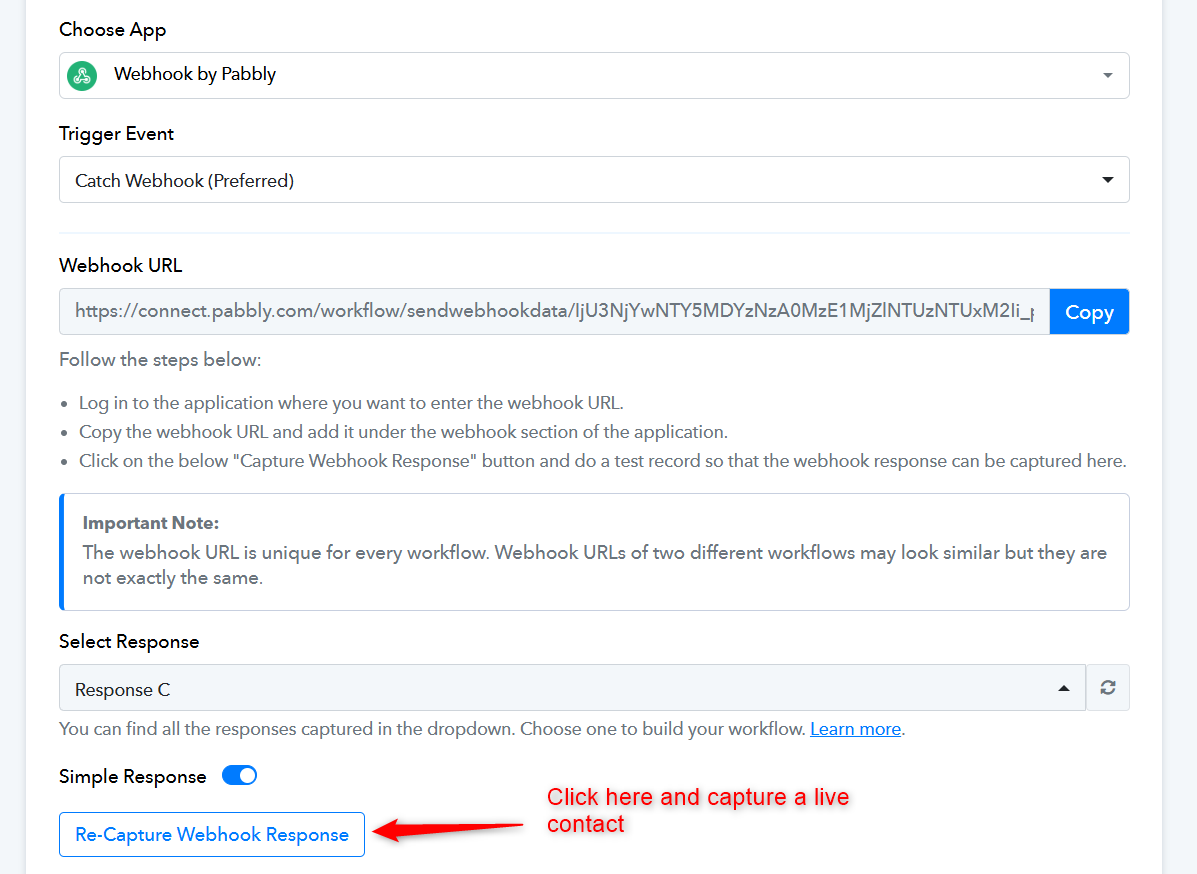
It's corrected and working. Thank you! This was really helpful
Thank you for the update. We are glad its working now.