Thrivecart to Heartbeat Not Working
Status: Open · Asked by Chris MeaD MeaD on · 0 views
Hello,
I have an automation that is not working. The automation is as follows:
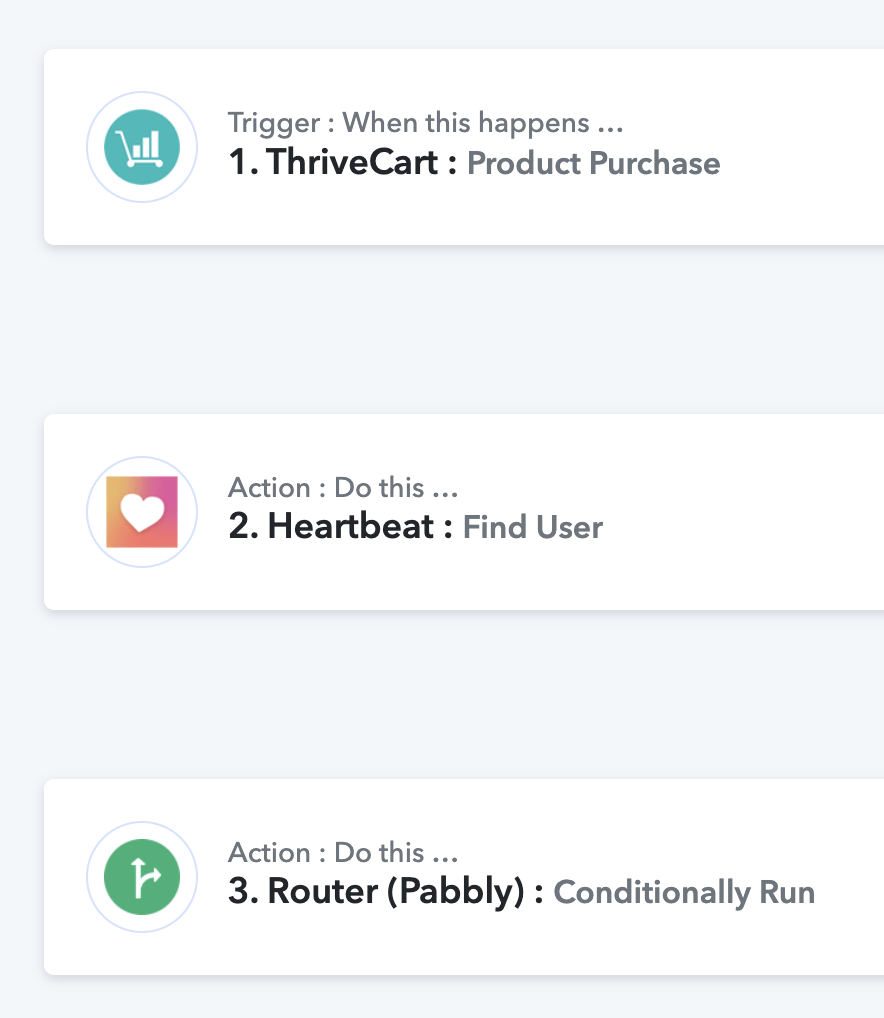
It is not working for either router condition "user exists" and "user doesn't exist" - I'm not sure what has gone wrong but this is a live cart and I am having to manually add members right now. Any help is appreciated.
Hi @cmead,
Could you please share the Workflow URL where you have this concern?
Hi @ArshilAhmad - here is the workflow link
Based on your Task History, your workflow appears to be functioning as expected. Have there been any new purchases that did not trigger the workflow?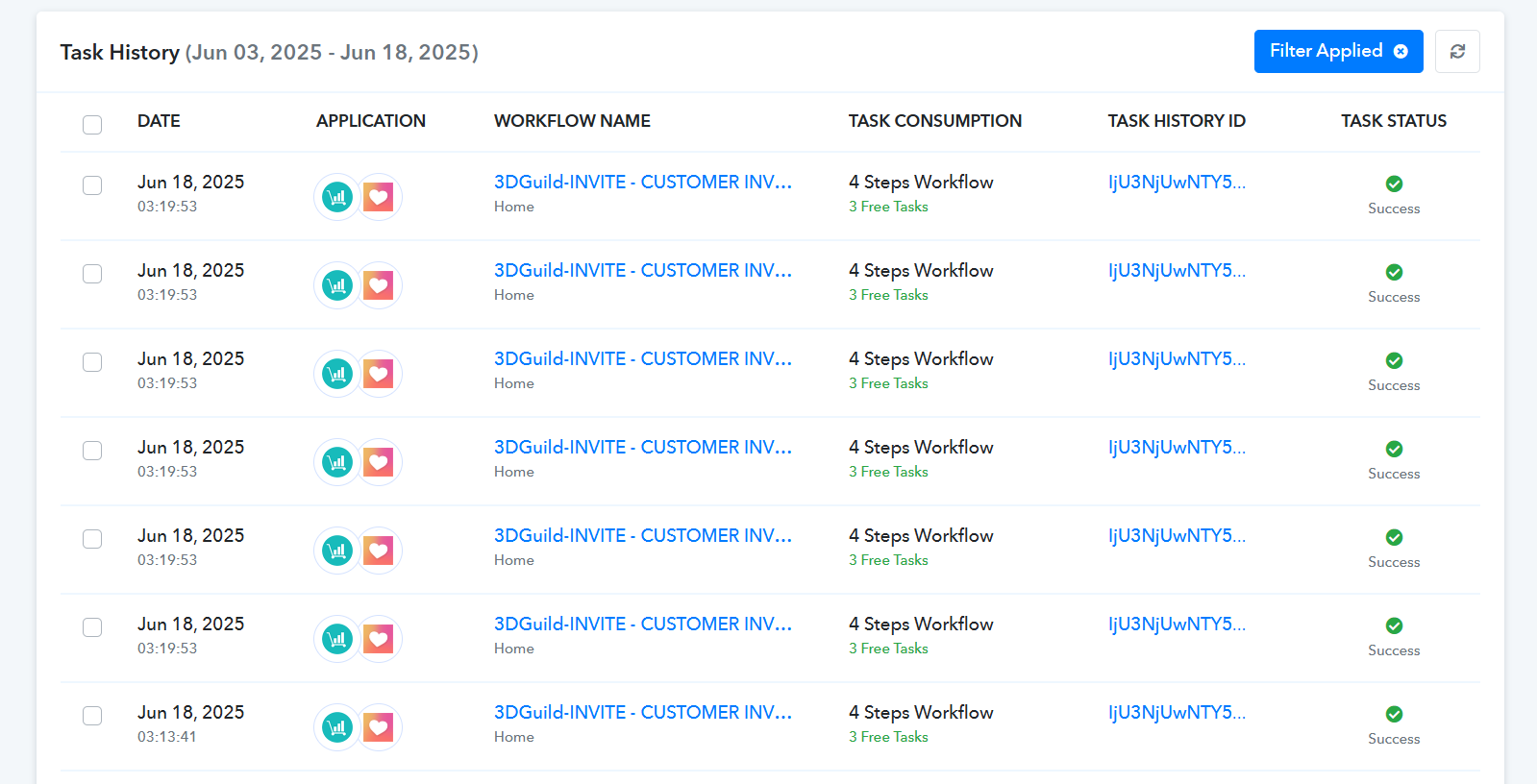
Based on your Task History, your workflow appears to be functioning as expected. Have there been any new purchases that did not trigger the workflow?
Thank you for looking into this. Yes, we had an order in Thrivecart today and the customer is not in Heartbeat but the "create user" task did not work.
Thank you for the confirmation. If the new order hasn't triggered your workflow (i.e., it doesn't appear in your Task History), please create a new connection with your ThriveCart account, click on 'Save & Send Test Request', and wait for a new order to be captured in the trigger step of your workflow (note: it won't be added to Heartbeat). Then, without clicking anywhere, wait for another order to be captured—this one should trigger the automation and appear in Heartbeat.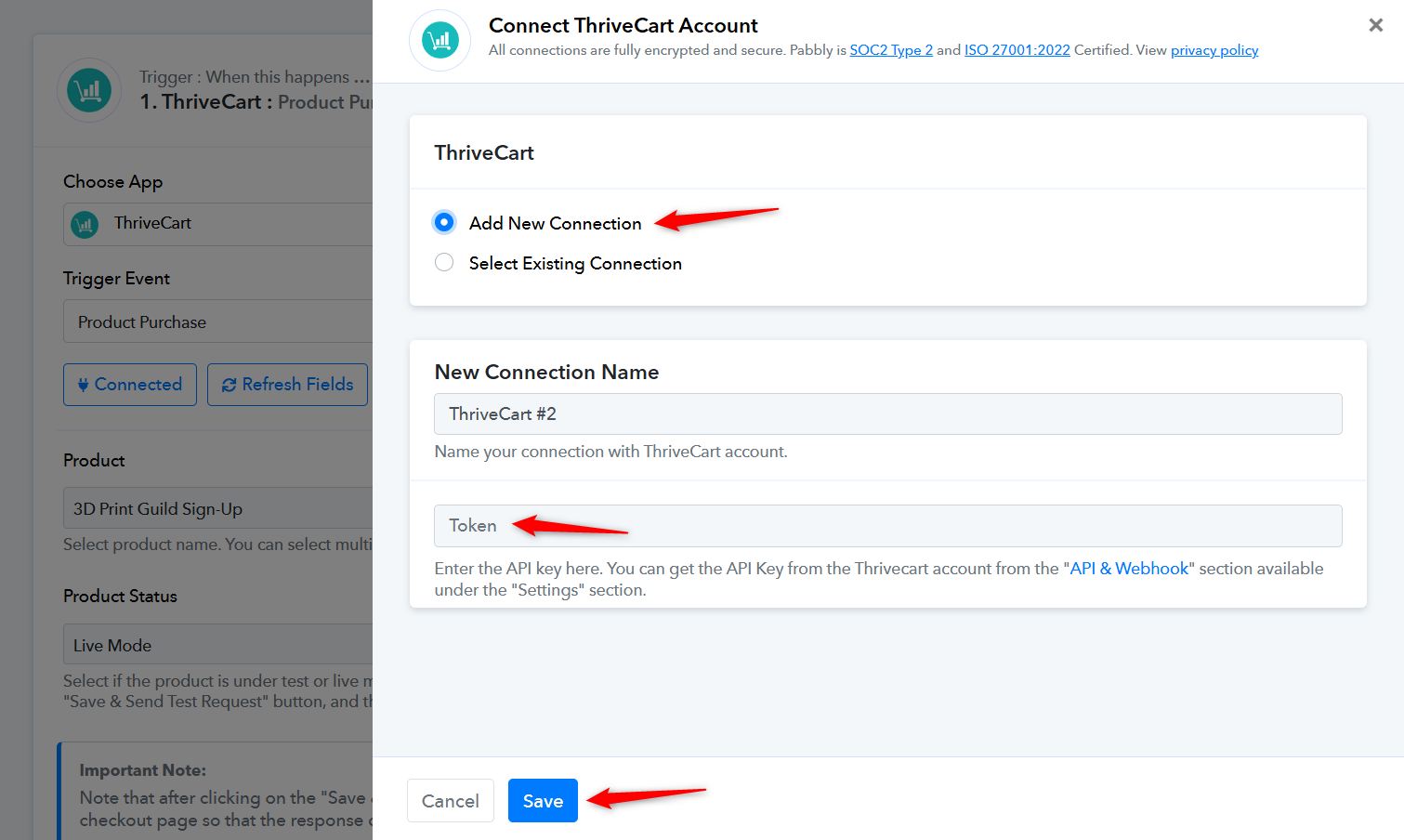
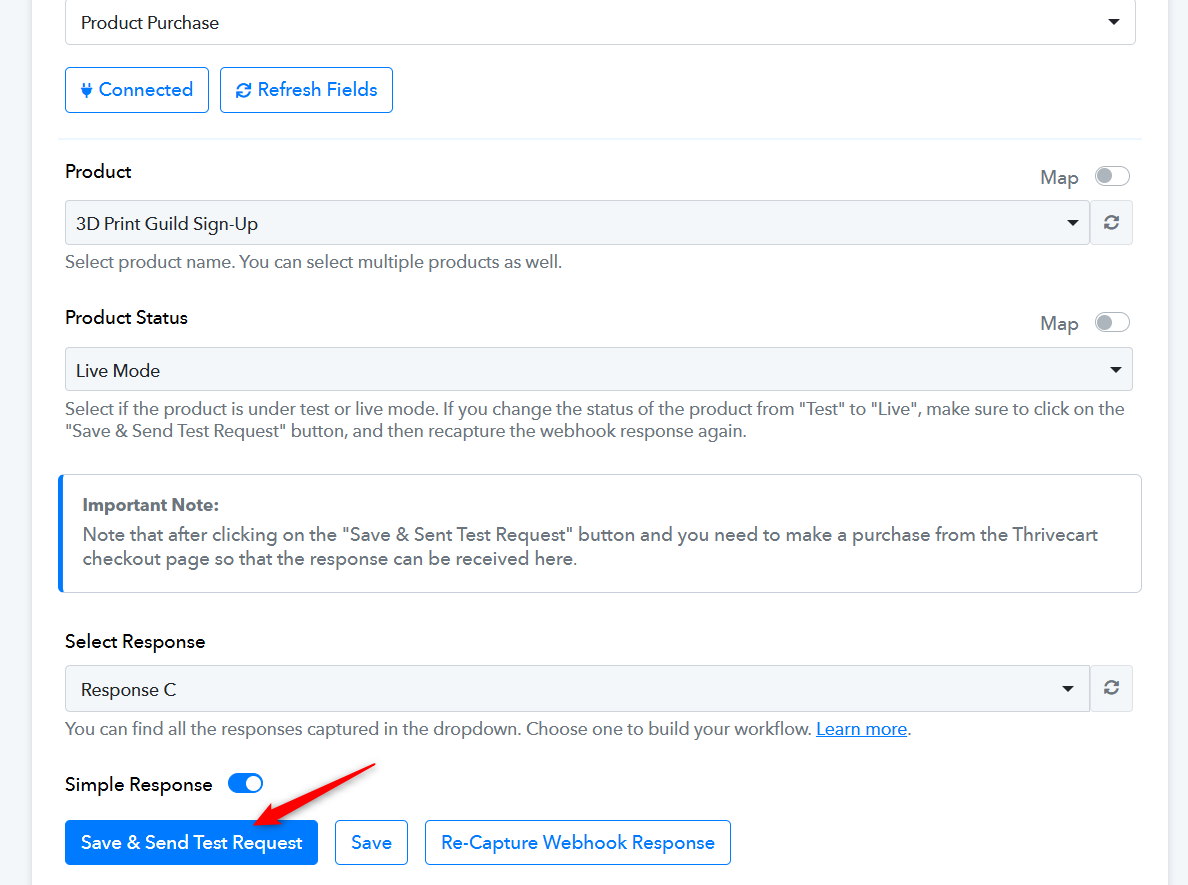
@ArshilAhmad thank you. I only had one order today June 18 and when I look at the tasks there are multiple for the same date and time. There are multiple for June 18 2:58pm, June 18 3:13pm, and June 18 3:19pm for a total of 18 times this entire workflow was run around the time of the single order. When I click on them the task flow, everything is the same for all the tasks. Is that normal? This doesn't seem right to me. The other tasks I have set up execute one time. I really need this workflow to work.
Hello @cmead,
Thank you for the detailed information.
Upon checking, we noticed that a few of the task history entries are related to the same product. Since this workflow is triggered via a POST webhook, multiple executions occur because the trigger application (ThriveCart) sends repeated webhook responses.
We recommend reaching out to the ThriveCart support team to inquire about this behavior. Specifically, ask them if they can share the webhook log details for the mentioned timestamps, this will help verify whether multiple responses were indeed sent from their end.
Please keep us updated on what you hear from them, and feel free to share any receipts or logs they provide so we can assist you further based on their findings.
@Preeti Paryani thank you for the help. I have submitted a support request to Thrivecart for the information you suggested. I have gotten two new orders and neither order triggered the Pabbly workflow. Upon further investigation, the workflows I mentioned above for June 18 were all the test requests I was sending. The workflow has not triggered at all for any real customers.
Thank you for the confirmation. If the new order hasn't triggered your workflow (i.e., it doesn't appear in your Task History), please create a new connection with your ThriveCart account, click on 'Save & Send Test Request', and wait for a new order to be captured in the trigger step of your workflow (note: it won't be added to Heartbeat). Then, without clicking anywhere, wait for another order to be captured—this one should trigger the automation and appear in Heartbeat.
We suggest disabling your original workflow, then cloning it. Enable the new workflow and follow the steps mentioned above to set up ThriveCart as your trigger step. Select 'Product Status' as 'Live Mode', make sure to click the 'Save & Send Test Request' button only once, and wait for a real purchase to be captured in your trigger step.
@ArshilAhmad thank you. I have cloned the original workflow and connected Thrivecart as mentioned above. I am getting a warning pop up when I click save and send test request that says: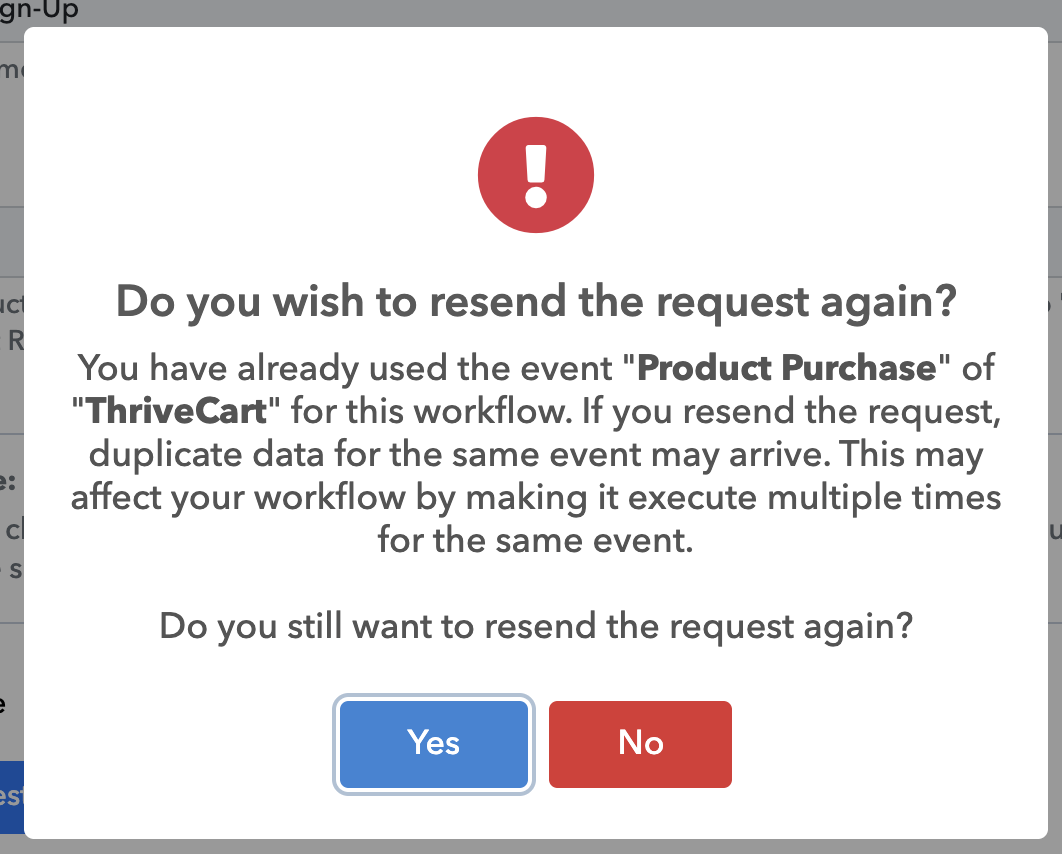
Should I press yes?
@ArshilAhmad thank you. I have cloned the original workflow and connected Thrivecart as mentioned above. I am getting a warning pop up when I click save and send test request that says:Should I press yes?
Yes, you can click it once. Just make sure not to click it again after a new response has been captured in your ThriveCart trigger step.
@ArshilAhmad what do I do after a real purchase has been captured? Do I need to go to the following action steps in the workflow and map that response? Or do I just leave it alone? Thank you for all your help with this.
Remapping may not be necessary, as the data will mostly remain the same. However, if you find any fields that require it, you can go ahead and remap them.
@ArshilAhmad it's working now! The workflow is now working for both "user exists" and "user doesn't exist" and I have had both types of members successfully sign up and get tagged properly. Thanks so much for all your help. This one had me losing sleep!
Thank you for the update. We are glad the issue is fixed now. We’d love to hear your feedback, and it would mean a lot if you could leave us a quick review on Google.