thumbnails from google sheet to YouTube - API error ?
Status: Open · Asked by ilan316 on · 0 views
Uploading thumbnails from Google sheet to YouTube.
After a few successful uploads, I received the following error. (see attachment)
what should i do? how can i continue ?
Hi @ilan316,
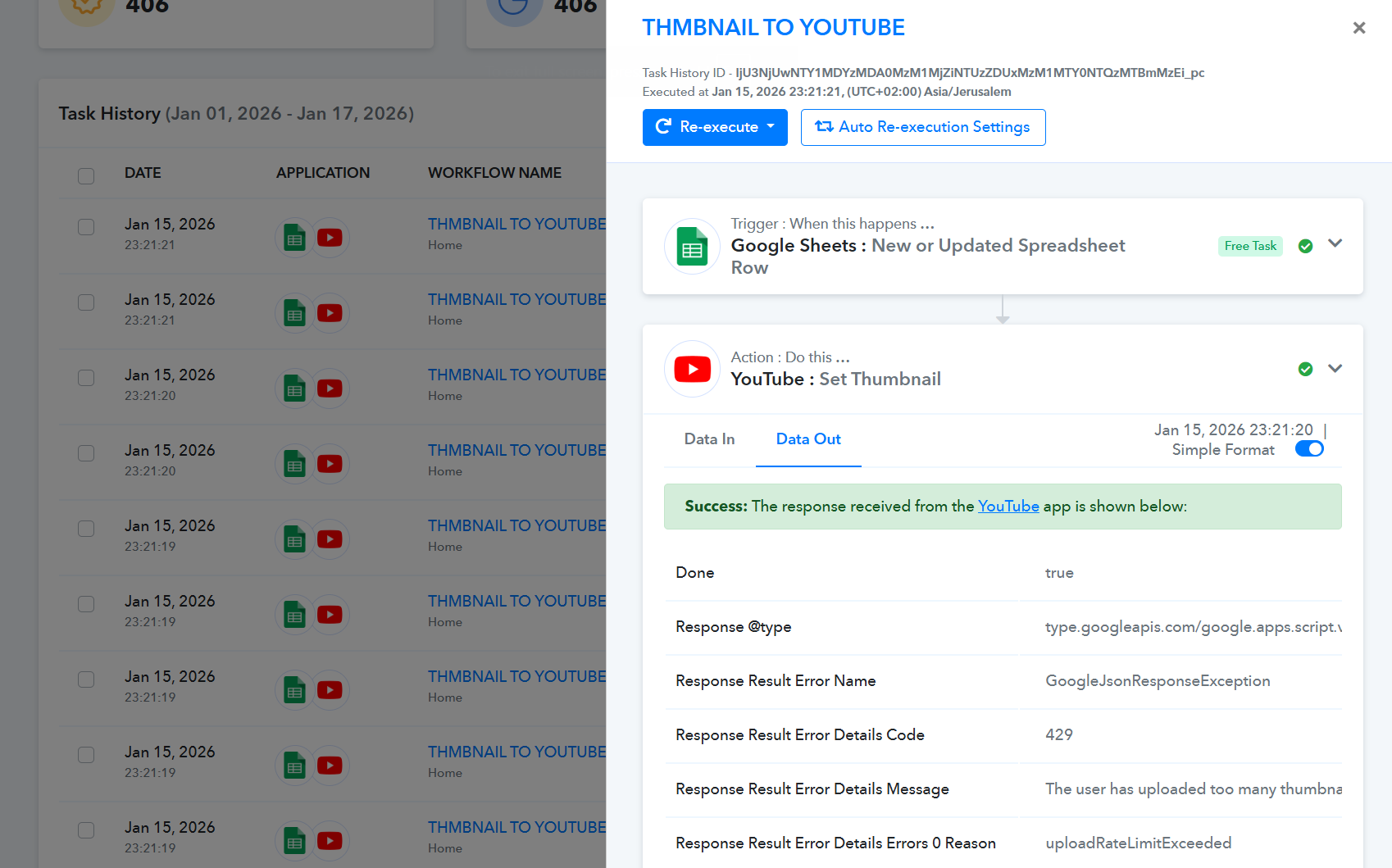
Thanks for reaching out to us. Upon checking the task history details, it seems you have uploaded too many YouTube thumbnails in a short period of time, due to which you have hit the thumbnail upload rate limit.
That’s why you are getting the HTTP 429 error (uploadRateLimitExceeded).
In this case, we request you to wait for some time and try again later. Once the limit resets, you should be able to upload and set the thumbnail successfully.
What does this mean? Can you tell me the time? hours/days/weeks ?
I tried again after 12 hours and still received the error.
Can you increase my limit?
What is the current limit?
Hi @ilan316,
YouTube doesn’t provide an exact “reset time” for the uploadRateLimitExceeded (HTTP 429) thumbnail limit, so unfortunately we cannot know the precise time when it will reset for your channel.
What you can do is:
- Retry after 30–60 minutes
- If it still fails, try again after 12–24 hours (most cases resolve within this window)
Cant you increase my limit?
Hi @ilan316,
The YouTube thumbnail upload rate limit is not managed from our end. This limit is completely controlled by YouTube, and Pabbly Connect is only using the YouTube API to perform the thumbnail upload.
So, unfortunately, we cannot increase the limit from our side. If you want to check whether the limit can be increased, you will need to reach out to YouTube Support directly.
Yes, can you check
Hi @ilan316,
Could you please clarify what exactly you want us to check from our end?
As mentioned in our previous reply, the thumbnail upload limit is controlled by YouTube, and it cannot be increased or verified from Pabbly’s side. To check the limit details or request an increase, you will need to contact YouTube Support.
Pabbly needs to check this, not me.
The workflow is connected to Pabbly, and the YouTube API is also connected through Pabbly.
Regardless, I also looked for this feature but couldn’t find it: is there an option to export a report showing which thumbnails were not updated due to the API error?
Pabbly needs to check this, not me.
The workflow is connected to Pabbly, and the YouTube API is also connected through Pabbly.
As mentioned previously, the rate limit is imposed by YouTube and is specific to your account. Pabbly Connect acts only as a mediator that allows you to access the YouTube API. Since the rate limit is enforced on YouTube’s end, we cannot control or increase it from our side.
https://developers.google.com/youtube/v3/getting-started#quota
You may get in touch with YouTube’s support team to request a quota increase.
Regardless, I also looked for this feature but couldn’t find it: is there an option to export a report showing which thumbnails were not updated due to the API error?
Currently, we don't have any action event in YouTube action step which could help you find this information.
Thanks & Regards,
Arshil Ahmad
Customer Support Associate
? Pabbly.com
?Rate your support
Currently, we don't have any action event in YouTube action step which could help you find this information.
To your best knowledge, how can i find out which of thumbnails been failed resulting the error?
You can navigate to the Task History.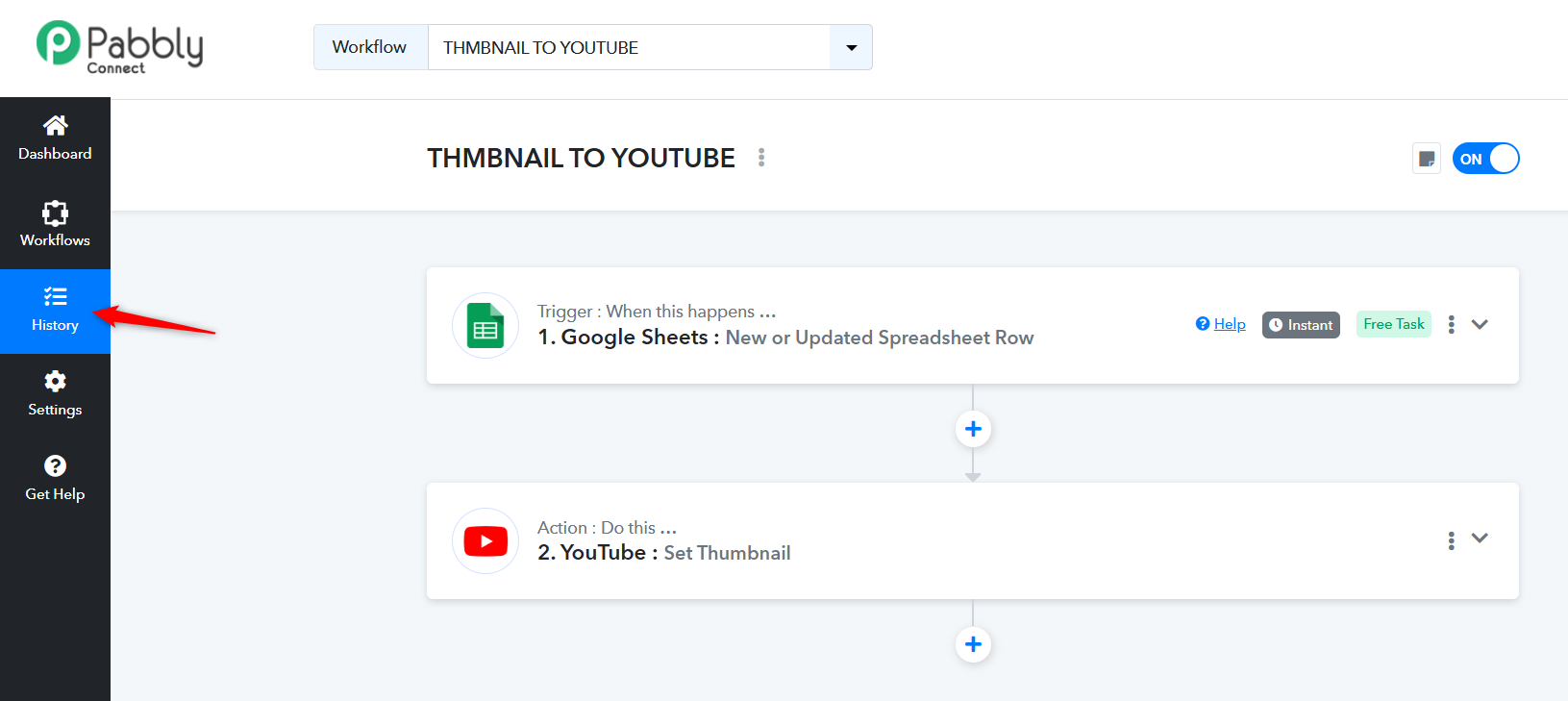
Then click on the Filter step. In the Task Data field, enter 'uploadRateLimitExceeded' and apply the filter. This will give you a list of all the thumbnails where you encountered this issue. The data is for the past 15 days.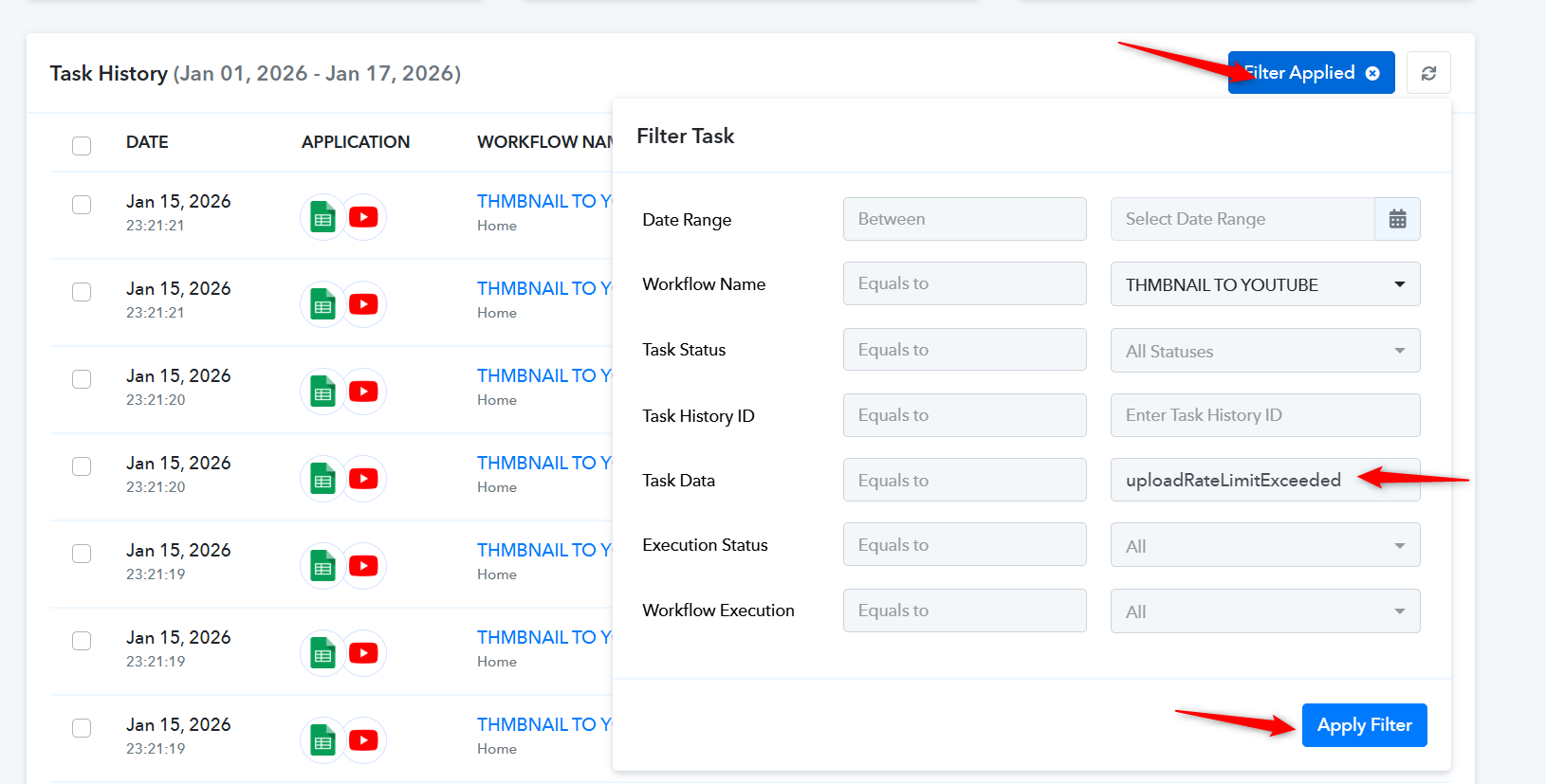
You can then access each task individually and check the details of the thumbnail that failed.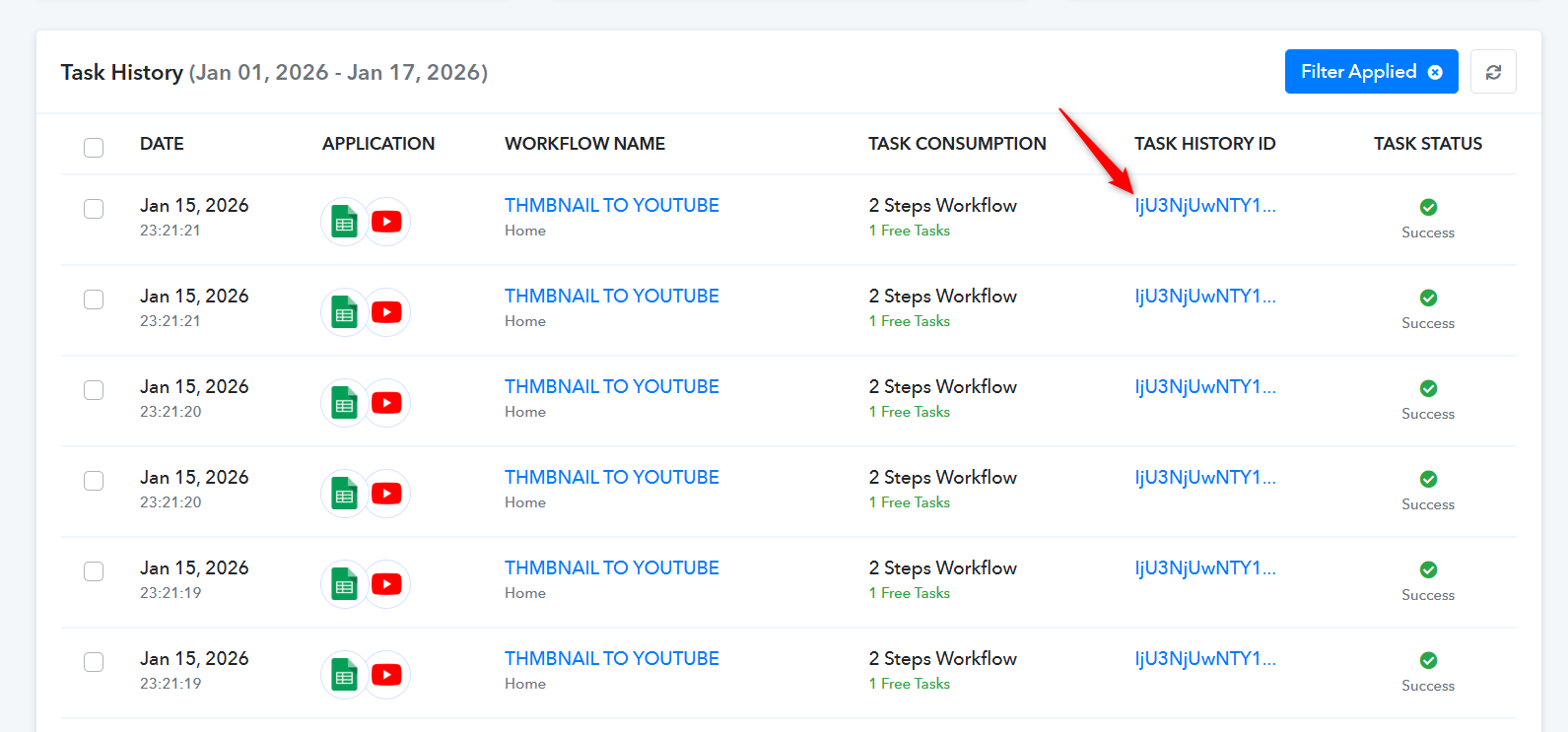
Thanks & Regards,
Arshil Ahmad
Customer Support Associate
? Pabbly.com
?Rate your support