Ticktick today date
Status: Closed · Asked by antlen on · 0 views
I'm using pabbly connect to create a task in ticktick. I have managed to assign the task to the correct list but I can't figure out how to have the due date auto-imported as "today". Can anyone help?
Hello @antlen,
The date you mapped in the Due Date field is not in the required format.
Please open the Current Date step → turn Map ON → paste the exact format shown in the help text:
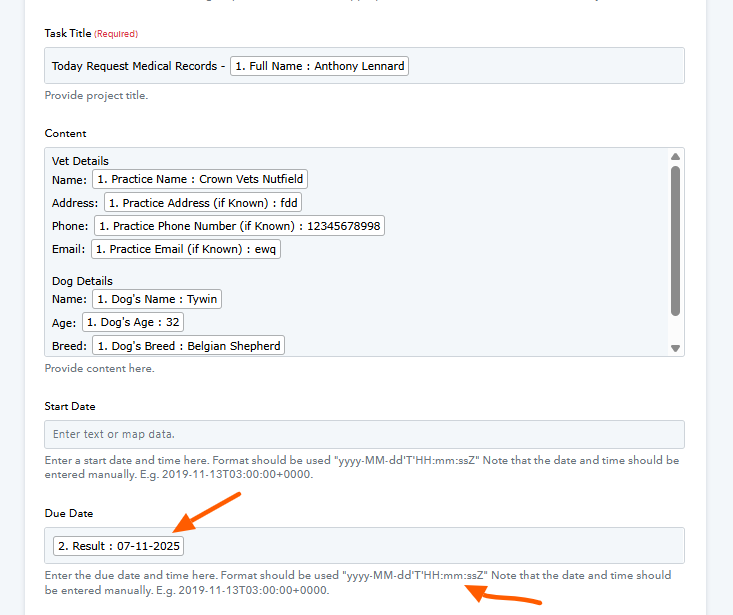
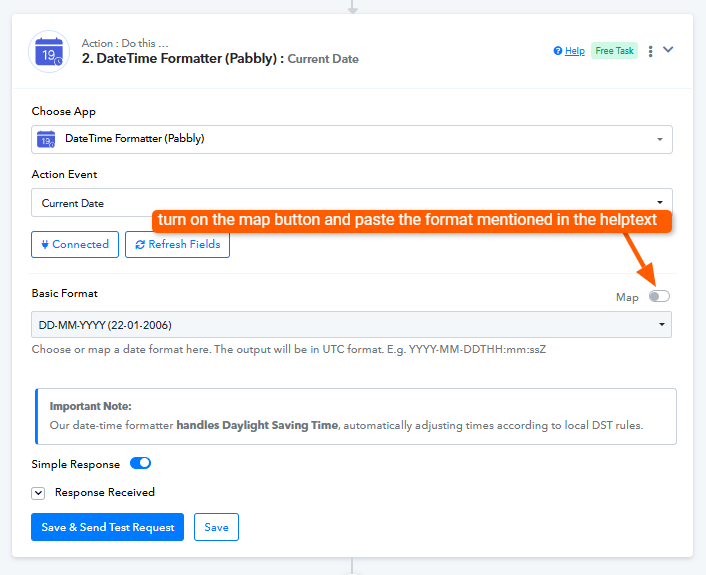
Hello @antlen,The date you mapped in the Due Date field is not in the required format.
Please open the Current Date step → turn Map ON → paste the exact format shown in the help text:
Hiya,
Thanks for the reply. I've made the suggested changes but it's still not showing a due date in ticktick
We have made a small change to your Date/Time Formatter and it appears to have fixed your issue.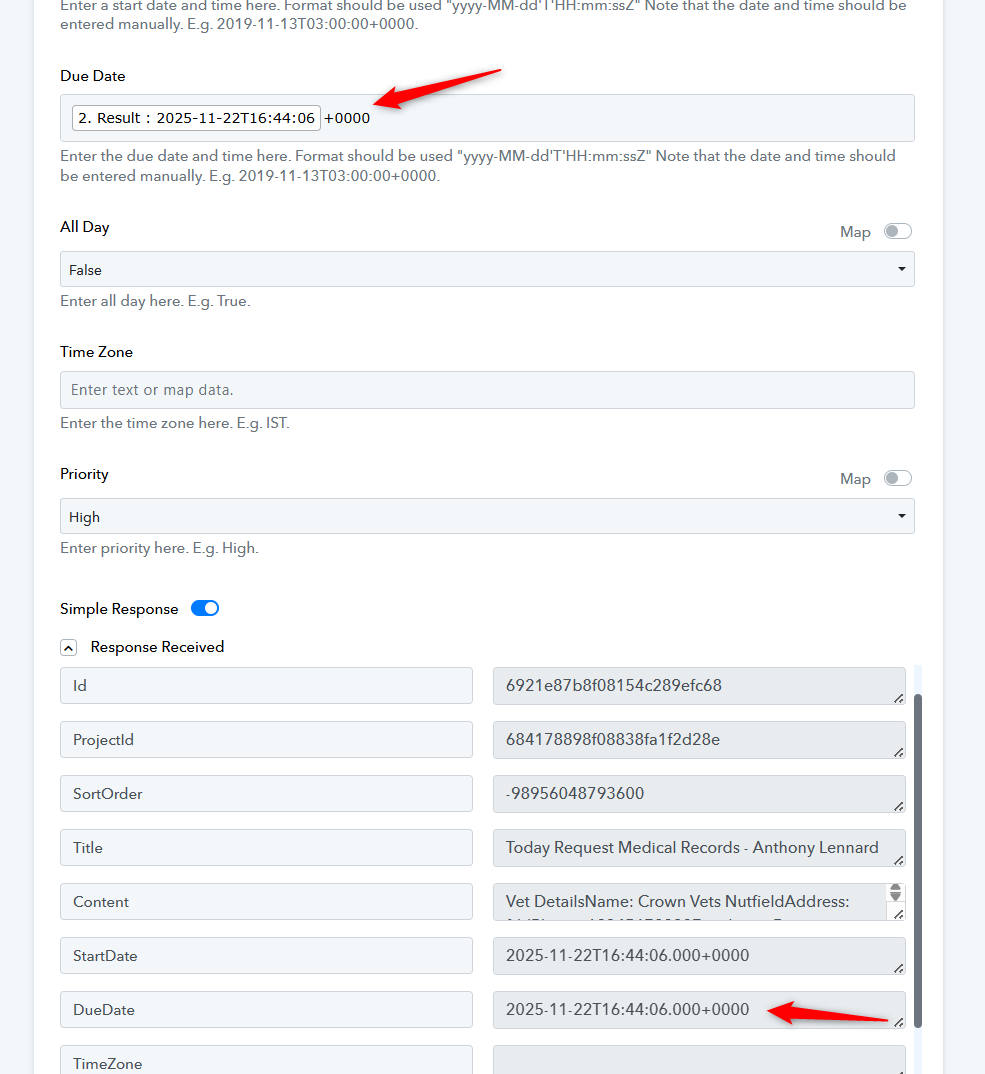
We have made a small change to your Date/Time Formatter and it appears to have fixed your issue.
Awesome!!
Just tested and its working - thanks so much
Thank you for the update. As your issue has been resolved, we’d appreciate it if you could share quick feedback on the support received:
https://forms.gle/GAjS4wdPYKuhnEYV9
Thank you for your time.
PS: We are closing this thread as the issue is resolved. Please feel free to reach out to us if you face any issues in the future.
Thanks & Regards,
Arshil Ahmad
Customer Support Associate
? Pabbly.com
?Rate your support