Time - Clock Delay
Status: Closed · Asked by William walsh on · 0 views
Hello, I am trying to delay a action based on clock time. Or it could be delayed based on blocking a particular window for time, For example. Email received and parsed. Next action delayed until after 8am. After 8am, email is sent.
P.S. I am currently using DELAY, which does not work as required because the emails come in at various times.
Hi @MistyMtn,
https://connect.pabbly.com/workflow/mapping/IjU3NjUwNTZlMDYzMzA0MzM1MjY0NTUzYzUxMzYi_pc
Please check out this workflow (do not use or enable this). You can set up your workflow in a similar manner. This workflow delays the action step based on the time the email is received in the Email Parser trigger step. If emails are received from 00:00 to 07:59, the SMS will be sent on the same day at 08:00 AM. If the email is received after 08:00 AM, the SMS will be sent the next day at 08:00 AM. Let me know if you'd like to add more time-based conditions.
Much appreciate your reply! I am working it. Again thank you.
Hi! I have similar question and issue, but I can't view the link provided, it shows an error. Please help to share how to do this?
Hey @Hadzim
Here is the workflow URL -
https://connect.pabbly.com/workflow/share/WxNUZlQDUDMHTQhiUwAMK1xIV1MJUAVgVk8BE1BfVS0BTAV-BkcIYgBMV3UHSFU0A0pVP1YJAGAMGAsPVwEAc11QBysAA1ErAUwGfQ1UCTpbBVR8VDU#
Let us know if this works for you.
Hey @HadzimHere is the workflow URL -
https://connect.pabbly.com/workflow/share/WxNUZlQDUDMHTQhiUwAMK1xIV1MJUAVgVk8BE1BfVS0BTAV-BkcIYgBMV3UHSFU0A0pVP1YJAGAMGAsPVwEAc11QBysAA1ErAUwGfQ1UCTpbBVR8VDU#Let us know if this works for you.
I can try do this. But now, I notice the time zone is not correct. Is it not automatically changed? I am in Malaysia. In pabbly it shows 7.58AM but right now is 3.58PM in Kuala Lumpur. Can you help with a solution?
Hey @Hadzim
You can use the "Date/Time Formatter" module in Pabbly Connect for conversion of Date/Time formats and Time Zones.
Please refer to this video tutorial for the same -
Hey @HadzimHere is the workflow URL -
https://connect.pabbly.com/workflow/share/WxNUZlQDUDMHTQhiUwAMK1xIV1MJUAVgVk8BE1BfVS0BTAV-BkcIYgBMV3UHSFU0A0pVP1YJAGAMGAsPVwEAc11QBysAA1ErAUwGfQ1UCTpbBVR8VDU#Let us know if this works for you.
I notice that from your workflow, you can't capture data from 11PM to 12AM in the Pabbly Router. Because you set the condition for less than 23 only. How to overcome this?
Hello @Hadzim
You can modify the router settings to fit your needs. Please provide us with your specific use case so we can assist you effectively.
Additionally, if the time zone for your account is incorrect, please adjust it accordingly.
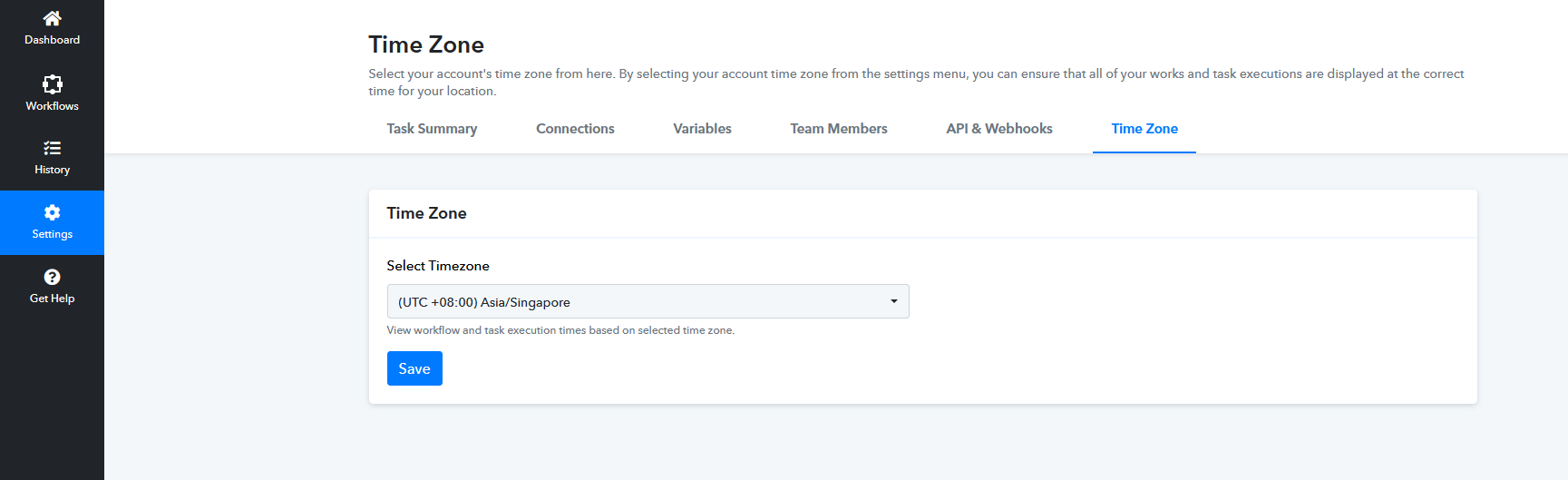
Hello @HadzimYou can modify the router settings to fit your needs. Please provide us with your specific use case so we can assist you effectively.
Additionally, if the time zone for your account is incorrect, please adjust it accordingly.
It's okay, I got it. Thanks!