Time & Date Formatter - Issue with Perspective/Gmail
Status: Closed · Asked by Clara Scheuring on · 0 views
Hi Pabbly Team,
I built a workflow to automatically forward incoming leads through my Perspective funnel to my client. The workflow works just fine, but the date is displayed like this: YYYY-MM-DDT00:00:00.000Z but I want it displayed like that: MM/DD/YYYY. I inserted the Date/Time Formtter, but the date still appears the way I don't want it to.
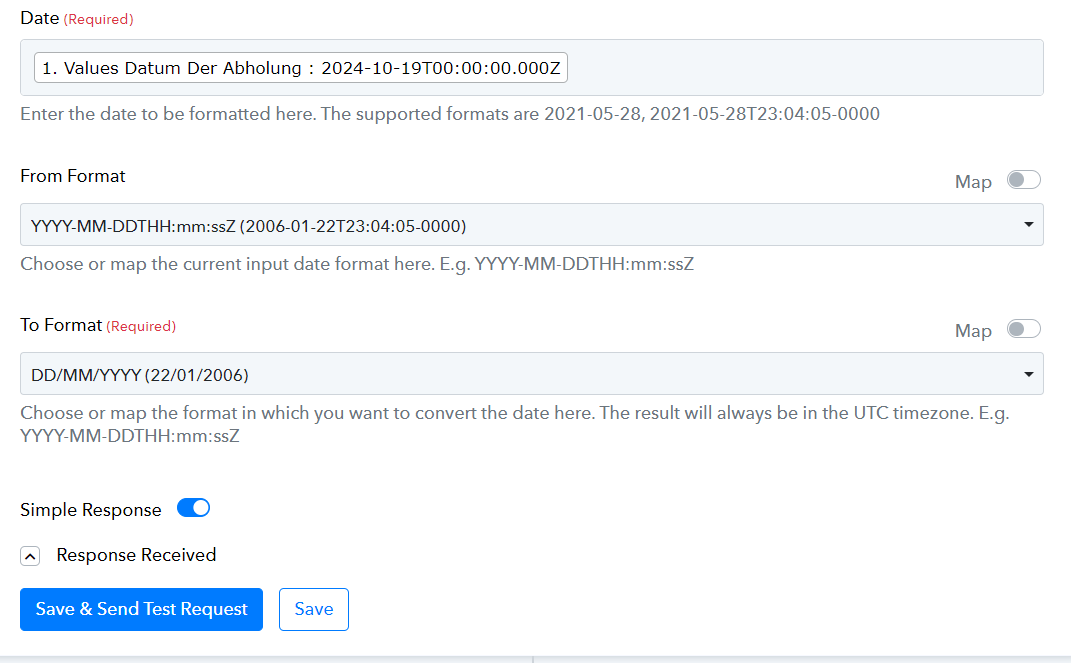
Can you help me here please?
Thank you!
Clara
Hi @Clara Scheuring,
It seems you had selected 'DD/MM/YYYY' as your 'To Format' in the Date/Time Formatter. We have changed it to 'MM/DD/YYYY' on your behalf, and it appears to be giving the desired result.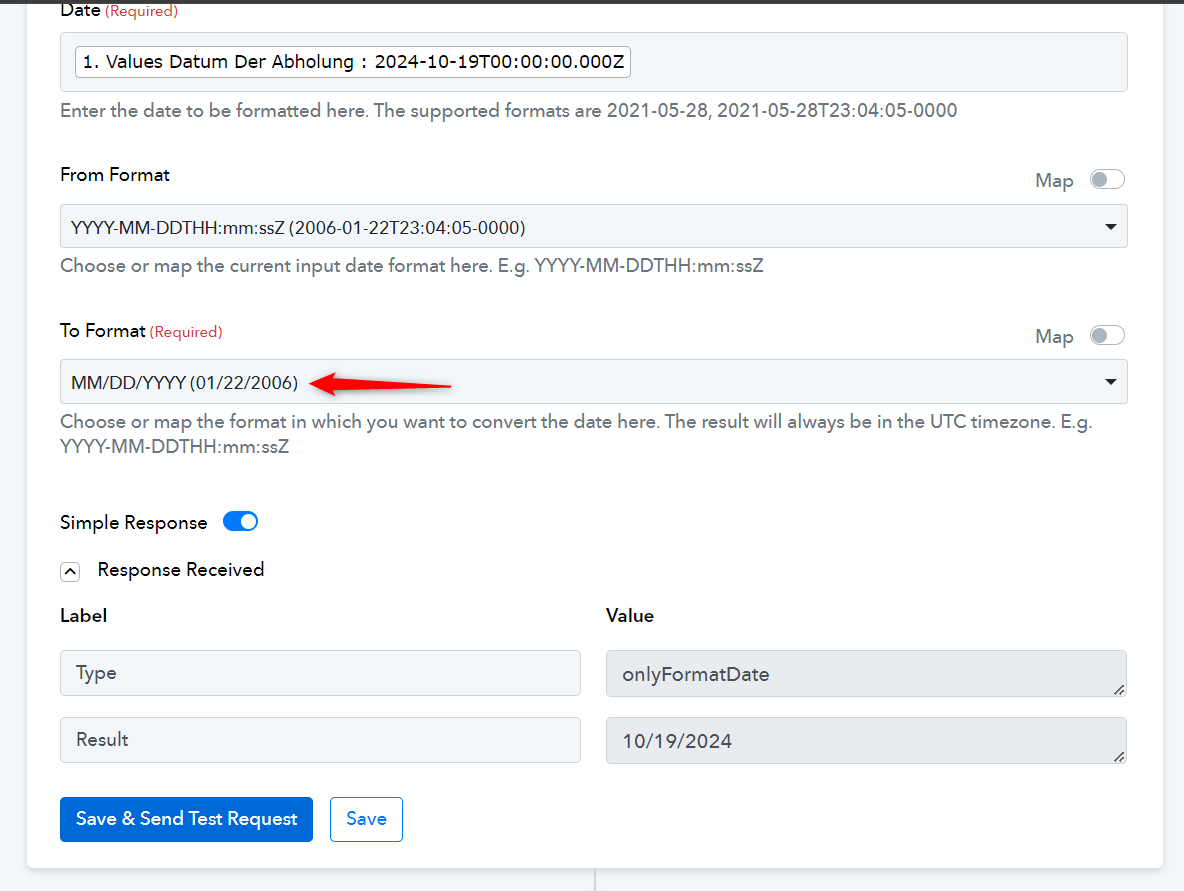
Hi thanks, but I wanted DD/MM/YYYY... does this function not work?
Hi Pabbly Team,I built a workflow to automatically forward incoming leads through my Perspective funnel to my client. The workflow works just fine, but the date is displayed like this: YYYY-MM-DDT00:00:00.000Z but I want it displayed like that: MM/DD/YYYY. I inserted the Date/Time Formtter, but the date still appears the way I don't want it to.
In your previous response, you stated that you want the date to be in MM/DD/YYYY format. Could you please confirm format of the date you want?
Hi, I fixed it now. :)