Time delay
Status: Open · Asked by Sellnamics Team on · 0 views
Hello, how to setup a time delay that will only execute the action 1 hour before the date of meeting? I have a workflow that triggers new booking in Youcanbookme and I have action that will send an SMS immediately, and my next action is I want a 1 hour before the meeting text reminder on the date my clients booked. For example, if someone book on November 10, 2024 at 9am, how can I setup the 1 hour reminder before the meeting? This is my workflow link https://connect.pabbly.com/workflow/mapping/IjU3NjYwNTZjMDYzMjA0MzE1MjZmNTUzNDUxMzUi_pc
Hi @Clicknamics,
https://connect.pabbly.com/workflow/mapping/IjU3NjYwNTZjMDYzMzA0MzA1MjY0NTUzNzUxMzYi_pc
This workflow is just for your reference. You need to add the same steps to your original workflow.
You can add these steps to your workflow, which should help you delay the next step by 1 hour before the meeting. You can add the text reminder action step after the Delay step to achieve your use case.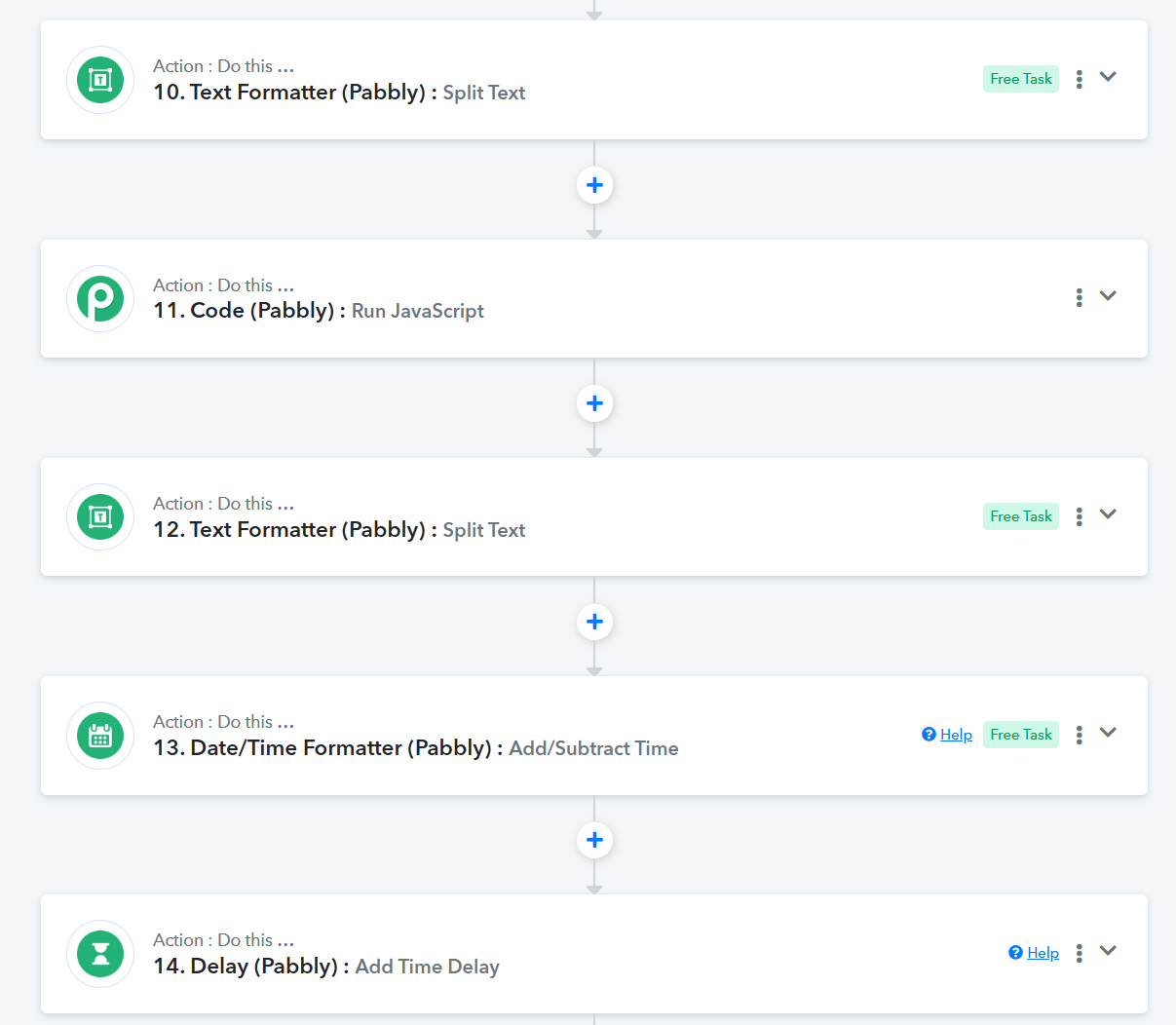
@@ArshilAhmad do you have a video tutorial on how to setup this workflow?
Hello @Clicknamics
There isn't any specific tutorial related to that workflow. Please try to add it to your workflow as instructed. If you face any issues in the set up please let us know.
@Preeti Paryani what exactly inside of the split text, add/subtract time, and Java script? can you please share the link of that workflow so that I can see what's inside?
Hi @Clicknamics,https://connect.pabbly.com/workflow/mapping/IjU3NjYwNTZjMDYzMzA0MzA1MjY0NTUzNzUxMzYi_pc
This workflow is just for your reference. You need to add the same steps to your original workflow.You can add these steps to your workflow, which should help you delay the next step by 1 hour before the meeting. You can add the text reminder action step after the Delay step to achieve your use case.
We shared the reference workflow link in our initial response. Here it is again:
https://connect.pabbly.com/workflow/mapping/IjU3NjYwNTZjMDYzMzA0MzA1MjY0NTUzNzUxMzYi_pc
@ArshilAhmad I added already the actions on my workflow please check if this correct https://connect.pabbly.com/workflow/mapping/IjU3NjYwNTZjMDYzMjA0MzE1MjZmNTUzNDUxMzUi_pc
There were some incorrect mappings. We have corrected them on your behalf in steps 10 to 14.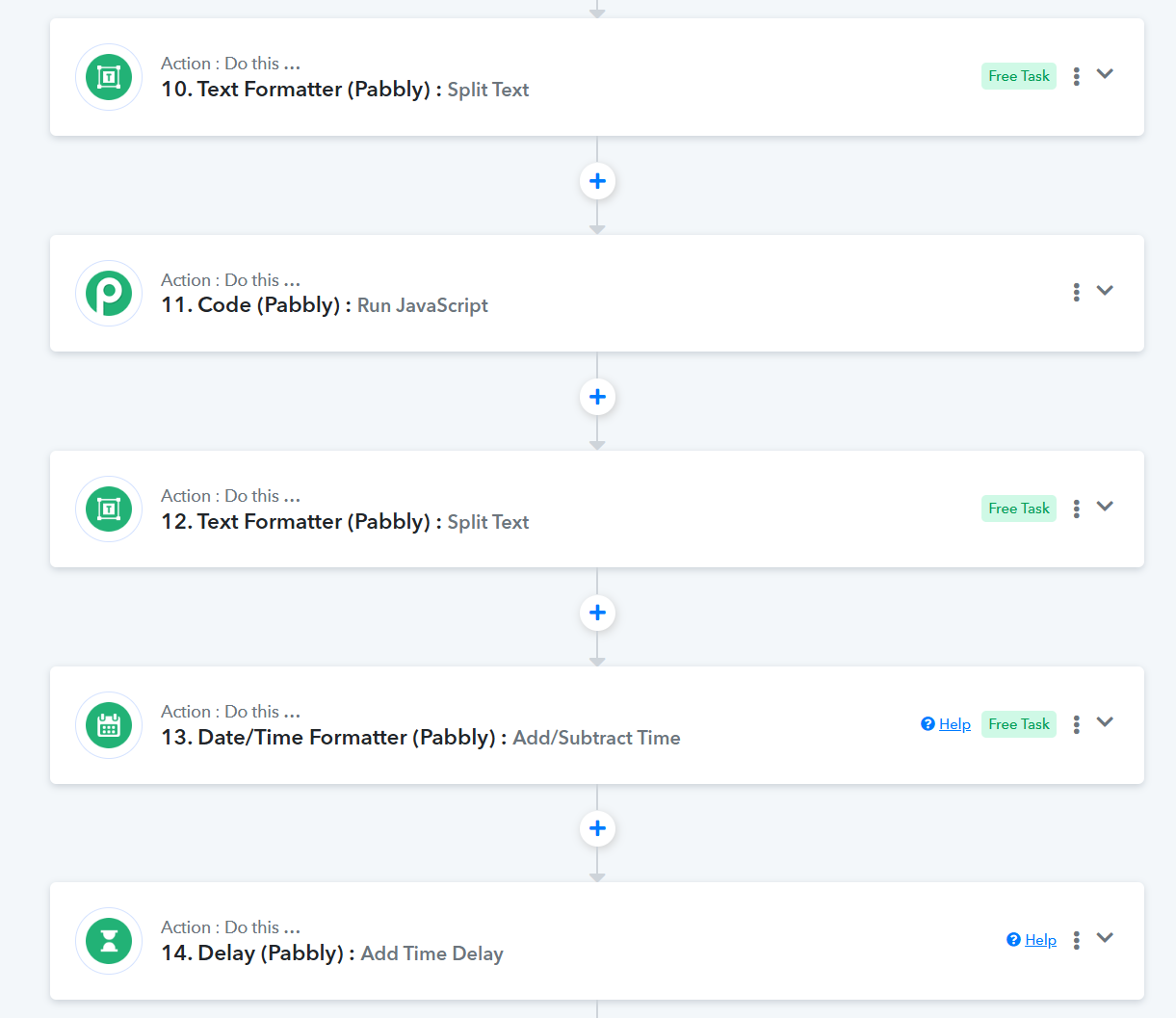
hello @@ArshilAhmad done adding the workflow template you sent, however I observe that it is advance for 8 hours of the exact booking date, how I can adjust the to make the exact time?
Have you tested your workflow by triggering it from your source application with a new meeting booking? If so, could you please share the Task History ID where the meeting notification was sent 8 hours before the meeting instead of 1 hour?
@@ArshilAhmad this is the link history
IjU3NjUwNTZjMDYzNzA0MzY1MjZlNTUzZDUxMzY1MTY2NTQzNzBmMzYi_pc
Hello @Clicknamics
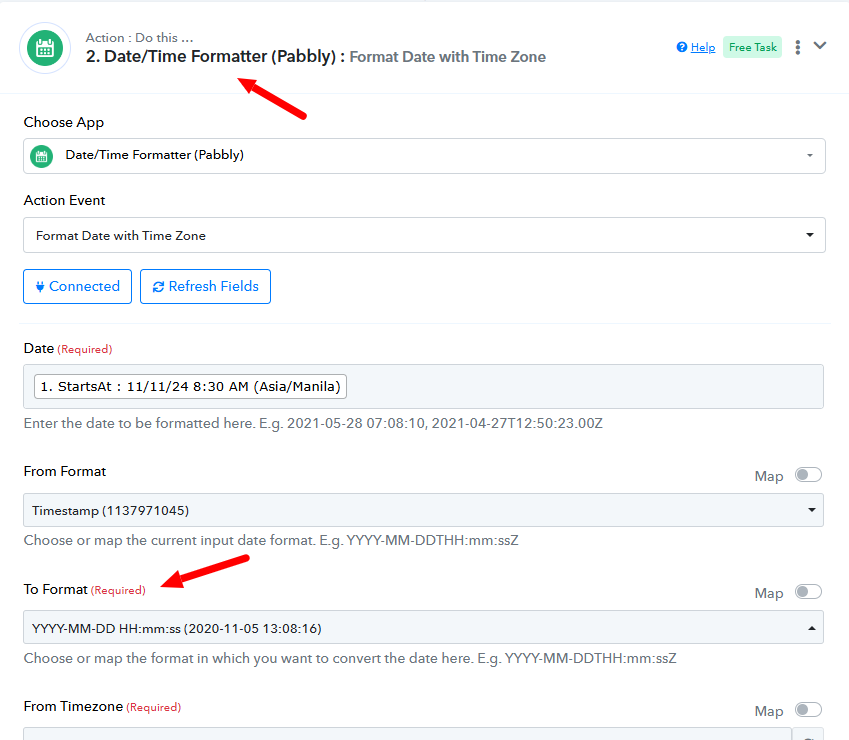
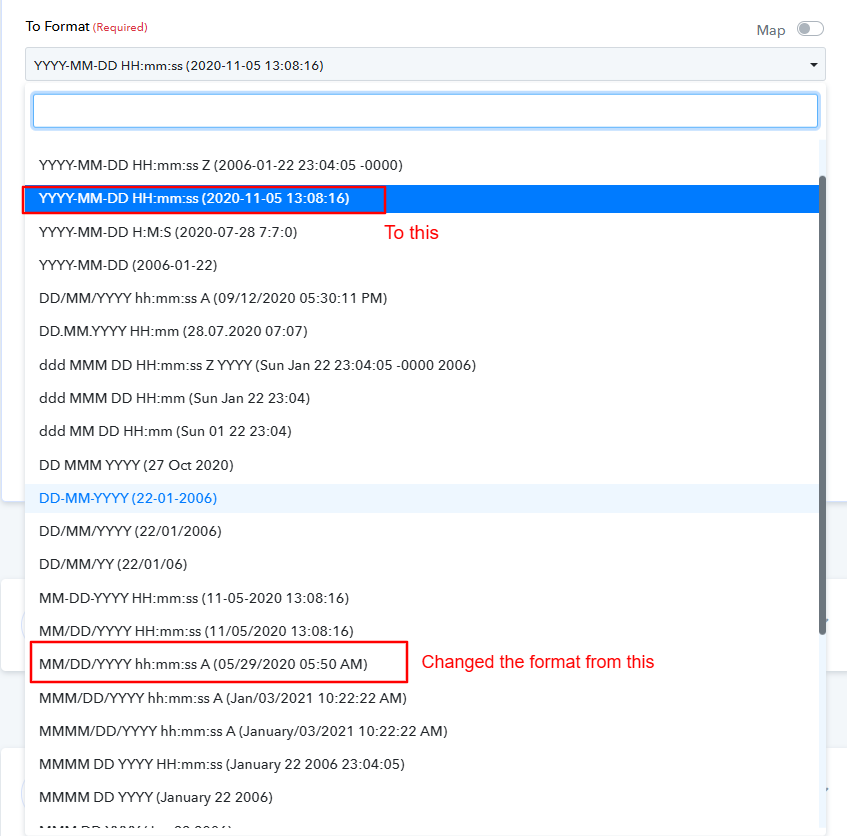
Upon checking the task history we noticed that the error was due to the invalid date format. To correct that issue I have made a small change to the second step of your workflow which is the date/time formatter I have just changed the date format. Please refer to the loom video link to learn more about the changes made - https://www.loom.com/share/c3f6708507e84b0a87ae9bb000622f8f sid=fedf65c5-bb7b-490b-b6d9-2be4395e4c95
Please do a test entry and let us know if it works for you.
@@Preeti Paryani I don't understand because you video has no audio.
Hello @Clicknamics
Apologies for the inconvenience. Please refer to the below attached screenshot to learn about the changes made in the step 2.