Too Many Requests - 429
Status: Closed · Asked by Kaamyabi Team on · 0 views
I am currently subscribed to the Pabbly Connect 1-Yearly Plan-Tier 1. However, I am experiencing a high number of failures for the X posting. The error message is as follows: [insert error message here]. I believe that Pabbly should consider delaying the requests if it receives too many at the same time. Additionally, even after waiting for several hours, I am still unable to re-execute the requests.
This is issue needs to be resolved ASAP, please!
[TABLE]
[TR]
[TD]Title[/TD]
[TD]Too Many Requests[/TD]
[/TR]
[TR]
[TD]Detail[/TD]
[TD]Too Many Requests[/TD]
[/TR]
[TR]
[TD]Type[/TD]
[TD]about:blank[/TD]
[/TR]
[TR]
[TD]Status[/TD]
[TD]429[/TD]
[/TR]
[/TABLE]
Just to add in my original issue: If i tweet using my custom script/SDK its working but through Pabbly connect it is throwing error "Too Many Requests"
Hi @Kaamyabi,
Based on your Task History, we can see that you are sending data multiple times through webhook within a very short duration. This appears to be causing you to hit X's rate limit. There are multiple rate limits, which you can check here:
https://developer.twitter.com/en/docs/twitter-api/rate-limits 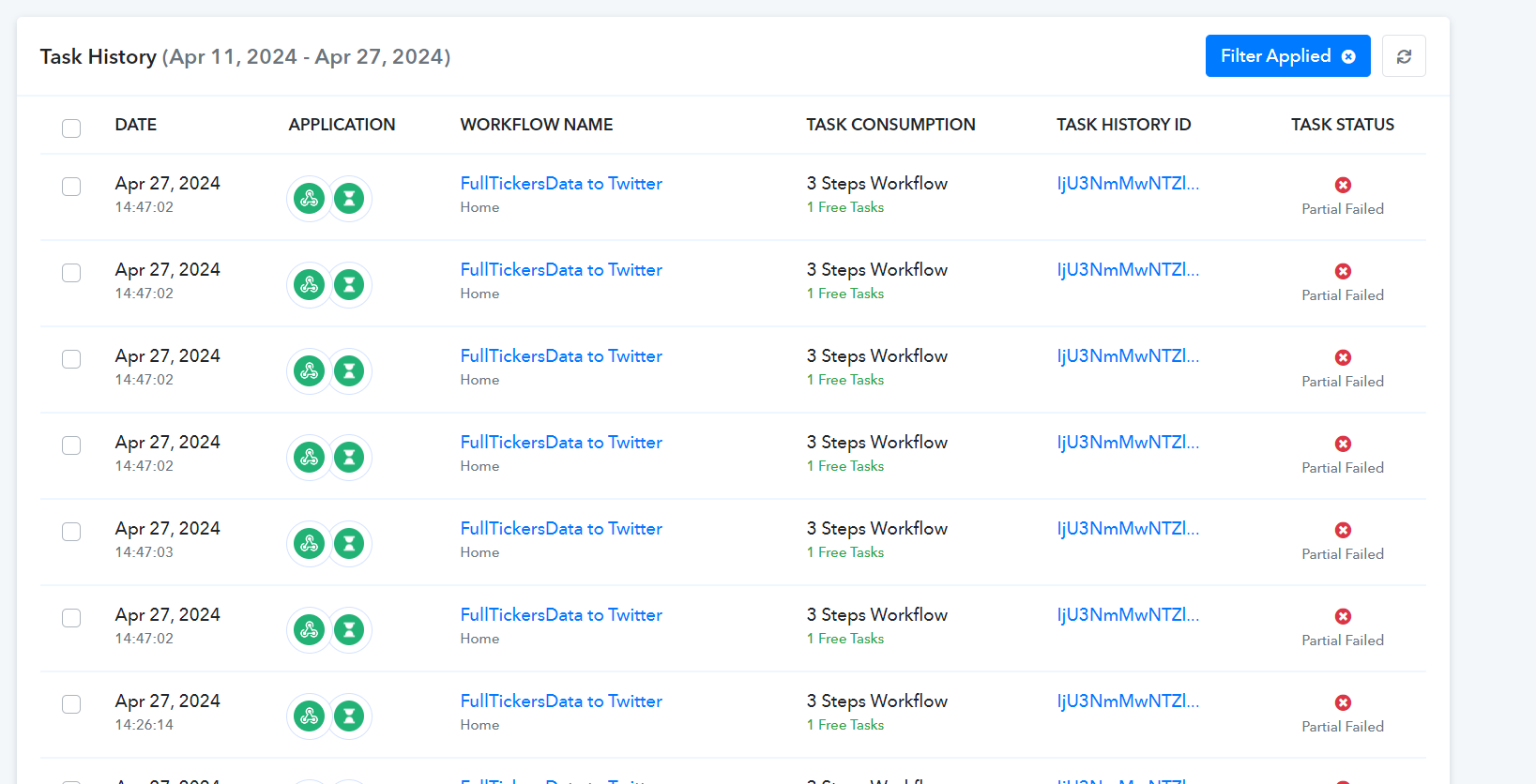
You can try adding a Counter step along with the Delay step in your workflow and see if that fixes the rate limit-related issue you're encountering. This should prevent the 'Create Tweet' action event from executing at the same time.
https://connect.pabbly.com/workflow/share/WxMDMQRTVTZeFFI4BFcEIwkdAgYGXwVkBh8HFVdYAHgESlIpAUANZ1oWACJXHAdmAElTOQRbB2JaTlZSUgQEd11HBhRXVFErA04GfQZPATJbBQMrBGU#
Thank you, Arshil!
It didn't help. You can see the task history ID IjU3NmMwNTZlMDYzNDA0MzE1MjY5NTUzMzUxMzA1MTY3NTQzNiI_3D_pc
I have tried to create a tweet using my API and it worked.
I want to cancel the subscription and would like to get refund.
It seems that the Delay Value wasn't mapped from the Counter step, I have made the necessary change on your behalf. Could you wait for 24 hours and then try again?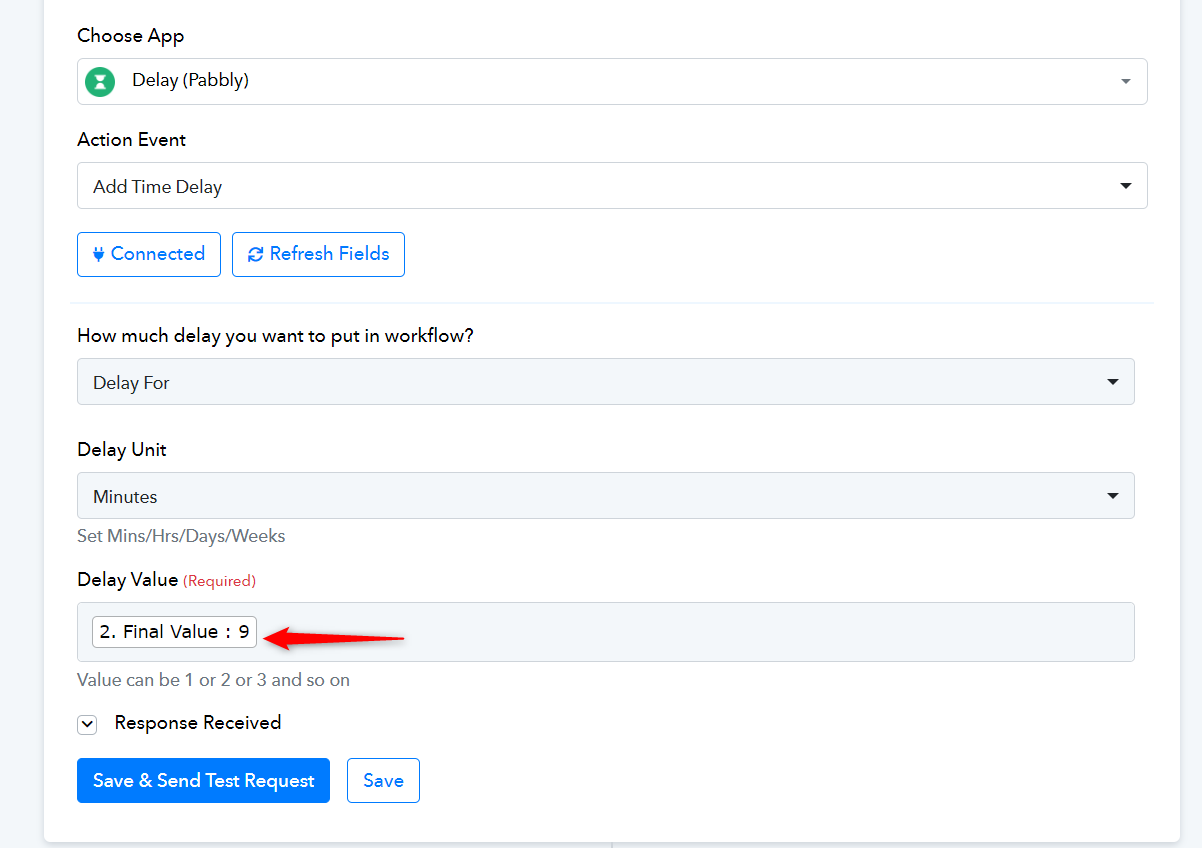
Hi, I have a similar issue wit Mailchimp:
"res1 > type": "https://mailchimp.com/developer/marketing/docs/errors/",
"res1 > title": "Too Many Requests",
"res1 > status": 429,
"res1 > detail": "You have exceeded the limit of 10 simultaneous connections.",
"res1 > instance": "e37aa6e0-e23a-3128-e60a-b6a737ccf756",
"res2 > HTTP Status Code": 204,
"res2 > message": "The application processed the request but returned a blank response. Refer to the HTTP status code above for details."
}
Too many requests. Should I also add a delay step to my flow?
Thank you for your help!
Hello @Bomeline
Please try adding the two steps: Counter, Delay; to your workflow and let us know the if this works for you. Please refer to the workflow to get the steps.
Ok noted Preeti Thank you for your help!! I have implemented it as you said!
Best wishes!