Transcribing a Dropbox Audio File with Whisper
Status: Open · Asked by Phil Good on · 0 views
Hello!
I'm trying to transcribe a new audio file that's uploaded to Dropbox.
I get an error when I submit the URL of the file for Whisper AI transcription.
I have tried sending the unedited URL (from Dropbox) to Whisper AI, and I have also stripped the URL of the UTM tagging.
They both don't work.
Please help me get this working!
https://connect.pabbly.com/workflow/mapping/IjU3NjUwNTZjMDYzNzA0MzI1MjZmNTUzMDUxMzci_pc
Hi @ugavetdude,
Please establish a new connection with OpenAI account and see if that fixes your issue.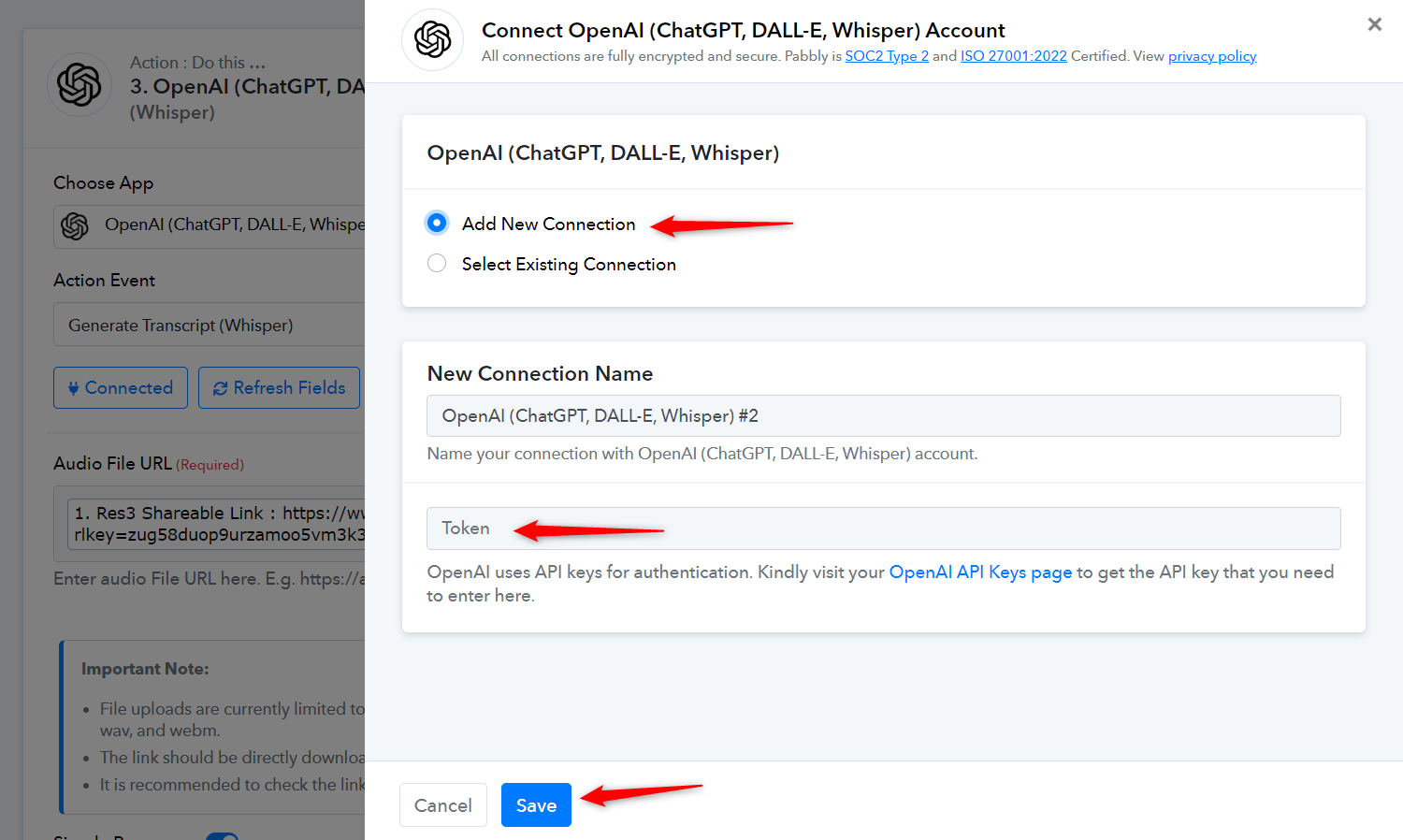
OK. I followed
Hi @ugavetdude,Please establish a new connection with OpenAI account and see if that fixes your issue.
Thank you!
I followed the video's setup to connect Dropbox and Open AI's Whisper transcription service, but it didn't work :(
I'm getting a file format error.
The file format is a .m4a file (just like the video), and supposedly this file format will work, but it's not being processed.
Here's a picture of the error:
https://share.powerfunnels.com/qGunJ5vX
What's next?
Hello @ugavetdude
The issue could be with the video, please try using another video.
If the same issue persists please let us know.