Trello workflows not functioning
Status: Open · Asked by STEGE on · 0 views
For some reason with the recent Pabbly update, trello workflows haven't been functioning please help
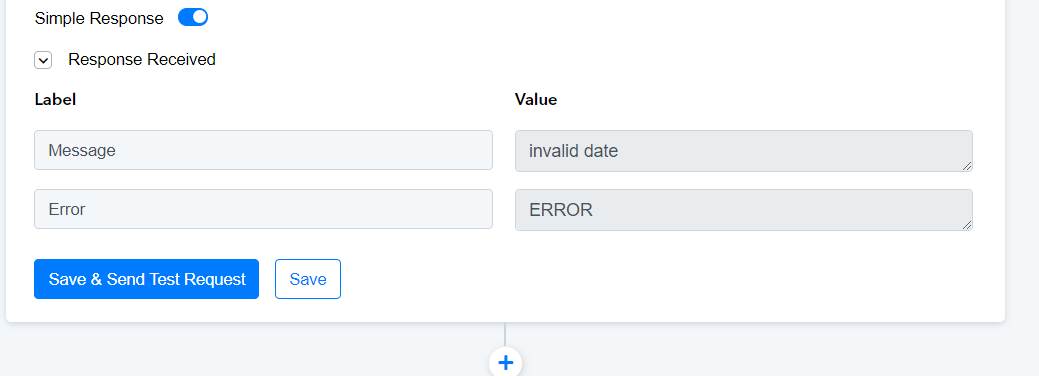
I haven't modified this workflow in months. It was working fine a few days ago.
I am having the same issue. I created the workflow and it worked flawlessly for months and within the last week it has stopped working. Is there a way to reach out to some actual developer support?
I am having the same issue. I created the workflow and it worked flawlessly for months and within the last week it has stopped working. Is there a way to reach out to some actual developer support?
https://forum.pabbly.com/threads/trello-create-card-start-date.23974/post-115670
Here's the working answer, you must refresh fields
We are checking on it, please allow us some time.
https://forum.pabbly.com/threads/trello-create-card-start-date.23974/post-115670
Here's the working answer, you must refresh fields
This did not resolve the issue at all. This actually did nothing.
As an update, after refreshing the fields it appears that initially the workflows were not working but this morning they all began working again. However, one workflow I had to clone and delete the original as it began running in a loop and would not stop. It executed over 1000 tasks before I caught it and disabled the workflow. Hopefully the issue is now resolved. I will have to wait until new data is generated on on the workflow that I had to recreate in order to see.
Thank you for the update. Kindly monitor your workflow for some time, and if the issue persists, please let us know.
Mine unfortunately still aren't working.
I have hundreds of workflows, it's difficult for me to refresh each one.
I tried refreshing though and issue still persists.
@ArshilAhmad please help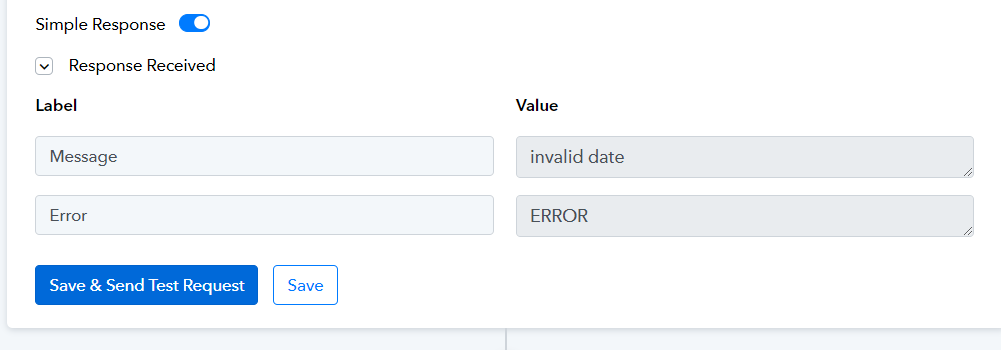
Mine unfortunately still aren't working.
I have hundreds of workflows, it's difficult for me to refresh each one.
I tried refreshing though and issue still persists.@ArshilAhmad please help
https://connect.pabbly.com/workflow/mapping/IjU3NjUwNTZhMDYzMjA0MzQ1MjZhNTUzMzUxMzIi_pc
We clicked on the 'Refresh Field' button and then the 'Save & Send Test Request' button, and it seems to have fixed your issue.