Trigger is not returning the correct data.
Status: Open · Asked by CenterSquareSoftwareLLC on · 0 views
Hello Pabbly Support Team,
I hope you are doing well.
I have set up workflows using Airtable as the trigger, but the trigger is not returning the correct data. This issue is happening in two workflows.
I have already:
- Checked the Force Test
- Turned ON the workflows
- Re-tested the trigger multiple times
However, the issue still persists.
Could you please check and advise?
Workflow names:
- 9:16 Book Video Automation
- Wine
Please let me know if you need any additional details from my side.
Thank you for your support.
Hi @CenterSquareSoftwareLLC,
Could you please share the Workflow URL where you have this concern?
Thanks & Regards,
Arshil Ahmad
Customer Support Associate
? Pabbly.com
?Rate your support
Wine workflow - https://connect.pabbly.com/workflow/mapping/IjU3NjcwNTZjMDYzMzA0MzI1MjY0NTUzMDUxMzQi_pc
9:16 Book Video Automation workflow -
https://connect.pabbly.com/workflow/mapping/IjU3NjcwNTZkMDYzZjA0MzU1MjZiNTUzYzUxMzYi_pc
Please select Simple Response, then click on the Save & Send Test Request button. This will allow you to capture the data in separate fields and resolve the issue. Please do this in both of your workflows and check if it fixes the problem.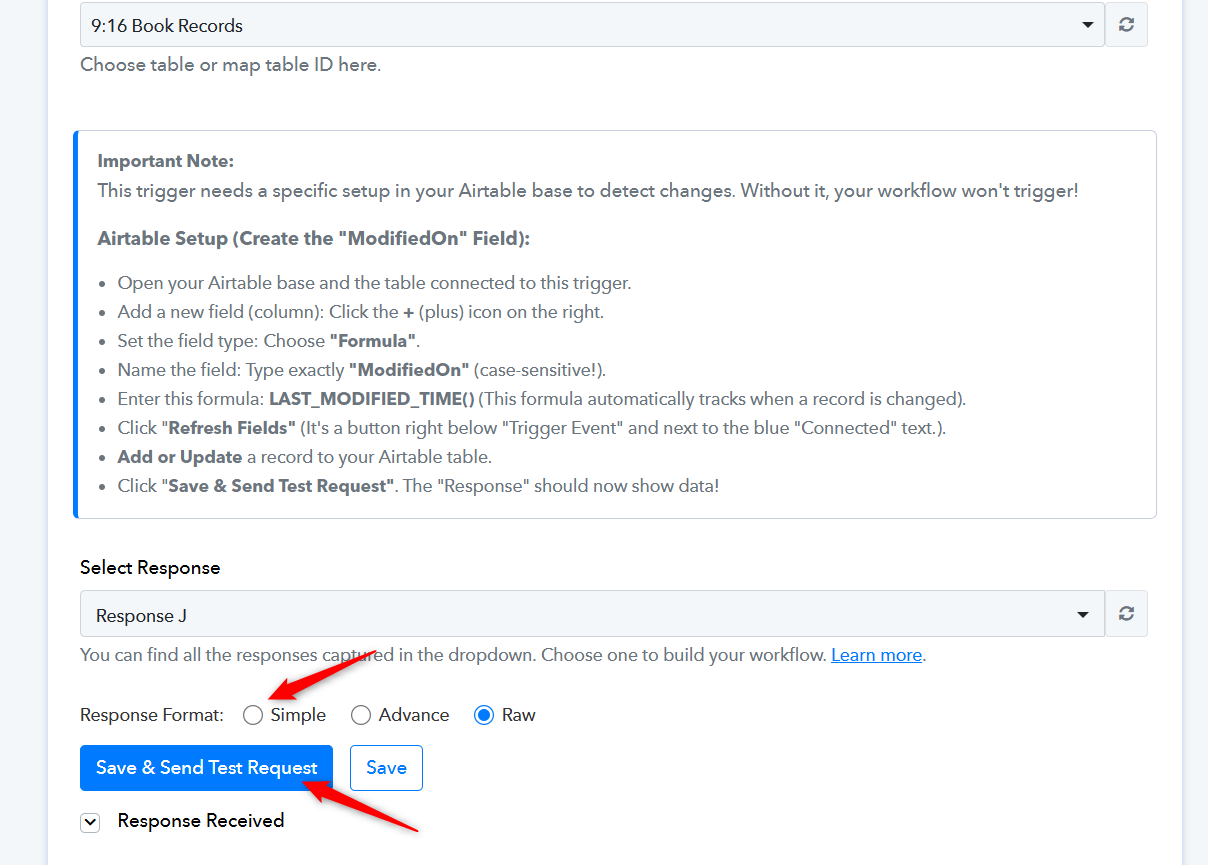
Thanks & Regards,
Arshil Ahmad
Customer Support Associate
? Pabbly.com
?Rate your support
Hi, The issue still remains. I took a screen recording of me taking the steps above to fix the issue and the response of null.
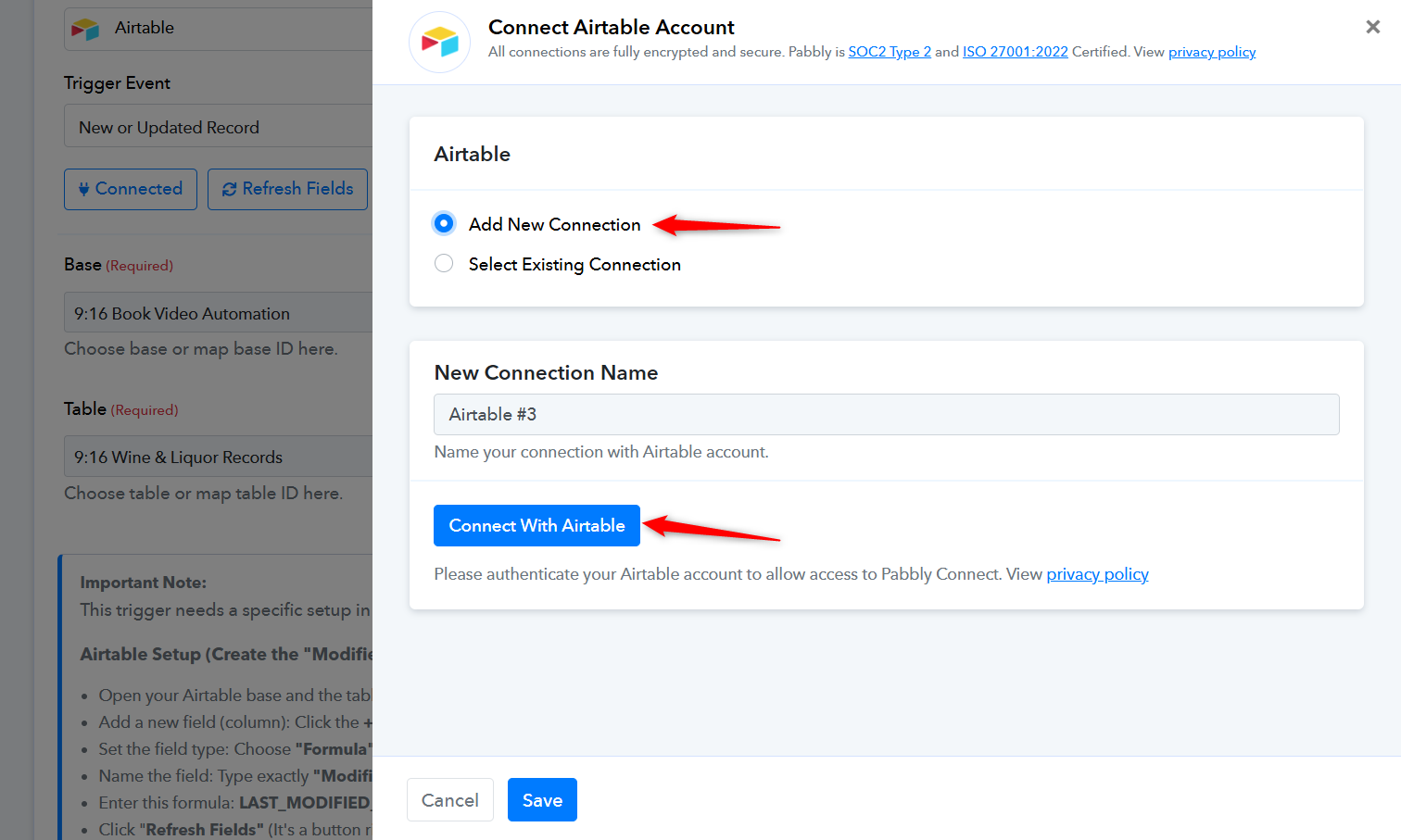
Please establish a new connection with your Airtable account, select the base and table, add a new record in Airtable table, and then repeat the same steps suggested above.
Thanks & Regards,
Arshil Ahmad
Customer Support Associate
? Pabbly.com
?Rate your support