Trying to connect jotform to simple texting
Status: Open · Asked by deecar on · 0 views
may i have some help please?
Im trying to connect jotform to "simple texting ". i have followed instructions up to getting API key for simple texting , thats done.
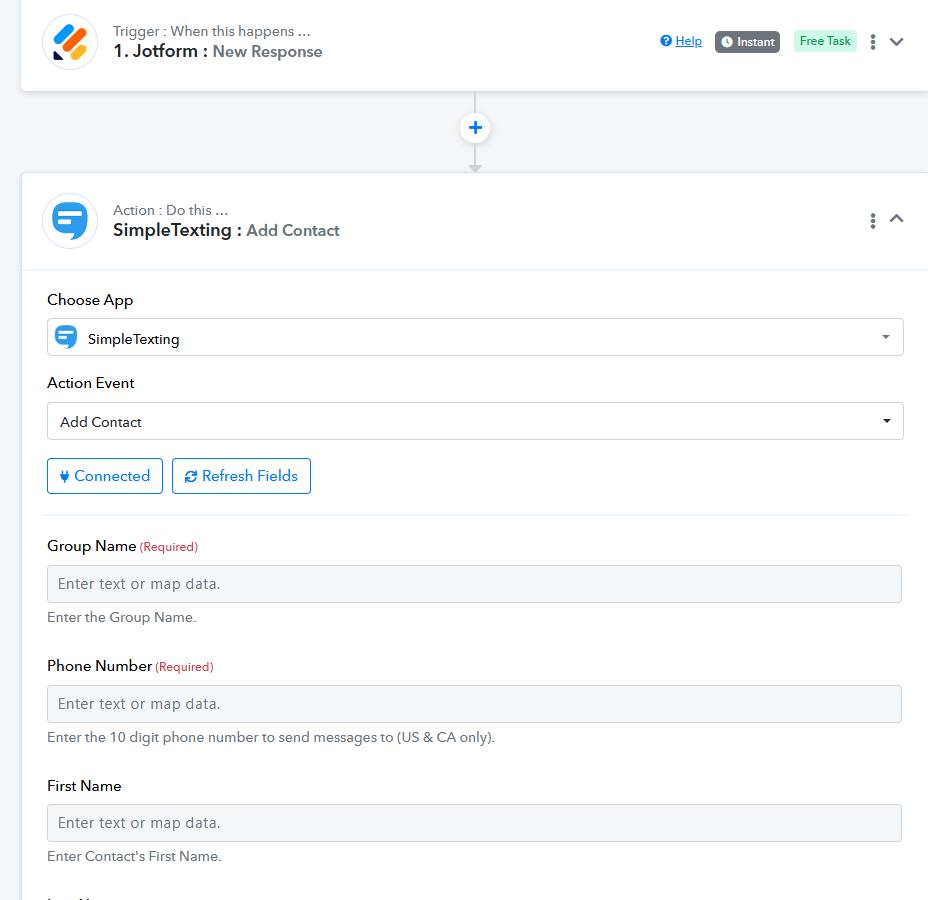
But now the screen says "group name" and "phone number" required. and the other fields are blank too.
What am i supposed to put there? I was thinking the tool would pull the data over somehow.
Please help?
Hi @deecar,
https://connect.pabbly.com/workflow/mapping/IjU3NjYwNTZjMDYzMTA0Mzc1MjZlNTUzYzUxMzYi_pc
You can enter the name of the group you want the contact to be added to and map the rest of the contact details from your trigger step in this way.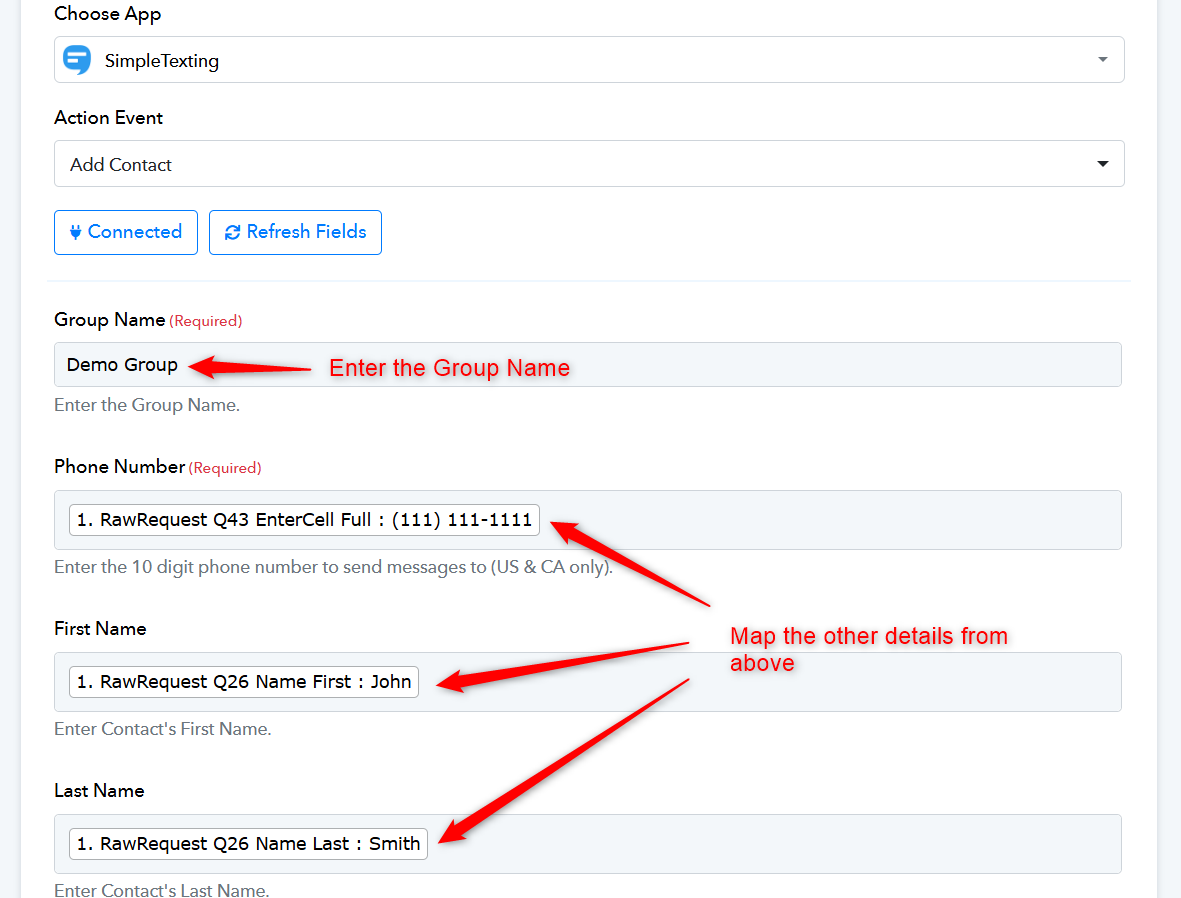
ok. i did as you said. now its just spinning on "save and send request". heres what i see https://www.loom.com/share/67ded3287d0d44548848301940eadc22?sid=ad7fa289-f426-499d-adec-c881686605d2
Hi @deecar,https://connect.pabbly.com/workflow/mapping/IjU3NjYwNTZjMDYzMTA0Mzc1MjZlNTUzYzUxMzYi_pc
You can enter the name of the group you want the contact to be added to and map the rest of the contact details from your trigger step in this way.
ok. i did as you said. now its just spinning on "save and send request". heres what i see https://www.loom.com/share/67ded3287d0d44548848301940eadc22?sid=ad7fa289-f426-499d-adec-c881686605d2
We have added multiple text formatters to your workflow to correct the format of your phone number. Please make a new submission on Jotform to check if the contact is added to your SimpleTexting account. Do not make any changes to this workflow; simply make a test submission on Jotform.
https://connect.pabbly.com/workflow/mapping/IjU3NjYwNTZjMDYzMTA0Mzc1MjZlNTUzYzUxMzYi_pc
We have added multiple text formatters to your workflow to correct the format of your phone number. Please make a new submission on Jotform to check if the contact is added to your SimpleTexting account. Do not make any changes to this workflow; simply make a test submission on Jotform.
https://connect.pabbly.com/workflow/mapping/IjU3NjYwNTZjMDYzMTA0Mzc1MjZlNTUzYzUxMzYi_pc
ok im just now seeing this and i thought i had it figured out. so i was creating a new workflow to make sure i know how to put it together. as for the "multiple text formatters" that you added, can you tell me what they are so that i can be able to do it on my end moving forward? because i will be making more than 1 workflow with those 2 apps and i need to make sure i have the needed info on them each time. So im not sure if youre saying theres something special i need to do for each workflow for simpletexting app. let me know. thanks too for helping me
The phone number you received from Jotform in your trigger response includes brackets, space, and a dash. You need to enter the phone number without these in the SimpleTexting action step. To achieve this, we added multiple Text Formatters to your workflow, formatted the phone number correctly, and then mapped it to the SimpleTexting action step. You can review your workflow to see how we added the Text Formatters, and also watch the video below to understand how a Text Formatter works.