Trying to Connect Woocommerce -> Zoho. Getting Error
Status: Open · Asked by arsachdeva on · 0 views
Hi
I successfully connected woocommerce and mapped every field to ZohoBooks workflow. But when I tried to run it, it gave an error - Invalid Value passed for Invoice Date.
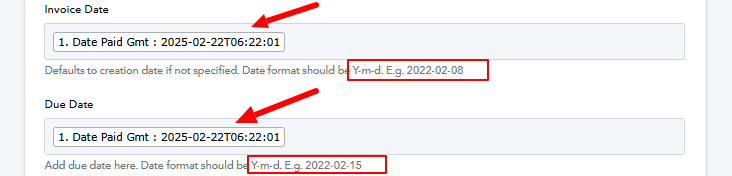
What I noticed is that woo sends date as this - 2025-02-22T06:21:14. This has time attached to it. While Zoho expects a Y-m-d. E.g. 2022-02-08 format.
Any workarounds to make it work?
What I can think of is to clean the data first before passing it to zoho by adding a 'google sheets' in between, and setting up the date fields according to Zoho format. Will that work? Or any other idea?
Hello @arsachdeva,
Could you please share the workflow URL where you're facing this issue? This will help us investigate further and assist you more effectively.
Hello @Preeti Paryani
Here's the workflow URL: https://connect.pabbly.com/workflow/mapping/IjU3NjYwNTZlMDYzZTA0MzI1MjZjNTUzYzUxM2Ii_pc
Hello @arsachdeva,
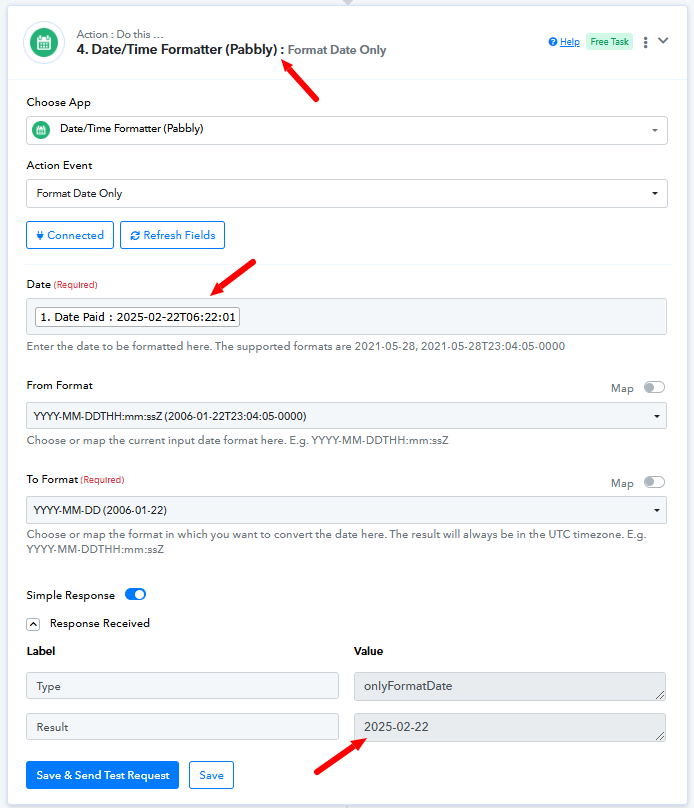
Upon checking, we noticed that in the Create Invoice action step, the Invoice Date and Due Date are entered in a different format than the required one. To ensure the correct format, please use the Date/Time Formatter action to convert the date accordingly.
Refer to the attached image for more details. Also, please ensure that the data mapped under these fields follows the format described in the help text to avoid such issues.
Let us know if you need any further assistance.
Hi Thank you.
I did as suggested. But I am getting another error now.
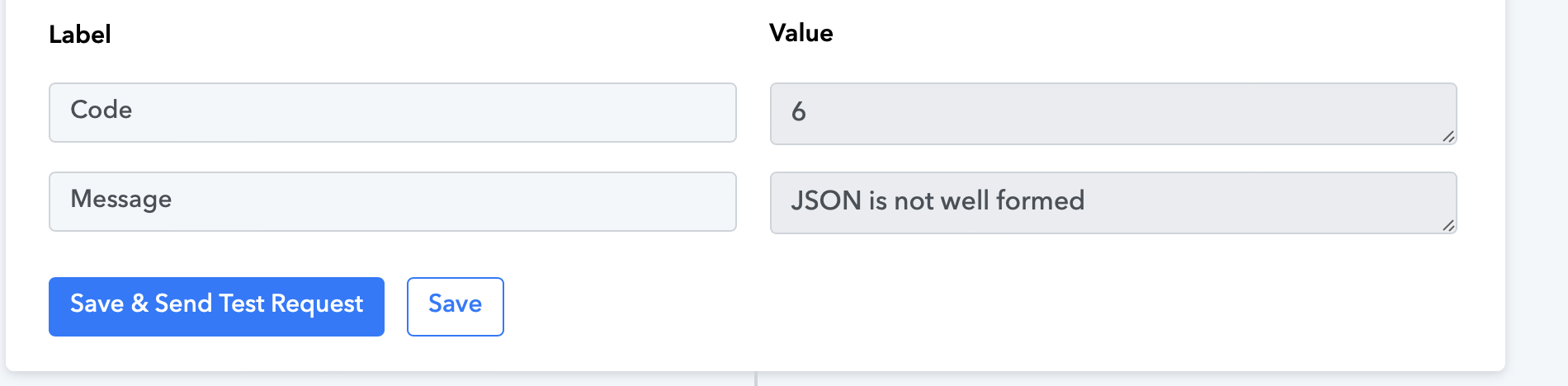
I think it's because of the contact person ID field. I checked the forum a bit but didn't understand what to add in contact person ID field as every new bill will have new customer.
Am I doing something wrong? Or can you suggest how to make it work?
Also, while you are at it , another question - How do I automate creating invoices for multiple line items?
Hey @arsachdeva
You will have to enter the Customer ID instead of Customer Name in this field -
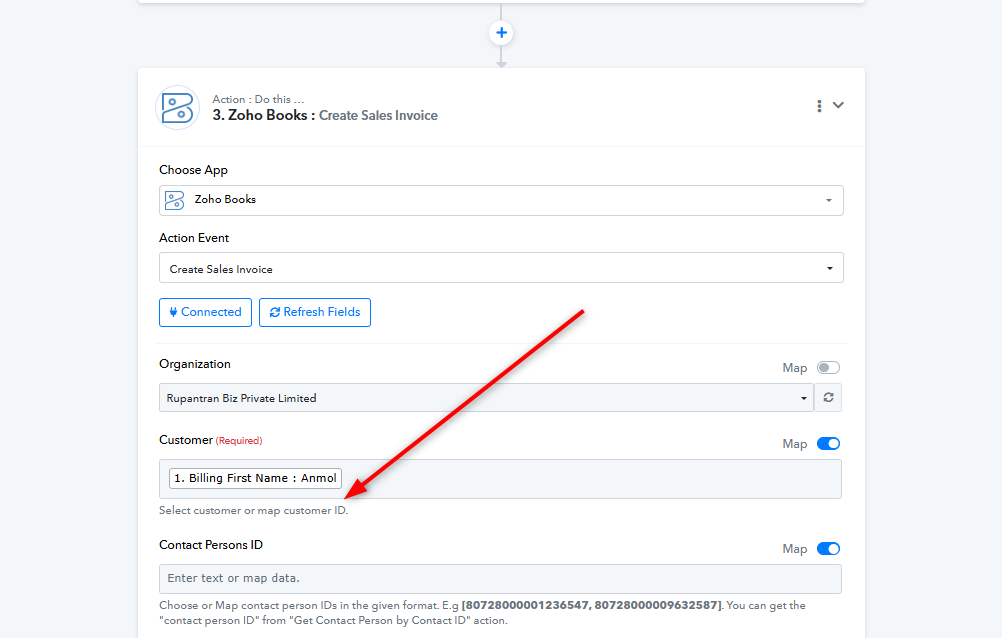
Also, the user should be created inside Zoho Books in order to create an invoice for that customer. Please refer to this video tutorial for the same.