Trying to Convert a Date Time to SG time for Creating of Zoom Meeting
Status: Open · Asked by IChild Company on · 0 views
Dear Support,
Work Flow: 3.0 Create and WA Interview
I am trying to create a Zoom meeting with the following Date Time Format: 2024-09-2816:00:00+8 which is tuned to Singapore Date and Time. i.e 28 Sep 2024 4pm. This value to send to Pabbly via Webhook
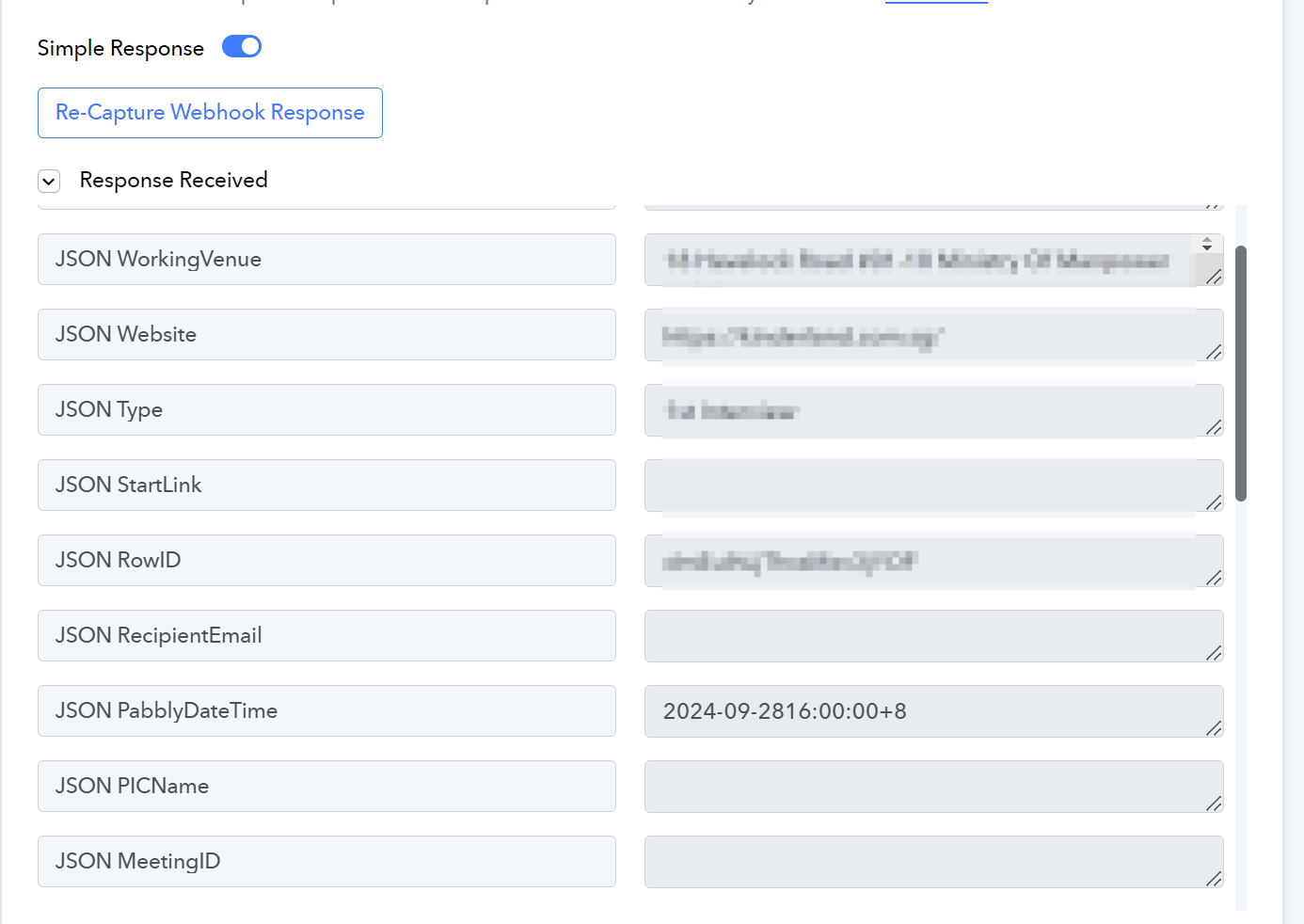
I then try to Convert date/time to YYYY-MM-DDTHH:mm:ssZ, which is required by Zoom
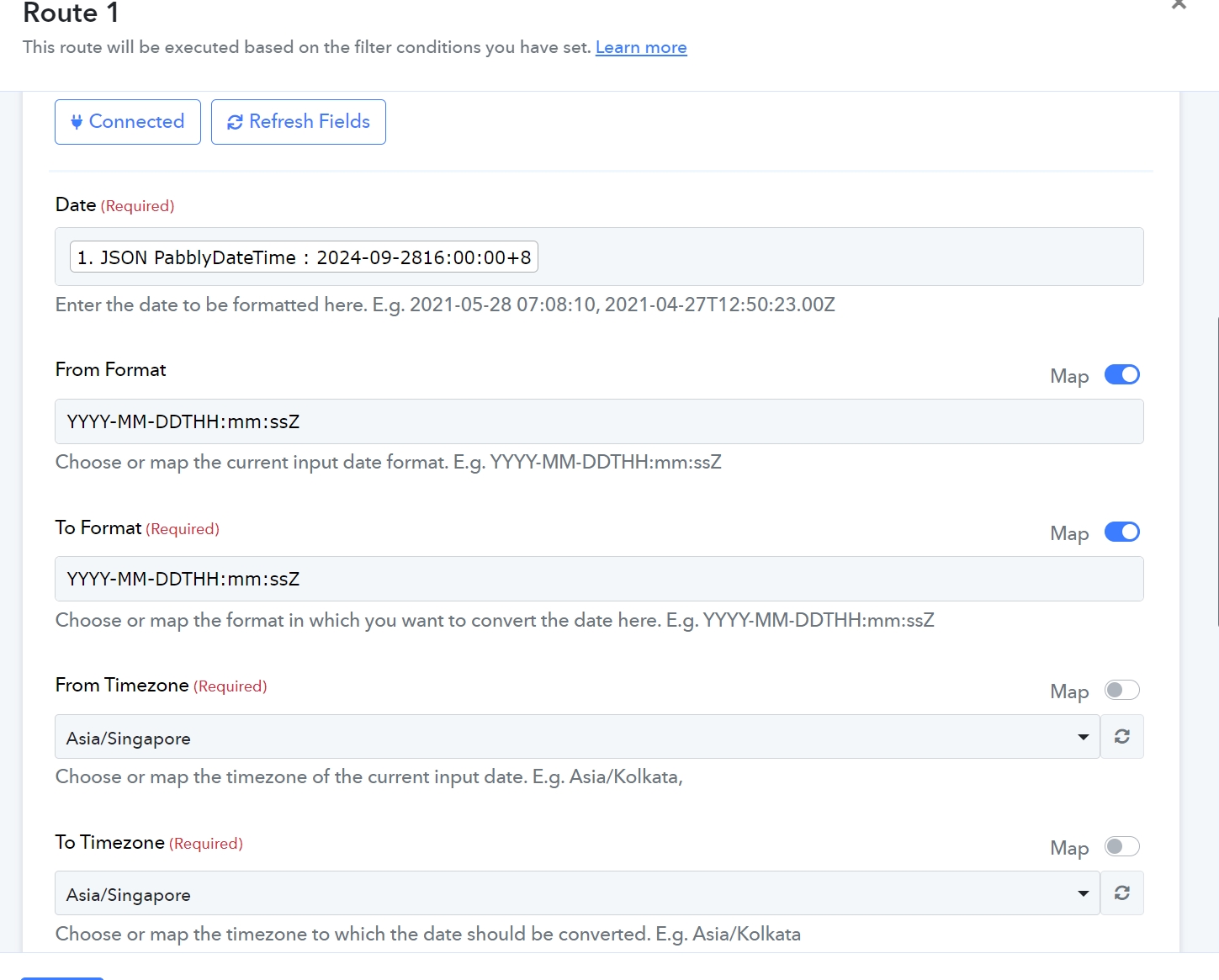
And this is the Converted Response:
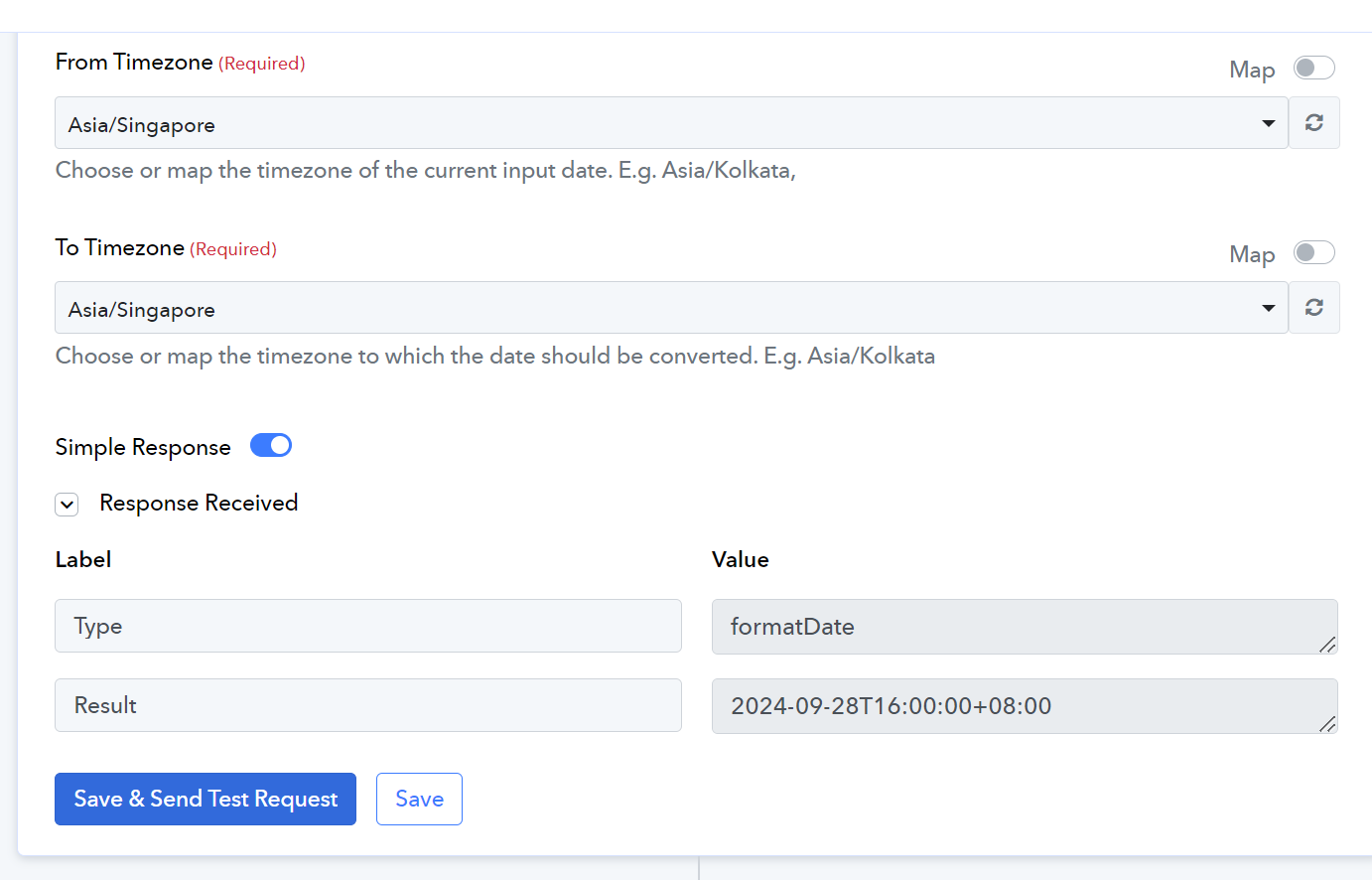
Zoom Setup
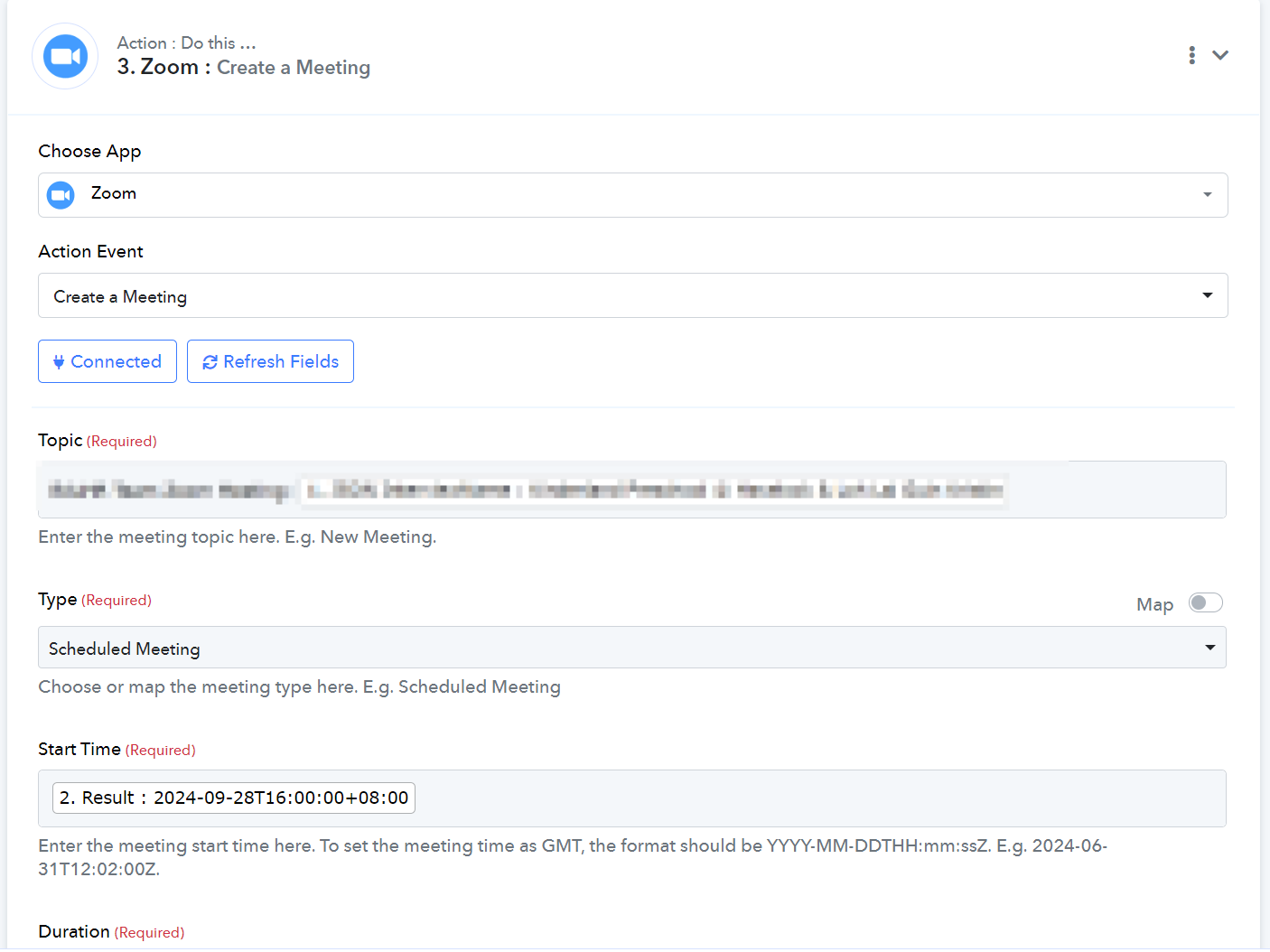
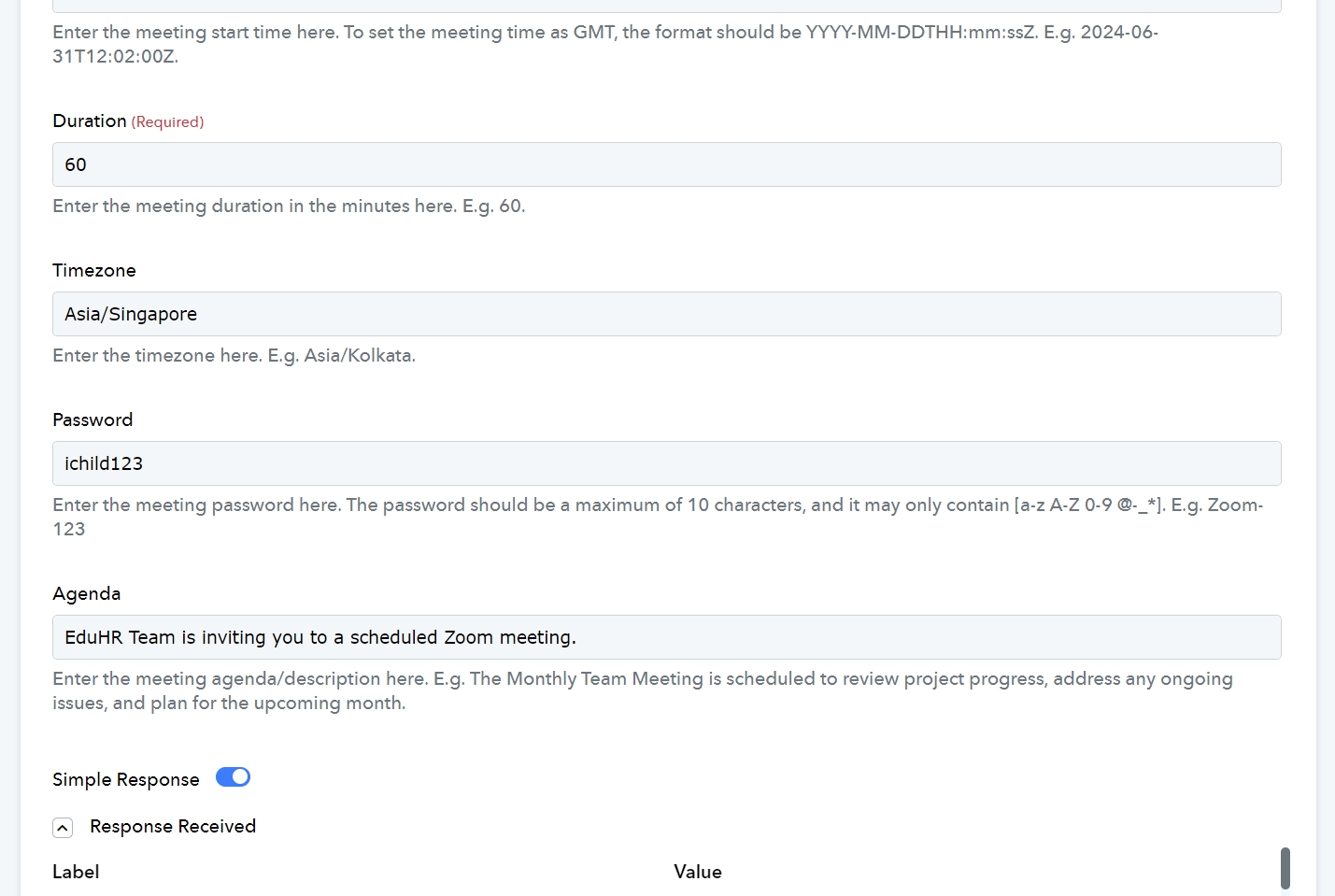
Zoom Created Result
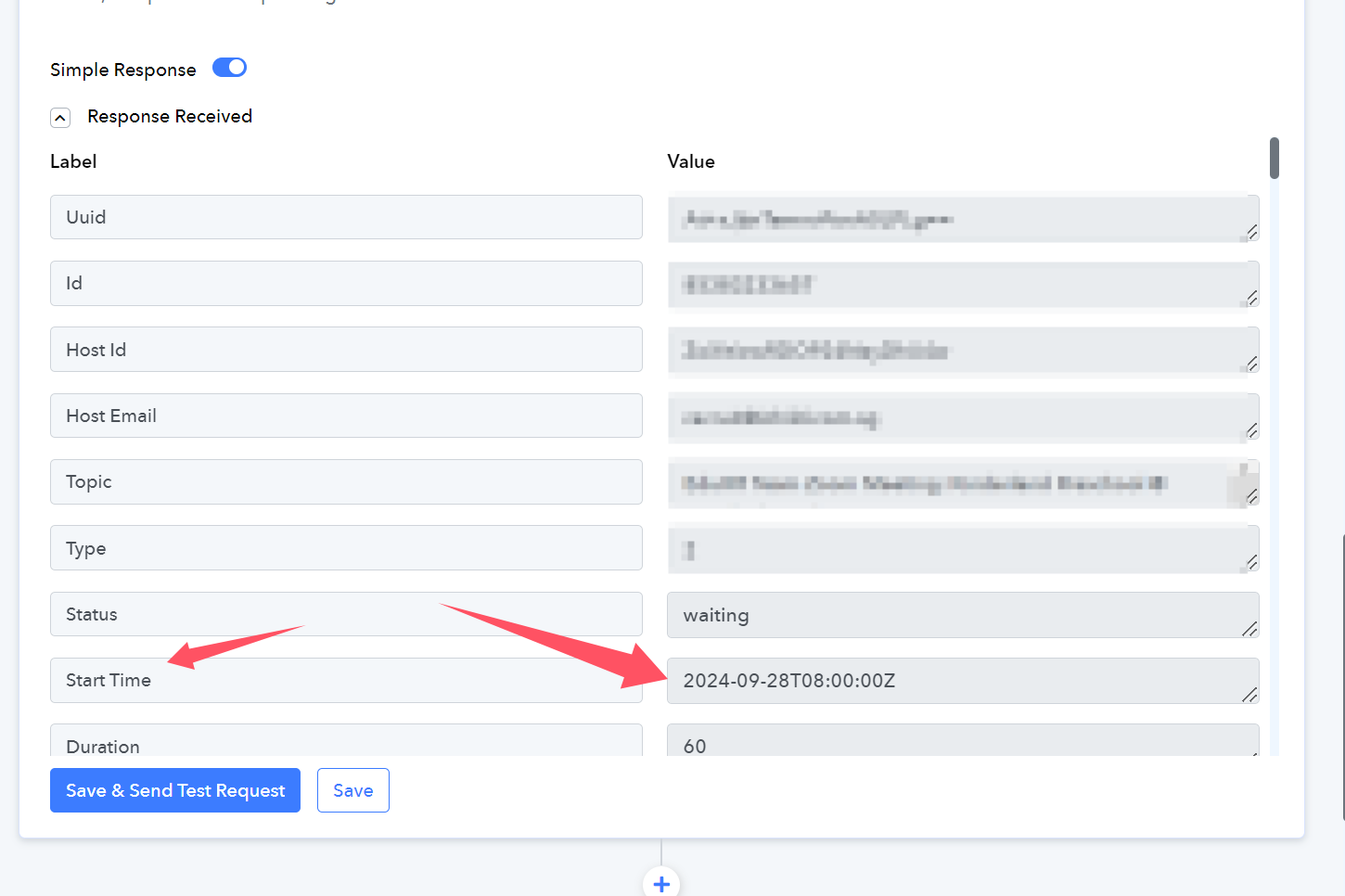
Date is correct, but timing is incorrect!
Is there an issue with the Convert Date flow? How should i amend ?
Thanks!
Hi @ichilddev,
The Start Time shown in the Zoom response is according to the UTC timezone. The meeting is scheduled to start at 2024-09-28T16:00:00 Singapore time, which corresponds to 2024-09-28T08:00:00 UTC time. Is the meeting not showing to start at the correct time in your Zoom account?
Hi @ichilddev,The Start Time shown in the Zoom response is according to the UTC timezone. The meeting is scheduled to start at 2024-09-28T16:00:00 Singapore time, which corresponds to 2024-09-28T08:00:00 UTC time. Is the meeting not showing to start at the correct time in your Zoom account?
Thanks!
So far it works... Still monitoring...