Trying to integrate Google Forms to HubSpot- stuck
Status: Open · Asked by Disability Tax Pro on · 0 views
Hi there,
I've been following one of Pabbly's youtube videos on integrating Google Forms with Hubspot and I'm stuck on a specific step. I added the Router, but the video shows two different Routes automatically coming up on the screen. Mine doesn't have that. What is my next step here?
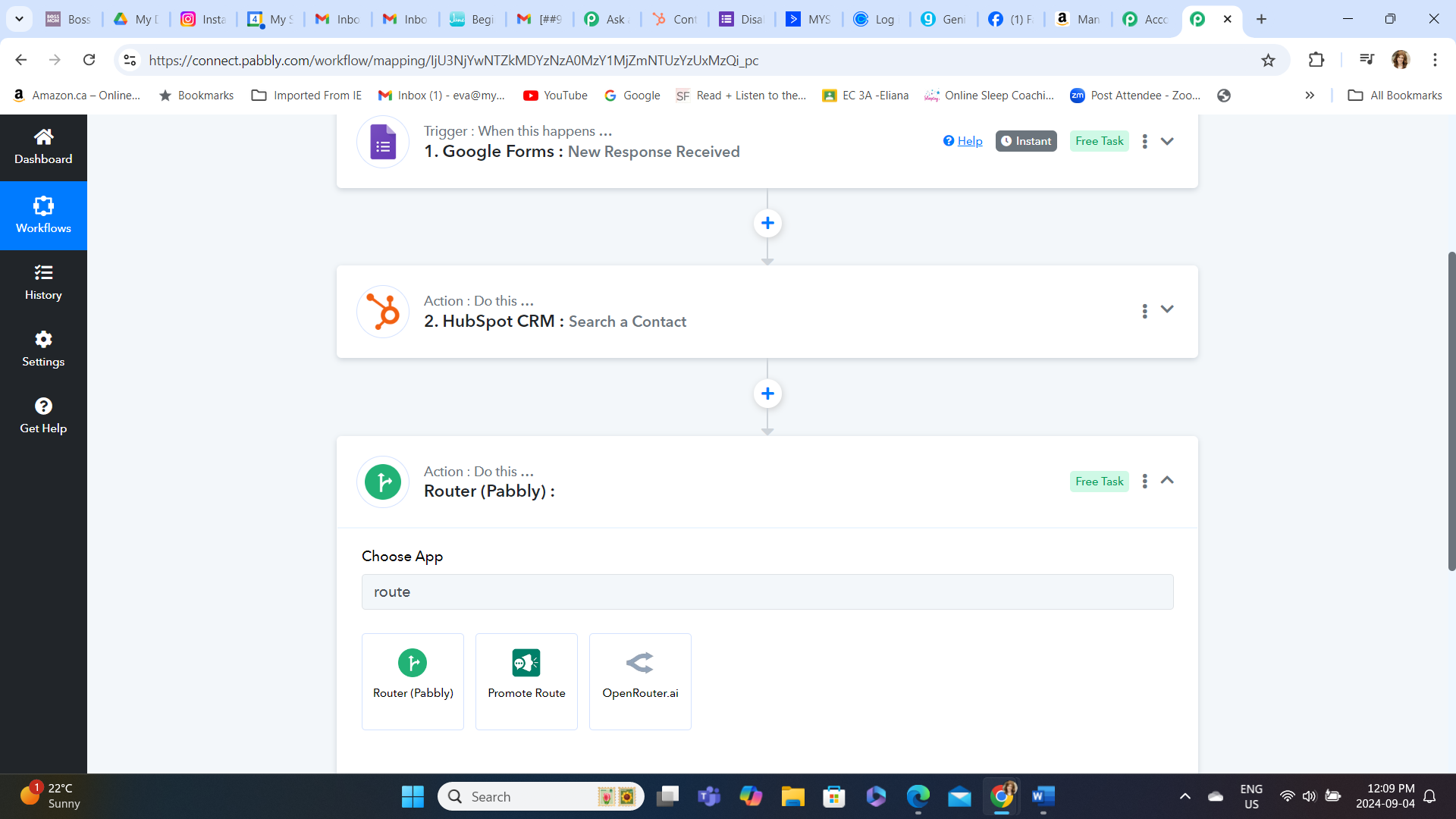
Click on first option Router(Pabbly)
Contact me - https://www.facebook.com/himeshsoni07
Email - [EMAIL][email hidden][/EMAIL]
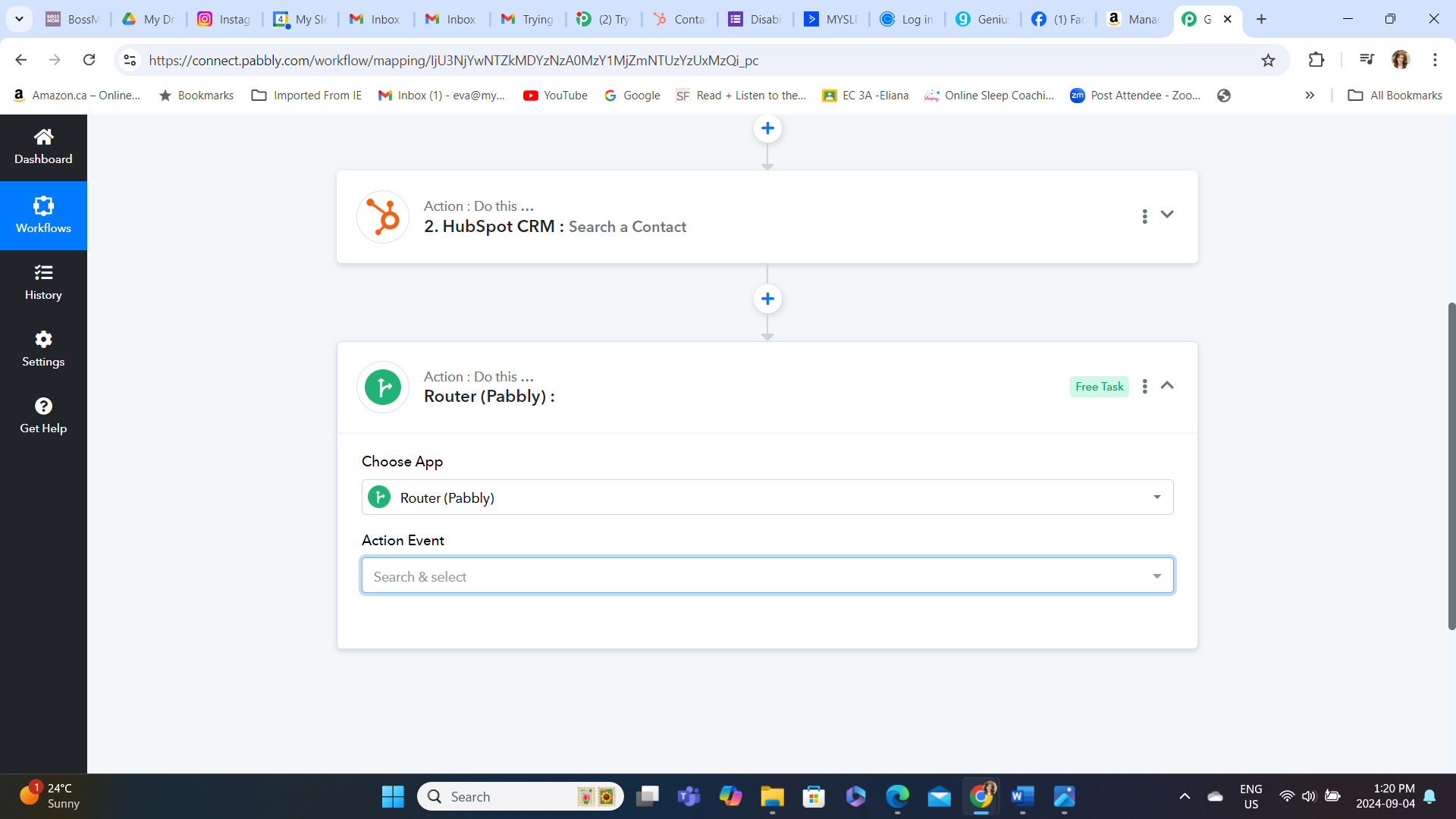
Thank you! Then this happens:
The video says I'm supposed to rename two routines as "exist" and "does not exist", but I don't see those options here.
Ok can we have zoom call I'll help you out. You can dm me..
Contact me - https://www.facebook.com/himeshsoni07
Email - [EMAIL][email hidden][/EMAIL]
In this case click on action event and after that click on first option.
Contact me - https://www.facebook.com/himeshsoni07
Email - [EMAIL][email hidden][/EMAIL]
Please login to your Pabbly Connect account in an Incognito Tab and try again.
https://drive.google.com/file/d/1GO2-rlTZKKhtHm95DbViJuWlK1eM86DX/view?usp=sharing
Please login to your Pabbly Connect account in an Incognito Tab and try again.
https://drive.google.com/file/d/1GO2-rlTZKKhtHm95DbViJuWlK1eM86DX/view?usp=sharing
Thank you. That worked- but then I got this error:
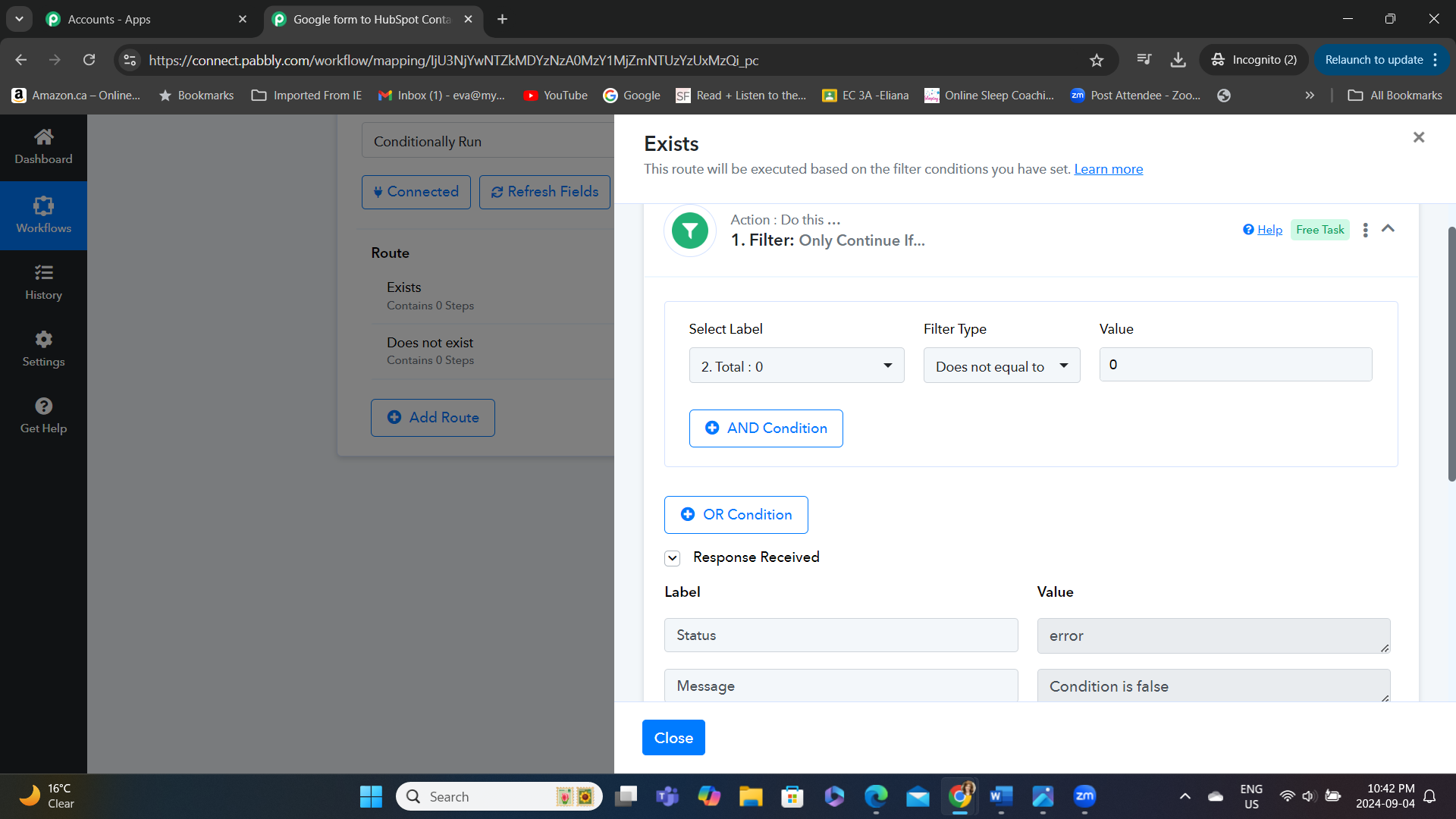
Thank you. That worked- but then I got this error:
Since the comparison is between zero and a non-existent condition, the result will be false. This indicates that the filter condition is working as expected.