unable to capture webhook
Status: Open · Asked by Highontrips.rg on · 0 views
Hi Pab support,
I am unable to capture whatsapp form (aisensy) webhook response. need help.
Hello @Highontrips.rg,
We're assuming that you are facing issues in the following workflow: https://connect.pabbly.com/workflow/mapping/IjU3NjYwNTZmMDYzMzA0MzM1MjZjNTUzNjUxMzAi_pc.
The issue seems to be occurring because the phone number is required to be mapped in the Phone Number field. We recommend recapturing a test response or test lead from Facebook by following these steps:
- Click on the Recapture Web Response button.
- Submit a lead by clicking on the Preview Lead button and entering the details, ensuring the phone number is correct.
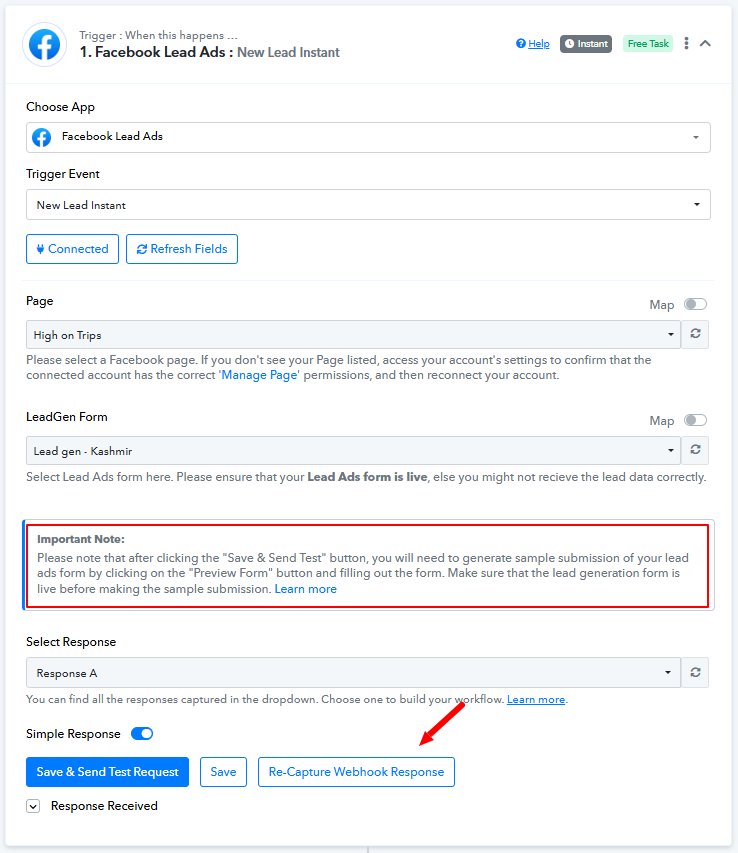
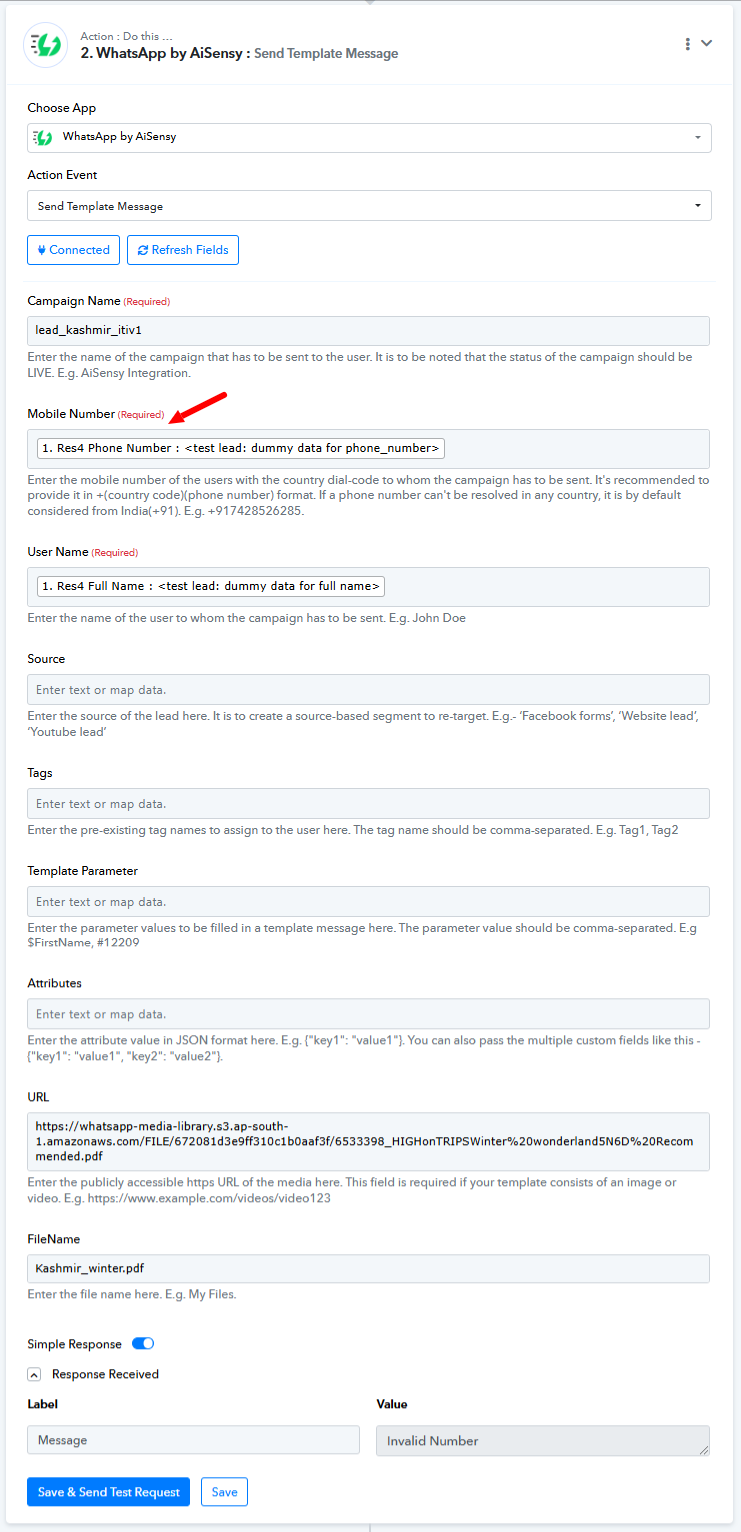
Once done, map the phone number to the WhatsApp Message step. This should resolve the issue moving forward.
Please refer to this tutorial for more info -
Hello @Highontrips.rg,We're assuming that you are facing issues in the following workflow: https://connect.pabbly.com/workflow/mapping/IjU3NjYwNTZmMDYzMzA0MzM1MjZjNTUzNjUxMzAi_pc.
The issue seems to be occurring because the phone number is required to be mapped in the Phone Number field. We recommend recapturing a test response or test lead from Facebook by following these steps:
- Click on the Recapture Web Response button.
- Submit a lead by clicking on the Preview Lead button and entering the details, ensuring the phone number is correct.
Once done, map the phone number to the WhatsApp Message step. This should resolve the issue moving forward.
Please refer to this tutorial for more info -
thank for responding. however i am referring "WA_Bot to GSheet" flow.
above mentioned flow is working fine.
Currently, we do not have a trigger step for AiSensy. However, you can try using WhatsApp Cloud API or Interakt as your trigger step by following the video shared below to achieve your use case.
Hey @Highontrips.rg
We would recommend checking this on webhook.site to verify if it is working properly.
youtube.com/watch?v=V0eih93WSj8
Additionally, you will need to send a test response (a test message on the registered phone number) to capture a trigger response.
Please try this out on your end and let us know.