Unable to Connect to Shopify V2
Status: Open · Asked by IT from De Comate on · 0 views
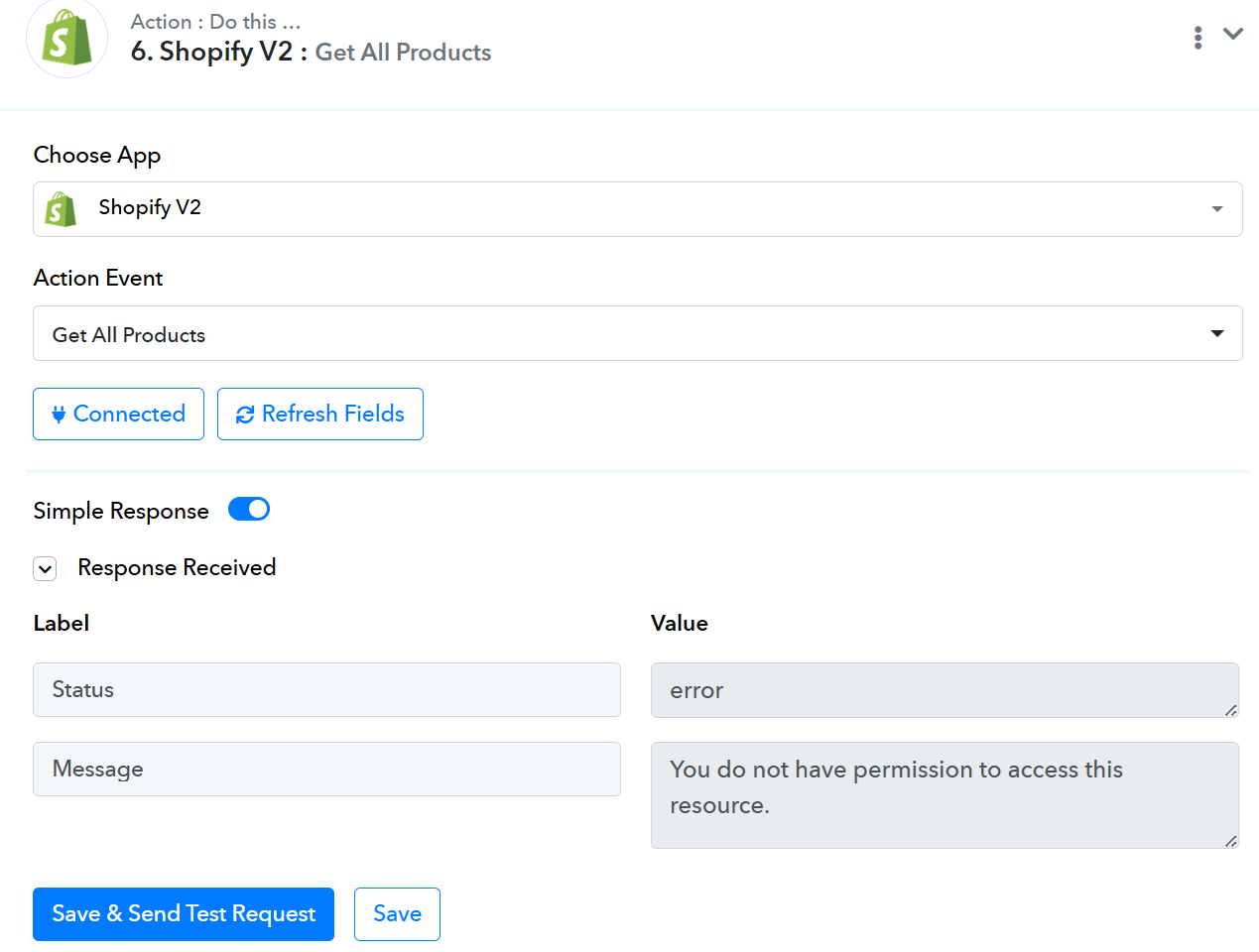
I've set up a workflow to enable product creation once a file has been uploaded to a shared Google Drive. The last step for product creation failed. I believe it's due to my Shopify credentials. It says, "You do not have permission to access this resource."
I went back to the basics & tried to get all products instead (to make sure my permissions are sufficient). It still says the same error.
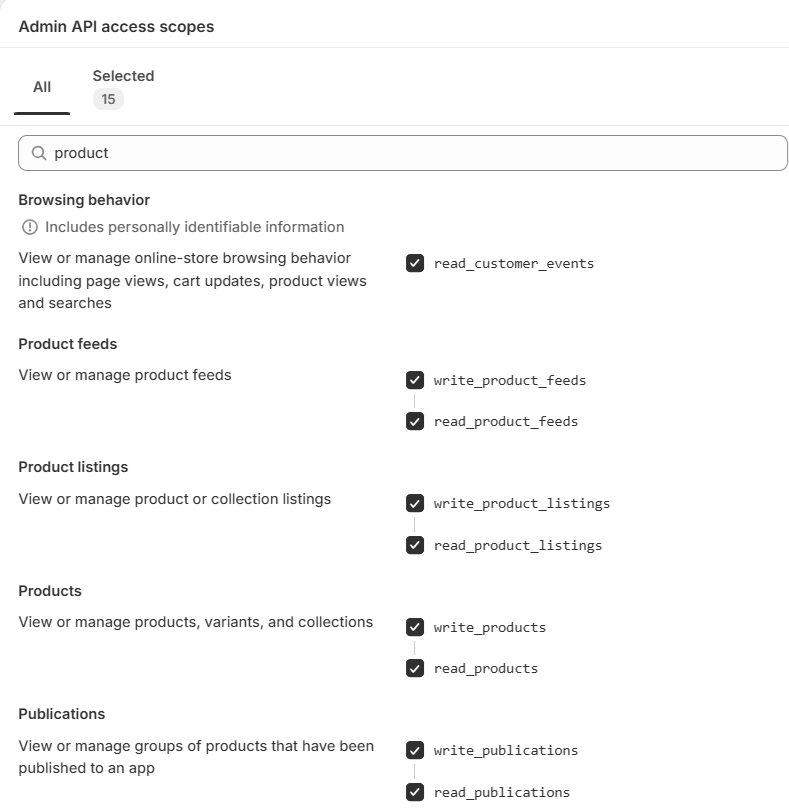
I followed video tutorials on creating products & followed the steps provided. My app scopes are as follows:
I do have a custom domain for Shopify. Not sure if it's impacting the process.
I've tried artincard, artincard.com., https://artincard.com. None worked.
I believe the errors were different. "artincard" gave me "Not Found". "artincard.com" gave me Forbidden 403. https://artincard.com gave me "You do not have permission to access this resource."
Hey there — that connection error to Shopify V2 could be due to a few common issues. Some things you might check:
- Make sure your API key and secret are correct and haven’t been regenerated
- Confirm that the Shopify app has the required permissions to access the data you need
- Double-check the API endpoint URL (version number, shop name, etc.)
- See if there’s any firewall or IP restrictions on either side blocking the connection
- Look in the logs or error messages for HTTP status codes (e.g. 401, 403, 404) polytrack — those often reveal where the issue lies
If you share the exact error message (or status code) you’re getting, I’d be happy to help you troubleshoot further.
Hello @HelpMeLearn,
Could you please share a screencast showing the connection process instead? It will help us understand the issue better.
Hello @HelpMeLearn,Could you please share a screencast showing the connection process instead? It will help us understand the issue better.
- Make sure your API key and secret are correct and haven’t been regenerated: No, it hasn't.
- Confirm that the Shopify app has the required permissions to access the data you need: I believe it does.
- Double-check the API endpoint URL (version number, shop name, etc.): Trying to confirm this.
- See if there’s any firewall or IP restrictions on either side blocking the connection: None.
- Look in the logs or error messages for HTTP status codes (e.g. 401, 403, 404) — those often reveal where the issue lies: The most I saw was 403, Forbidden.
Thank you for your reply. This is my screen recording of my connection processes:
https://flixier.com/view/iM78lFhF
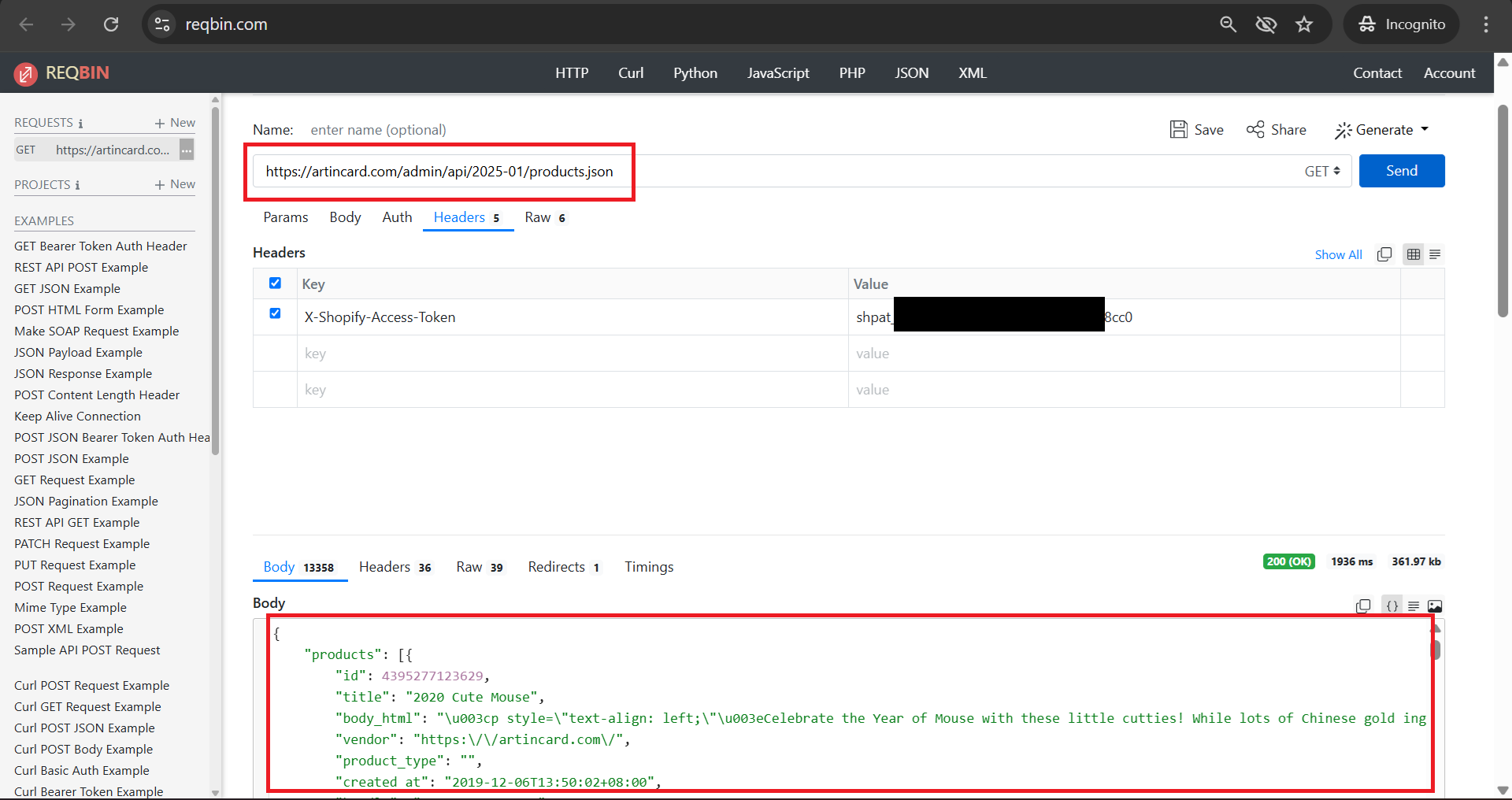
The endpoint https://artincard.com/admin/api/2025-01/products.json does work with the same access token when I tried it with Reqbin. Please see the attached image.
Hey there — that connection error to Shopify V2 could be due to a few common issues. Some things you might check:
- Make sure your API key and secret are correct and haven’t been regenerated
- Confirm that the Shopify app has the required permissions to access the data you need
- Double-check the API endpoint URL (version number, shop name, etc.)
- See if there’s any firewall or IP restrictions on either side blocking the connection
- Look in the logs or error messages for HTTP status codes (e.g. 401, 403, 404) polytrack — those often reveal where the issue lies
If you share the exact error message (or status code) you’re getting, I’d be happy to help you troubleshoot further.
Thank you for pointing me to the right direction.
For point #3: I checked the "Domain" section under "Settings" in Shopify.
When I tried https-artincard-com - it worked. Pabbly uses this format for its calls (as mentioned in the connection instructions).
Thanks, again.
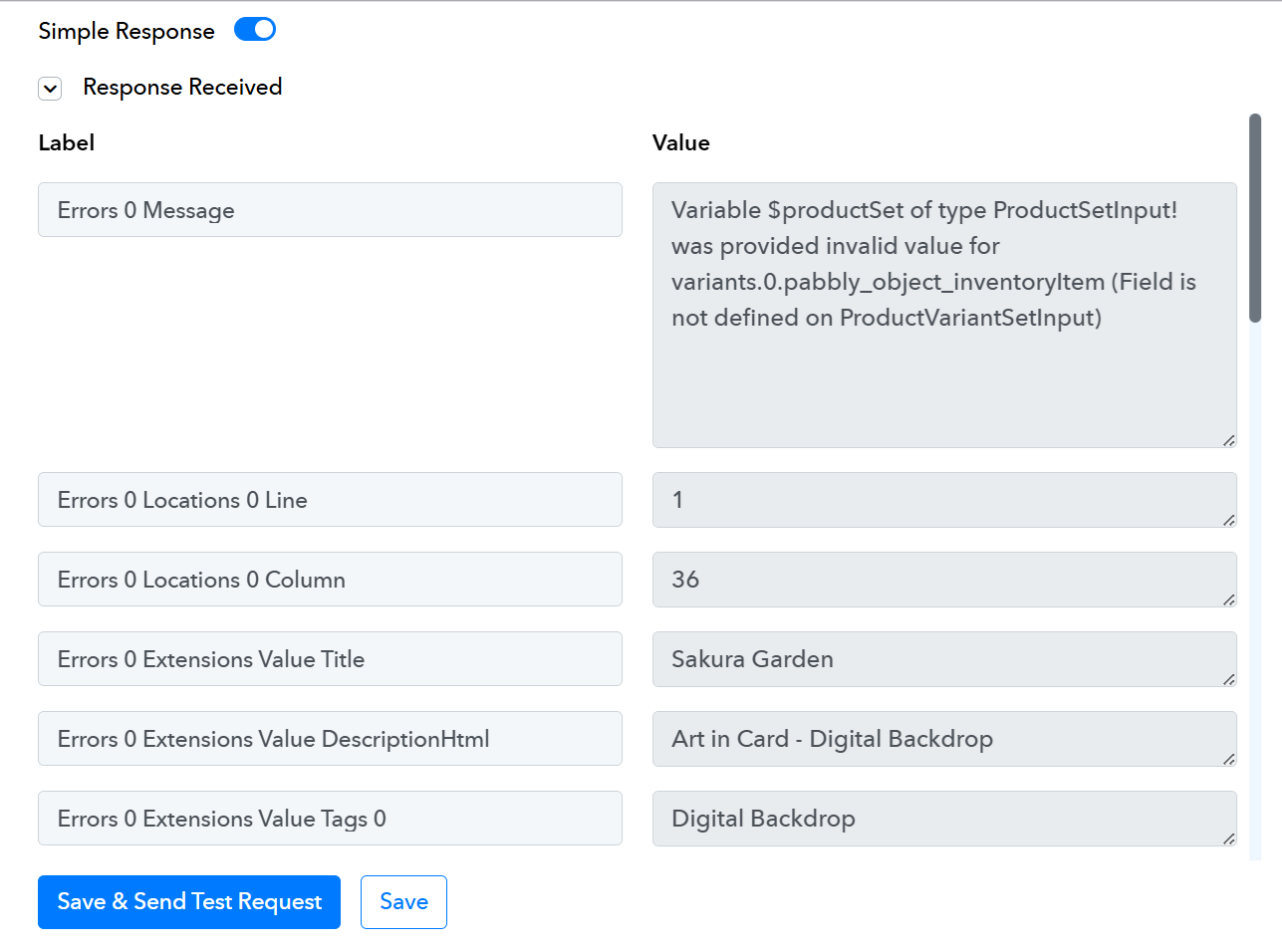
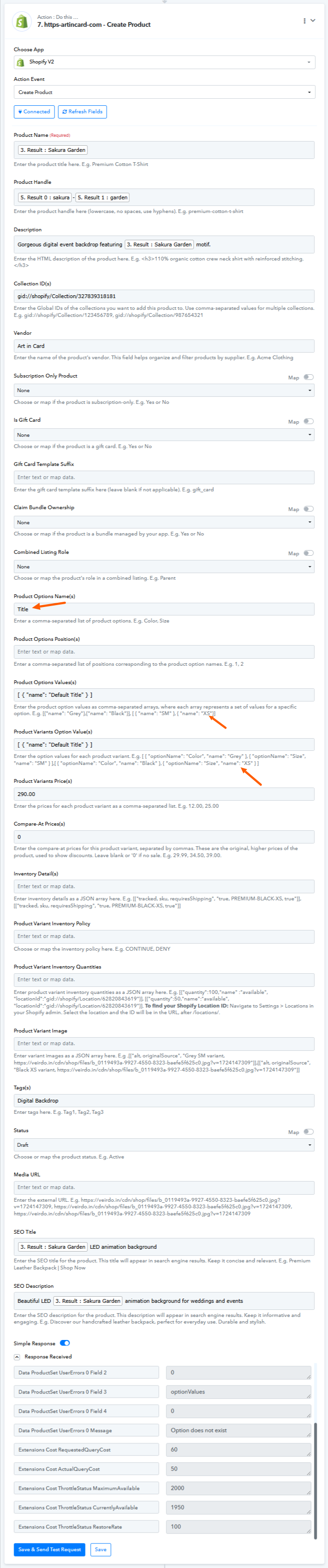
The connection issue is solved, but I'm unable to create a product.
The error I got:
Hello @HelpMeLearn,
Upon checking, it seems that you haven't added the Product Options Values(s) and Product Variants Option Value(s) in the correct format. Please add it in the correct format to avoid facing the issue.
Attached a tutorial for your reference:
Hello @HelpMeLearn,Upon checking, it seems that you haven't added the Product Options Values(s) and Product Variants Option Value(s) in the correct format. Please add it in the correct format to avoid facing the issue.
Attached a tutorial for your reference:
Thank you. I've corrected them. I didn't understand what was needed. Are these fields mandatory?
Hello @HelpMeLearn,
No, the fields aren't mandatory. The only requirement is that the data needs to be sent in a specific format if any data is added in that field.