unable to fetch variables in the whatsapp automated message sending and I have to manually send the message everyone by clicking save and send test
Status: Open · Asked by Nirav on · 0 views
i have created a workflow in which I have connected google sheet to whatsapp API! in which I want the pabbly to get triggered when the value in column r is updated! but the variables which I am giving in the template it is not getting fetched!?
also I am using only 2 variables 1 for name and 2nd is an URL!
Hello @Nirav,
Could you please provide us with the Workflow URL where you are facing this issue? This will help us investigate the problem more effectively and assist you accordingly.
[IMG width="622px" height="187.397px"]https://lh7-rt.googleusercontent.com/docsz/AD_4nXcNlPxM1z60yK7BSiIB-lYKbnY0B8E2Bc-A2TzNasmL7W_V2MjbkhQilJ3c91OwROzbu_dTWxKDOcSWSnoGm4onkLEhiu2j2CuHKcvpyiwkvMqt1UtMjGZKlYkJcDOnnYEE699P?key=PL4GUVQWZ8u13PditD4i_cYb[/IMG]
Hello @Nirav,
Thank you for sharing the workflow URL.
Upon reviewing it, we noticed that the WhatsApp action appears to be working correctly. However, the Google Sheets trigger is still waiting for a response, which may have caused the webhook to expire.
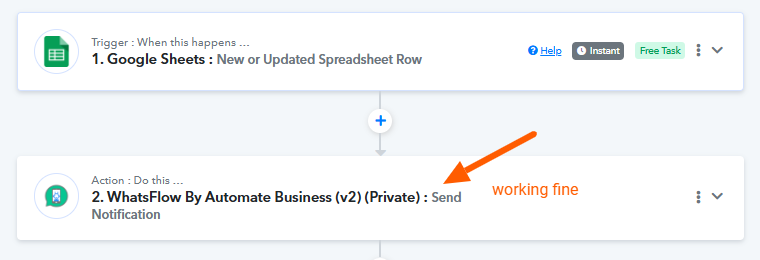
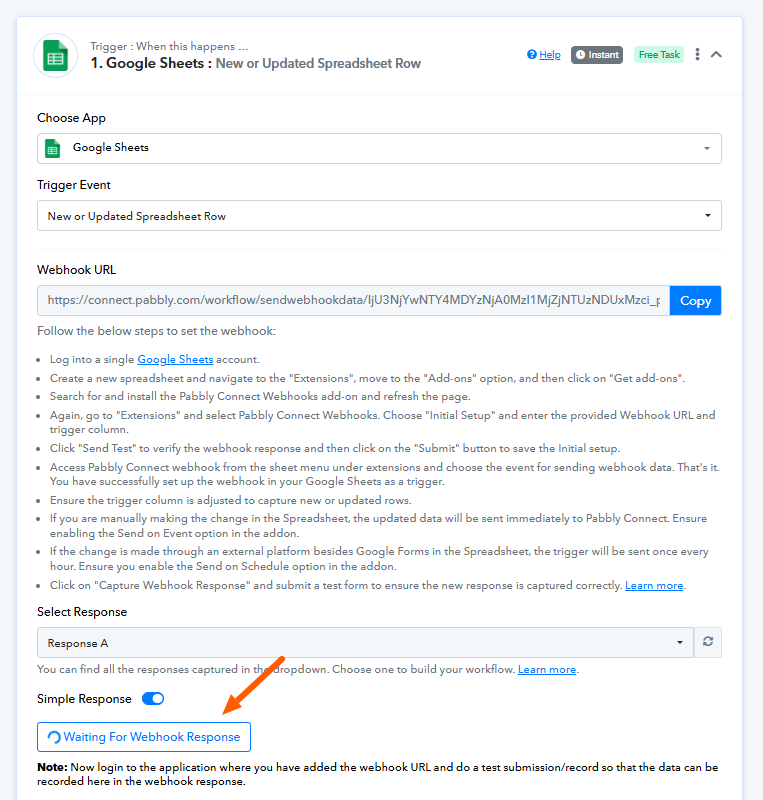
We recommend creating a new workflow and carefully setting up the trigger again. To help you avoid any mistakes, please refer to this tutorial:
youtube.com/watch?v=FipPt_qnW4I
Once you've set up the workflow, feel free to reach out if you face any issues