Unable to merge two customer accounts by changing email address
Status: Closed · Asked by Sven Bosau on · 0 views
I have a customer who purchased two different products using two different email addresses. He has now asked me to consolidate everything under a single email.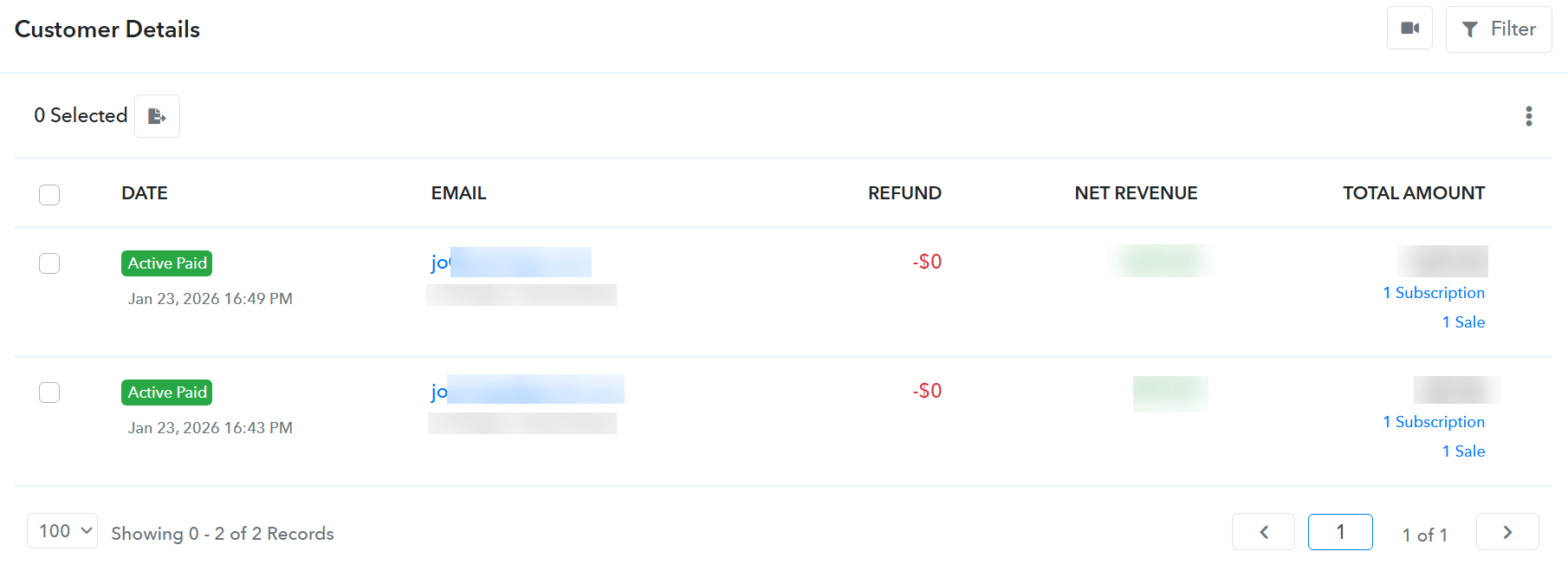
When I try to update one of the customer records to match the other email (Customer Details > Edit > Change Email > Submit), I get the following error:
{"cause":{},"isOperational":true}
Screenshots attached: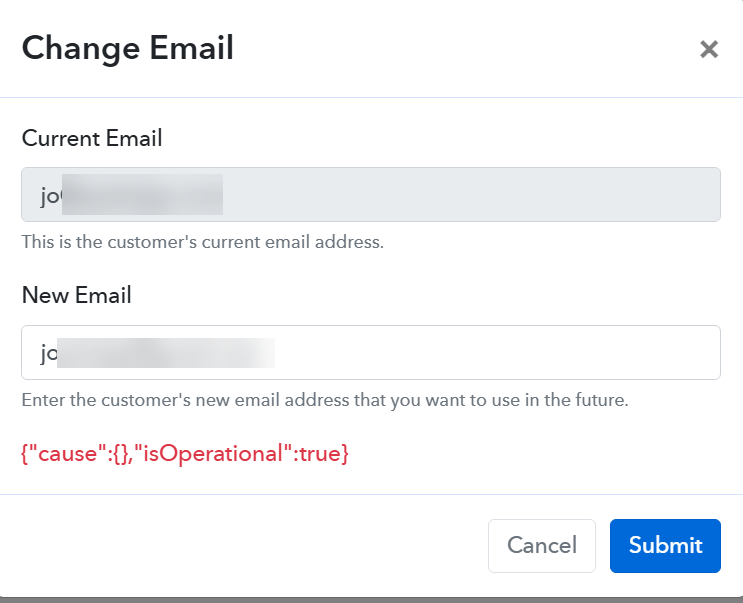
A few questions:
- Is changing the email to one already used by another customer record blocked by design?
- If so, what is the recommended way to merge two customer accounts so both subscriptions and sales sit under one email?
- If this is a bug, can you look into the error above?
Thanks,
Sven
Hi Sven,
Thank you for reaching out and for clearly outlining your use case.
We understand that the customer has purchased two different products using two separate email addresses, and you would like to consolidate everything under a single email.
Please find the clarifications below:
1. Changing email to an already existing customer email
Yes, this is blocked by design.
It is not possible to update a customer’s email address to one that is already associated with another existing customer record in the system.
2. Merging two customer accounts
Currently, there is no direct option available to merge two customer accounts into one.
Recommended workaround:
- Cancel the subscription associated with the email that you no longer want to use.
- Reassign the same plan to the desired (primary) email at a $0 value, since the payment has already been collected.
Important note:
- If the plan is recurring, assigning it at $0 will result in future renewals also being processed at $0.
- Therefore, we recommend cancelling the renewal and asking the customer to purchase the plan again during the next billing cycle (if required).
Additionally, if the old customer record is no longer needed, you may choose to delete it.
3. Error: {"cause":{},"isOperational":true}
This is not a bug. It is a result of the system restriction mentioned above and reflects the intended functionality.
If you need help with reassigning the plan or handling the subscription adjustments, feel free to let us know—we’ll be happy to assist further.
Thanks for the explanation. It's clear to me now.
Glad to be of help.
We are closing this thread as the concern has been addressed. Please feel free to reach out to us if you face any issues in the future.