Unable to retrieve correct Task ID from Clickup
Status: Open · Asked by jonbstrong on · 0 views
I'm trying to create a todoist task every time a subtask is assigned to me in Clickup for a specific project.
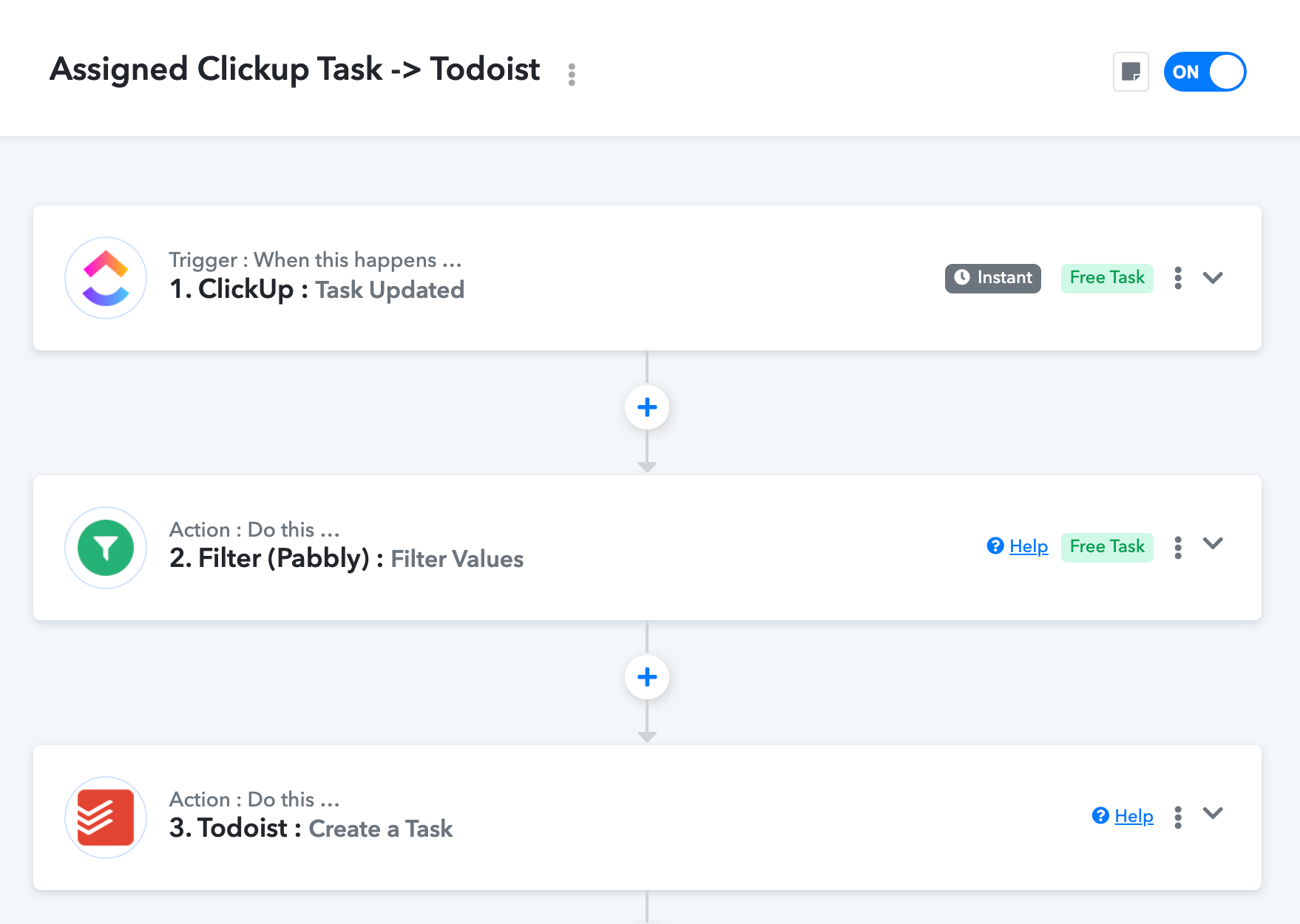
I have set up a trigger every time a Clickup task is updated and a filter on assignee and action.
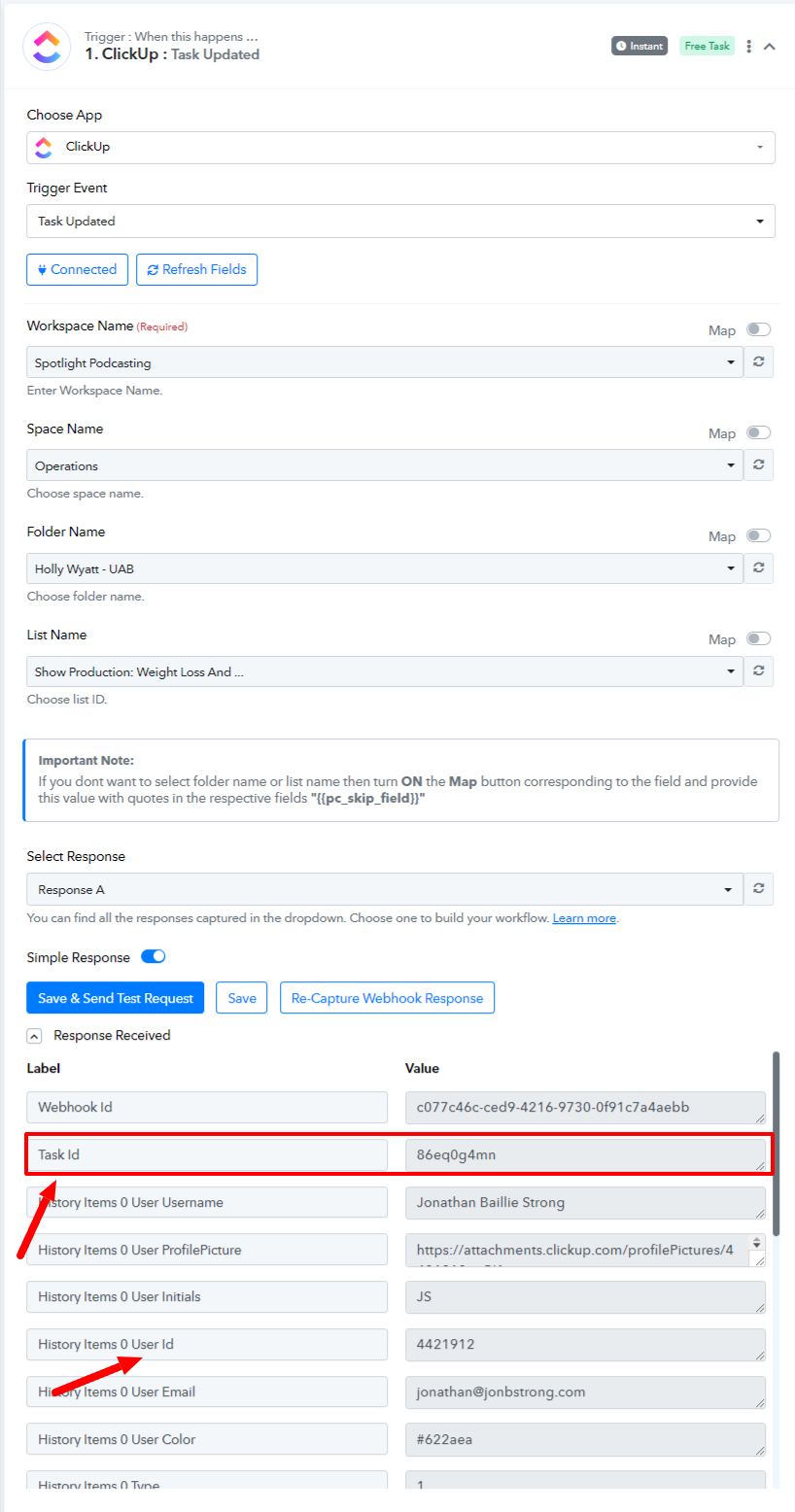
I would like the Todoist task created to include the URL for the Clickup subtask which requires the task ID, which looks something like 86eqe8f3c
However, the fields returned from Clickup for the trigger only include ID parameters that look like 4421912 or 4206814117959257308 or 900902472227
Including an extra Clickup action to "find task by task ID" returns "Team not authorized" (error code OAUTH_027)
Hello @jonbstrong
As I can see the task ID received from the "ClickUp: Task Updated" trigger step is received as desired 86eqe8f3c, refer to the attached image below for more info.