"unescape" input parameter for json safe request?
Status: Open · Asked by kalintro on · 0 views
Hi there! Does anyone know how to "unescape" a input parameter? For example i want this input: This is a "test" to become: This is a \"test\"
I get this when sending in a "html template" through a string parameter in my pabbly app: Bad control character in string literal in JSON at position 2 (line 1 column 3). But if i send in the "json safe" and escaped parameter, pabbly "double escapes" the actual request to the api? Is there a way to send in a "json safe" parameter through the workflow client, which doesnt get re-escaped or double escaped as e final result in the integration request?
This is the current result: {"html_template":"\\r\n\\r\n \\r\n \\r\n Invoice\\r\n .....
Desired result: {"html_template":"\r\n\r\n \r\n \r\n Invoice\r\n .....
(When sending in the "raw" html input as shown in the image beneath., I get a json error.. if i send in an "escaped" input, the final result becomes "double escaped as shown above when the API recieves the request")
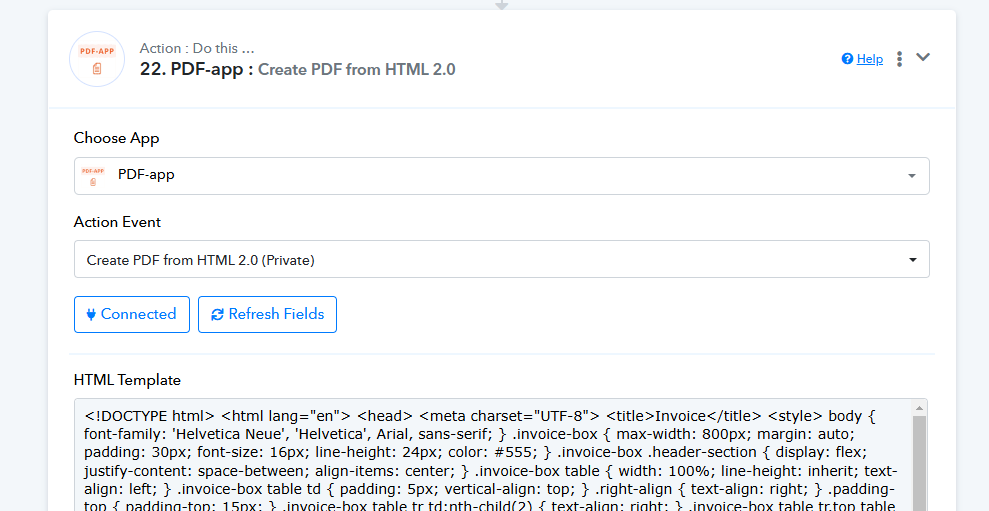
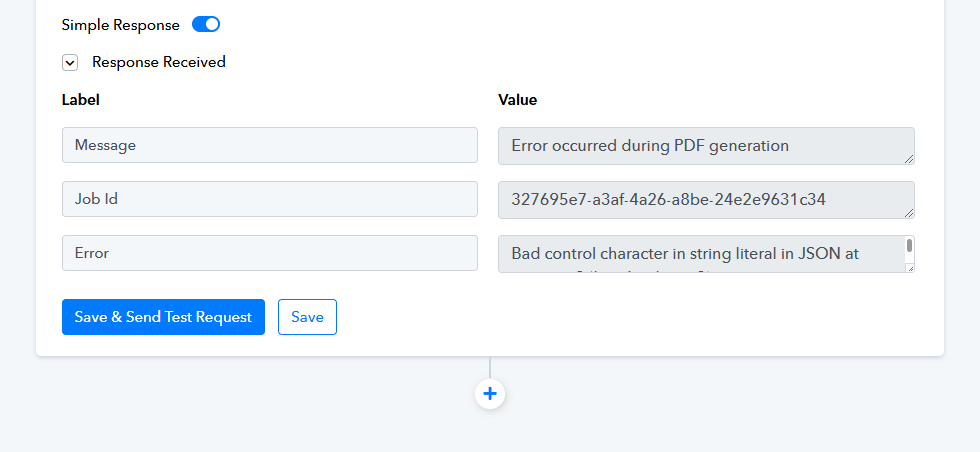
From the integration app parameter definition inside the action: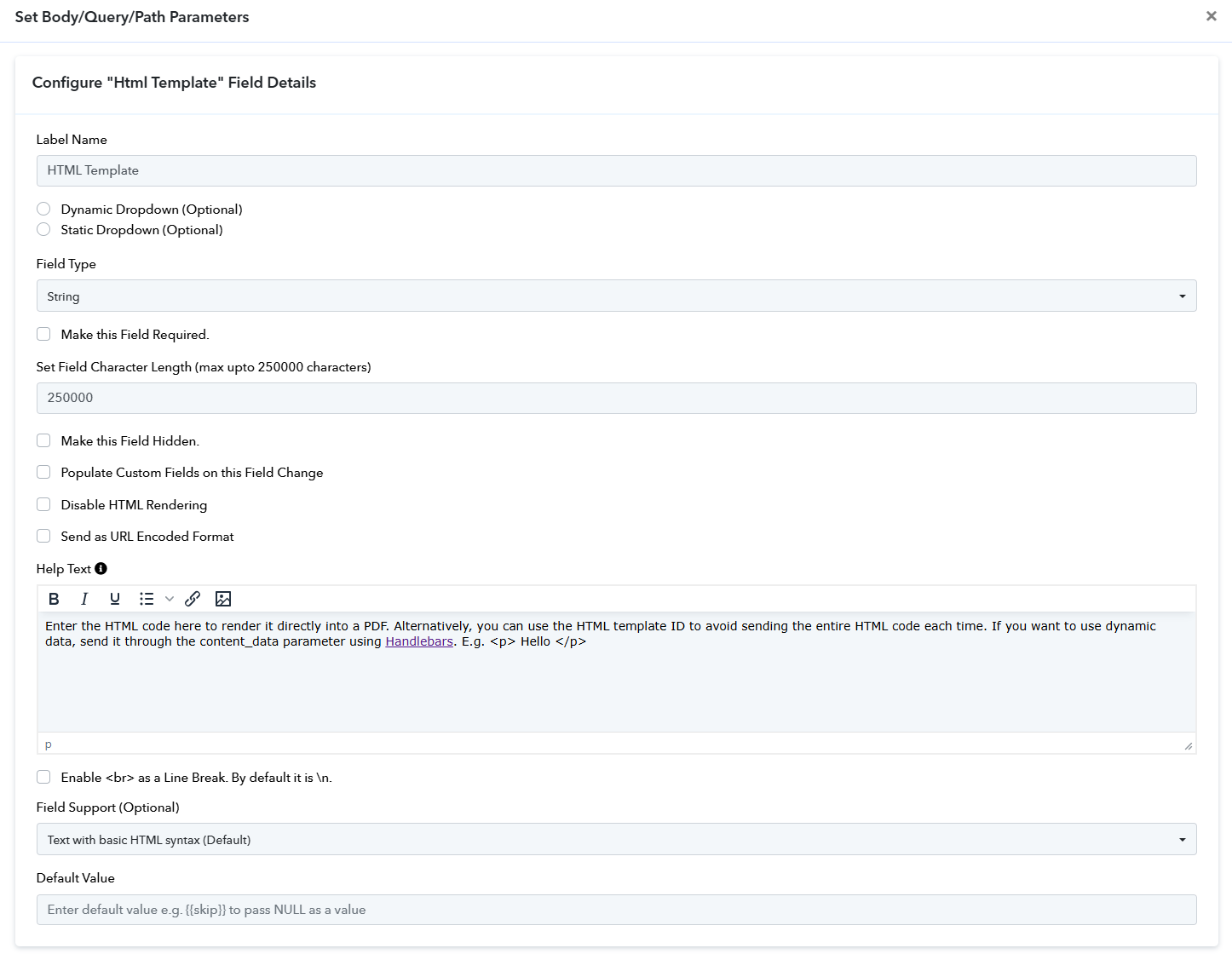
Hello @kalintro,
Please try using the Text formatter: Replace text action and let us know if it resolves the issue.
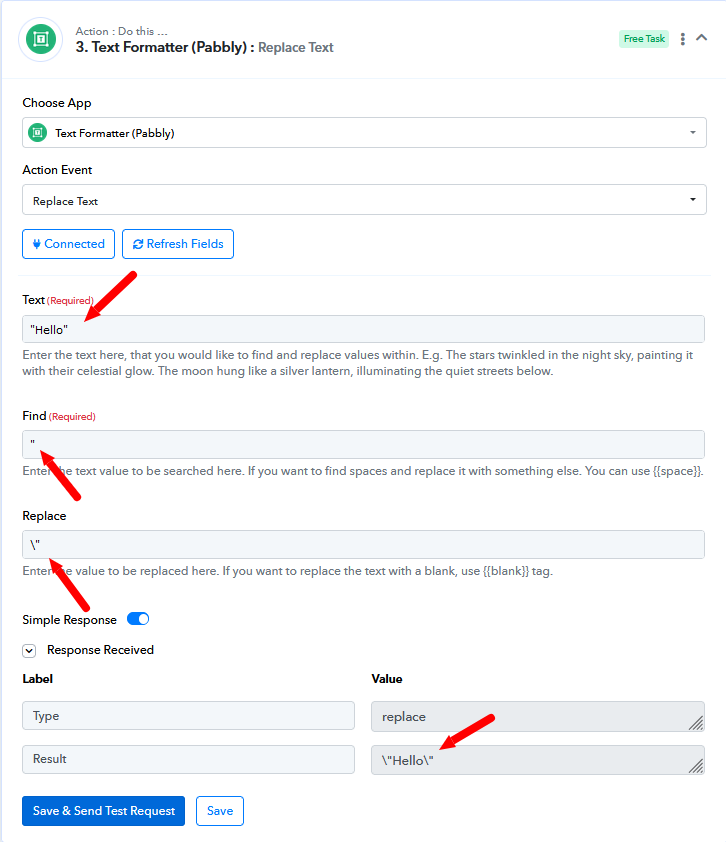
Thanks for the reply, @Preeti Paryani ! I don’t think that will solve the problem because, while the parameter will be valid for triggering the request (JSON valid), the request data will be "double-escaped" in the actual and final payload.
- The "escaped parameter" is input from the client/workflow.
- The actual payload for the integration app request gets "escaped" again, resulting in a double-escaped parameter.
So, the question is: is there a way, either in the integration or the client workflow, to avoid this double escaping, etc.?
Hello @kalintro,
We have added a Text Formatter step in your workflow to replace double quotes with single quotes. The updated response has been mapped to the PDF.app step, and it worked successfully. Please refer to the attached image for more details.
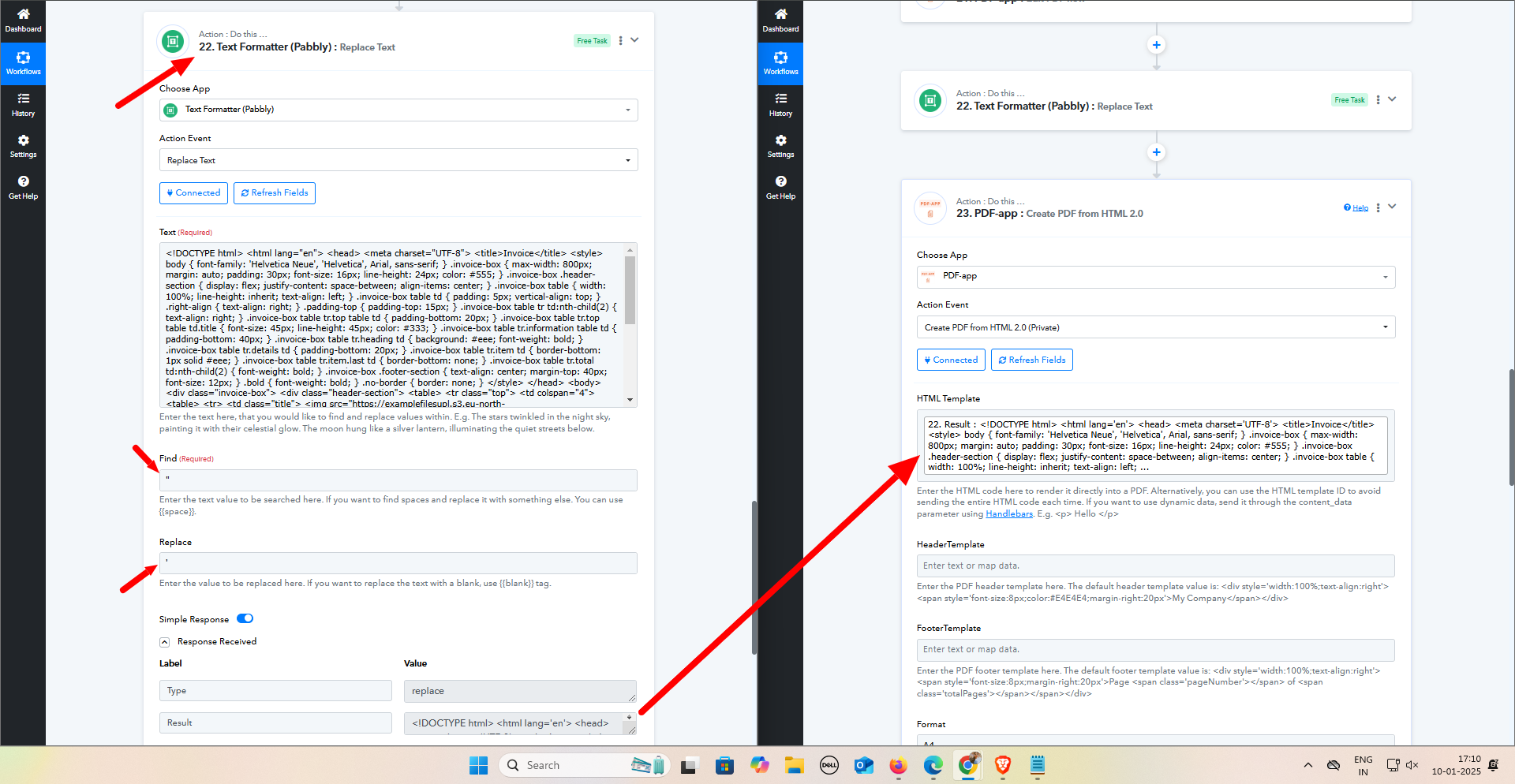
@Preeti Paryani ! Aha, you are absolutely right! Thank you very much for your help! :D
Hello @kalintro,
Thanks for the update, we'd love to hear your thoughts! If you have a moment, please rate us on Google. Your feedback helps us improve.